UBA: Data source processing 0 events
Available Languages
Applicability
Application: UBA 5.x OS: RHEL 7.x/8.x, Ubuntu, AWSDescription
UBA starts to throw data source processing error (DS-1) along with (DS-5) Event format error on UBA GUI under System --> Health Monitor --> Modules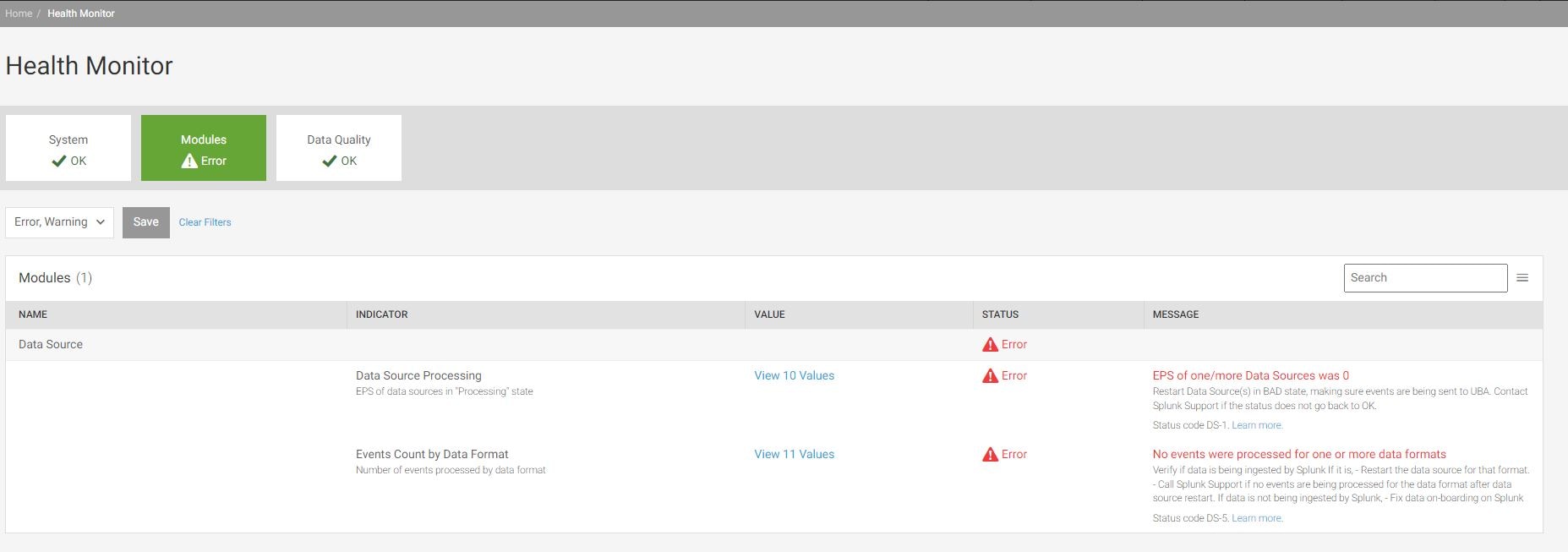
Investigation
UBA functionality essentially depends on data sources that are defined. Sometimes, these data sources stops processing the events that are coming in UBA. The reasons can be multiple that can range from search inside the data source facing a lag at splunk side to event format in the data source selected is not the right format and hence not processed. This can be investigated by following steps as mentioned below:- On the UBA GUI, access the "Health Monitor" under System --> Health Monitor --> Modules
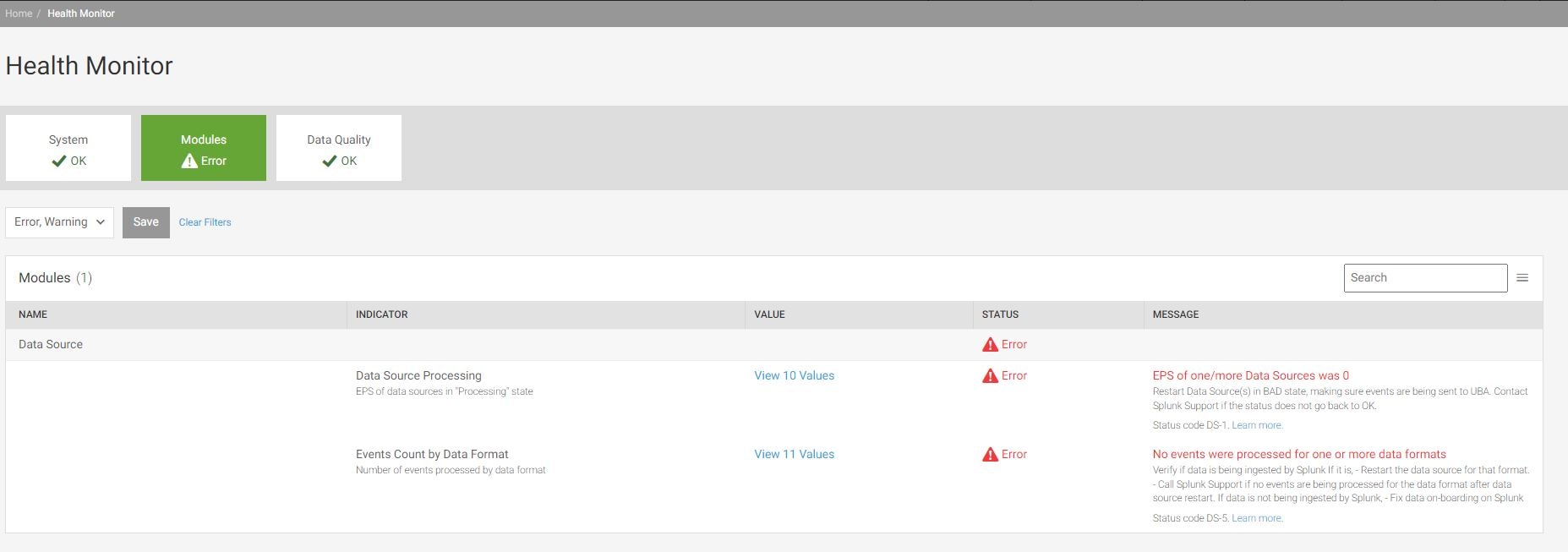
- Click on the "View x Values" under the "VALUE" column of the Modules page:
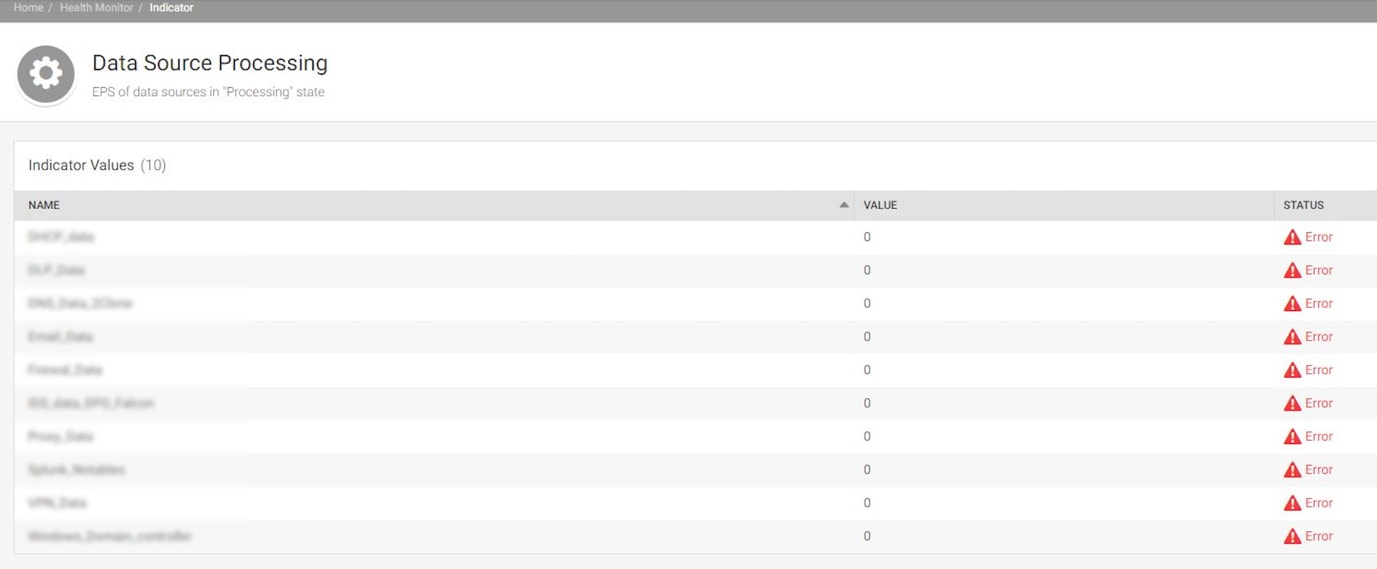
- Number "0" depicted under the "VALUE" column of the data source processing page points to the specific data sources that are affected under the "NAME" column.
Resolution
There are couple of resolutions that can be implemented to resolve this issue.
Resolution#1: You can use this resolution as a quick fix to check if it helps resolve the issue.
1. In Splunk UBA UI, select Manage > Data Sources.
2. Stop each affected data source.
3. Start each affected data source.
Resolution#2: Sometimes the above resolution may not help and the issue still persists. In order to find the root cause behind the issue and to resolve , please follow the steps below:
Login to UBA UI and go to data source detail page, add ?system to the url to show more detail
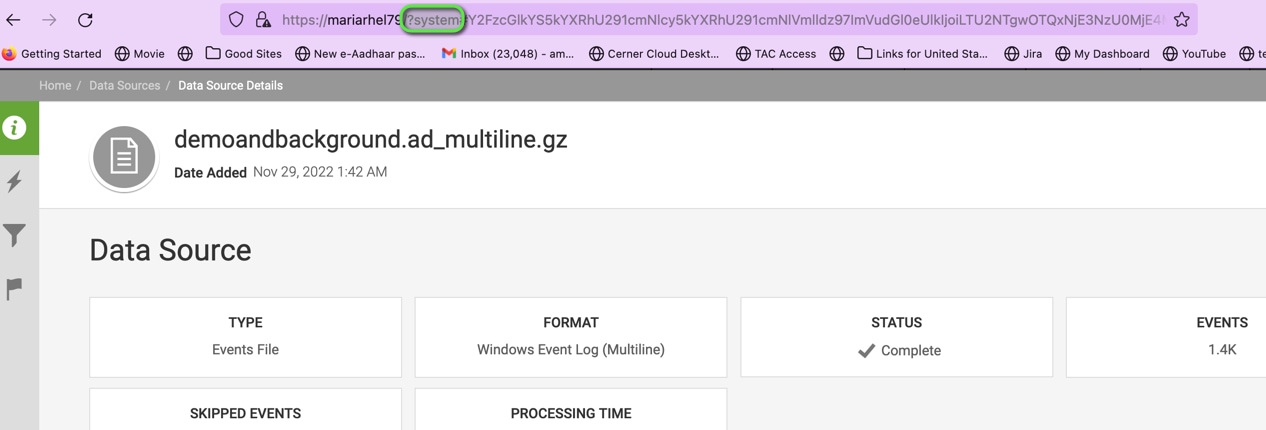
- At the bottom of the page, you will see a number as the unique identifier under "Connector Stats" --> "LOCATION" column of the data source log as highlighted in below sample:
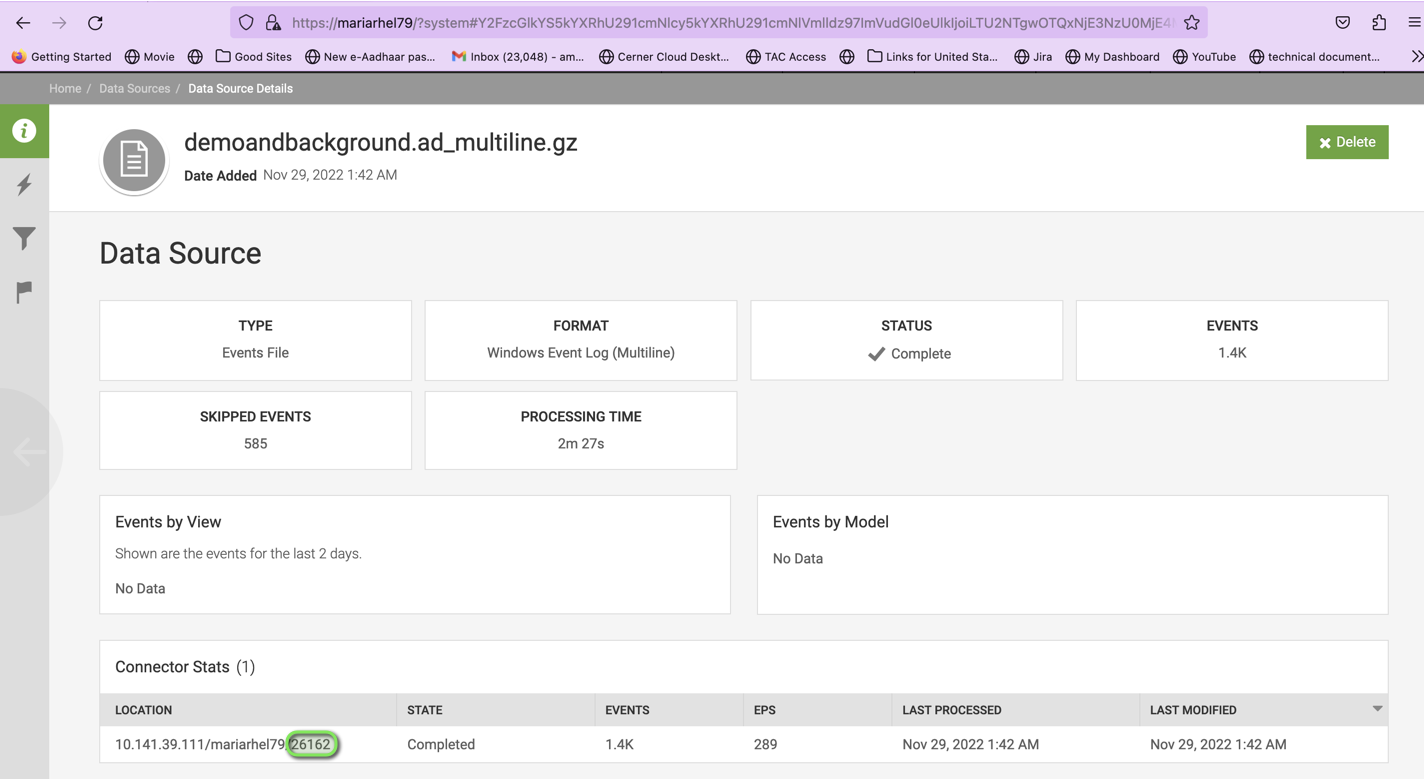
3. Find the log under /var/log/caspida/jobexecutor-"unique_identifier".log
4. Search for "Submitting search job: query" to see if the search query looks correct. Sample query:
2022-12-26 17:46:34,432 INFO SplunkRealTimeIngestionThread c.c.c.connectors.splunk.SplunkClient: Submitting search job: query: | search index=pan_logs source=pan_traffic_tcp4444 sourcetype=pan:traffic src_ip=* | eval user= case(match(user,"unknown"),"",1==1,user) | fields action,app,bytes,bytes_in,bytes_out,dest_host,dest_ip,dest_port,dest_translated_ip,dest_zone,direction,duration,packets_in,packets_out,protocol,sourcetype,src_host,src_ip,src_port,src_translated_ip,src_zone,tag,url,user,vendor_action | eval _uba_datasourceid="8587037727600175225", _uba_namespace="namespace", _uba_splunk_raw="false", _uba_format="SPLUNK/DIRECT_CIM" | sendtoubakafka bootstrap_servers="sc2-uba-prd-03:9093,sc2-uba-prd-04:9093", topic="RawDataTopic", message_size_limit=8000000, compression="true", param1="hfw5IMFJ/589GR5GMkOG8w==", param2="AcZoIf9acHU2mpRGj0YuH2ZIDf6m7PFhJT84PO/ycIc=" | stats count, earliest: 1672015440,latest: 1672015500
5. Run the same search in Splunk to see if there's any results showing
6. If there are some events showing, then run the following search in Splunk to see if there's a delay on Splunk indexing
index=<index name>
| eval indexed_time=strftime(_indextime,”%+”)
| eval latency=_time-_indextime
| table _time,indexed_time,latency,index,_raw
     6. a A delay would cause empty events being retrieved because, by the time the search was fired from UBA, the data of that time range could have not been
            indexed yet.
7. If there's a delay, try to fix the delay from Splunk side first. If it's as expected then add
an initial search delay on UBA side
8. Since the configuration is not on per data source basis, the delay would be applied globally to every data source. By default, the delay is 180 seconds
8.a If the data source is not using Kafka ingestion, the configuration name is splunk.live.micro.batching.delay.seconds
8.b If the data source is using Kafka ingestion, the configuration name is splunk.kafka.ingestion.search.delay.seconds
Related Links
All UBA Health reference codes.Checking Index latency
Revision History
| Revision | Publish Date | Comments |
|---|---|---|
1.0 |
29-Sep-2026
|
Initial Release |
 Feedback