SOAR - ES asset action failed when granular access control is enabled
Available Languages
Applicability
Splunk SOAR 7.1.0 Enterprise Security App installedDescription
In SOAR 7.1.0, the asset cannot be modified:
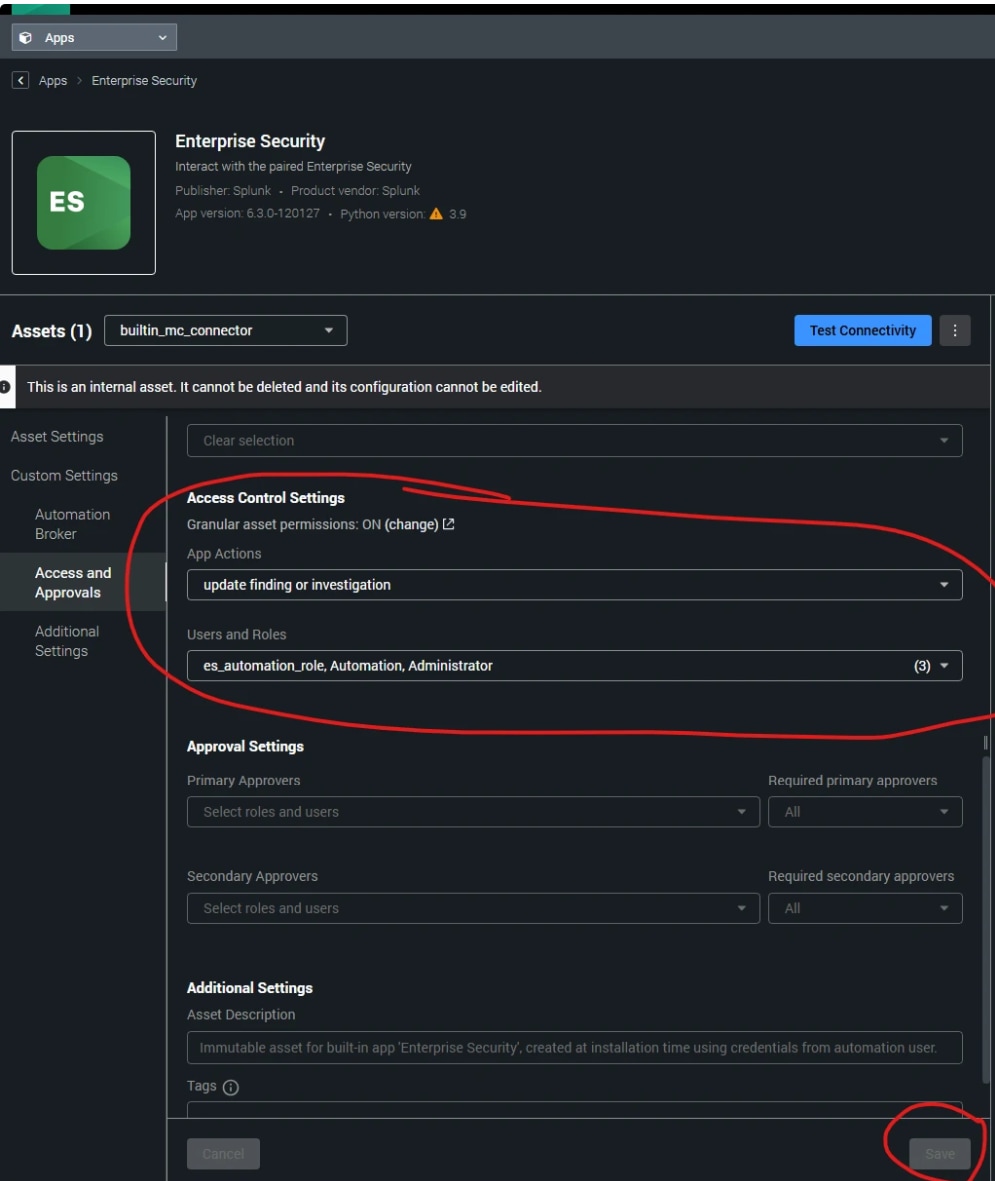
Investigation
The granular asset access control is enabled globally from Administration->User Management->Asset Permissions:
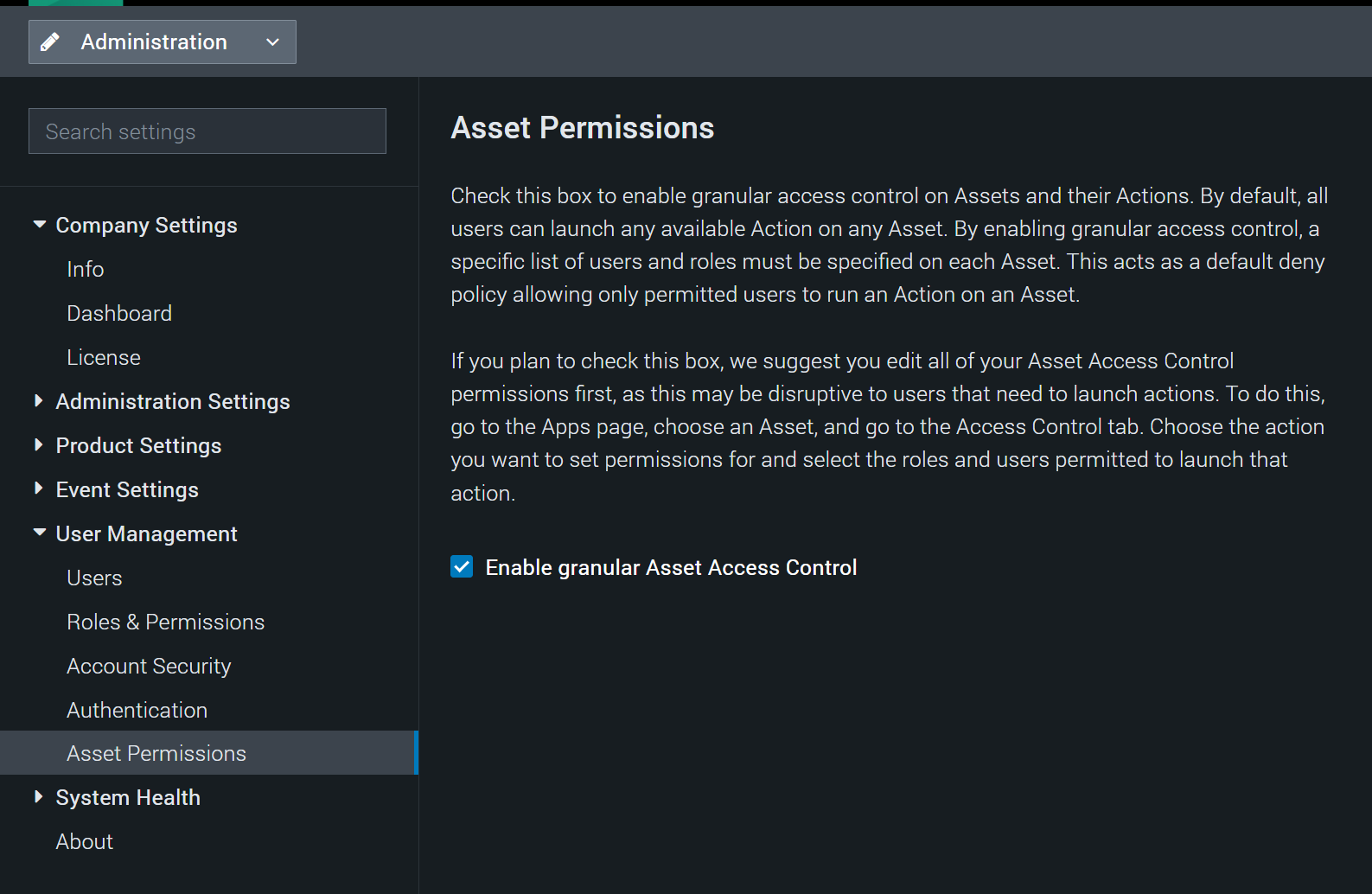
Without modification of the Access and Approvals page in Enterprise Security asset to add roles or users, the asset action would fail with permission error, i.e. "Action 'get asset' is not permitted on asset: 2 by user: 1"
Resolution
This is an issue introduced in SOAR 7.1.0. As a workaround, you can use the following API to make change.
You can find the asset id when you open the asset in web page, the asset id will appear in the URL address, for example https://<soar server name or ip>/apps/<app_id>/asset/<asset_id>
POST https://<soar server name or ip>/rest/asset/<built_in_internal_asset_id>
Example payload:
the key is the action name; roles contain the role ids and user contains the user ids. You can find the role id by going to Administration->User Management->Roles & Permissions, click the role, in URL address, you will find the ID https://<soar server name or ip>/<role_name>/role/<role id>. The similar for user id, going to Users page, select user, click Edit in ..., you can find User ID in pop-up box.
{ "action_whitelist": { "*": { "roles": [ "7", "3" ], "users": [ ] }, "roles": [ "8" ], "users": [], "get task from current phase": { "roles": [ "3", "8" ], "users": [] }, "add finding to investigation": { "roles": [ "8", "2" ], "users": [] }, "update task in current phase": { "roles": [ "3" ], "users": [] }, "add finding or investigation note": { "roles": [ "3" ], "users": [] }, "delete event": { "roles": [ "2" ], "users": ["1"] } } }Once the POST request is sent, you can find the user or role in Access Control setting of the ES asset.
Revision History
| Revision | Publish Date | Comments |
|---|---|---|
1.0 |
01-Oct-2026
|
Initial Release |
 Feedback