Email Client App Can Retrieve Emails but Fails to Ingest Due to Incorrect NO_PROXY Environment Variable Configuration for Asset
Available Languages
Applicability
Splunk SOAR 6.2.0Description
After configuring the asset with the necessary parameters for email client apps such as “EWS for Office 365,” “MS Graph for Office 365,” or “Microsoft Exchange On-Premise EWS,” the “get email” action worked as expected. However, the ingestion process failed.
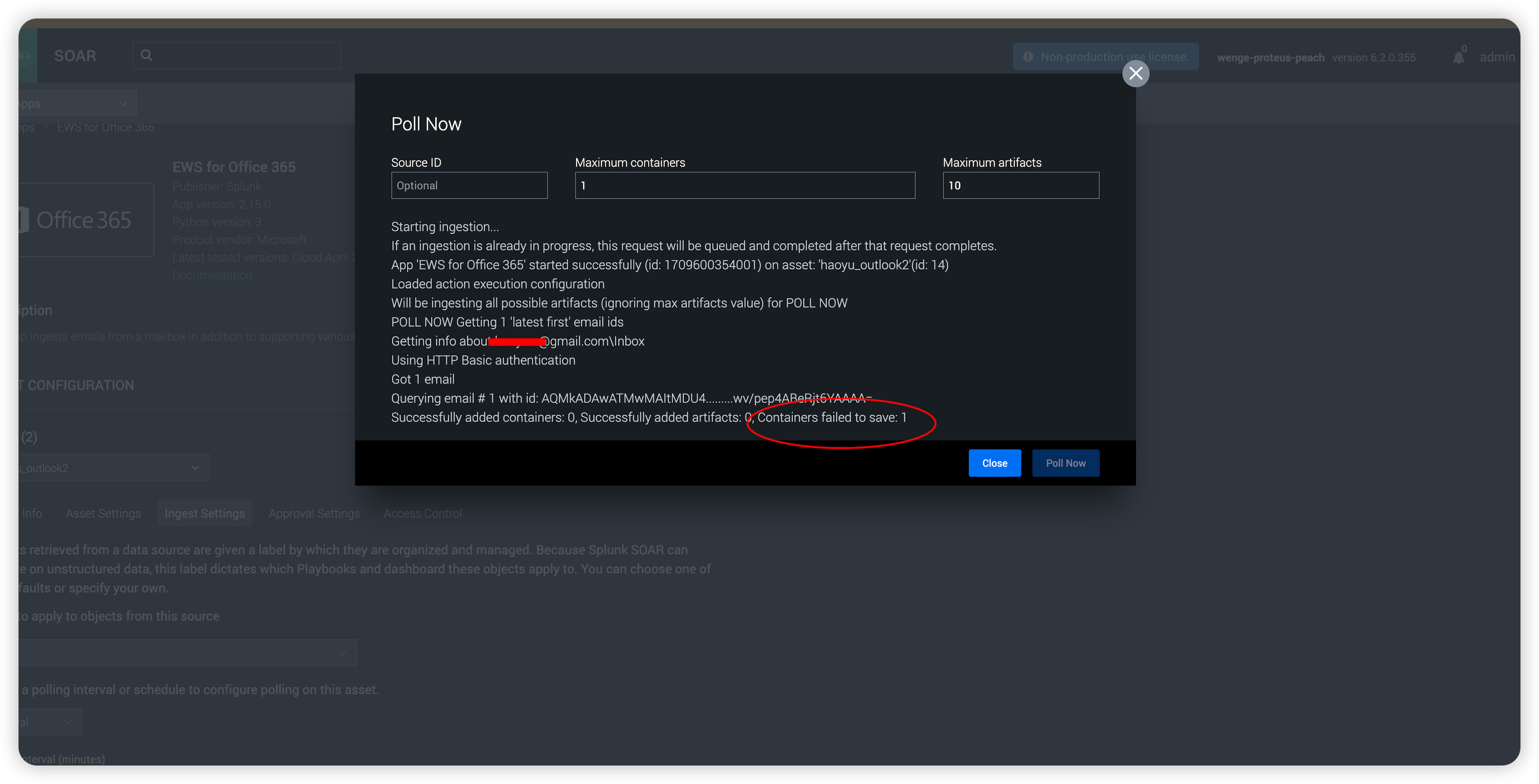
When clicking “Poll Now” under the ingest settings tab of the asset configuration, users received the error message “Containers failed to save: 1,” as depicted in the screenshot below:
Investigation
1) Investigate in the spawn log.
There was ProxyError when attempting to access url: /rest/container on local host 127.0.0.1 to save container.
2024-03-05T04:30:29.882982 PID:14471 TID:14471 : DEBUG: SPAWN3 : /srv/phantom/alchemy/connectors/spawn3/spawn3.cpp : 1024 : EWSOnPremConnector :Failed to save ingested artifacts, error msg: Save container post failed. Exception: HTTPSConnectionPool(host='127.0.0.1', port=9999): Max retries exceeded with url: /rest/container (Caused by ProxyError('Cannot connect to proxy.', NewConnectionError('<urllib3.connection.HTTPSConnection object at 0x7fc193ea1dc0>: Failed to establish a new connection: [Errno 113] No route to host'))) 2) Investigate the global environment variable.
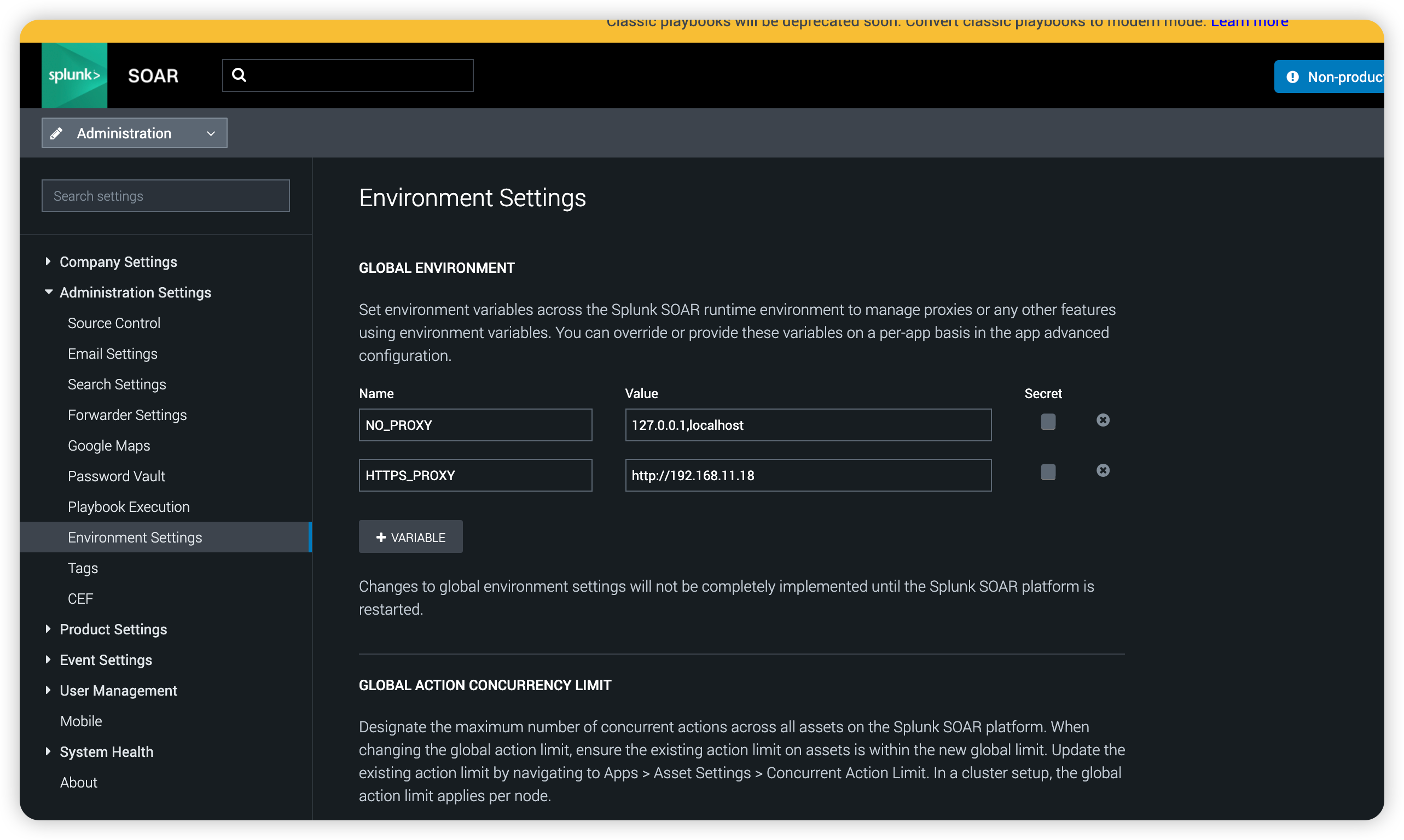
The global environment variable NO_PROXY contains the value 127.0.0.1.
3) Investigate the environment variable of the asset
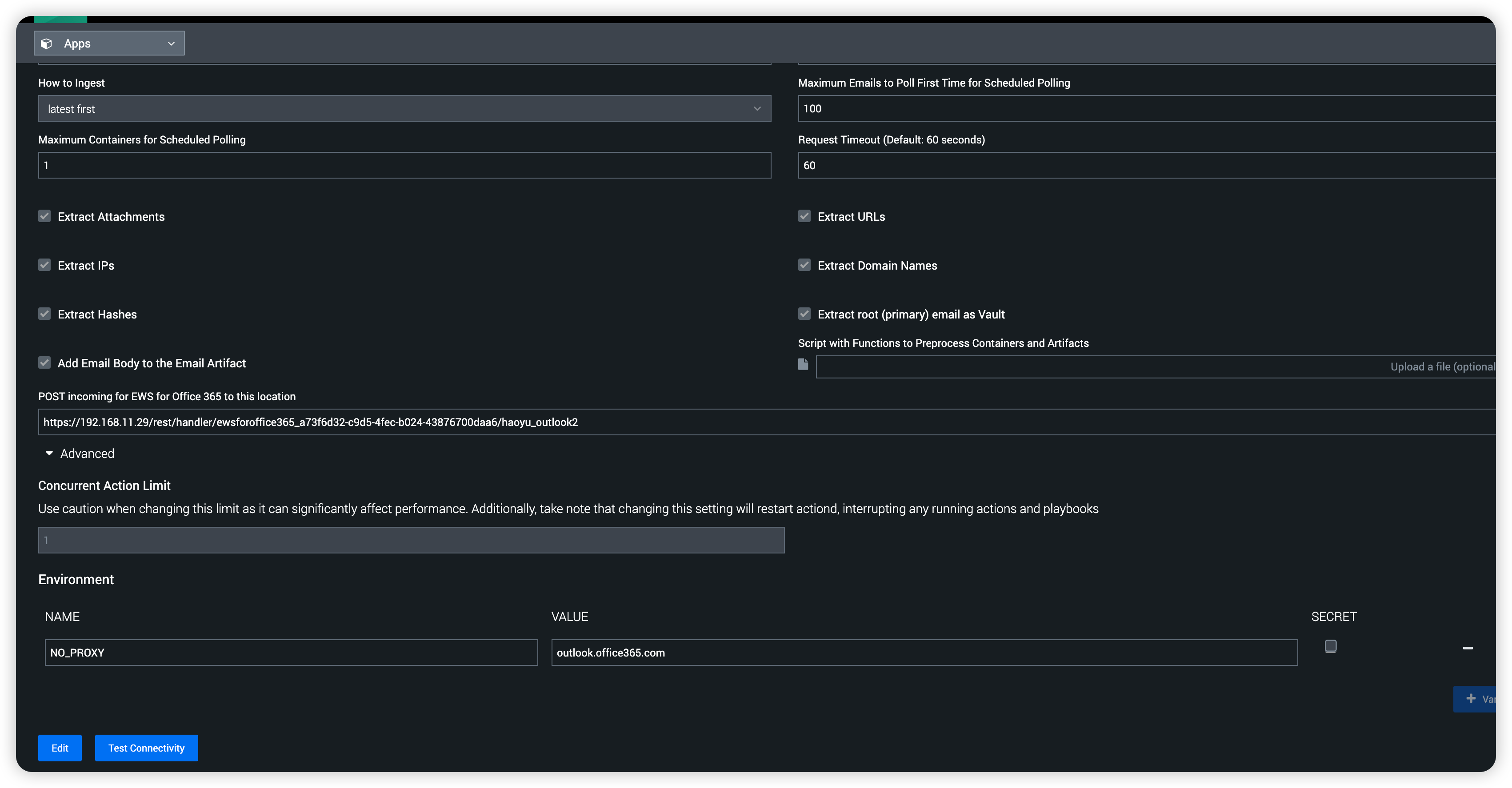
The NO_PROXY configured on asset includes URL of the mail server. But 127.0.0.1 was not included.
4) Analyze the issue
It is not expected to go through HTTP(S) proxy when accessing REST API of local host to save container.
The global environment variable NO_PROXY includes 127.0.0.1 in default setting. However, NO_PROXY configured on asset takes precedence.
Resolution
1) Remove "NO_PROXY" configuration of the asset and append the target URL/IP into global environment variable "NO_PROXY".
2) Append "127.0.0.1" into "NO_PROXY" configuration of the asset.
Note:DO NOT apply BOTH options at the same time.
Revision History
| Revision | Publish Date | Comments |
|---|---|---|
1.0 |
30-Sep-2026
|
Initial Release |
 Feedback