How to delete the Investigation of a Finding in the Analyst Queue dashboard.
Available Languages
Applicability
Splunk Enterprise Security v8.0.xDescription
An Investigation of a finding in Splunk Enterprise Security (ES) can be deleted using the reference ID associated with the individual finding in the Analyst Queue dashboard.
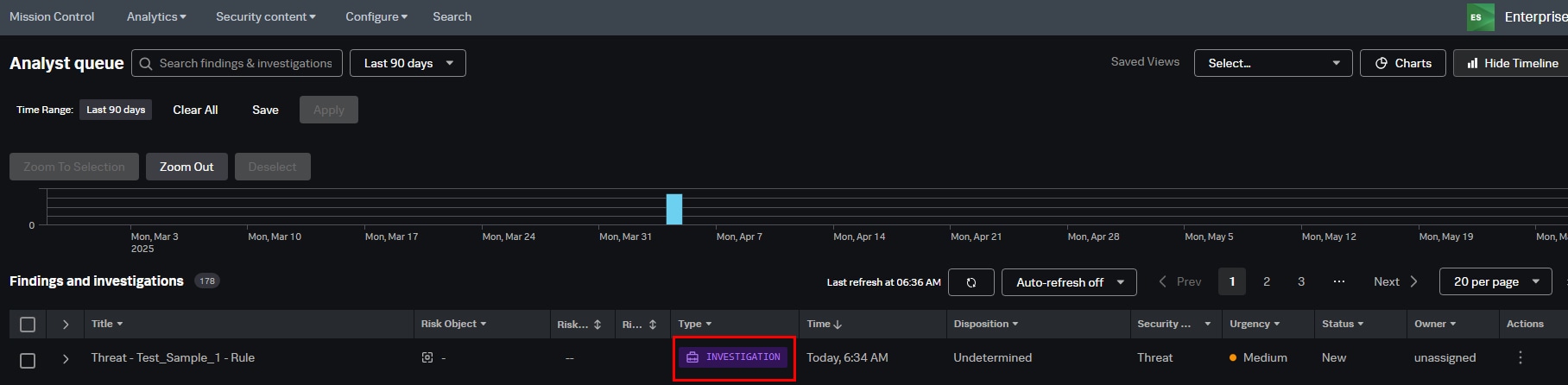
Below should be the reasons for deleting the Investigation of a Finding in the Analyst Queue page.
- The investigation was dulpicated for the same finding or event.
- The finding or notable event was determined to be a false positive.
- The investigation was created during testing, onboarding, or training.
Investigation
Each investigation will be assigned a unique reference ID in the Analyst Queue page, which will be stored in the "mc_investigations" index.
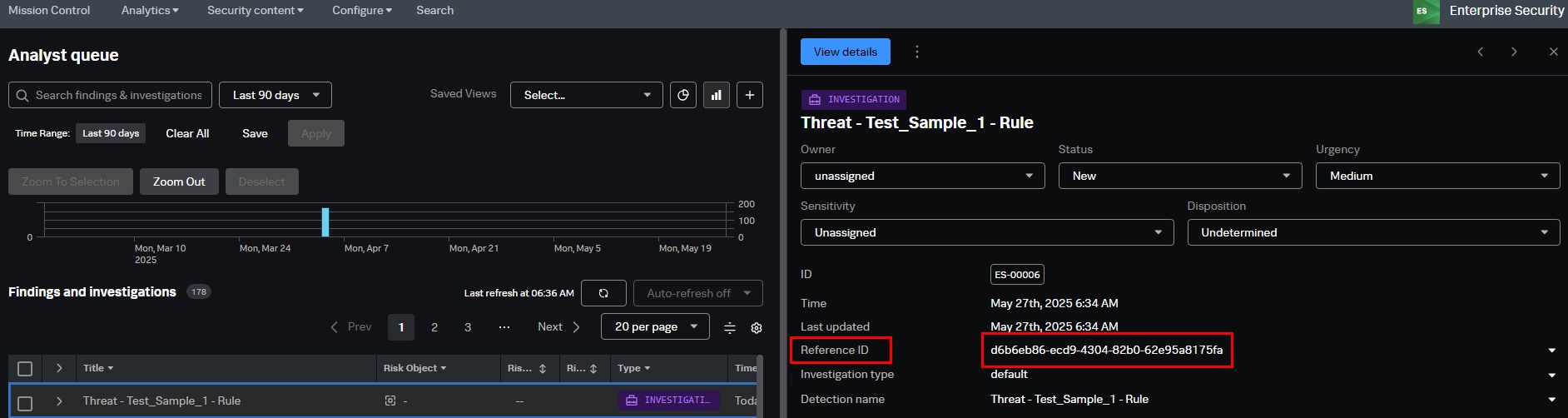
The title is set as "Threat - Test_Sample_1 - Rule", and the type is labeled as "Investigation".
Resolution
Note: In order to perform delete functionality the desired user must have "can_delete" role.
To delete the investigation for a finding in the Analyst Queue dashboard a user should have the "can_delete" role. It must be ensured that the user has the "can_delete" role in order to perform this action.
Refer the following KB article to grant the "can_delete" role to the desired user: Grant_Can_Delete_Role
Follow the below steps to delete the Investigation of a Finding in the Analysts Queue dashboard:
- Execute the below query and replace the ID with the unique reference ID of an Investigation.
index=mc_investigations | search id="Reference id" | delete

The "deleted" field showing a value of "1" indicates that the investigation was successfully deleted, while an error value of "0" confirms there were no issues during the deletion.
- Verify the Investigation has been deleted successfully in the Analyst Queue dashboard.
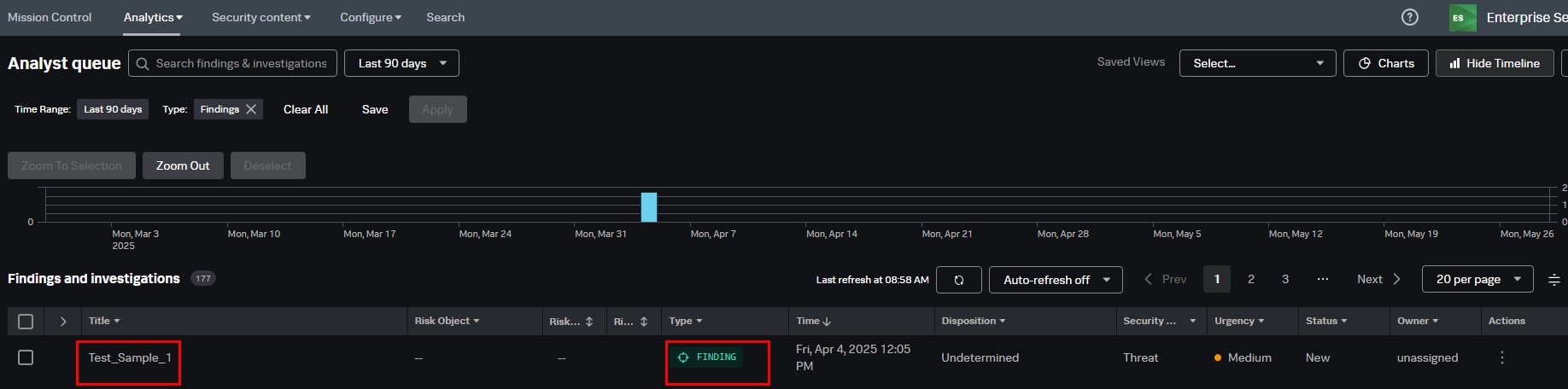
After performing the changes, the title will be updated to match the finding title, and the investigation type will be set to "Finding".
Related Links
Related Link: Investigation
Revision History
| Revision | Publish Date | Comments |
|---|---|---|
1.0 |
01-Oct-2026
|
Initial Release |
 Feedback