Cannot edit notable status in the Incident Review dashboard.
Available Languages
Applicability
Splunk Enterprise SecurityDescription
A user with a custom role inherited from "ess_user" is unable to edit notables, and the "edit selected" option is missing from the Incident Review dashboard.
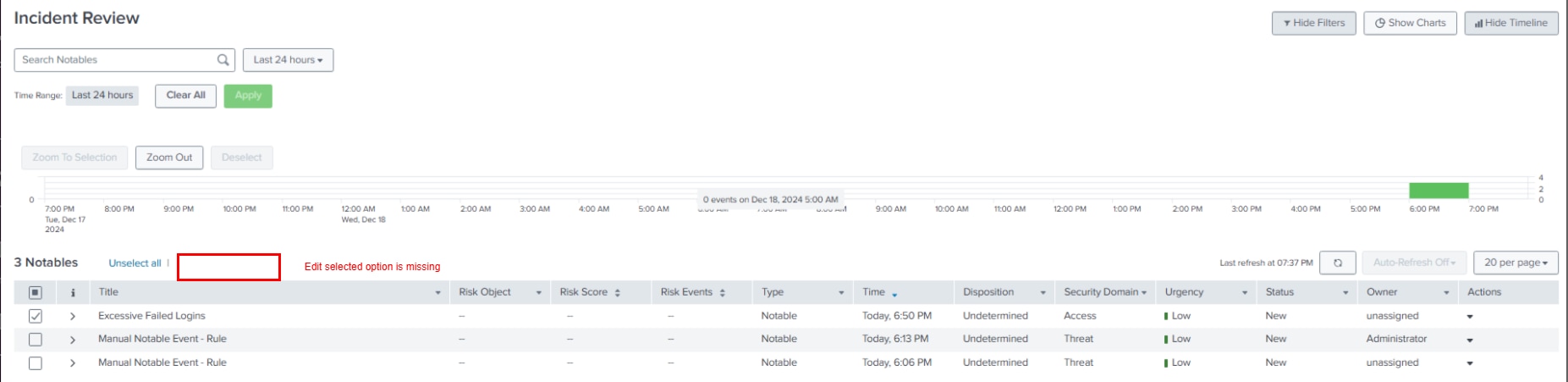
Investigation
Upon investigation, the "ess_user1" role has the required "edit_notable_events" capability.
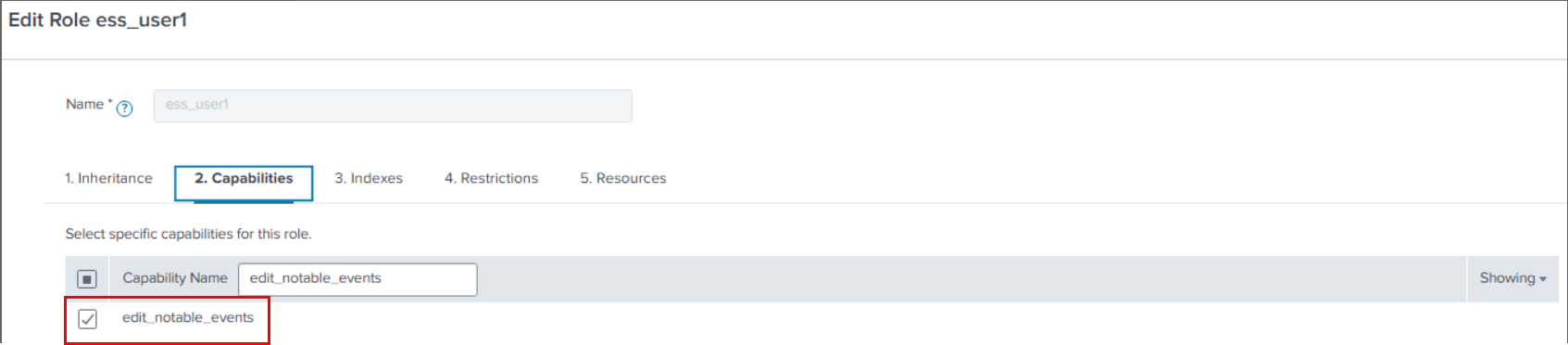
The "ess_user" role primarily has read-only capabilities, as designed in Splunk Enterprise Security.
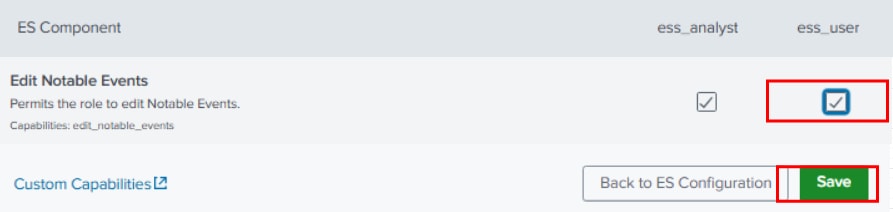
Additionally, upon checking, the "ess_user" role does not have the "edit_notable_events" capability enabled within the Splunk Enterprise Security app.
This was verified by navigating to Configure -> General -> Permissions.

Resolution
To resolve the issue,
- Navigate to Configure - > General -> Permissions.
- Enable the "edit_notable_events" capability under "ess_user".
- Click "Save".
Follow the below steps to enable status transition for the "ess_user" role.
- Navigate to Configure -> Incident management -> Status configuration.
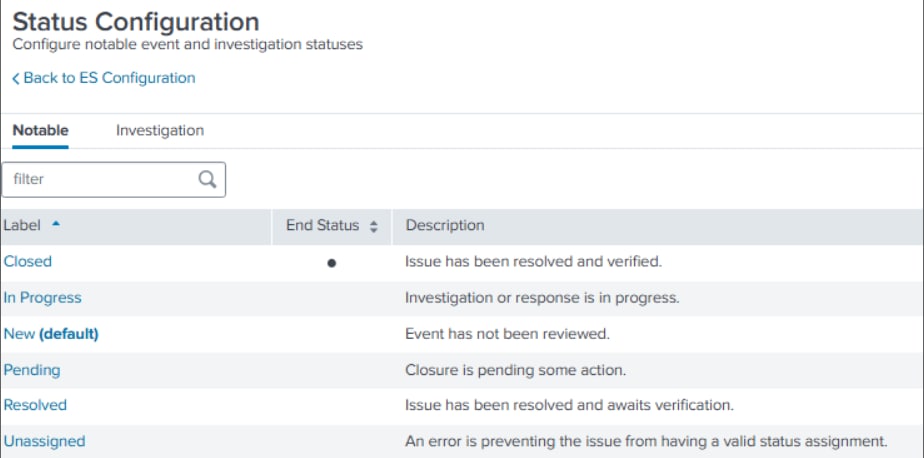
- Click on each status and assign the "ess_user" role to allow the user to change the status from this selected status to any of the status.
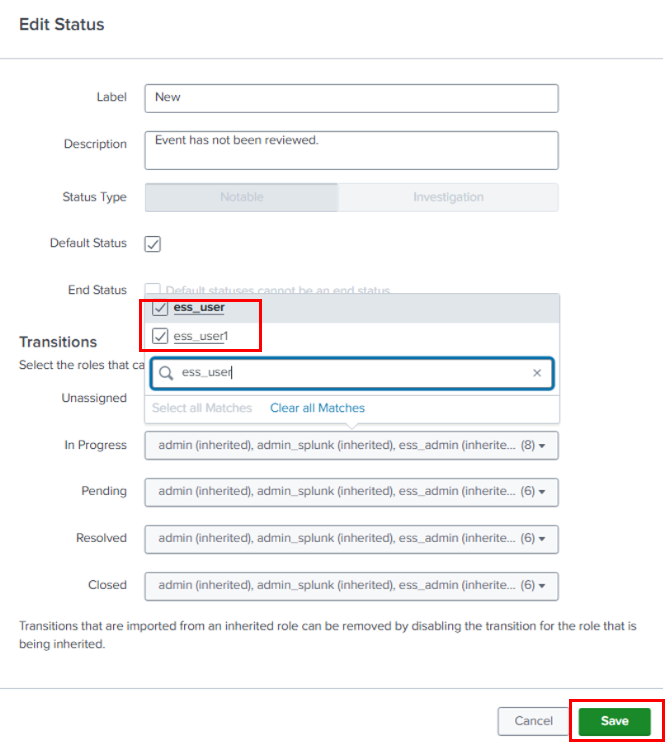
- Click "Save".
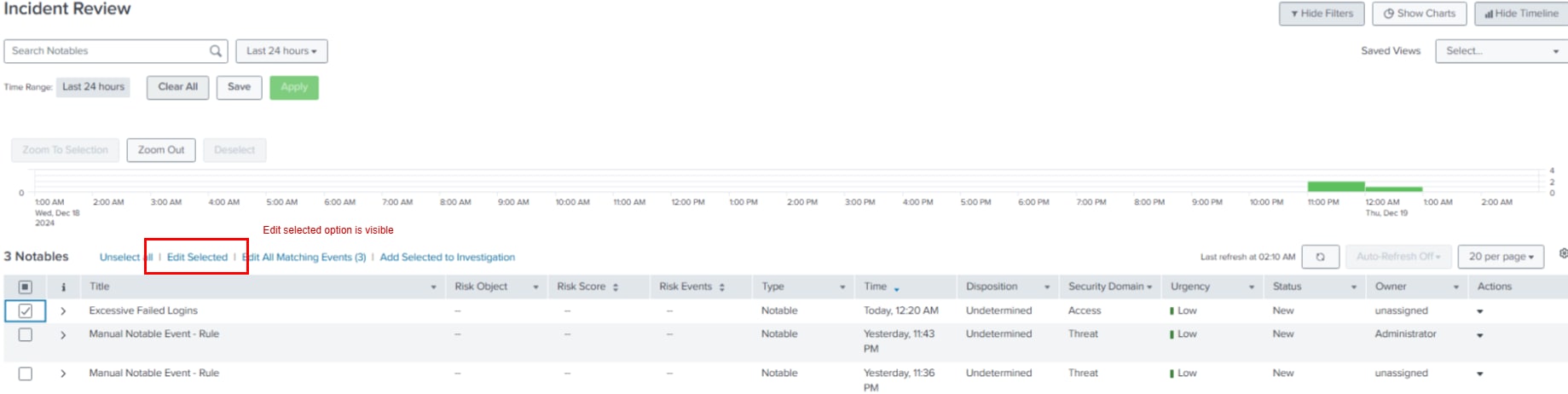
After making the changes, the "edit_selected" option is now visible in the incident review dashboard.
Related Links
Revision History
| Revision | Publish Date | Comments |
|---|---|---|
1.0 |
29-Sep-2026
|
Initial Release |
 Feedback