How to Set Notable Suppression Based on Time in Splunk Enterprise Security
Available Languages
Applicability
Splunk Enterprise SecurityDescription
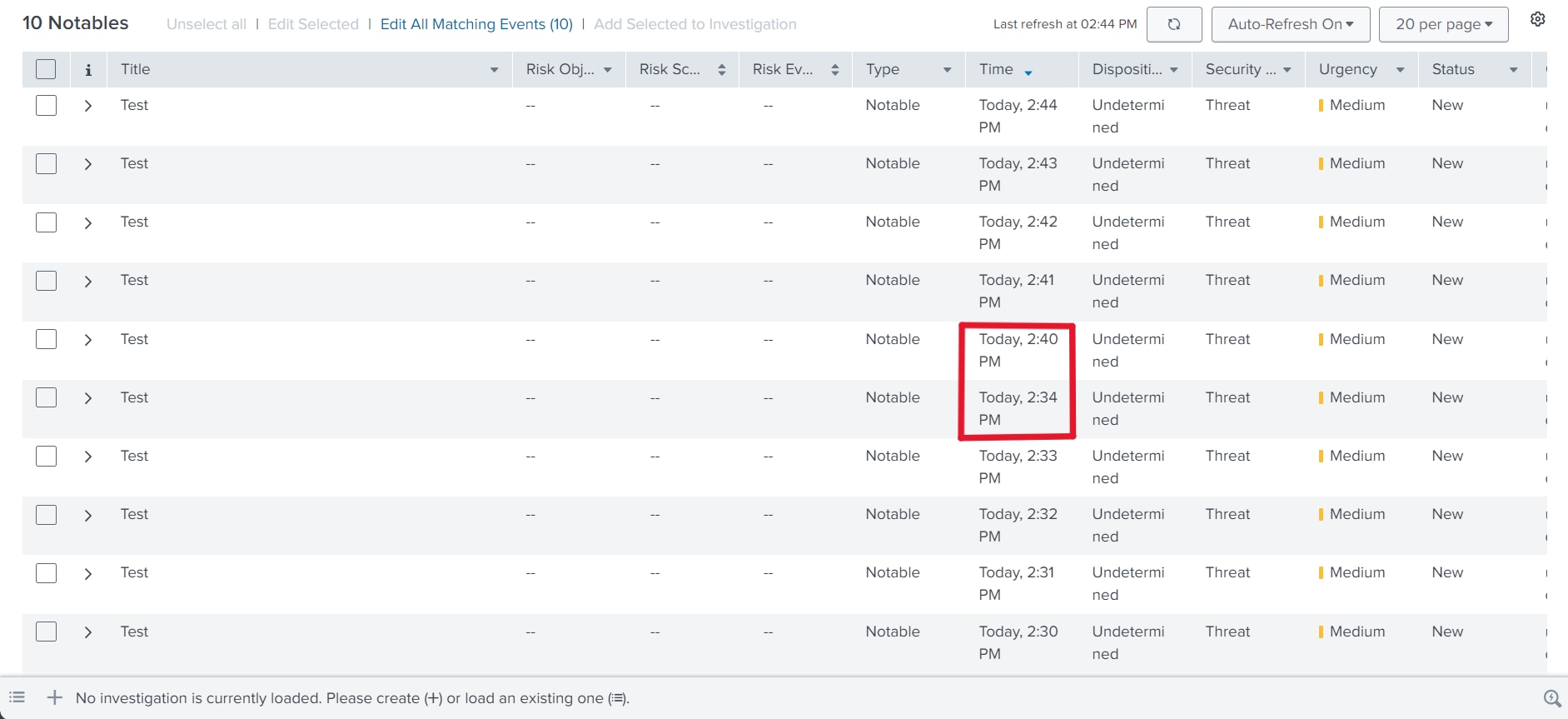
Splunk Enterprise Security does not offer a direct option to set a specific time duration (e.g., 5 minutes) for suppressing notable events. This article provides a workaround by configuring notable event suppression using a custom time duration defined by epoch time.
Investigation
During the investigation, it was found that suppressing notables for 5 minutes can be set by providing the epoch time in the search field, and it works as expected. However, in the UI, it displays an incorrect value (e.g., Nov 10, 2024, 12:00:00 AM to Nov 10, 2024, 12:00:00 AM). This has been identified as a known issue. 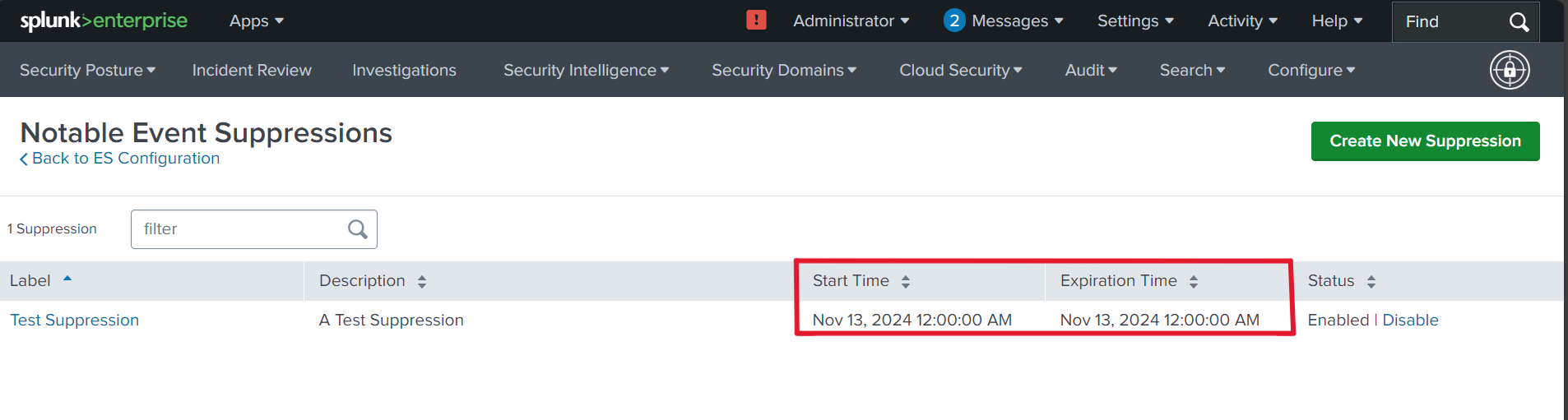
Resolution
To configure notable event suppression based on a custom time window, follow these steps:
- Navigate to Splunk Enterprise Security > Configure > Incident Management > Notable Event Suppressions.
- Create a new suppression by providing a name and description.
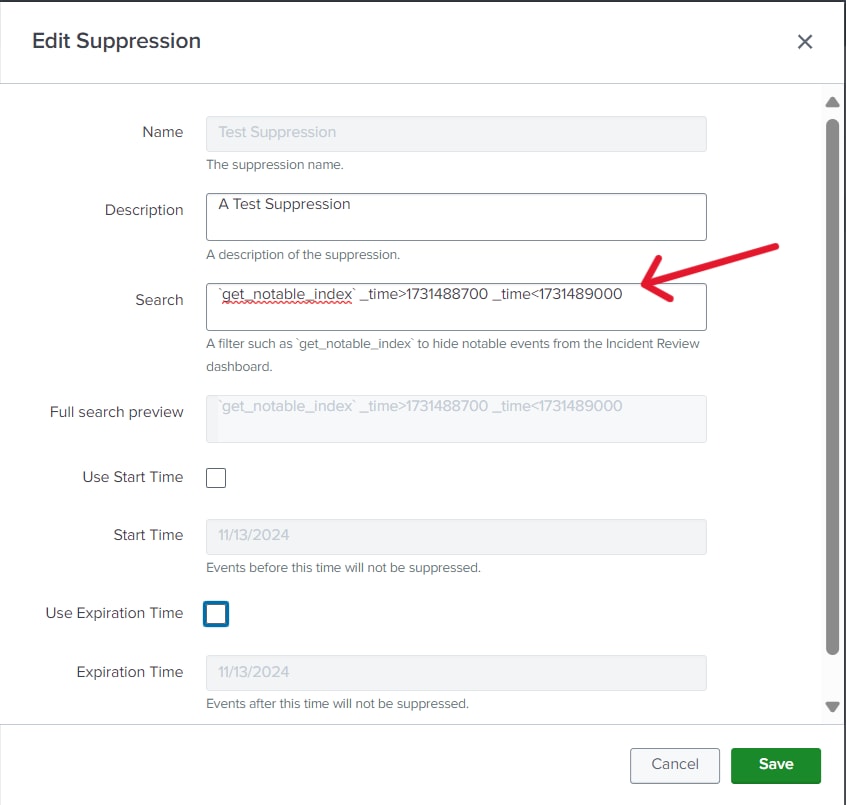
- In the search box, enter the epoch time format to set the time window:
`get_notable_index` _time>epochtime _time<epochtime - Deselect the "Use Start Time" and "Use Expiration Time" options.
- Click Save to apply the changes.
Related Links
Revision History
| Revision | Publish Date | Comments |
|---|---|---|
1.0 |
29-Sep-2026
|
Initial Release |
 Feedback