Troubleshooting "Char 0x0 out of allowed range" error in TAXII Threat Intelligence Feeds
Available Languages
Applicability
Splunk Enterprise SecurityDescription
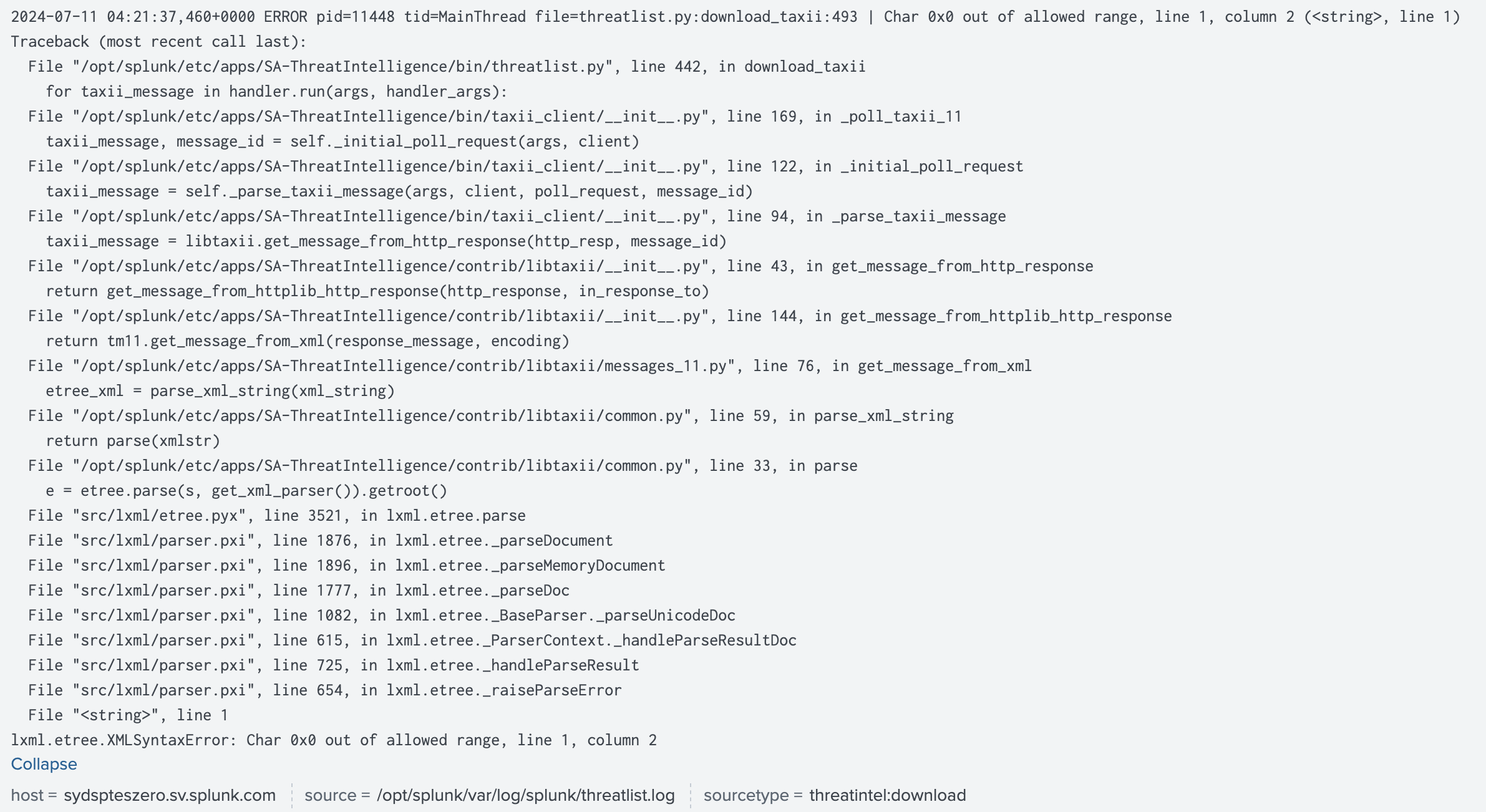
The "Char 0x0 out of allowed range" error manifests unexpectedly, halting threat intelligence feeds after the successful operation. The specific error message typically looks like this:
Investigation
After investigation, it was found that this error occurs when file sizes exceed the set max_size limit in the input configuration.
While file size is a primary cause of this error, other factors contributing to this issue include the type of threat intelligence input and XMLSyntaxError problems resulting from incorrectly formatted XML data during ingestion.
Resolution
To mitigate this issue, adjust the max_size limit from its default setting of 50 MB to a value suitable for the volume of threat data being ingested. Follow these steps to configure the max_size settings:
1) Navigate to Enterprise Security App and then go to Configure -> Data Enrichment -> Threat Intelligence Management -> Sources tab

2) Click on the Threat Intel Name for which the download is failing.
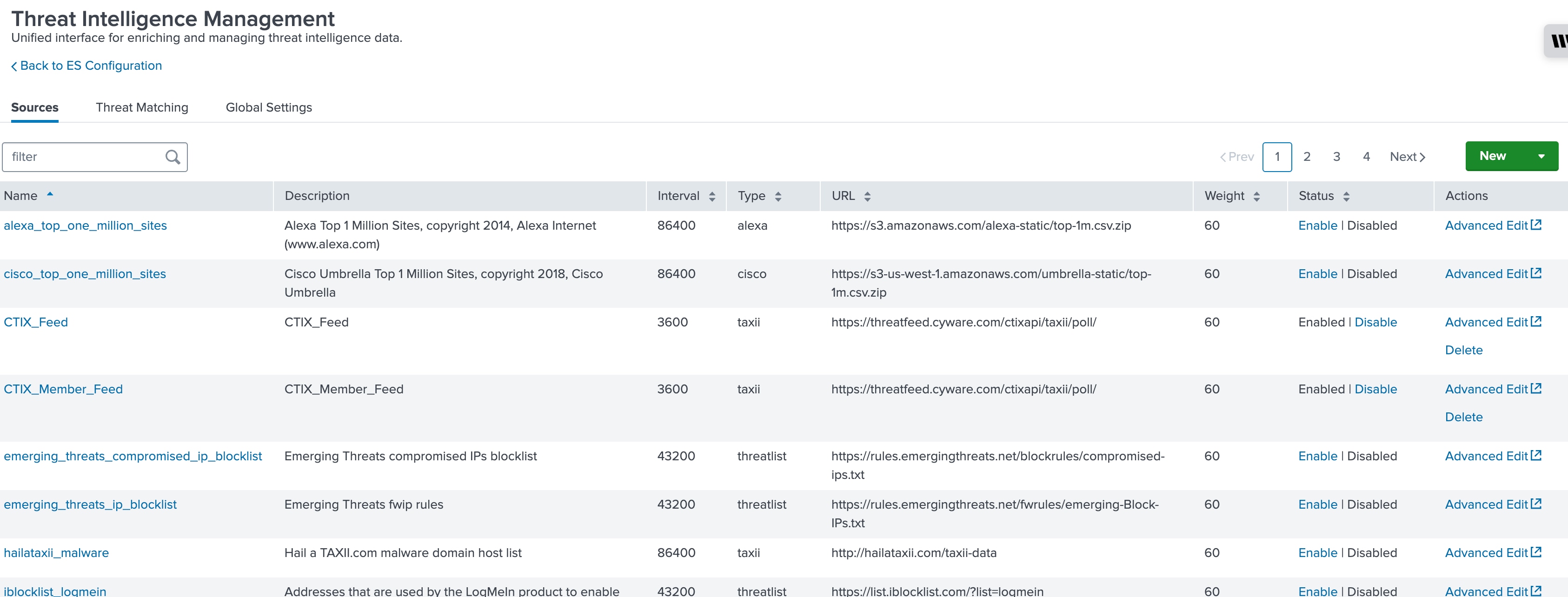
3) Locate the Max Size parameter and adjust it accordingly based on the size of the threat data files.
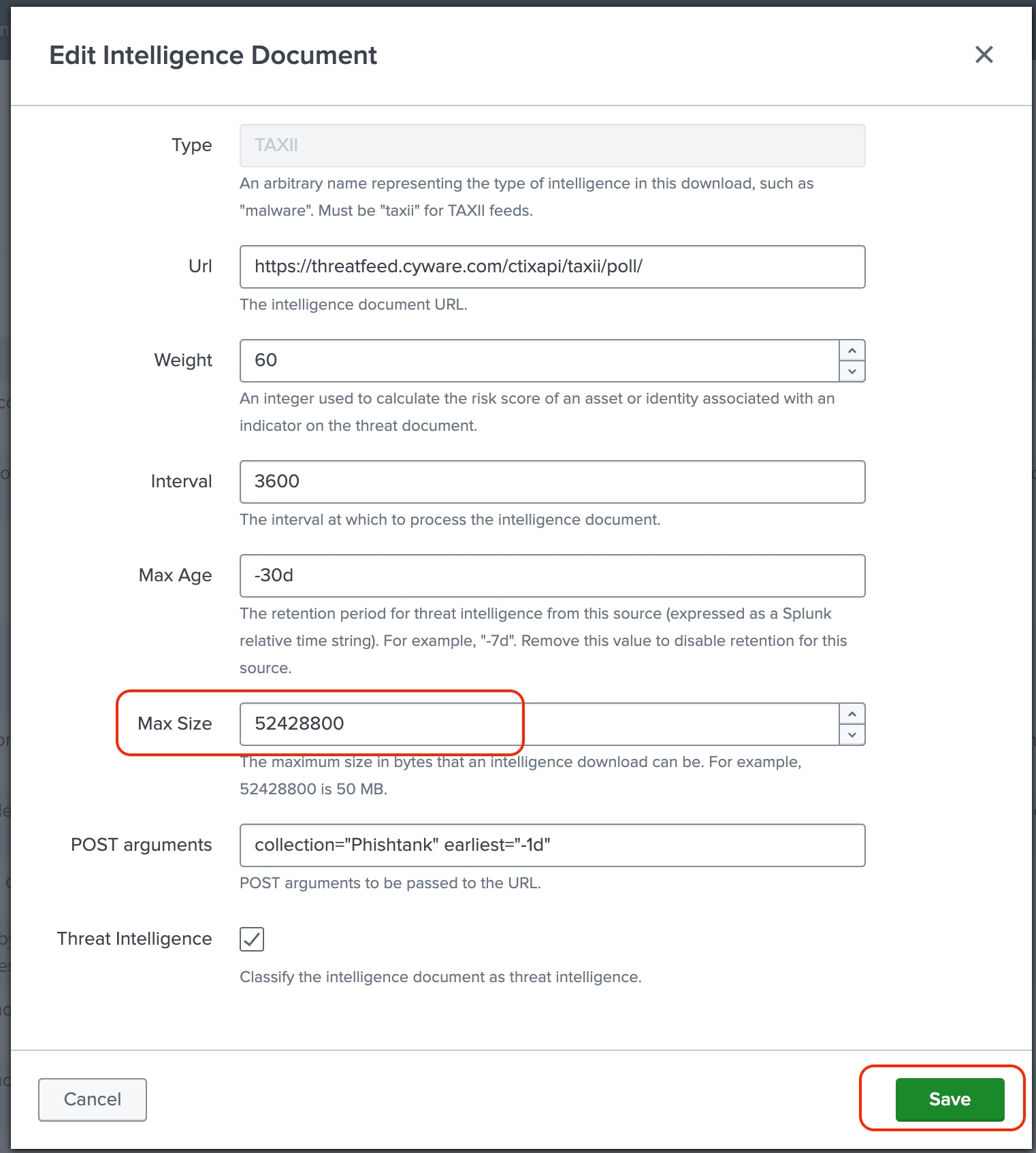
4) Save the configuration changes.
Revision History
| Revision | Publish Date | Comments |
|---|---|---|
1.0 |
29-Sep-2026
|
Initial Release |
 Feedback
