Troubleshoot FTD Software Upgrade Fatal Error on FDM
Available Languages
Contents
Issue
A fatal error when upgrading FTD software occurs with these symptoms:
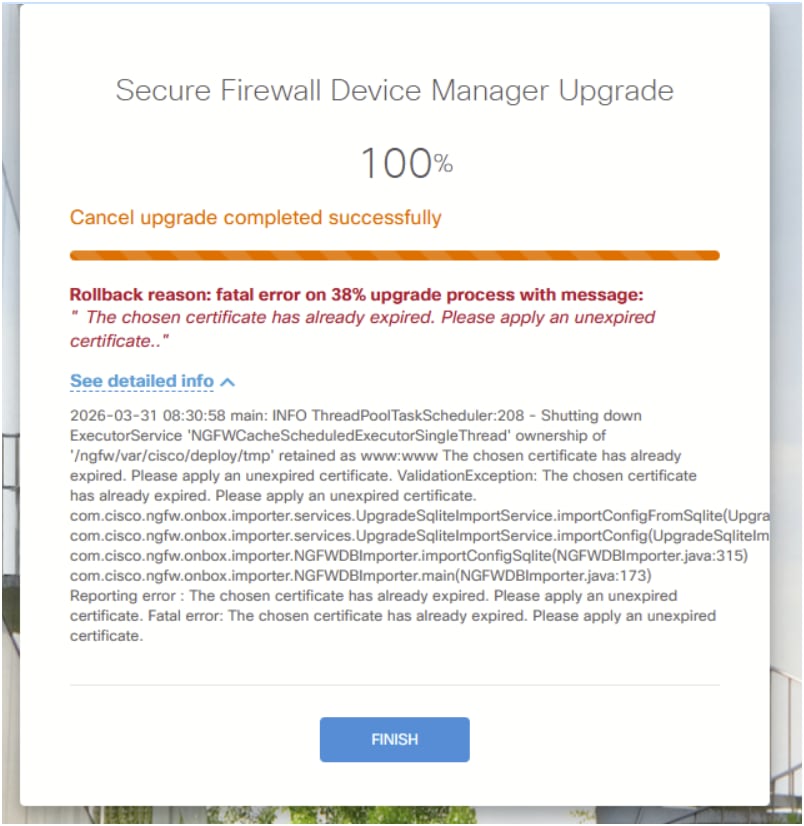
Firewall Threat Defense (FTD) managed by Secure Firewall Device Manager (FDM) failed to upgrade.
The FDM user interface (UI) shows an error message mentioning ‘Rollback reason: fatal error on 38% upgrade process with message: "The chosen certificate has already expired. Please apply an unexpired certificate."
 FDM_Upgrade_Failure.png
Environment
First seen on FTD 1010. Other hardware platforms can be also affected.
First seen on software version 6.6.5.1-15. Other software platforms can be also affected.
FTD is FDM-managed.
Resolution
The certificate renewal process was successfully completed, allowing the software upgrade to proceed. This approach was used to resolve the certificate issue:
Certificate Management Process
Step 1: Create a new certificate in FDM.
The procedure is described in the FDM configuration guide under System Administration > System Settings section:
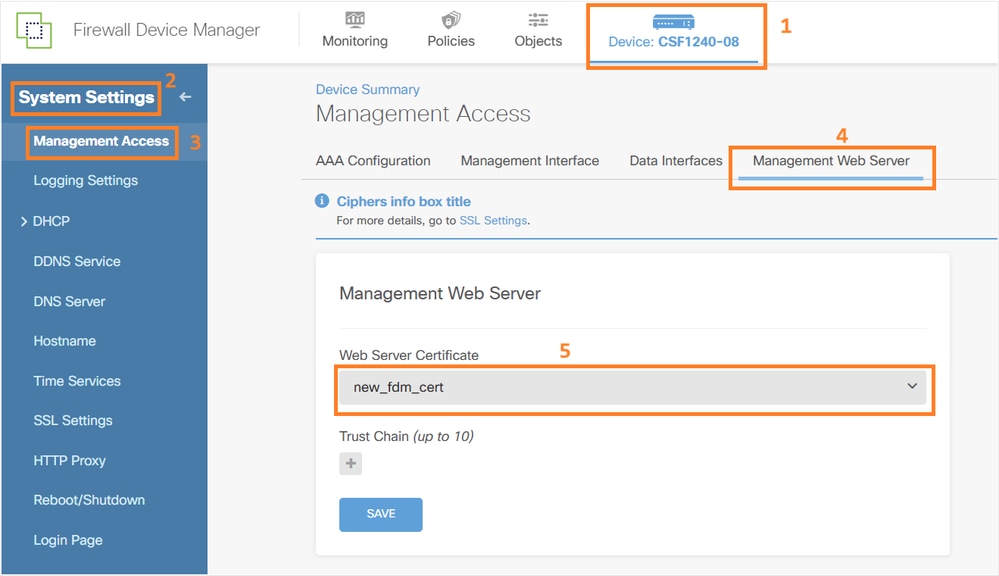
Step 2: Create and assign the new certificate to the FDM Management Web Server.
 FDM_new_web_certificate.png
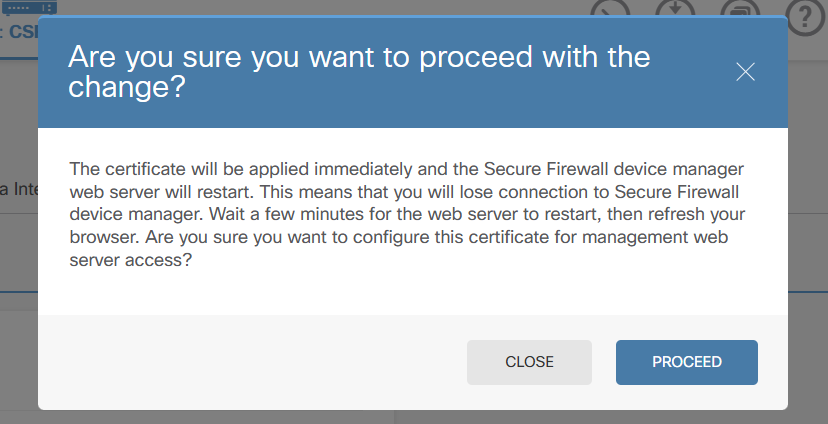
Step 3: Deploy the change.
Note that the web server restarts:
 FDM_web_process_restart.png
Step 4: Retry the upgrade.
Cause
The upgrade failure was caused by an expired certificate on the firewall device. During the software upgrade process, the system performs certificate validation checks, and when the certificate is expired, these validation checks fail, preventing the upgrade from proceeding to completion.
Related Content
Revision History
| Revision | Publish Date | Comments |
|---|---|---|
2.0 |
18-Aug-2026
|
Recertification. |
1.0 |
27-Apr-2026
|
Initial Release |

 Feedback
Contact Cisco
- Open a Support Case

- (Requires a Cisco Service Contract)