Understand Proactive Secure Firewall Engagements
Available Languages
Introduction
This document describes the Proactive Secure Firewall Engagements Program.
Background Information
Potential issues have severity assigned to them which are an indicator for remediation priority. What we have found, however, is that even the most severe problems tend to be left in place if there is no perceived issue.
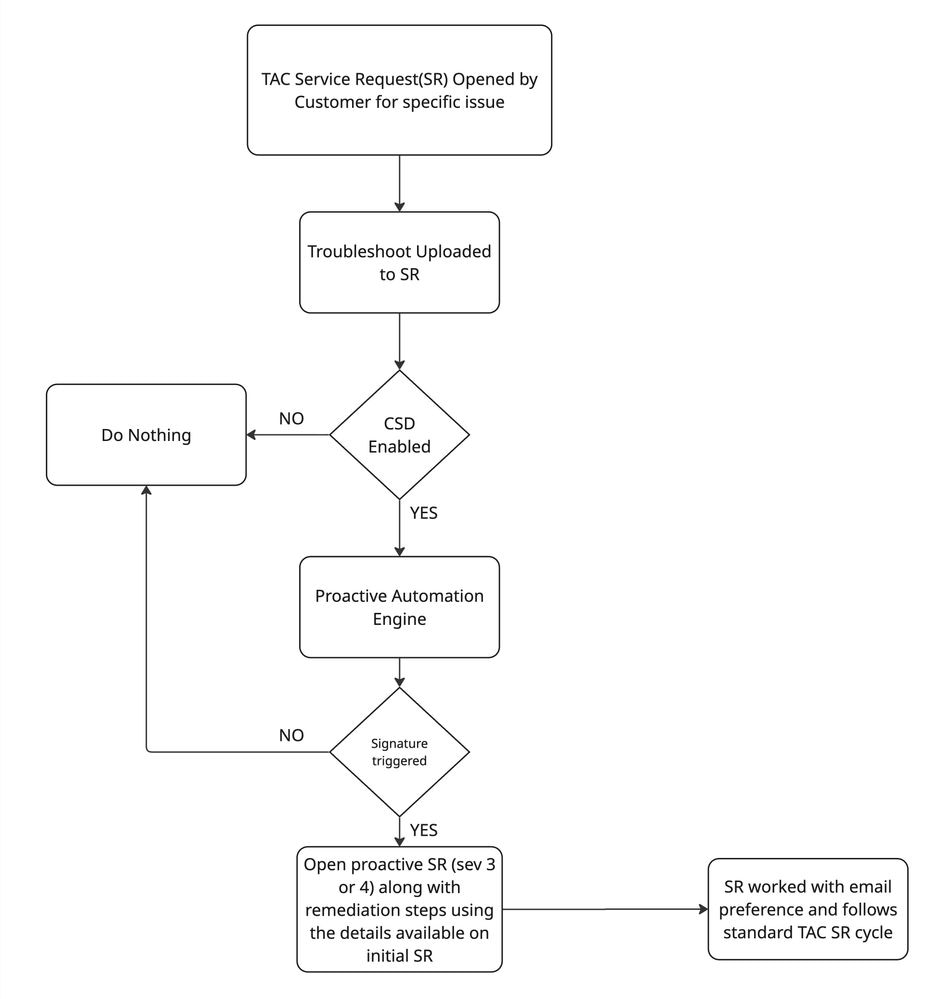
This program aims to highlight issues which have been seen to cascade into bigger issues so that they can be addressed at the onset. It does so by monitoring a subset of potential problems, then flags them via a Proactive Service Request with relevant next steps documentation to address.
Flow Diagram
Monitoring Channels
Through Cisco Support Diagnostics
Cisco Support Diagnostics allows Cisco to collect essential information from your devices to provide you with an enhanced support experience. Cisco periodically collects the configuration and operational health data from your devices, processes this data using an automated problem-detection system, and proactively notifies you of issues.
When an overwatched problem is detected, a Proactive SR is filed on your behalf with the found problems and next steps to address them.
Offline via Troubleshoots Attached to SRs
If you have opened an Secure Firewall TAC SR and attached a relevant troubleshoot, the troubleshoot was re-analyzed for known issues. If an overwatched condition is found, a Proactive SR is opened on your behalf with the found problems or issues and next steps to address them.
Enable/Disable Proactive Service Request Creation
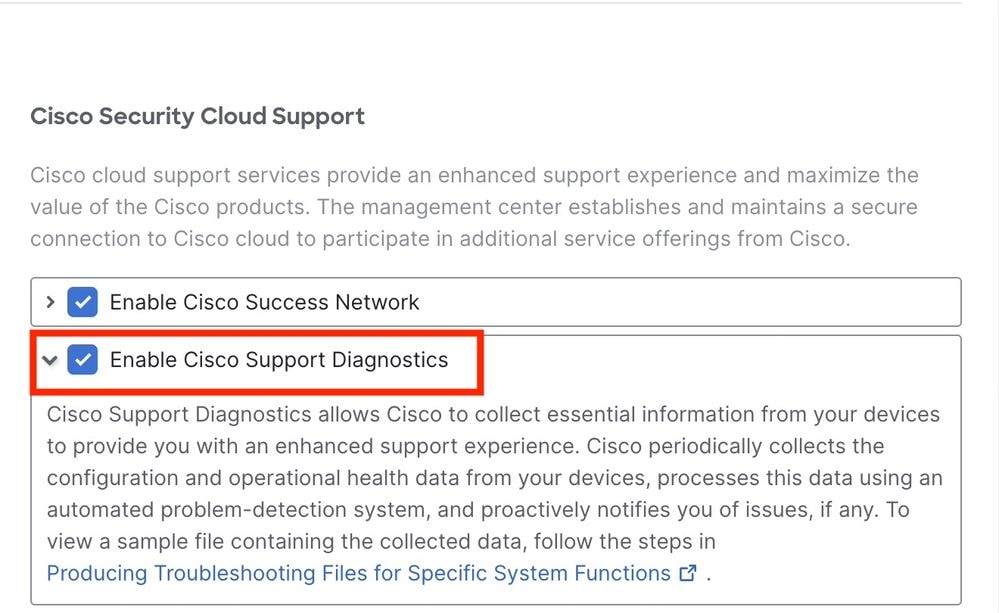
To disable the creation of Proactive Service Requests associated with this program, you can disable the Cisco Support Diagnostics option.
Enable/Disable Cisco Support Diagnostics
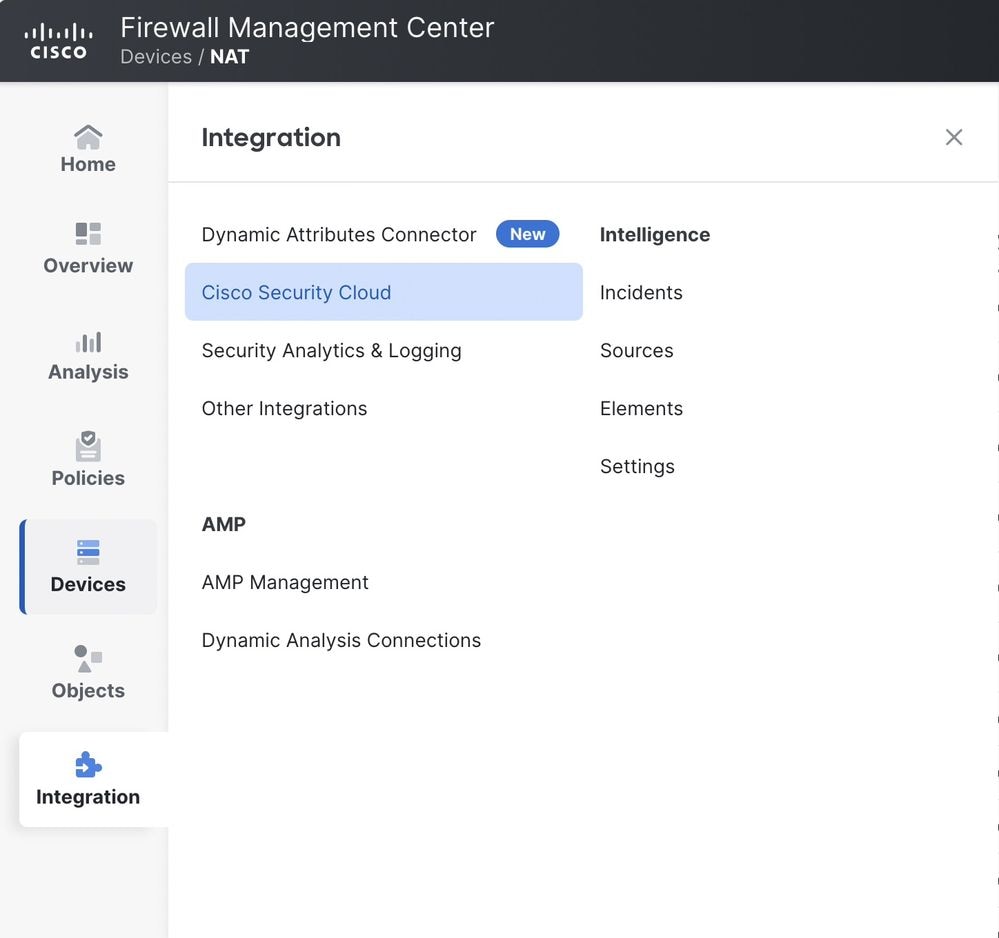
Step 1: Login to the FMC GUI and Navigate to Integrations --> Cisco Security Cloud
Step 2: Select/De-select the checkbox for "Enable Cisco Support Diagnostics"
Revision History
| Revision | Publish Date | Comments |
|---|---|---|
1.0 |
08-Apr-2026
|
Initial Release |

 Feedback
Contact Cisco
- Open a Support Case

- (Requires a Cisco Service Contract)