Deploy an FTDv Gateway in Azure Using MCD
Available Languages
Introduction
This document describes how to configure the Microsoft Azure prerequisites and deploy a Firewall Threat Defense Virtual (FTDv) Gateway through MCD.
Prerequisites
- An Azure subscription that is acquired and registered, and associated with Microsoft Entra ID. Confirm this in the list of App Registrations in the Azure portal.
- A custom role created for the Azure subscription that grants Multicloud Defense (MCD) access to the specific resources and actions that are otherwise blocked.
- A subscription to the Azure Event Grid, so that MCD can receive real-time updates from the Azure subscription.
- The Azure subscription connected to the Multicloud Defense Controller from the MCD dashboard.
- The Cisco Marketplace Terms accepted in Azure, if this is the first time that the Azure account is onboarded to MCD.
- (Optional) A user-assigned managed identity configured, if you require Key Vault or Blob Storage access.
- A new Service VNet. VNets that were created before FTDv gateway support was introduced cannot be used for an FTDv gateway deployment.
- An active subscription to Cloud-Delivered Firewall Management Center (cdFMC), which manages the access control policy for the FTDv device.
- At least one FTDv license purchased through your Cisco seller or partner.
Requirements
Cisco recommends that you have knowledge of these topics:
- Navigation of the Microsoft Azure portal
- Microsoft Entra ID (Azure AD) application registration and role-based access control (RBAC)
- Cisco Multicloud Defense (MCD)
- Cisco Secure Firewall Threat Defense Virtual (FTDv)
Components Used
This document is not restricted to specific software and hardware versions.
The information in this document was created from the devices in a specific lab environment. All of the devices used in this document started with a cleared (default) configuration. If your network is live, ensure that you understand the potential impact of any command.
Configure
Use these procedures in order to prepare Microsoft Azure, connect your Azure account to MCD, and deploy an FTDv Gateway.
Register an Application
- Navigate to Microsoft Entra ID with the Azure portal search bar.

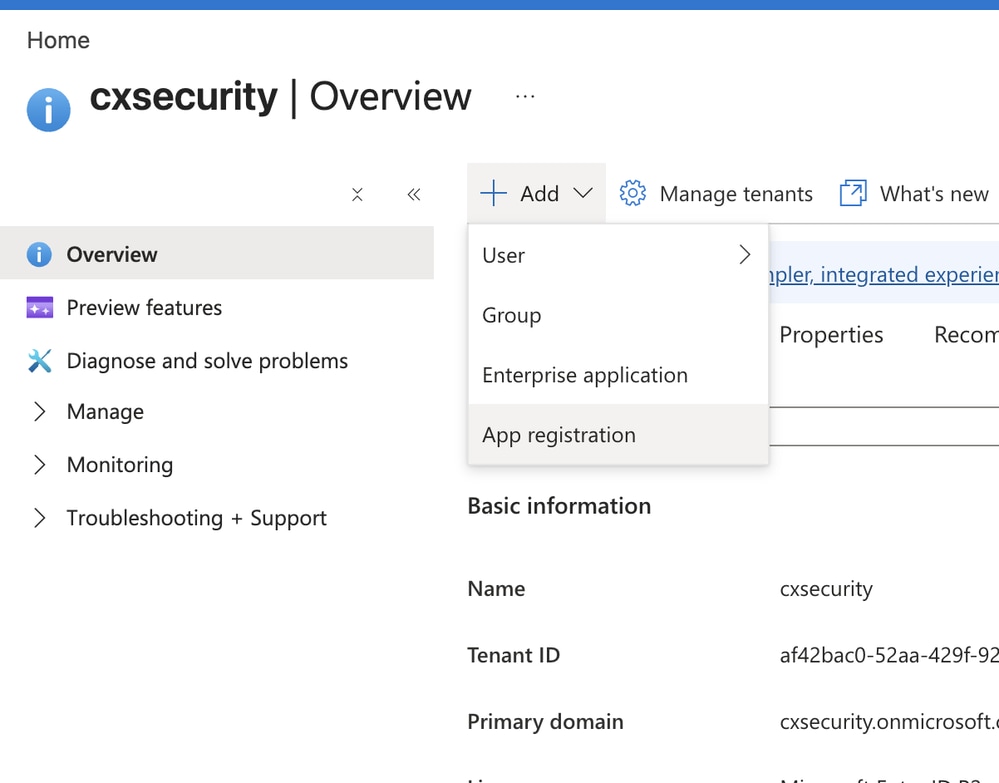
- Click Add, then select App registration.
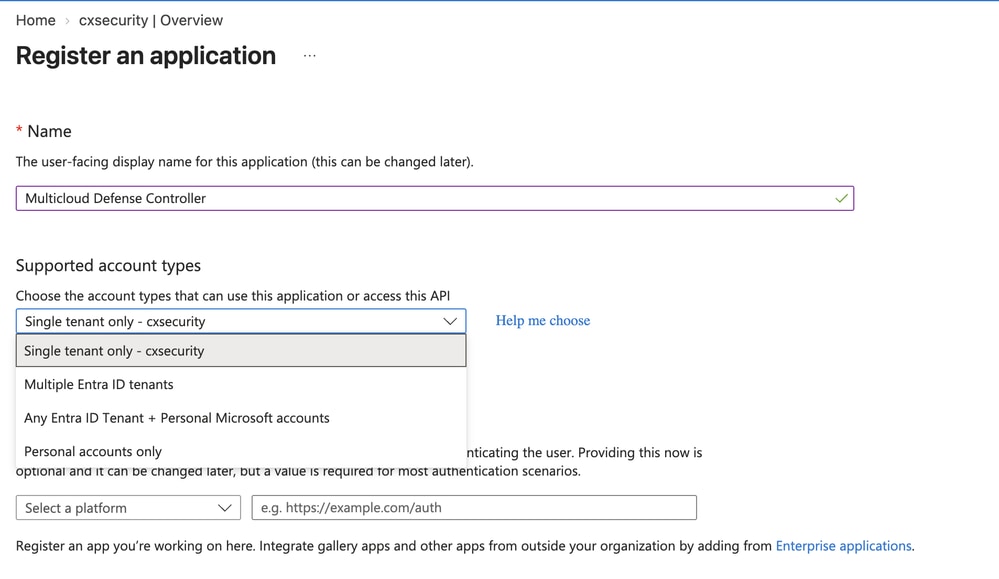
- On the Register an application form, enter these values:
- Name: An easily identifiable name for the application.
- Supported account types: Select the option that best suits your environment. This document uses Single tenant only.
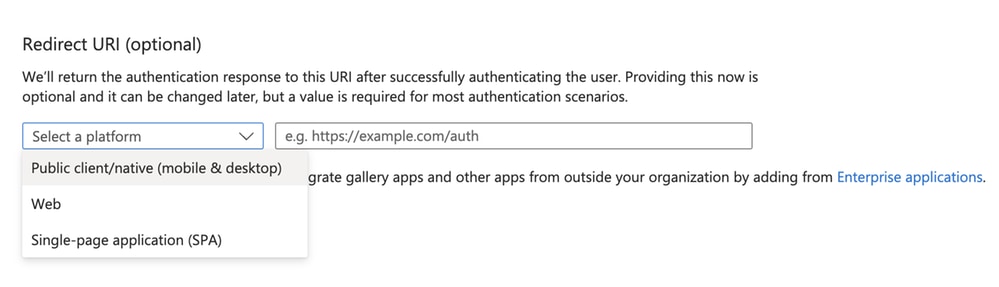
- For Redirect URI (optional), choose the option appropriate for your environment. This document does not configure a redirect URI.
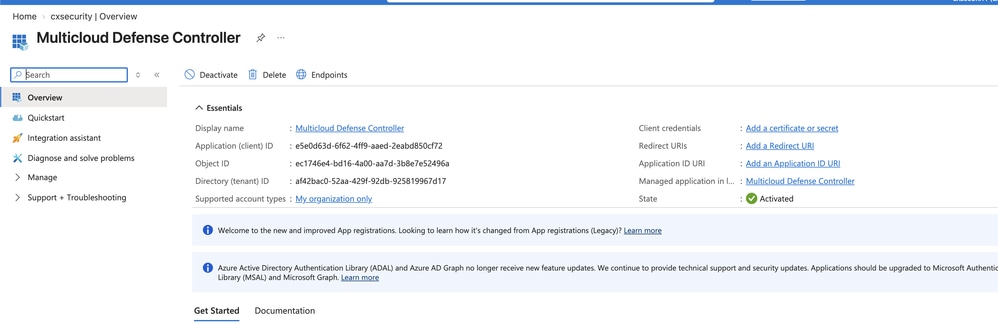
- Click Register.
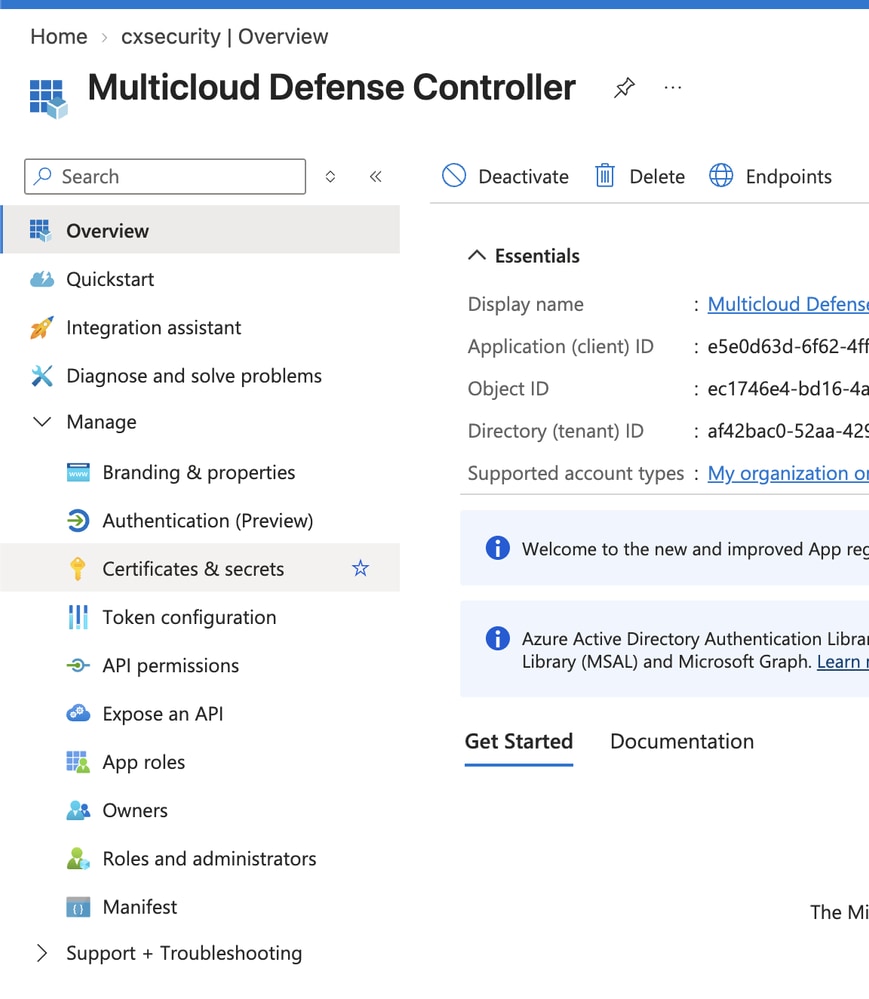
- After you register the application, the overview page appears. Copy and save the Application (client) ID and the Directory (tenant) ID to a notepad.
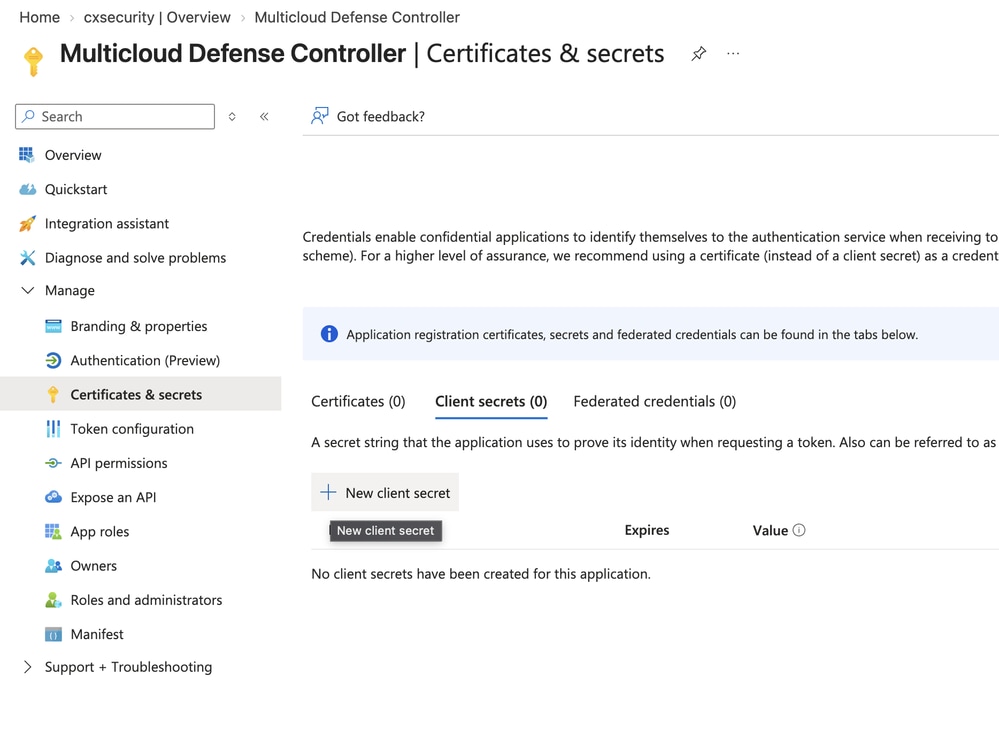
- From the left navigation of the application page, navigate to Manage > Certificates & secrets.
- Click New client secret.
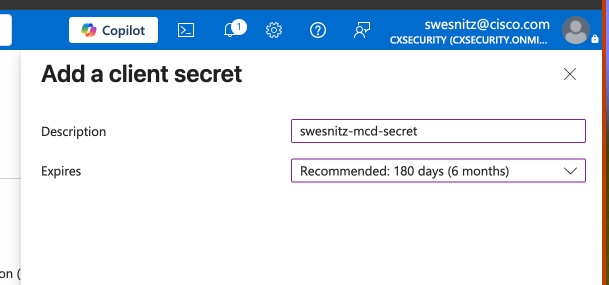
- On the Add a client secret page, enter these values, then click Add:
- Description: An appropriate description for the client secret.
- Expires: From the drop-down menu, choose the option that best suits your environment.

Note: You must create a new secret when the current secret expires.
- Copy and save both the Value and the Secret ID to a notepad.

Warning: You can view the secret value only at the time of creation.
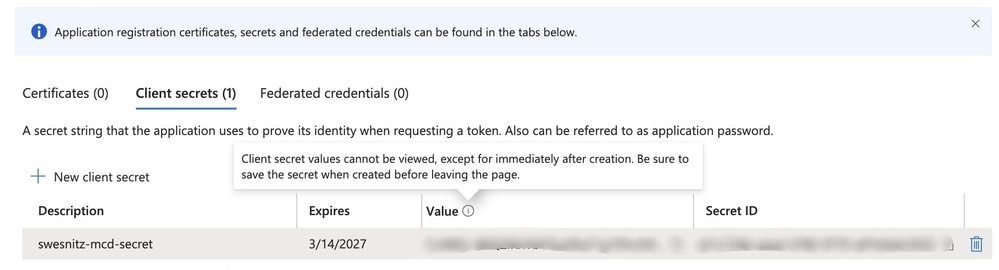

Tip: The client secret is listed in the Value column.
Create a Custom Role
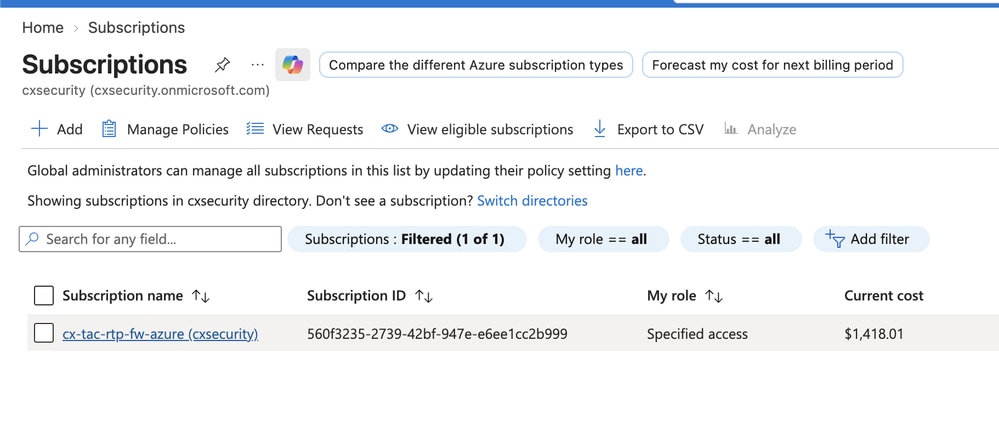
- Navigate to Subscriptions with the Azure portal search bar.

- Click your subscription.
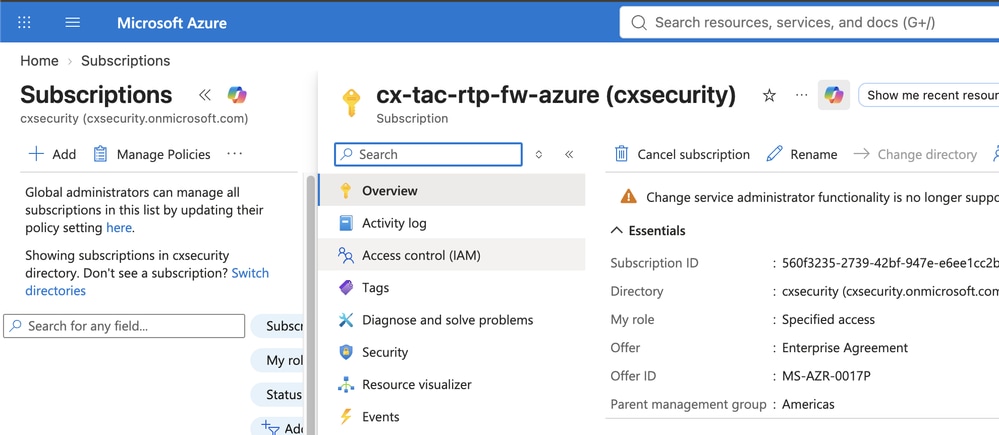
- Click Access control (IAM).
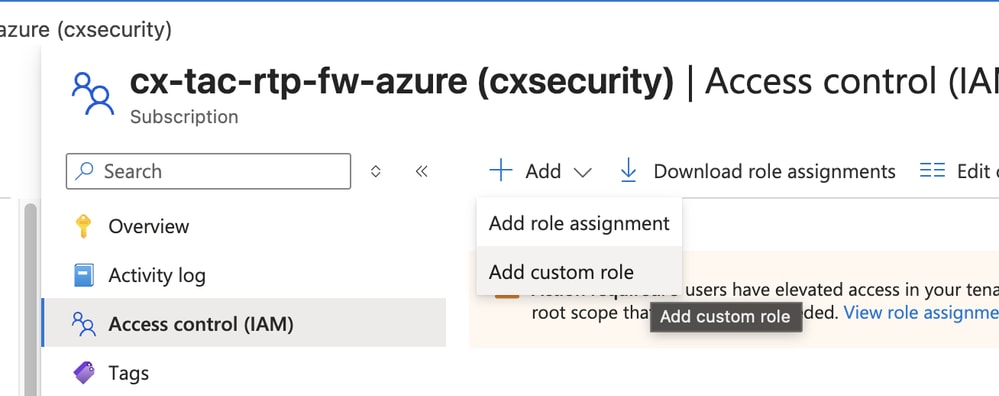
- Click Add, then select Add custom role from the drop-down menu.
- Enter these values:
- Custom role name: An easily identifiable name for the custom role.
- Description: A description for the role.
- Baseline permissions: Click the Start from scratch radio button, if it is not already selected.
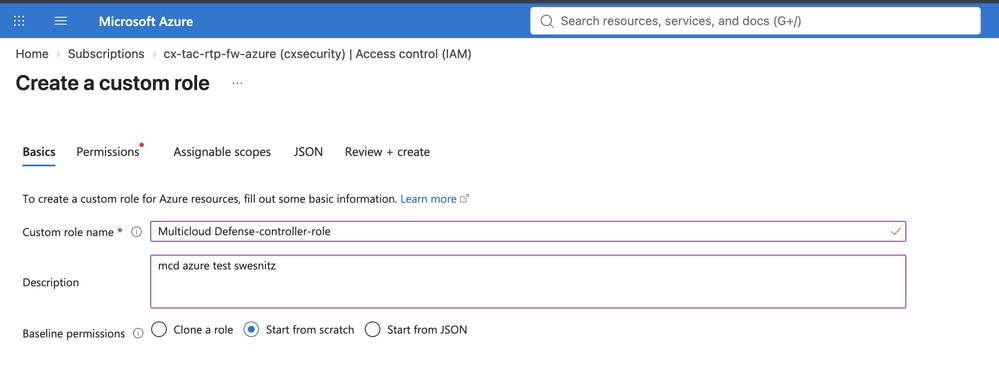
Note: The JSON that you provide, not the Permissions tab, assigns permissions to the custom role.
- Click JSON.
- Click Edit.
- Paste this code block within the square brackets for actions:
"Microsoft.ApiManagement/service/*",
"Microsoft.Compute/disks/*",
"Microsoft.Compute/images/read",
"Microsoft.Compute/sshPublicKeys/read",
"Microsoft.Compute/virtualMachines/*",
"Microsoft.ManagedIdentity/userAssignedIdentities/read",
"Microsoft.ManagedIdentity/userAssignedIdentities/assign/action",
"Microsoft.Network/loadBalancers/*",
"Microsoft.Network/natGateways/*",
"Microsoft.Network/networkinterfaces/*",
"Microsoft.Network/networkSecurityGroups/*",
"Microsoft.Network/publicIPAddresses/*",
"Microsoft.Network/routeTables/*",
"Microsoft.Network/virtualNetworks/*",
"Microsoft.Network/virtualNetworks/subnets/*",
"Microsoft.Resources/subscriptions/resourcegroups/*",
"Microsoft.Storage/storageAccounts/blobServices/*",
"Microsoft.Storage/storageAccounts/listkeys/action",
"Microsoft.Network/networkWatchers/*",
"Microsoft.Network/applicationSecurityGroups/*",
"Microsoft.Compute/diskEncryptionSets/read",
"Microsoft.Insights/Metrics/Read",
"Microsoft.Network/locations/serviceTagDetails/read",
"Microsoft.Network/locations/serviceTags/read",
"Microsoft.CognitiveServices/*/read",
"Microsoft.CognitiveServices/accounts/listkeys/action",
"Microsoft.Network/virtualHubs/*",
"Microsoft.Network/virtualHubs/hubRouteTables/*",
"Microsoft.MarketplaceOrdering/offertypes/publishers/offers/plans/agreements/*",
"Microsoft.Authorization/roleAssignments/read",
"Microsoft.Authorization/roleDefinitions/read"
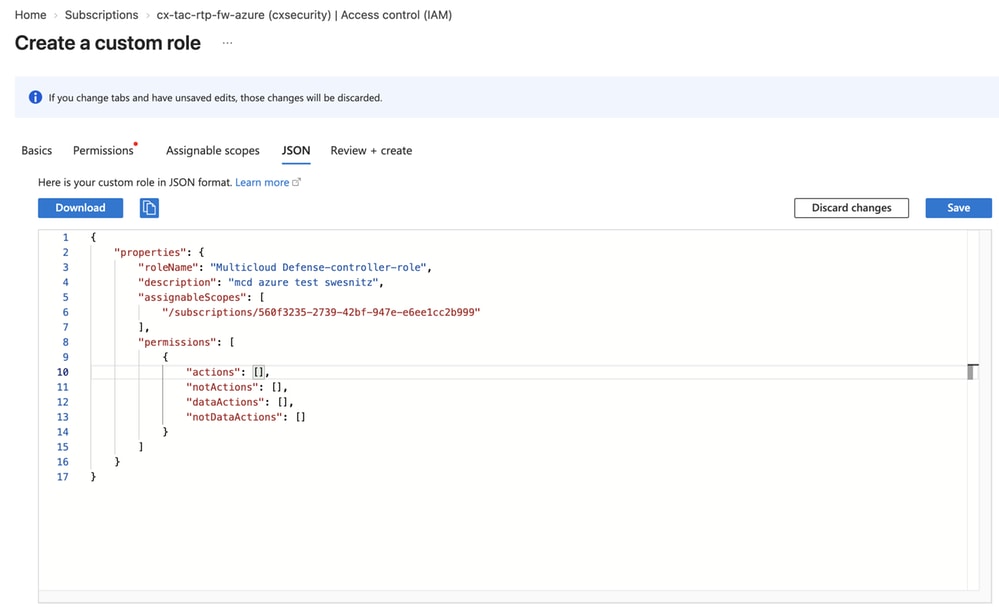
Note: Verify the correct spacing and tabs for the JSON code block.
This is an example of the completed role definition:
{
    "id": "/subscriptions/redacted/providers/Microsoft.Authorization/roleDefinitions/redacted",
    "properties": {
        "roleName": "Multicloud Defense-controller-role",
        "description": "mcd azure test swesnitz",
        "assignableScopes": [
            "/subscriptions/redacted"
        ],
        "permissions": [
            {
                "actions": [
                    "Microsoft.ApiManagement/service/*",
                    "Microsoft.Compute/disks/*",
                    "Microsoft.Compute/images/read",
                    "Microsoft.Compute/sshPublicKeys/read",
                    "Microsoft.Compute/virtualMachines/*",
                    "Microsoft.ManagedIdentity/userAssignedIdentities/read",
                    "Microsoft.ManagedIdentity/userAssignedIdentities/assign/action",
                    "Microsoft.Network/loadBalancers/*",
                    "Microsoft.Network/natGateways/*",
                    "Microsoft.Network/networkinterfaces/*",
                    "Microsoft.Network/networkSecurityGroups/*",
                    "Microsoft.Network/publicIPAddresses/*",
                    "Microsoft.Network/routeTables/*",
                    "Microsoft.Network/virtualNetworks/*",
                    "Microsoft.Network/virtualNetworks/subnets/*",
                    "Microsoft.Resources/subscriptions/resourcegroups/*",
                    "Microsoft.Storage/storageAccounts/blobServices/*",
                    "Microsoft.Storage/storageAccounts/listkeys/action",
                    "Microsoft.Network/networkWatchers/*",
                    "Microsoft.Network/applicationSecurityGroups/*",
                    "Microsoft.Compute/diskEncryptionSets/read",
                    "Microsoft.Insights/Metrics/Read",
                    "Microsoft.Network/locations/serviceTagDetails/read",
                    "Microsoft.Network/locations/serviceTags/read",
                    "Microsoft.CognitiveServices/*/read",
                    ...
Assign the Custom Role
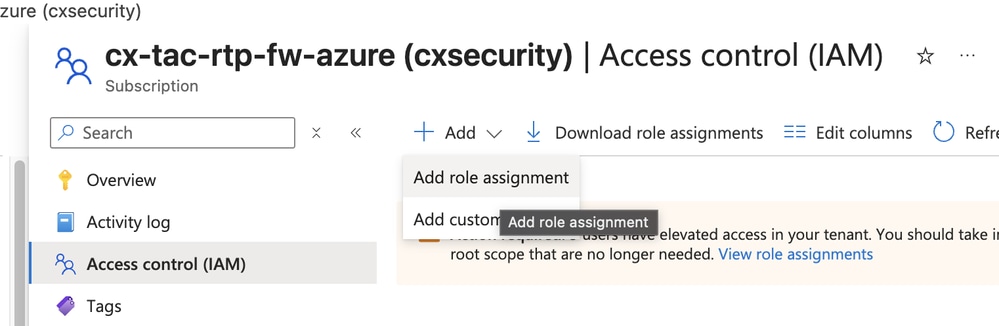
- From the subscription Access control (IAM) page, click Add role assignment.
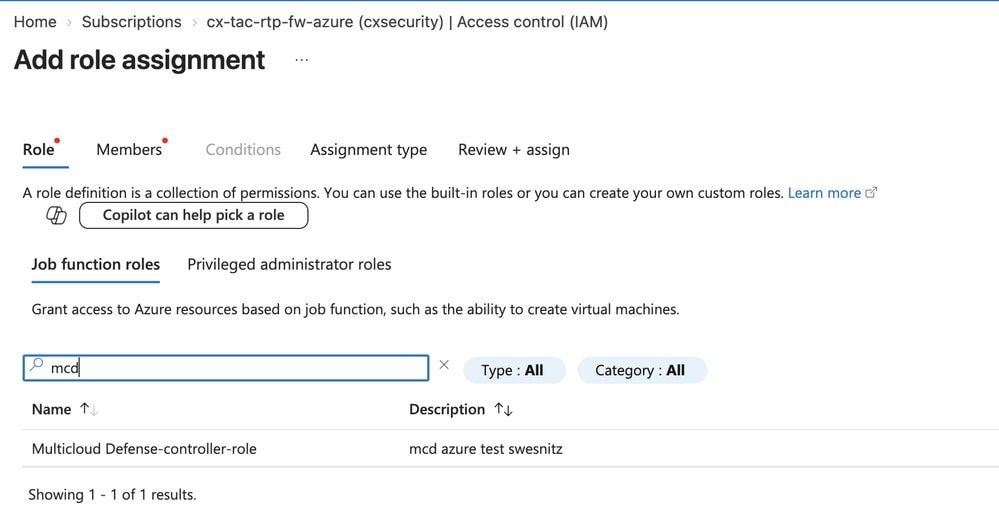
- Search for the role that you created in the Create a Custom Role section.
- Click Next and leave Assign access to set to User, group, or service principal.
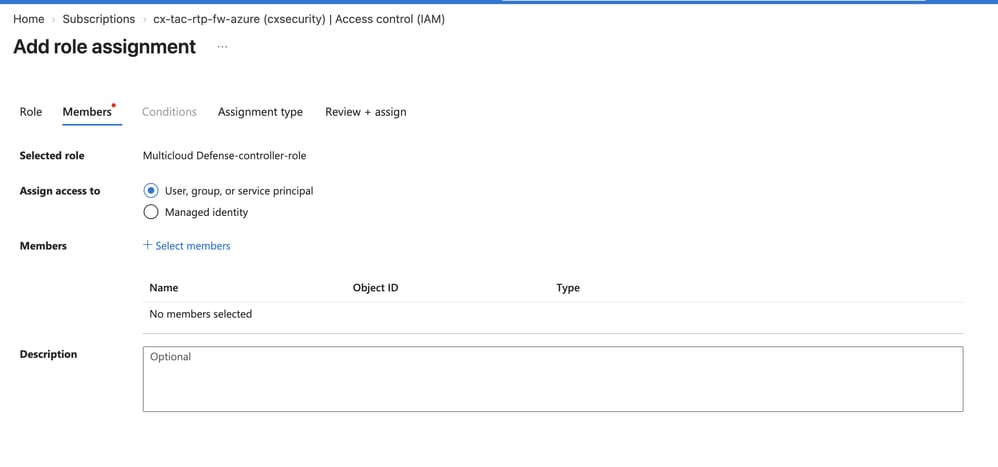
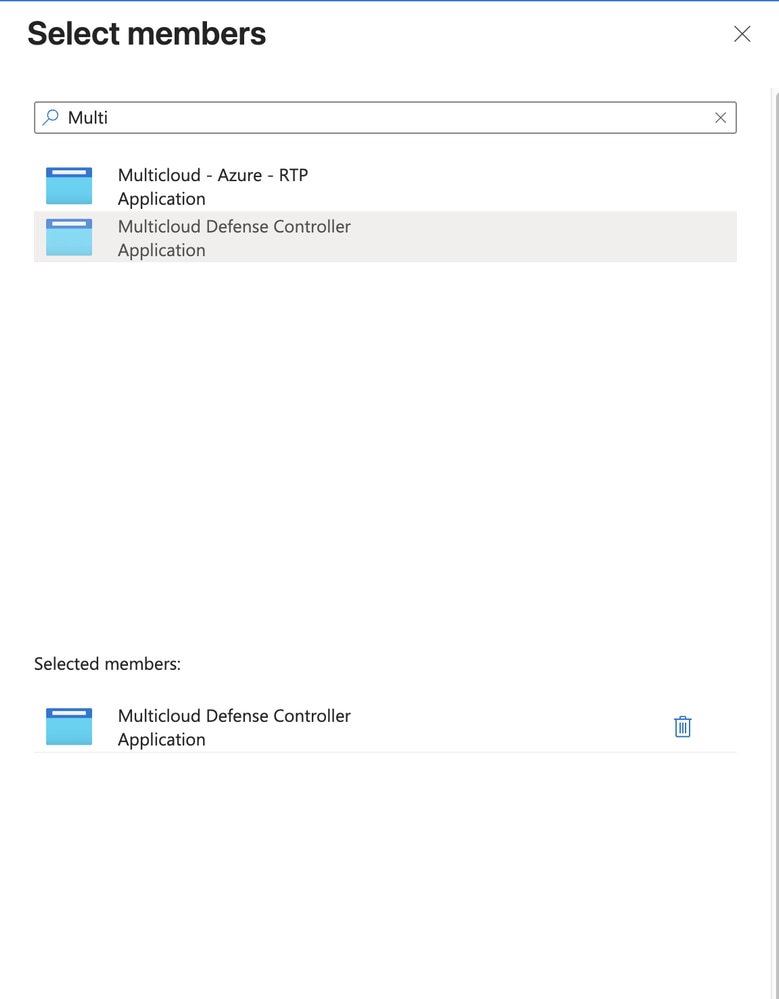
- Click Select members.
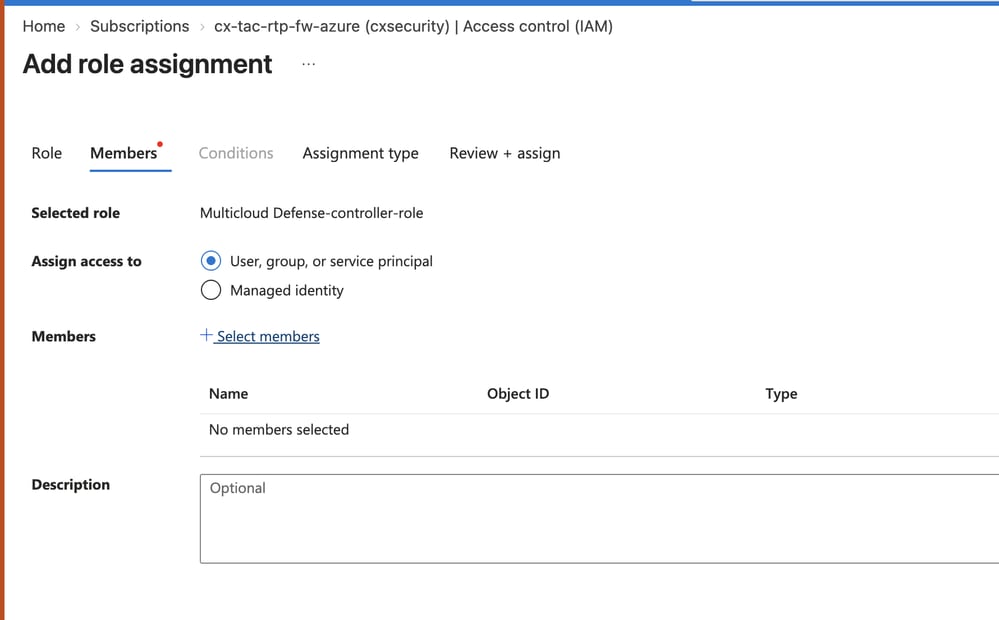
- Add the role that you created in the Create a Custom Role section.
- Click Next, then copy the subscription ID.
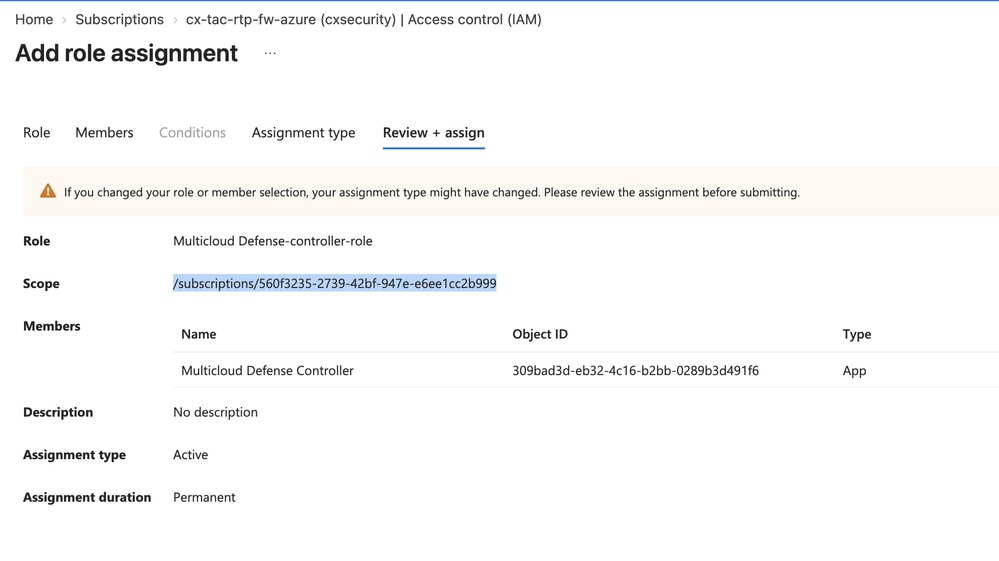
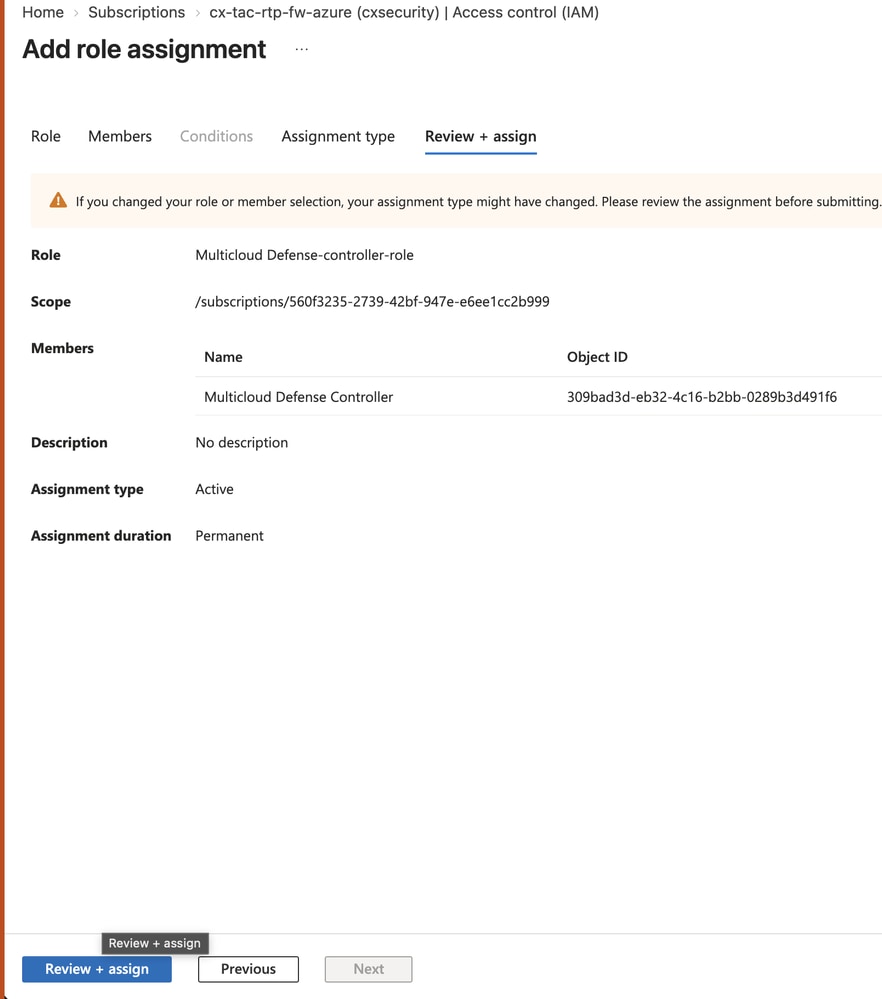
- Click Review + assign.
- The overview page for the subscription appears. From the left-hand menu, navigate to Overview and copy the subscription ID.
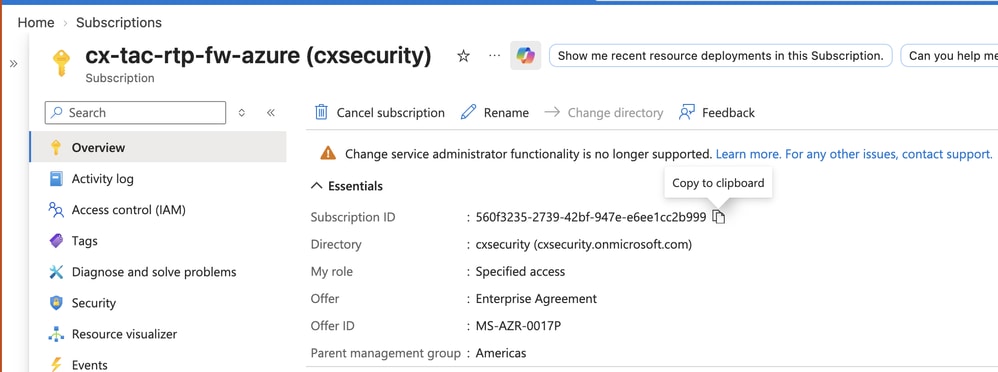
This completes the Azure prerequisites to add the Azure Account to MCD. These procedures describe the integration and deployment through MCD.
Connect the Azure Account to MCD
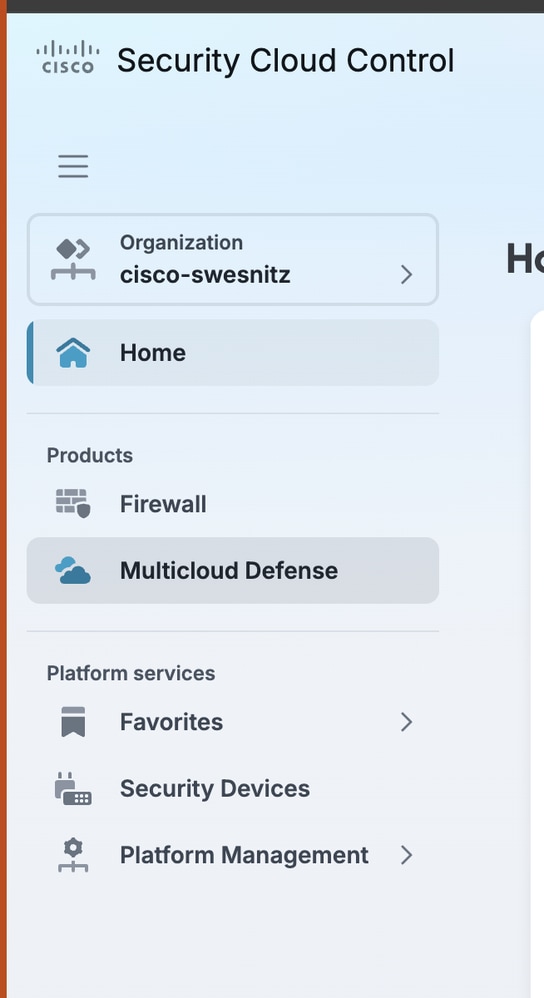
- Navigate to SCC > Multicloud Defense.
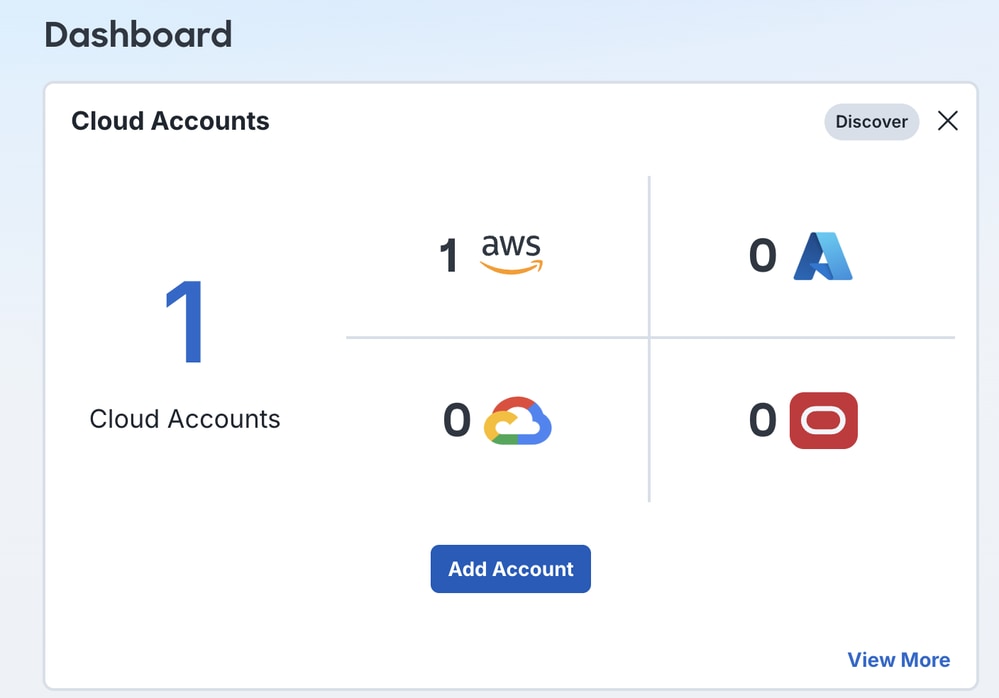
- From the main dashboard, click Add Account in the Cloud Accounts pane.
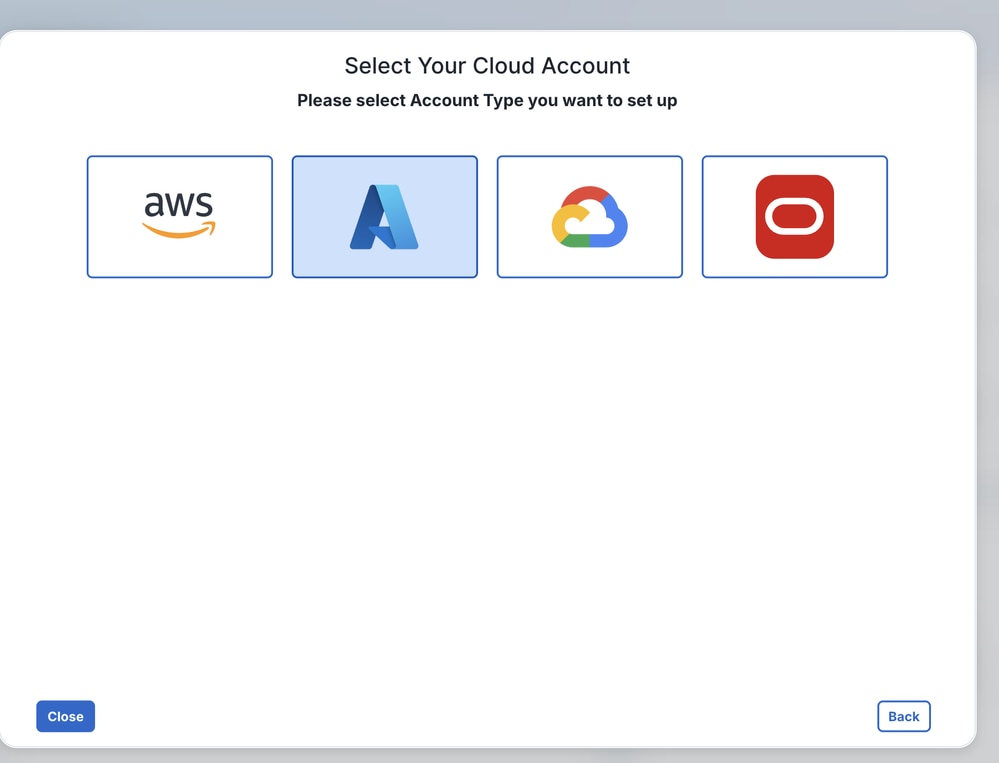
- Click the Azure icon.
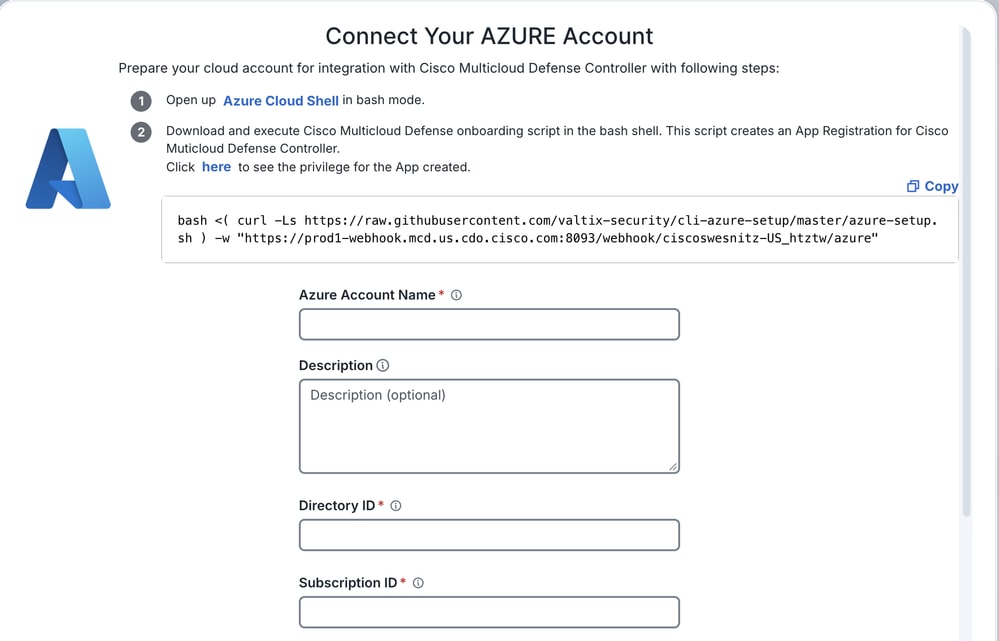
- On the Connect Your Azure Account page, enter these values:
- Azure Account Name: The name of the Azure account from the MCD perspective.
- Directory ID: The directory ID that you saved in the Register an Application section.
- Subscription ID: The subscription ID that you saved in the Assign the Custom Role section.
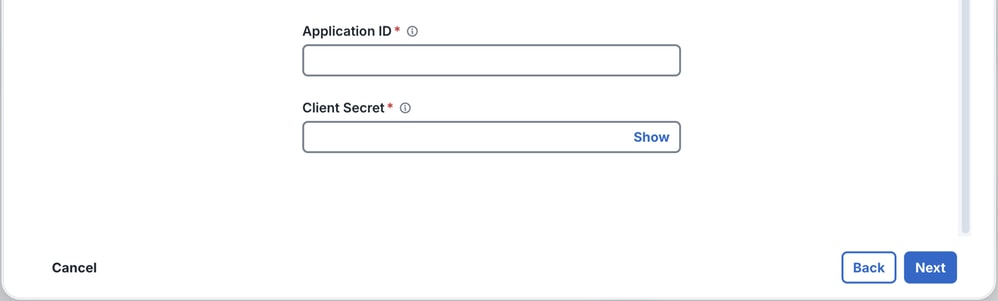
- Application ID: The application ID that you saved in the Register an Application section.
- Client Secret: The Value that you saved in the Register an Application section.
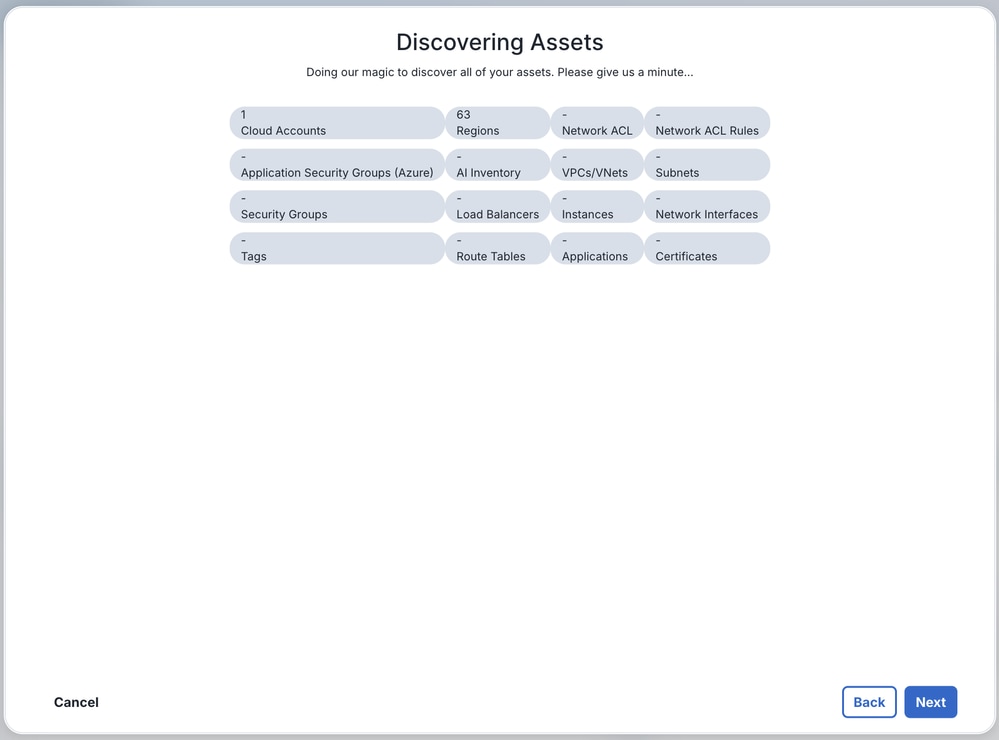
- MCD discovers and displays the Azure assets. Click Next.
- Click Close.
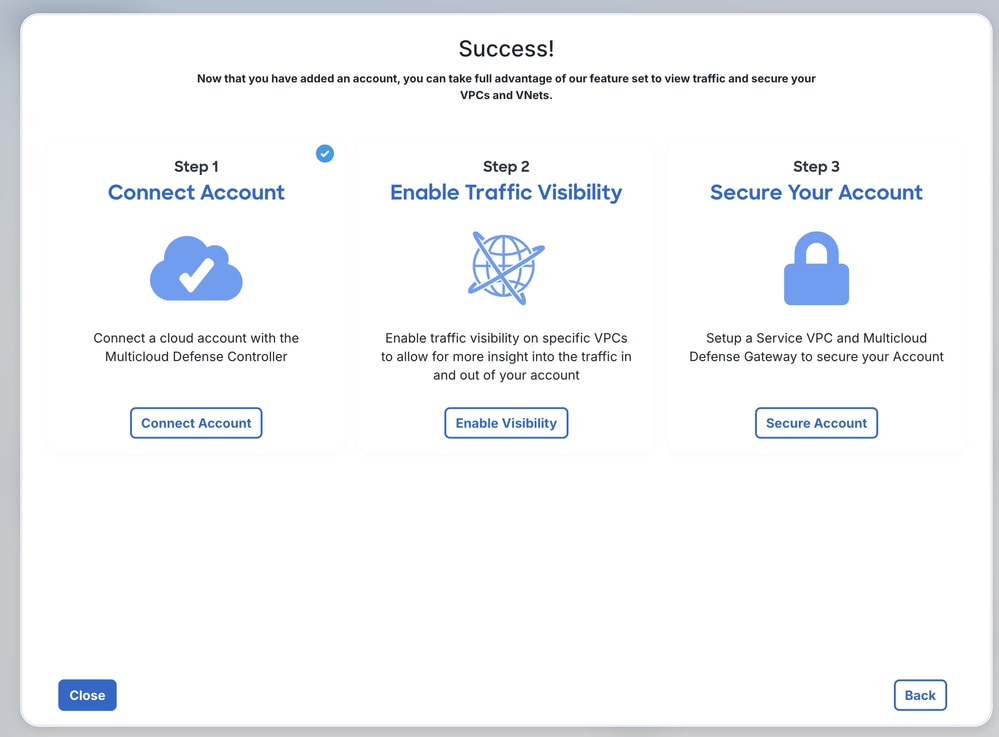
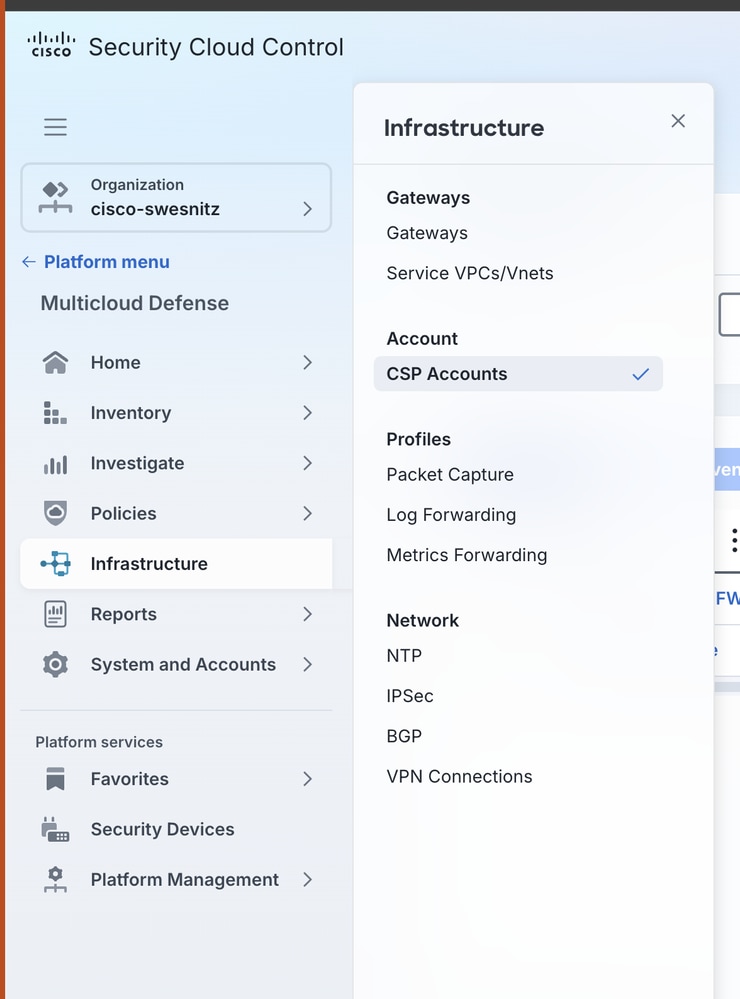
- You can now view the onboarded account from Infrastructure > CSP Accounts.
Create a VNet
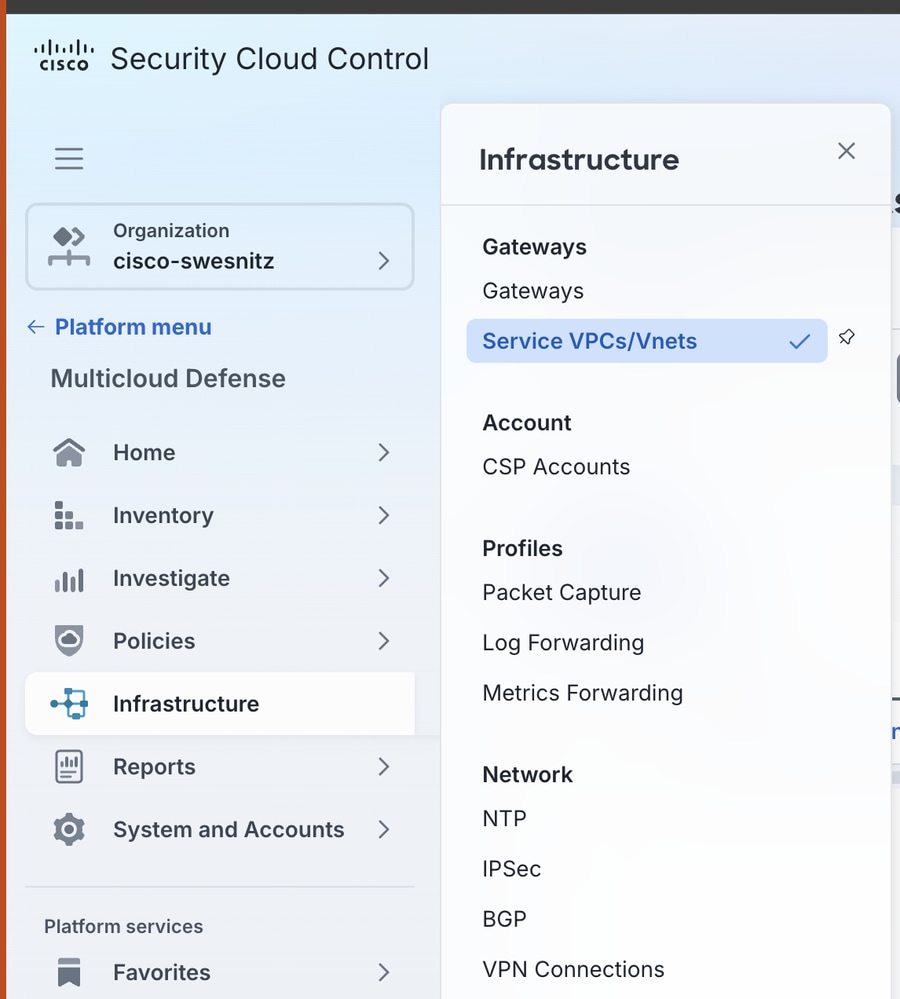
- Navigate to Infrastructure > Service VPCs/VNets.
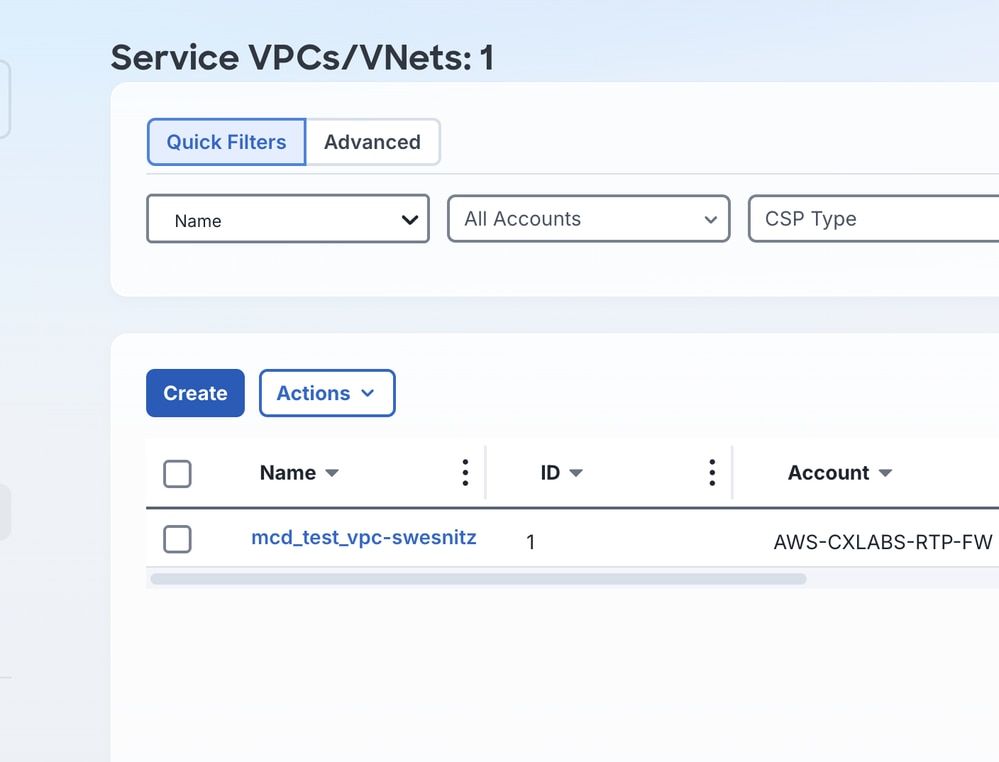
- Click Create.
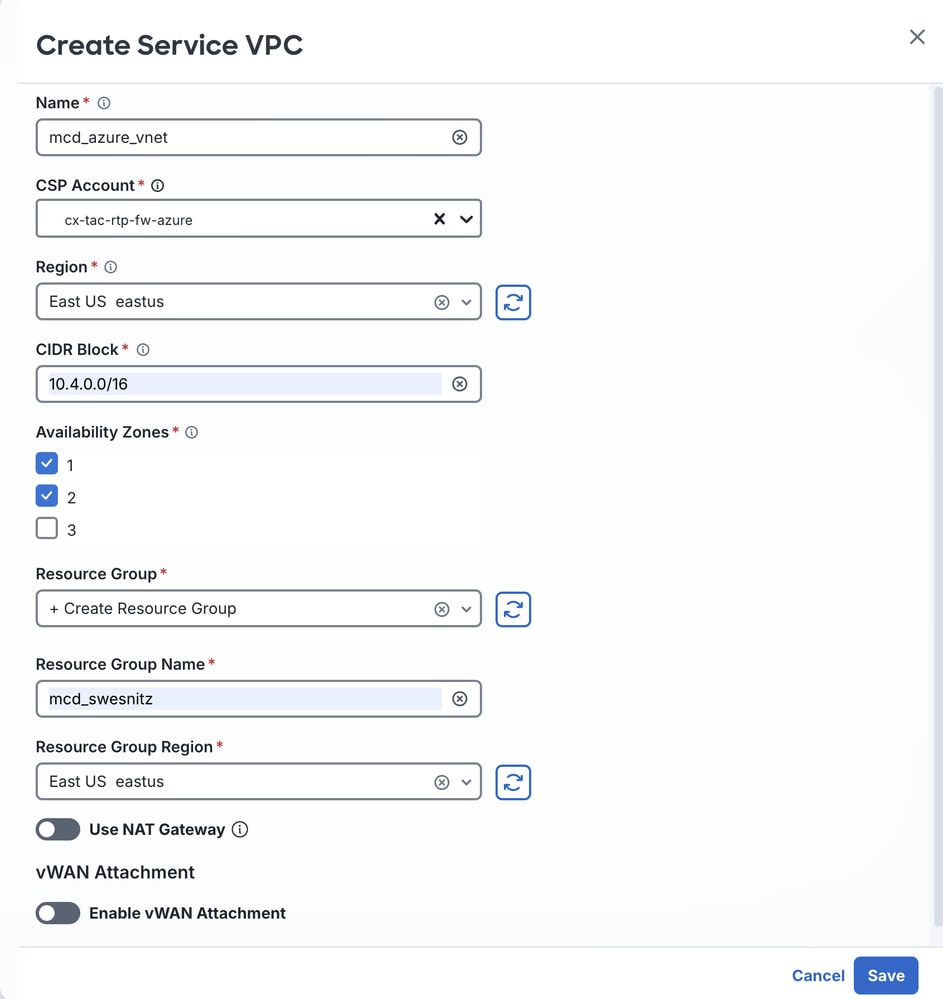
- Enter these values:
- Name: An easily identifiable name for the VNet that this procedure creates for the FTDv Gateway.
- CSP Account: The name that you assigned in the Connect the Azure Account to MCD section.
- Region: The region where the FTDv Gateway is deployed.
- CIDR Block: A unique IP block for the transit gateway associated with the VNet.
- Availability Zones: Select at least two availability zones for resiliency.
- Resource Group: Select + Create Resource Group from the drop-down menu.
- Resource Group Name: A name for the resource group.
- Resource Group Region: The region that aligns with the region that you selected for Region.
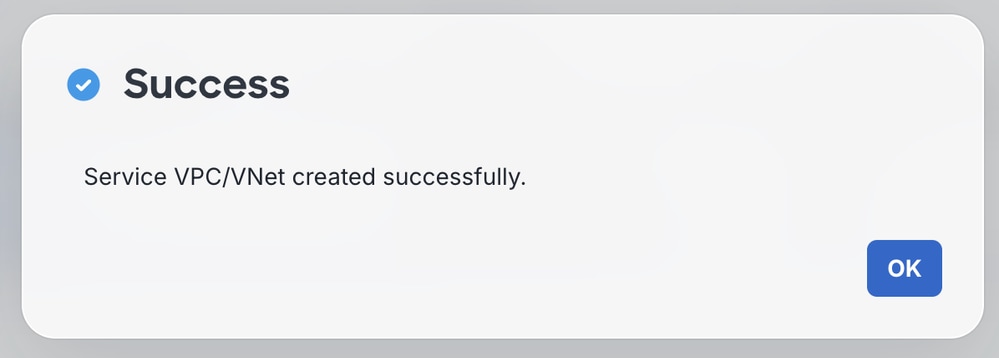
- A success message appears.
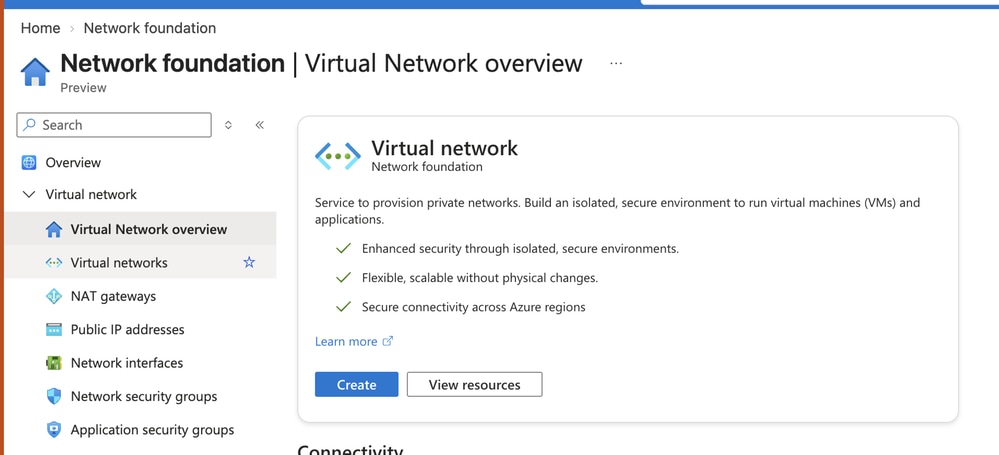
Confirm creation of the VNet from the Azure side, navigate to Network foundation > Virtual networks overview > Virtual Networks.
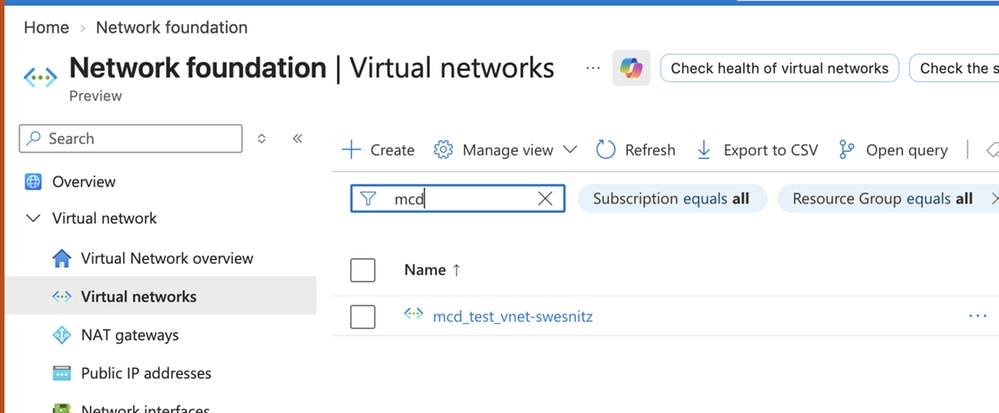
The VNet transitions to an Active state once it is created.

Create the Azure MCD FTDv Gateway
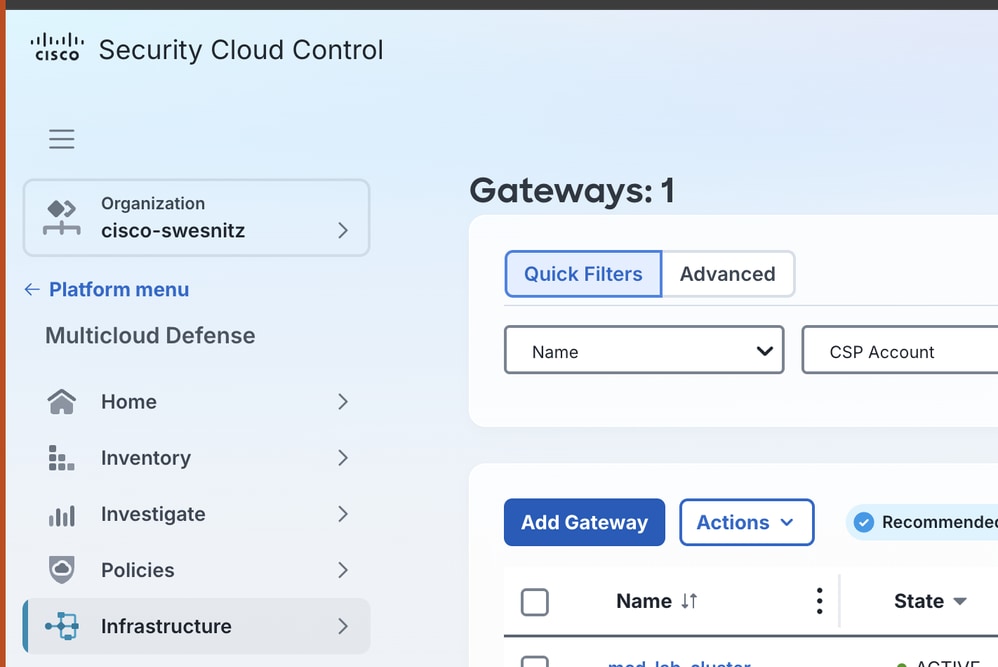
- Navigate to Infrastructure > Gateways.
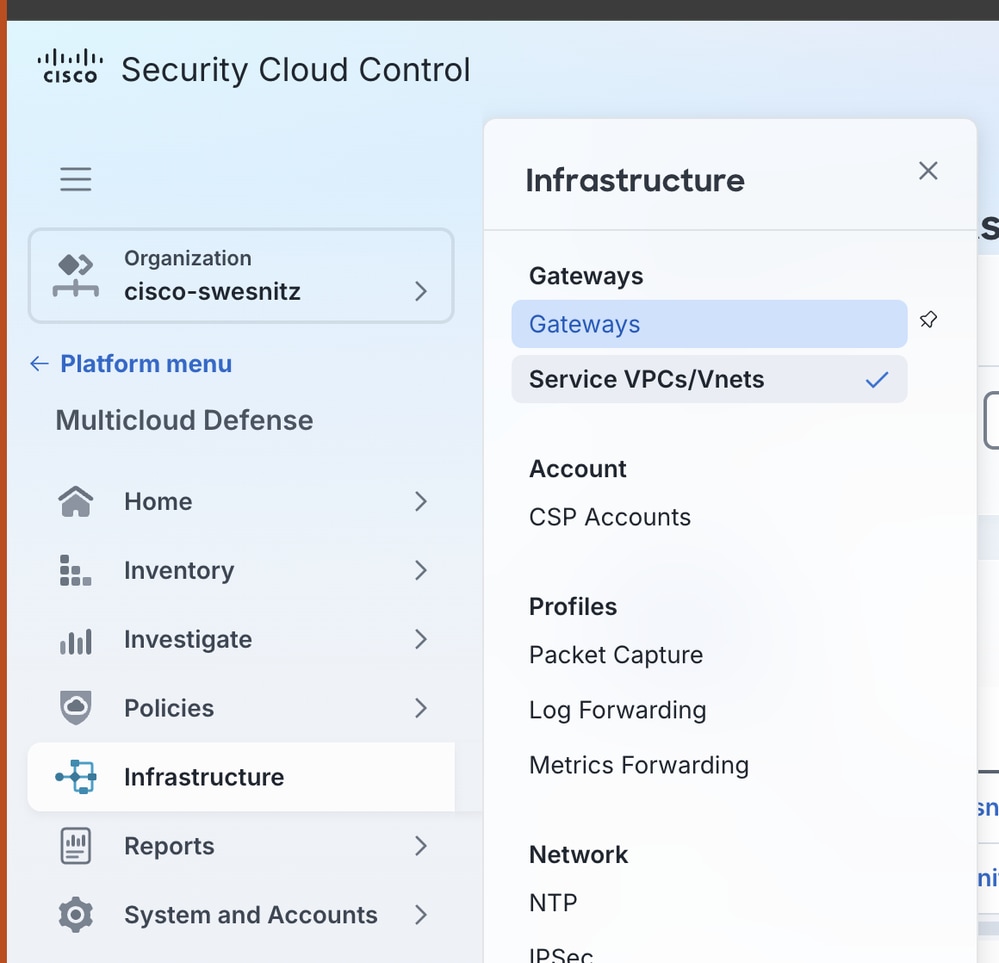
- Click Add Gateway.
- Enter these values:
- Accounts: From the drop-down menu, select the Azure account that you linked in the Connect the Azure Account to MCD section.
- Gateway Type: Select FTDv Gateway.
- Name: An easily identifiable name for the FTDv Gateway.
- Instance Type: The instance type appropriate for your environment.
- Minimum Instances: Select at least one instance from the drop-down menu.
- Maximum Instances: The desired number of maximum FTDv instances for your environment. The maximum allowed is 10.
- HealthCheck Port: The default is 65534. This document does not alter this value.
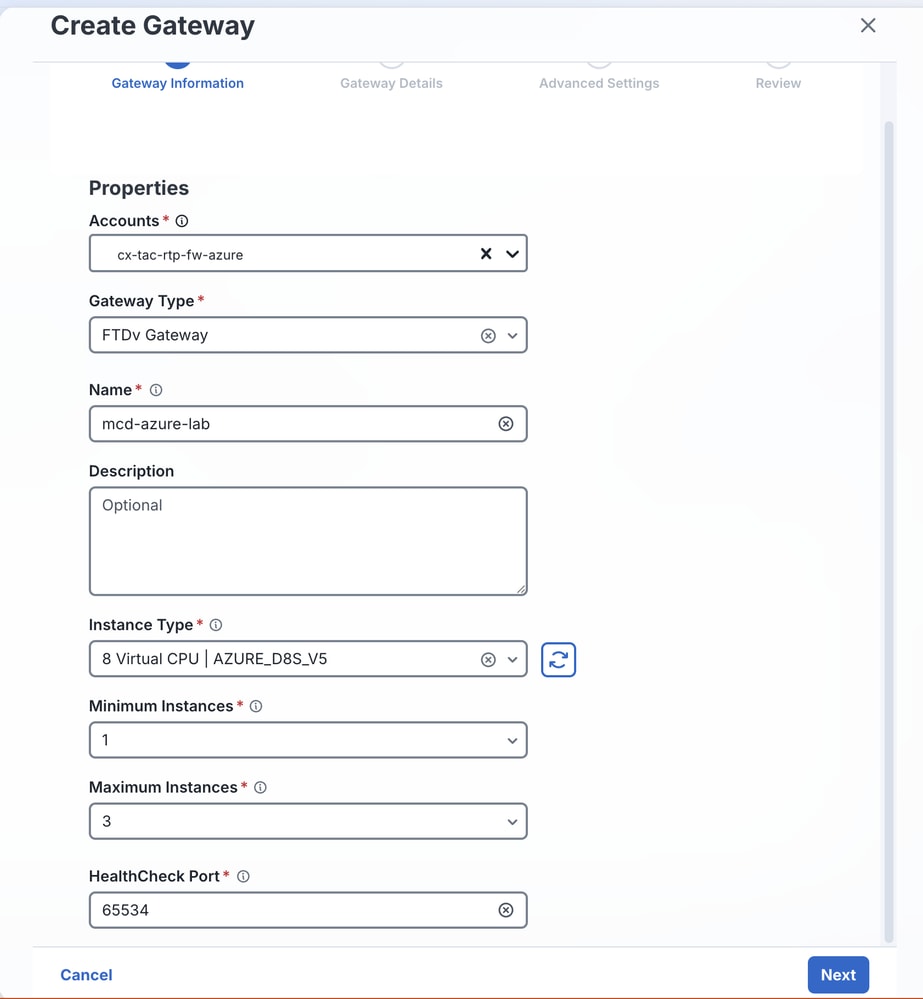
Note: The HealthCheck Port is the port number that the Multicloud Defense load balancer uses to check the health of the instances. The datapath security groups assigned to the instances must allow traffic on this port.
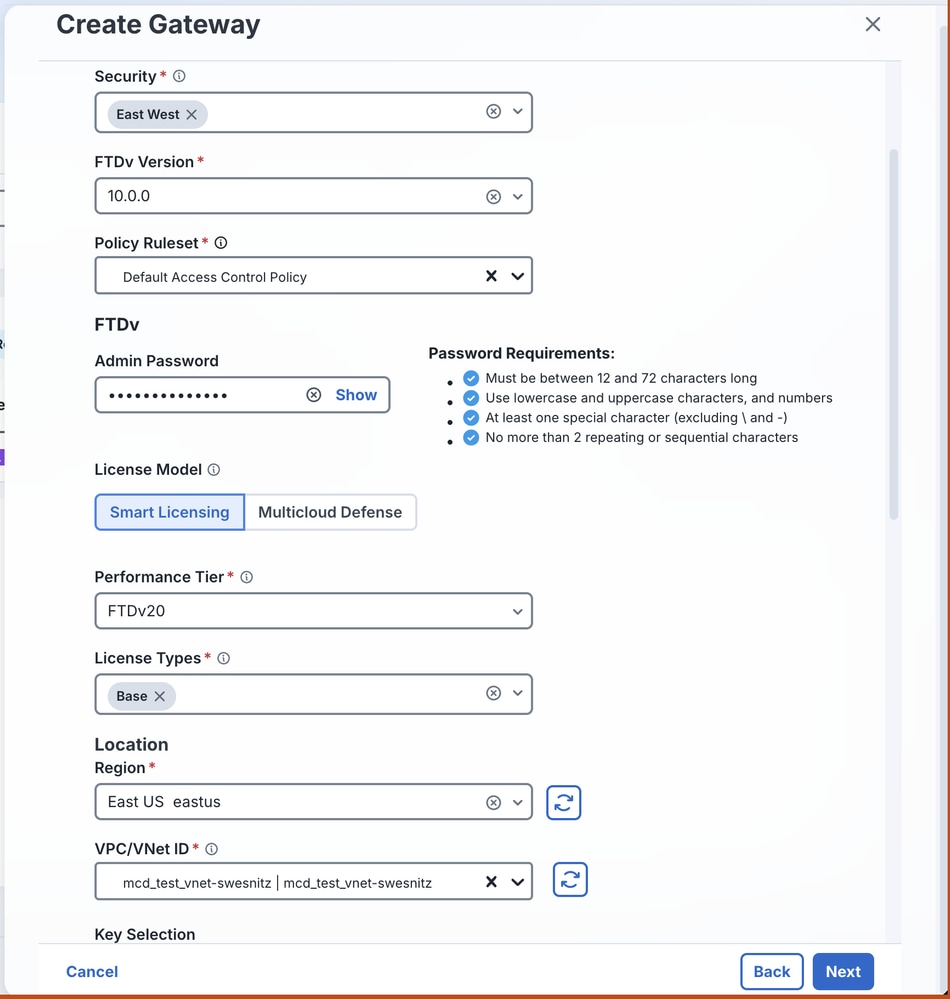
- Enter these values:
- Properties: Select Egress or East-West.
- FTDv Version: The software version best suited to the environment.
- Policy Ruleset: The access control policy (ACP) to apply to this FTDv cluster.
- Password: A password for the FTDv instances.
- License Model: The desired licensing model.
- Performance Tier: The tier appropriate for the expected device throughput.
- License Types: The license types purchased for this deployment.
- Region: The region where these FTDv instances are deployed.
- VPC/VNet ID: The Service VNet that you created in the Create a VNet section.
- Create a public key pair. Refer to Create an SSH key pair on Windows for guidance.
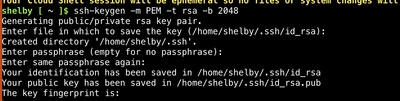
- Enter the values for SSH Public Key and Resource Groups.
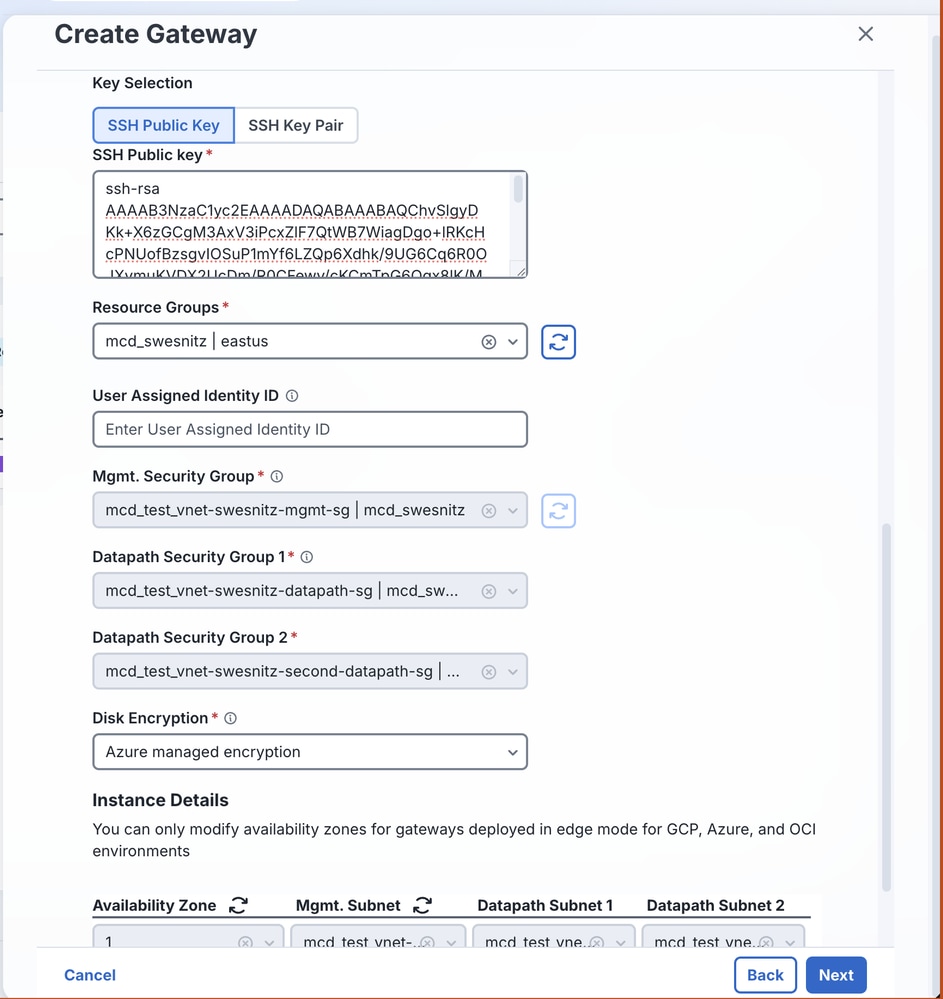
- Disable the public IP, then click Next.
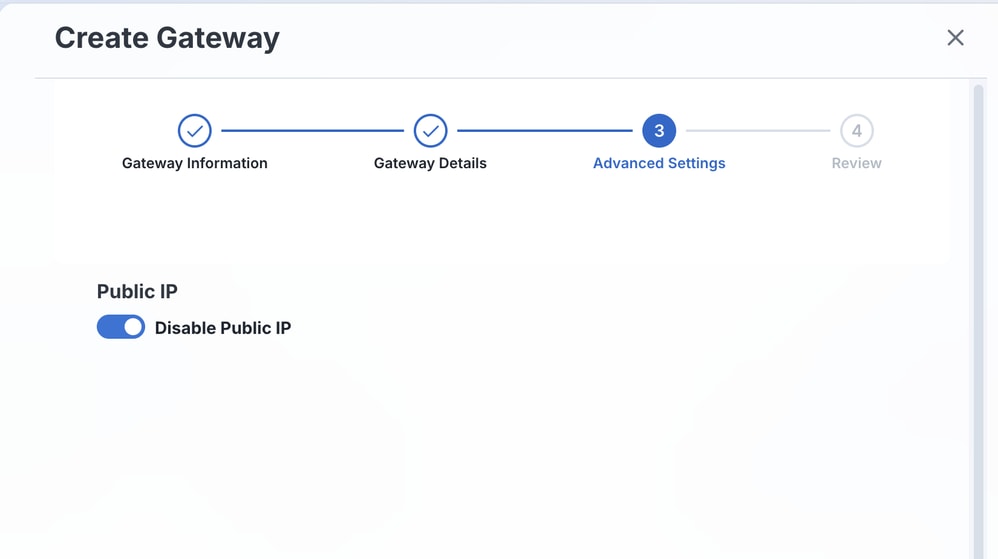
- Review all the values that you specified.
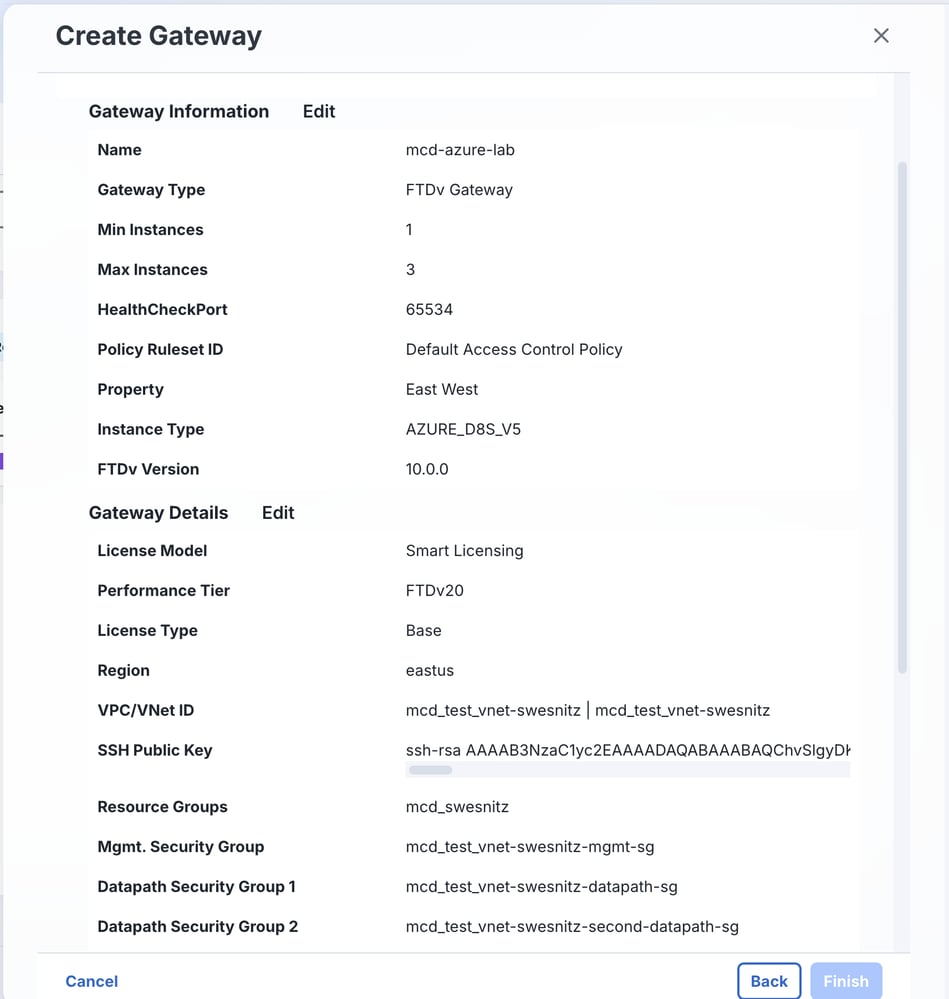
- After you review the values and the resources finish loading, click Finish.
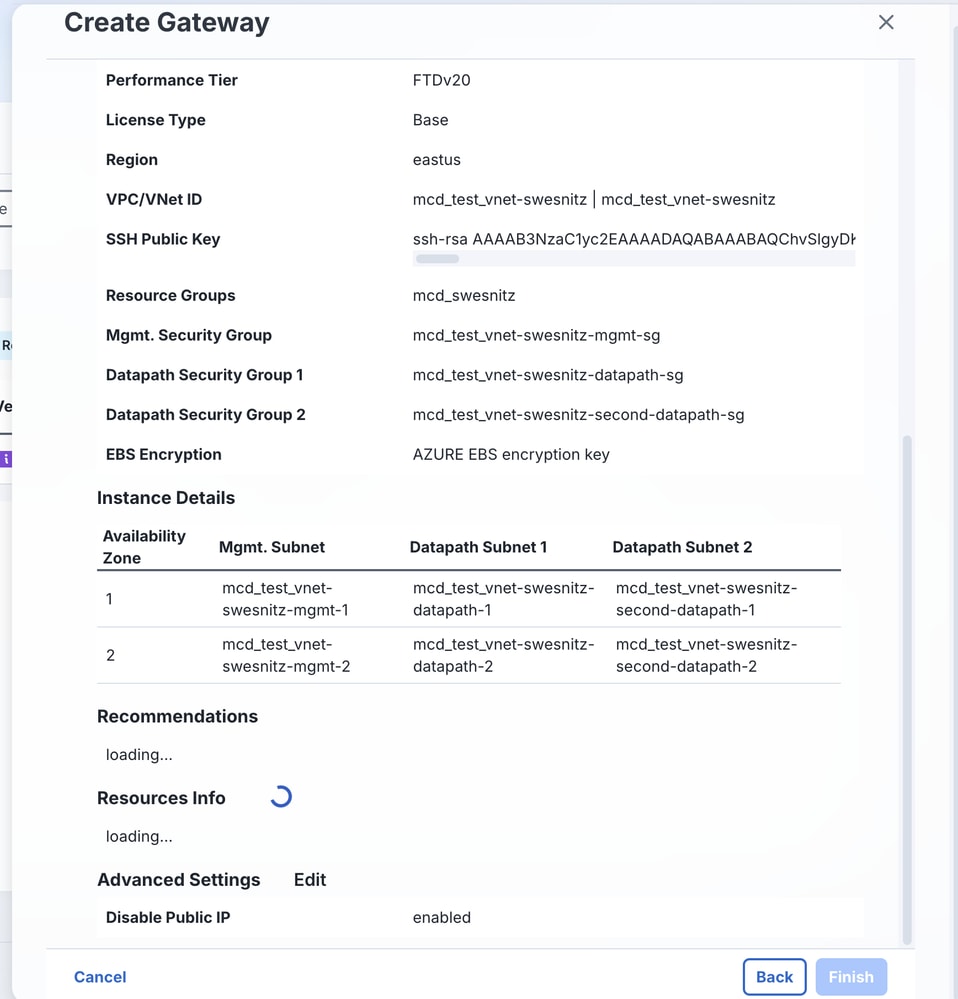
Dashboard view once resources have loaded.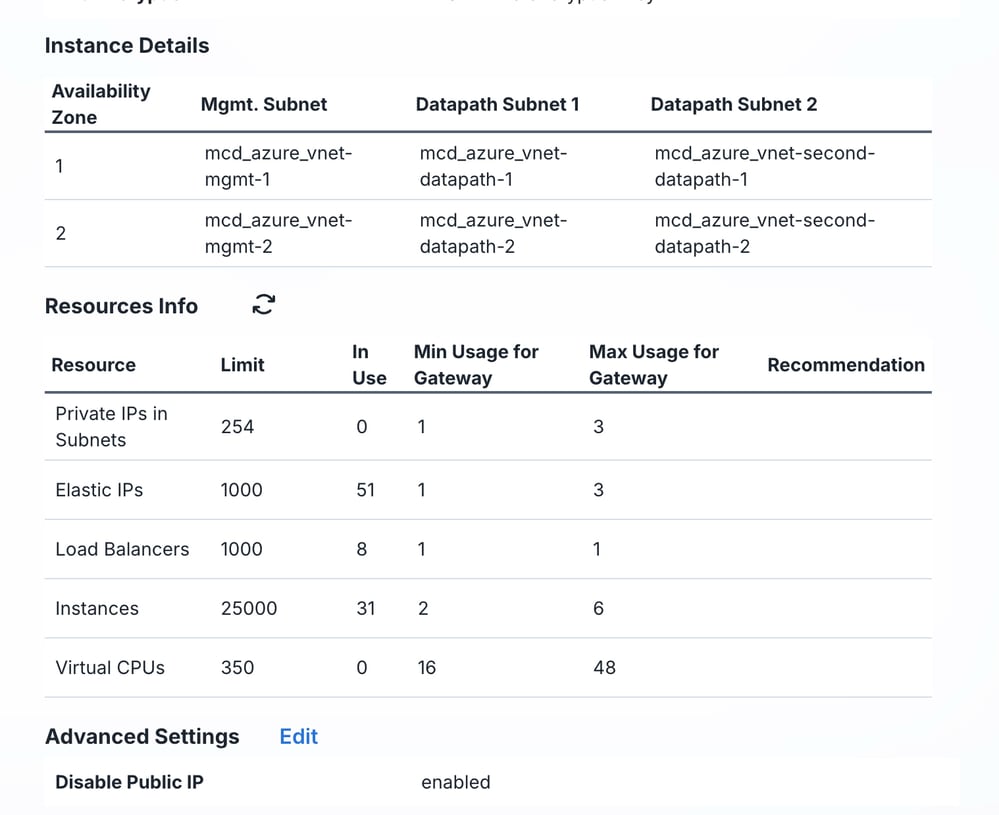
Dashboard view of gateway deploying.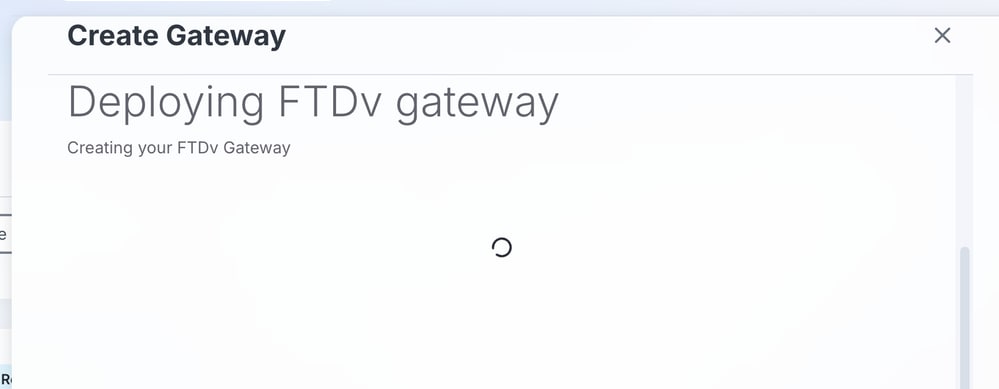
- After the gateway begins creation, a success message appears. Click OK.
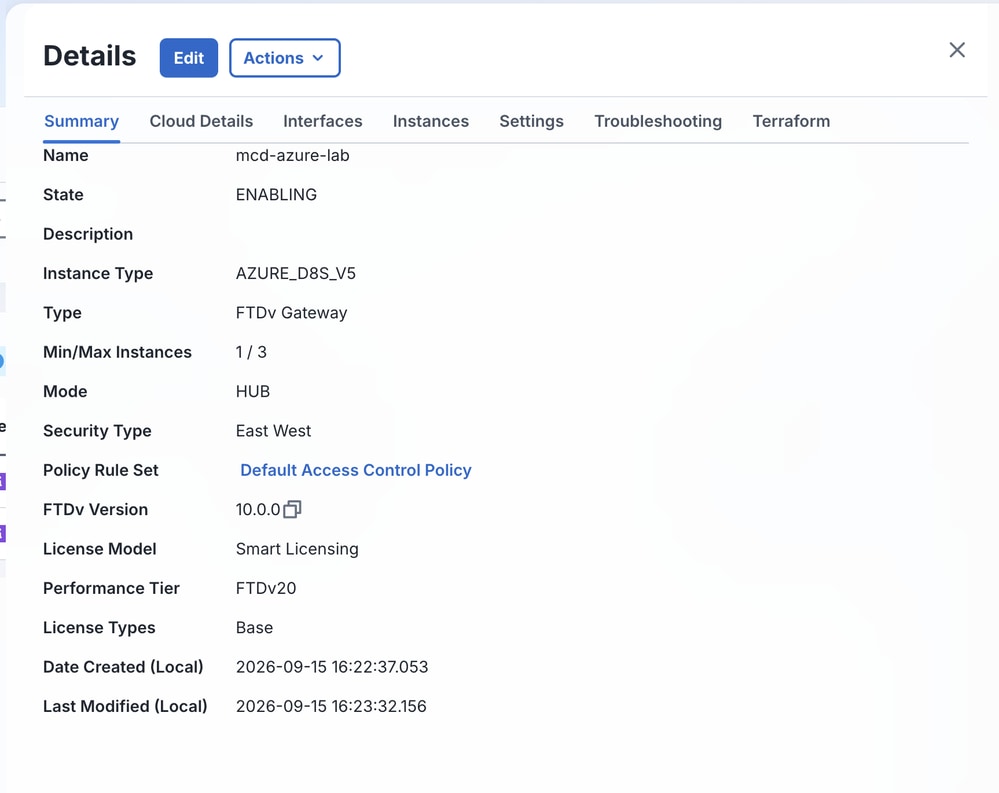
From the MCD dashboard, the status displays ENABLING.

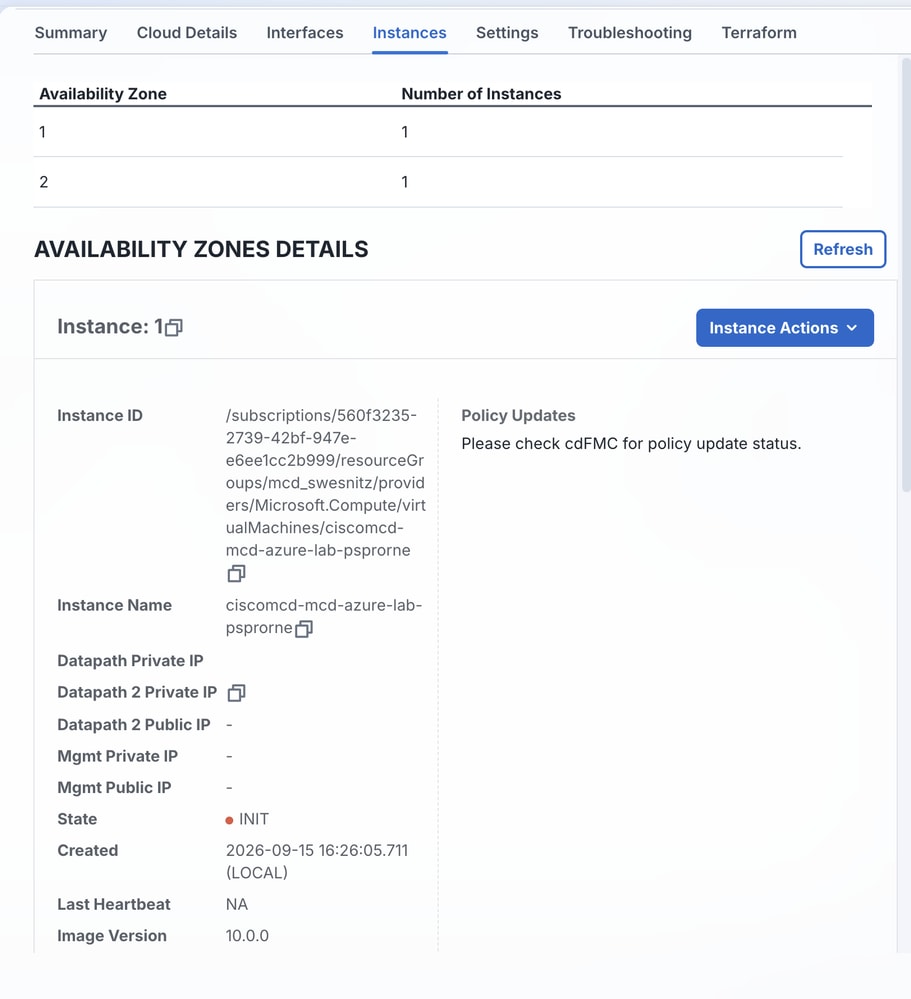
Monitor the status from the Summary and Instances tabs.
Verify
Use this section in order to confirm that your configuration works properly.
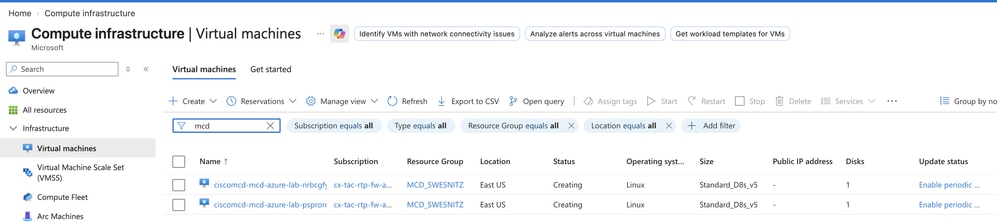
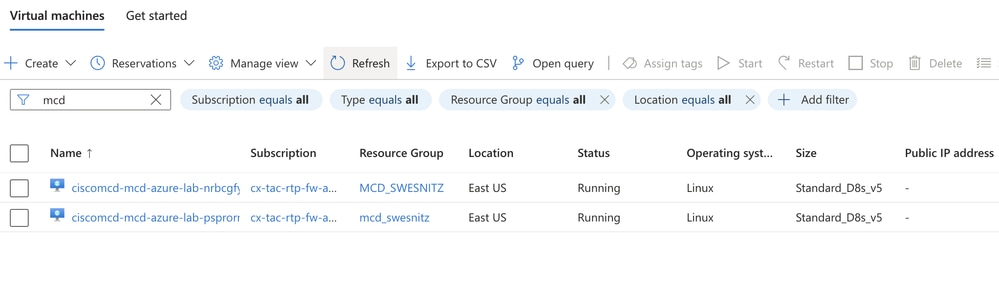
- Under Compute > Virtual machines in Azure, monitor the FTDv instances. The status changes from Creating to Running.
- Confirm the gateway status from the MCD dashboard.
Related Information
- Create a Service VPC or VNet
- FTDv Integration Procedure
- Configure Gateway Prerequisites
- Multicloud Defense for Azure Overview
- Create and use an SSH public-private key pair for Linux VMs in Azure
- Technical Support & Documentation - Cisco Systems
Revision History
| Revision | Publish Date | Comments |
|---|---|---|
2.0 |
15-Oct-2026
|
Updated Title from Cluster to Gateway to Eliminate Confusion about Technology. |
1.0 |
09-Oct-2026
|
Initial Release |

 Feedback
Contact Cisco
- Open a Support Case

- (Requires a Cisco Service Contract)