Troubleshoot FMC Vulnerability Database Not Updating Automatically with Scheduled Downloads
Available Languages
Issue
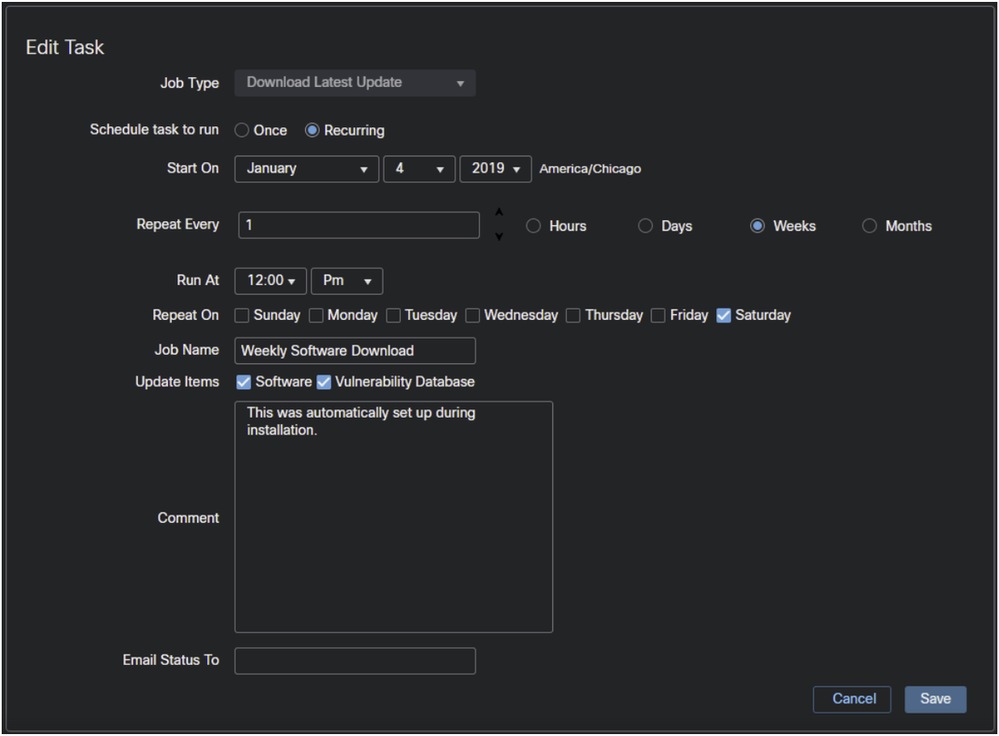
The Vulnerability Database (VDB) on Cisco Secure Firewall Management Center (FMC) is not updating automatically as part of the scheduled weekly software download configuration. The VDB current version remained at build 423 (2026-02-09 10:00:52) despite having a weekly software download scheduled for every Saturday night with the vulnerability database update option selected in the configuration. Manual updates of the VDB are successful, as demonstrated by the ability to manually update from build 423 to build 425 (2026-03-10 08:32:15) through the Content Updates screen, but the automated scheduled updates are not functioning as expected.
Environment
Secure Firewall Management Center (FMC)
Vulnerability database update option enabled in weekly software download configuration
Resolution
These steps can be taken to troubleshoot and resolve the automatic VDB update issue:
Step 1. Verify the scheduled task configuration in the FMC. Navigate to System > Configuration > Scheduled Tasks. In newer FMC versions the path is: Administration > Advanced > Scheduling.
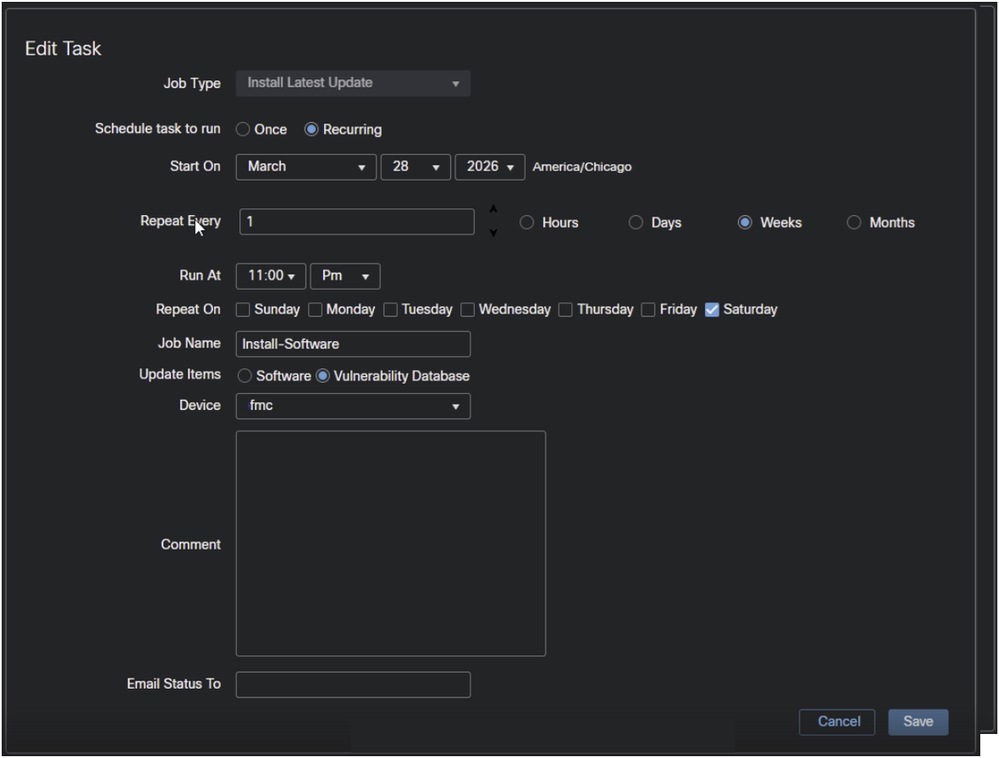
Step 2.Create a new scheduled task to install the software:
Notes
Ensure there is a sufficient gap between the download and the install tasks.
The job scheduler runs the tasks in UTC.
Additional Monitoring
After implementing the configuration recommendations, monitor the scheduled task execution to verify that the vulnerability database updates are occurring automatically as expected. The system must be observed through several scheduled update cycles to confirm consistent operation.
Cause
The Download Latest Update does not automatically install the downloaded software. You need to also create a 'Install Latest Update' task to install the software.
Related Content
Revision History
| Revision | Publish Date | Comments |
|---|---|---|
2.0 |
02-Sep-2026
|
Recertification |
1.0 |
09-Jul-2026
|
Initial Release |

 Feedback
Contact Cisco
- Open a Support Case

- (Requires a Cisco Service Contract)