Troubleshoot Malware License Error in FTD Policy Deployment
Available Languages
Contents
Issue
When attempting to make policy changes in Cisco Secure Firewall Management Center (FMC), an error message appears, indicating that "This rule requires a Malware license, but at least one device does not have a Malware license". This error prevents policy deployment and configuration changes from being applied to the affected firewall devices.
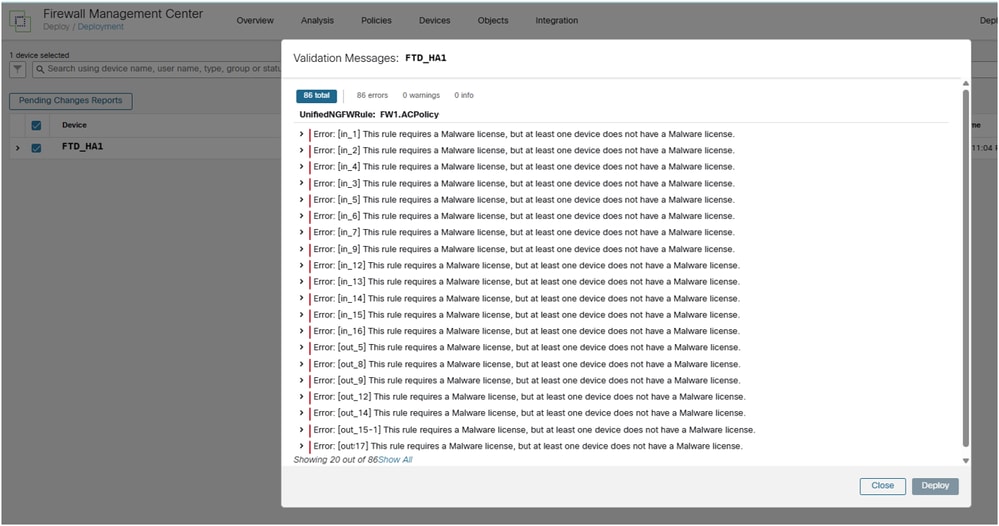
Environment
FMC 7.4.2. Other software versions are also affected.
FPR1140 running Firewall Threat Defense (FTD). Other platforms are also affected.
FTD uses an Access Control Policy (ACP) with file policy enabled on one or more rules.
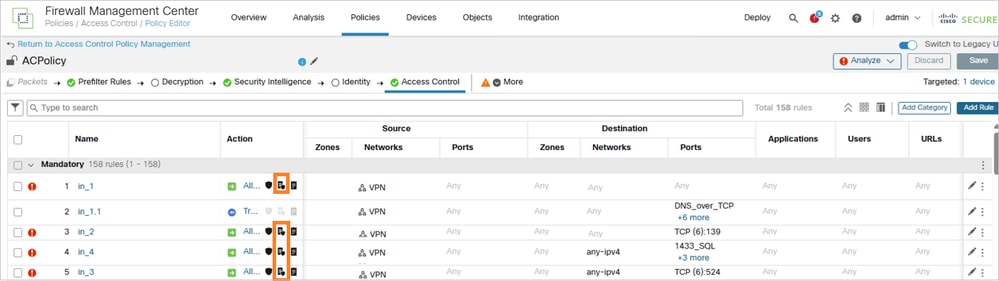
Resolution
The resolution for this malware license error involves obtaining and installing the necessary Malware license on the affected device. Use the steps outlined in the next sections to resolve the issue.
Step 1. Identify the Licensing Gap
Verify that the affected firewall device has file policies configured to use Advanced Malware Protection (AMP) but lacks the corresponding Malware Defense license. This can be confirmed by checking the device configuration and comparing it against the available licenses.
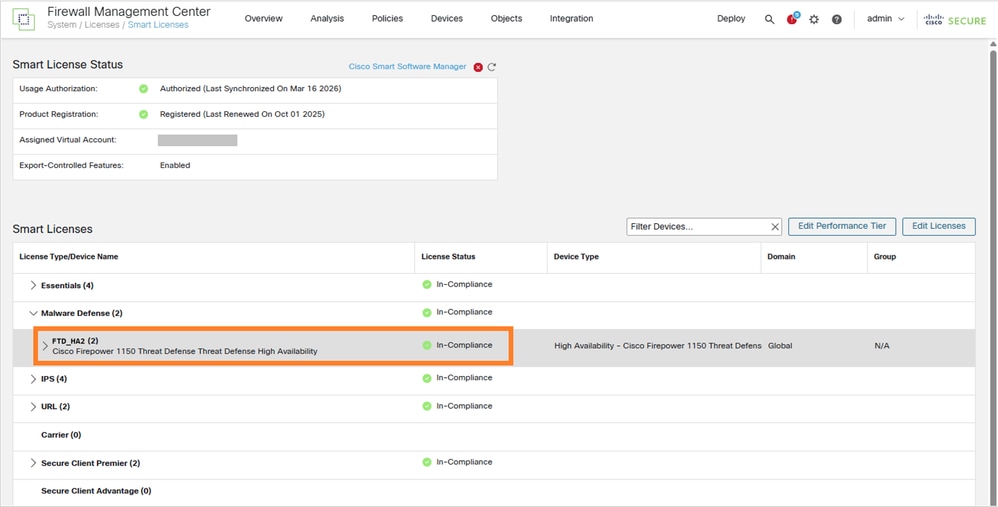
In this case, only the FTD_HA2 pair has the malware license. The FTD_HA1 pair does not have it:
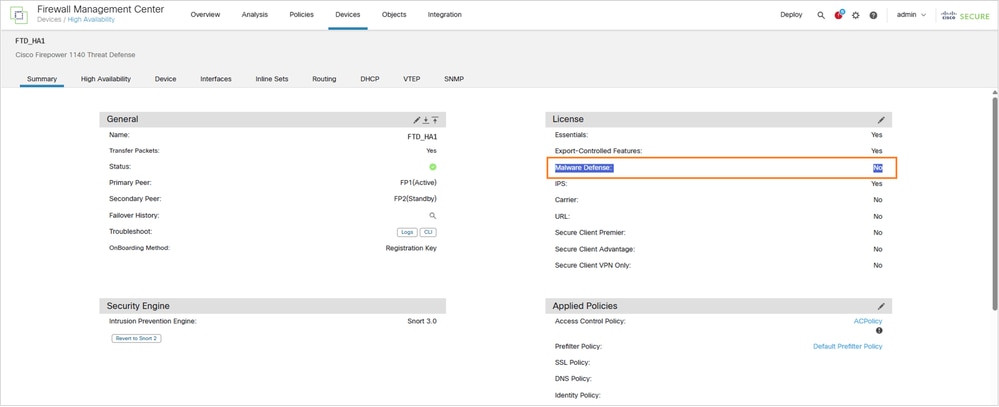
FTD_HA1 firewall pair has Malware license set to No:
Step 2. Obtain the Required License
Work with your Cisco sales representative or authorized partner to obtain the necessary malware license for the affected device. The license must be appropriate for your specific firewall model and deployment requirements.
Step 3. Install the Malware License
Once the license is obtained, install it on the affected device through the standard Cisco licensing process. This typically involves applying the license through the FMC or directly on the device, depending on your management configuration.
Step 4. Verify License Installation
After license installation, verify that the Malware Defense capability is now properly enabled and that the licensing error has been cleared.
Step 5. Test Policy Deployment
Attempt to deploy your policy changes again to confirm that the licensing issue has been resolved and that policy operations can proceed normally.
Cause
The error occurs due to a licensing validation mismatch where file policies are configured to use AMP functionality, but the corresponding Malware Defense license is not installed or activated on the affected firewall device. The FMC enforces license compliance and prevents policy deployment when required licenses are missing, even if the policies are technically configured.
This validation ensures that only properly licensed features are deployed to devices, maintaining compliance with the Cisco licensing requirements and preventing the use of unlicensed capabilities.
Related Content
Revision History
| Revision | Publish Date | Comments |
|---|---|---|
2.0 |
05-Oct-2026
|
Recertification |
1.0 |
27-May-2026
|
Initial Release |

 Feedback
Contact Cisco
- Open a Support Case

- (Requires a Cisco Service Contract)