Troubleshoot FMC Deployment Failure Error
Available Languages
Contents
Issue
This document outlines how to troubleshoot Secure Firewall Management Center (FMC) deployment failure error "This rule requires a Threat license, but at least one device does not have a Threat license."
The Secure Firewall Management Center (FMC) fails to deploy configuration changes to a Secure Firewall Threat Defense (FTD) firewall.
During deployment attempts, the system generates a validation error message stating: "[Global Do-Not-Block List for DNS] This rule requires a Threat license, but at least one device does not have a Threat license."
The issue prevents any configuration changes from being deployed to the target device.
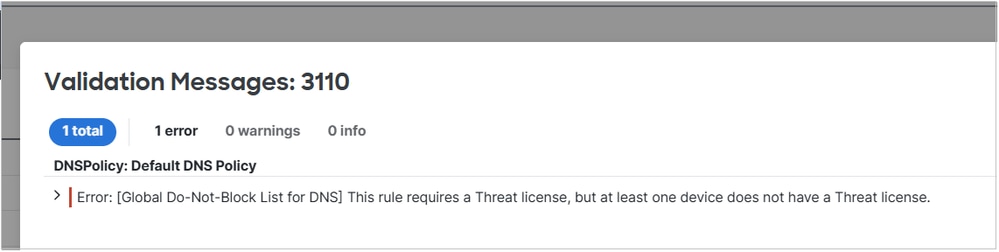 FMC_Deploy_Error.png
Environment
Cisco Secure Firewall Management Center (FMC)
Cisco Secure Firewall Threat Defense (FTD) without the Threat license (IPS)
DNS Security Intelligence policies configured globally
Resolution
Step 1. On FMC navigate to Objects > Security Intelligence > DNS Lists and Feeds:
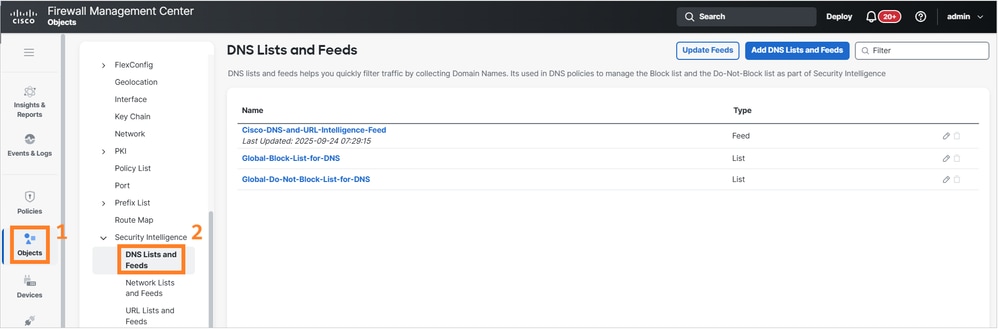 FMC_Navigate_DNS_Lists_and_Feeds.png
Step 2. Edit the Global-Do-Not-Block-List-for-DNS object:
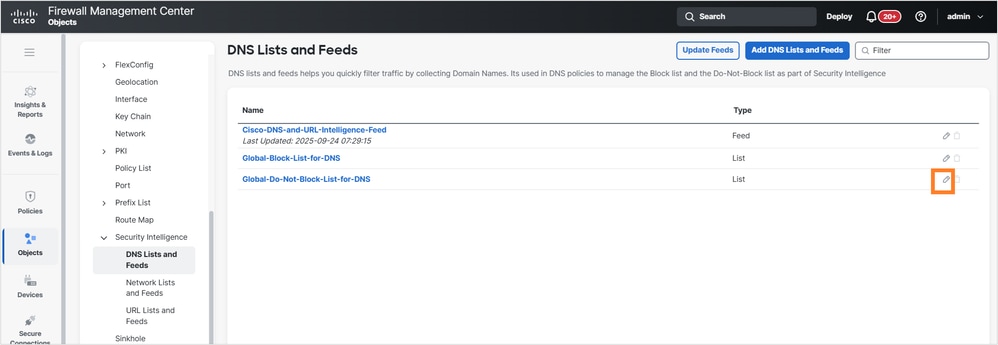 FMC_Edit_DNS_Lists_and_Feeds.png
Step 3. Remove the URL object(s) from the list and click Save:
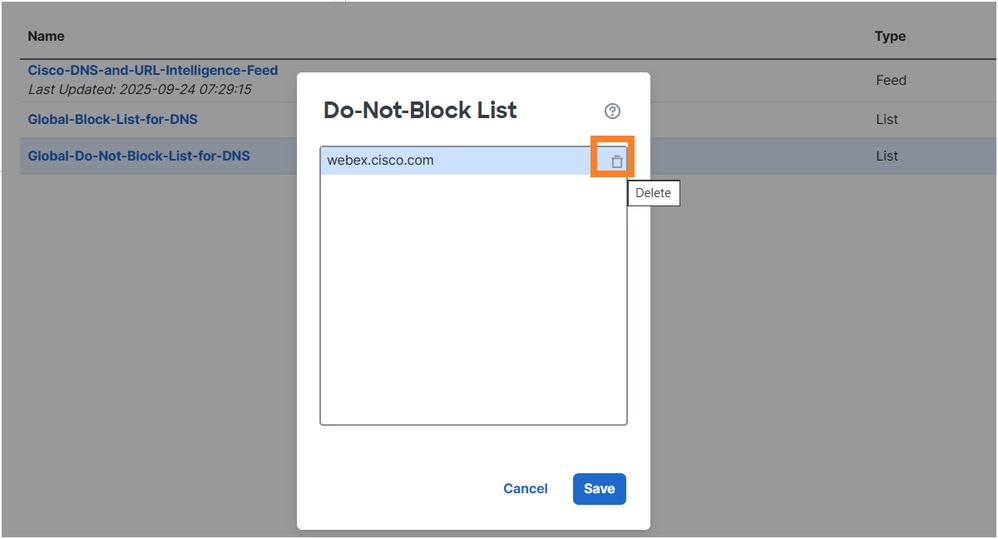 Remove_URLs_from_List.png
Step 4. Deploy the policy.
Alternatively, assign a Threat (IPS) license to FTD.
Following these configuration modifications, the deployment to the FTD firewall completed successfully without encountering the previous license validation error.
Cause
The deployment failure was caused by a mismatch between the DNS Security Intelligence policy requirements and the available license level on the target device. The FTD firewall was configured without the Threat license, but the global DNS Security Intelligence policy contained rules that specifically required Threat license capabilities.
The DNS Security Intelligence feature with global block/no-block lists requires a Threat license to function properly. When the FMC attempted to deploy configuration changes that included these DNS Security Intelligence rules to a device without the Threat license, the system prevented deployment with the validation error.
Related Content
Revision History
| Revision | Publish Date | Comments |
|---|---|---|
2.0 |
22-May-2026
|
Recertification, alt text, reformatting |
1.0 |
06-May-2026
|
Initial Release |

 Feedback
Contact Cisco
- Open a Support Case

- (Requires a Cisco Service Contract)