Troubleshoot Interface Group Selection Failure When Configuring NetFlow Collectors in FMC
Available Languages
Issue
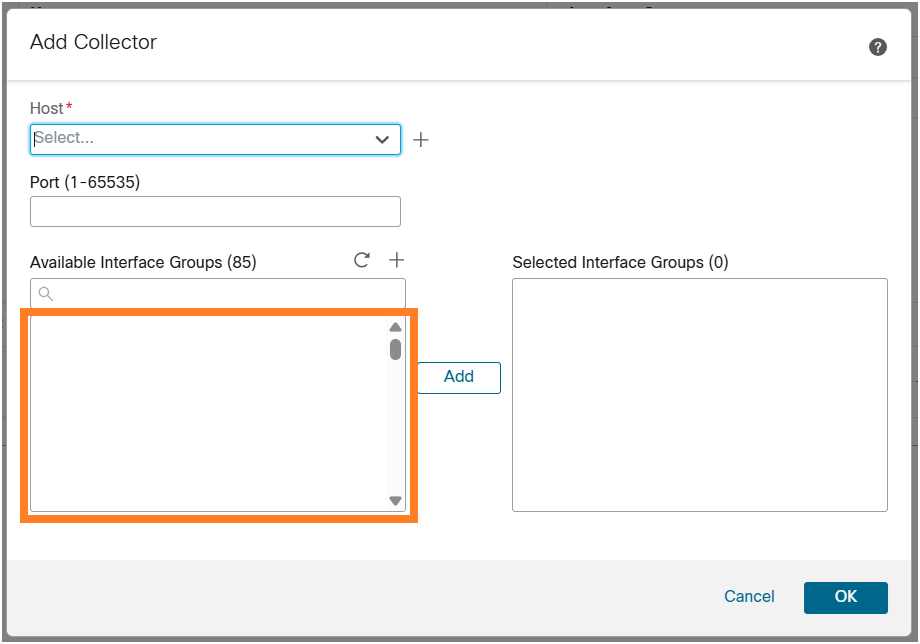
When configuring NetFlow collectors in Secure Firewall Management Center (FMC) version within a specific domain, existing interface groups are not visible or selectable in the NetFlow configuration user interface. Although the interface groups exist, their absence from the UI prevents proper NetFlow export configuration, impacting network traffic monitoring. This issue occurs only in a specific domain, and users are unable to select the interface group through which the collector must be reached.
 inline_image_0.png
Note: The issue was seen under a specific FMC domain, but in theory, it can also impact the Global FMC domain.
Environment
Software Version: First seen on 7.6.2.1 (build 3), other software versions could be also affected
FMC Appliance: Any
Problem observed in a specific FMC domain, but in theory, it can also impact the Global FMC domain
Existing interface groups configured but not selectable in NetFlow configuration UI
Recent change: FMC upgrade to 7.6.2.1. Other software versions could be also affected
Resolution
To identify the cause of the problem and resolve the issue, these steps were performed:
Identify the Affected Interface Group and Object
Step 1: Enable the browser inspection tools:
In Firefox, open Web Developer Tools (CTRL + SHIFT + I).
In Chrome, open Developer Tools (CTRL + SHIFT + I).
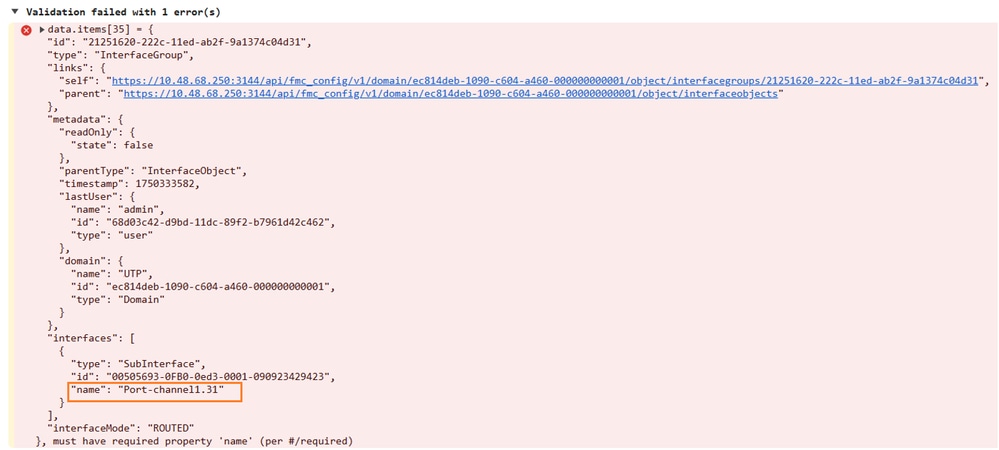
Step 2: Reproduce the problem:
 inline_image_0.png
In this output, the subinterface Port-channel1.31 produces an error.
Step 3: Navigate to Objects > Object Management > Interface. Identify the interface group where the Port-channel1.31 subinterface is a member of. In this case, the problematic interface Port-channel1.31 (GW) is a member of the interface-group obj_ig1.
Remove the Affected Interface from the Interface Group
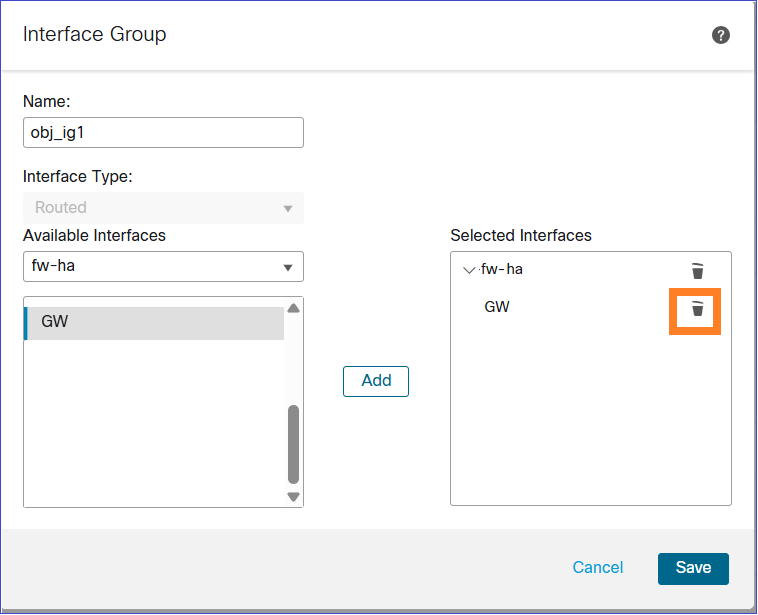
Step 4: Edit the interface group, remove the interface, and Save:
 inline_image_1.png
Step 5: Edit again the same interface group, re-add the interface and Save.
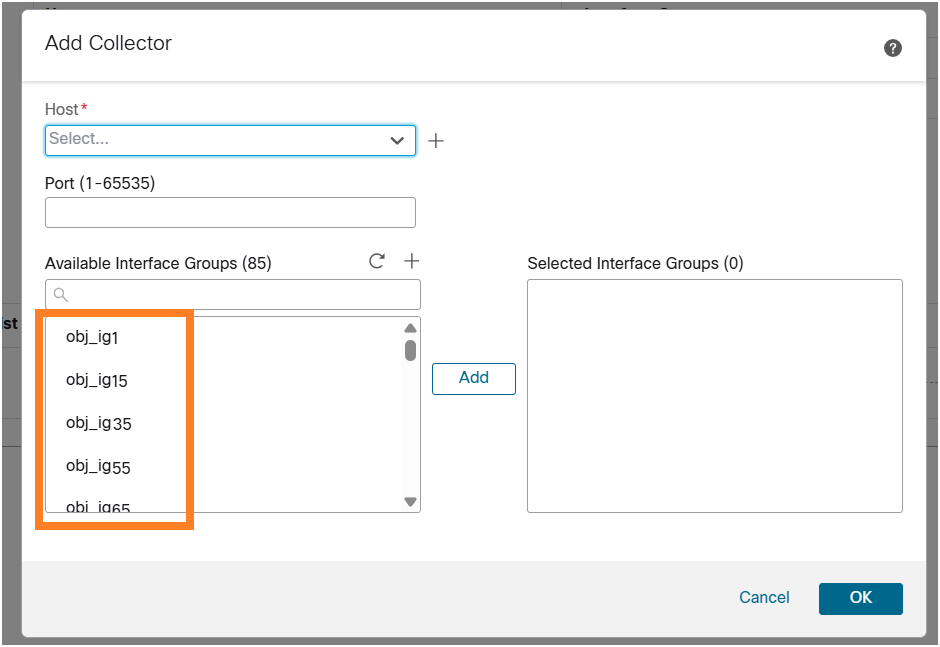
Step 6: Navigate again to Platform Settings > Netflow and click on Add Collector. After performing these steps, the interface group became visible and selectable in the NetFlow configuration, allowing NetFlow export to be configured as required.
 inline_image_2.png
Cause
The issue was caused by a corrupted or invalid interface-group reference associated with the subinterface Port-channel1.31 (GW) in the interface group obj_ig1. Specifically, the subinterface Port-channel1.31 (GW) had an invalid interface-group reference in the backend. This backend corruption prevented the interface group from being displayed correctly in the NetFlow configuration UI within the affected domain.
Cisco bug ID CSCws94287 was filed to track this problem.
Related Content
Revision History
| Revision | Publish Date | Comments |
|---|---|---|
1.0 |
17-Apr-2026
|
Initial Release |

 Feedback
Contact Cisco
- Open a Support Case

- (Requires a Cisco Service Contract)