Provision Users and Groups to Secure Access via DUO
Available Languages
Introduction
This document describes how to provision users and groups from Cisco DUO to Cisco Secure Access.
Prerequisites
Requirements
Cisco recommends that you have knowledge of these topics:
- Cisco Secure Access
- Cisco DUO
Components Used
This document is not restricted to specific software and hardware versions.
- Admin access to Cisco Secure Access Dashboard
- Admin access Cisco DUO dashboard as Admin
The information in this document was created from the devices in a specific lab environment. All of the devices used in this document started with a cleared (default) configuration. If your network is live, ensure that you understand the potential impact of any command.
Background Information
Cisco Secure Access supports the provisioning of users and groups from DUO.
This provisioning enables Secure Access to maintain a directory of users authorized to:
- Enroll in Zero Trust Access (ZTA).
- Connect to VPNaaS.
- Apply identity-based policies to Umbrella Roaming users.

Note: This document focuses specifically on the provisioning of users and groups from DUO. The configuration of Entra ID or other Identity Providers (IdP) for ZTA enrollment, VPNaaS authentication, or specific Umbrella Roaming settings is outside the scope of this guide.
Configure
Configure Cisco Secure Access
In order to begin the provisioning process, you must first configure the directory integration within the Cisco Secure Access dashboard. This step generates the necessary credentials and configuration parameters required to establish a secure connection with Microsoft Entra ID.
- Sign in to the Cisco Secure Access Dashboard.
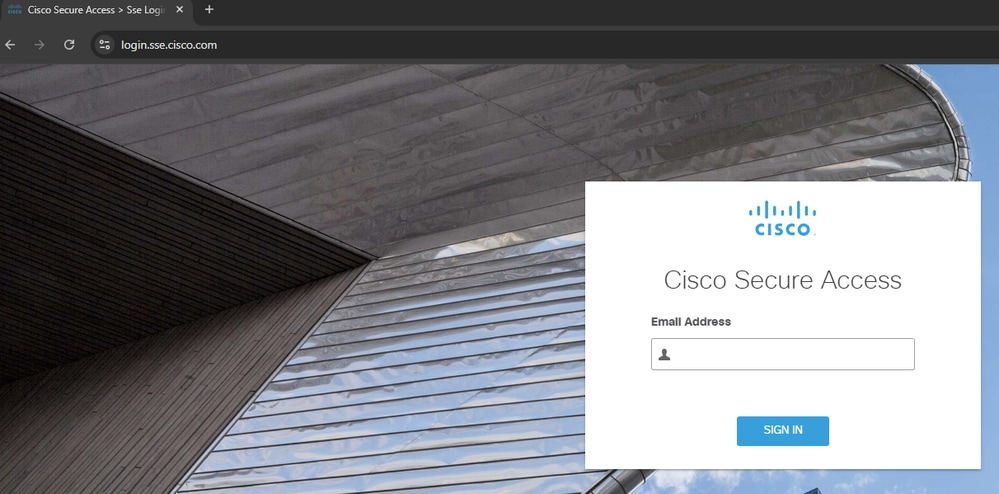 Sign in to CSA
 - Navigate to Connect > Users, Groups and Endpoint Devices.
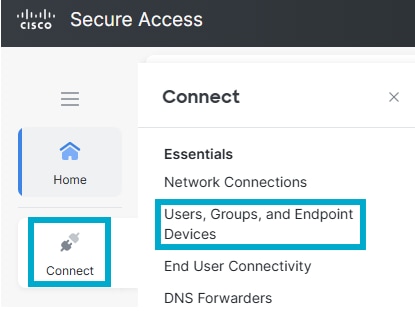 Users and Groups
 - Click Configuration management.
 Configuration Management
 - Click Integrate Directory.
 Integrate Directory
 - Under Provision Method click Identity Provider.
- IdP directory name: DUO Integration.
- Choose Identity Provider (IdP): DUO.
- Click Next.
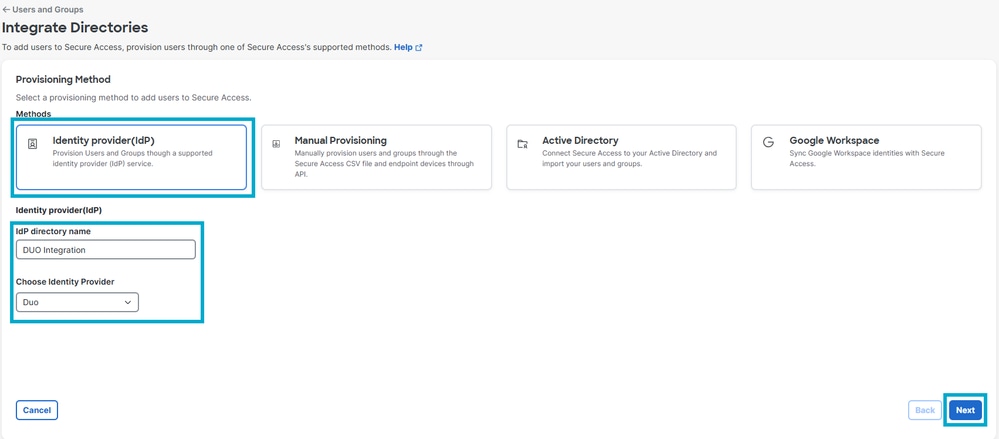 Directory Configuration
- Click Generate token. Save the generated token and the provisioning URL, then click Done.
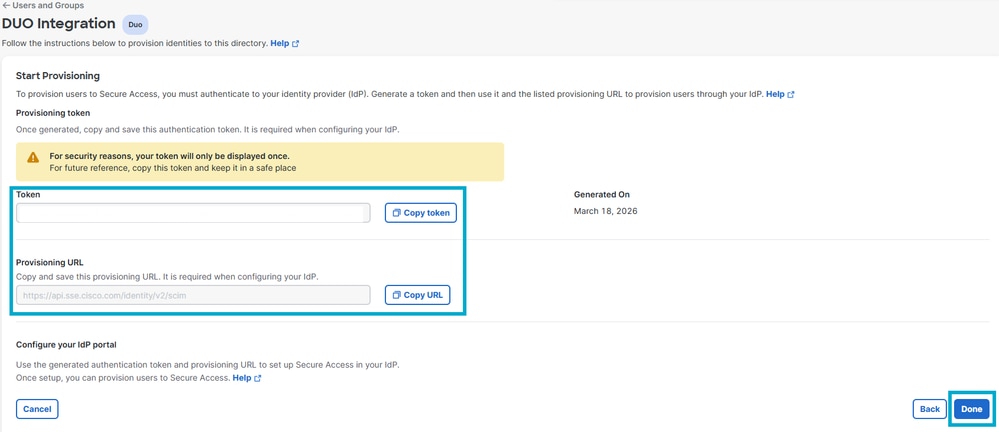 DUO Token
Configure Provisioning in Cisco DUO
Once you have generated your credentials in the Cisco Secure Access dashboard, you must configure the provisioning settings within your Cisco DUO tenant to enable the synchronization of users and groups.
- Sign in to DUO.
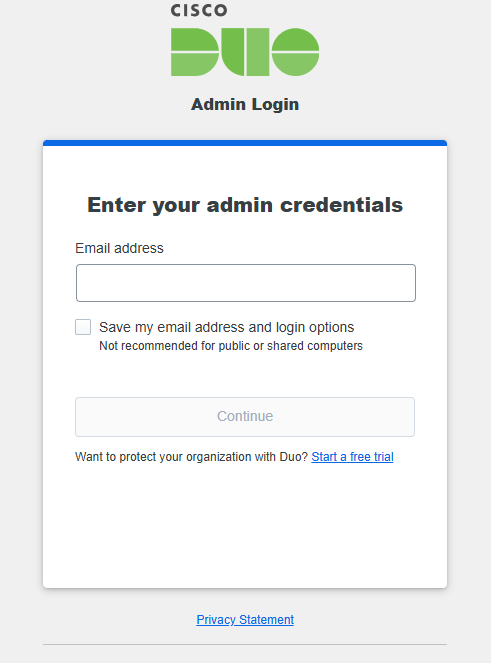 DUO Log In
 - Navigate to Applications > Applications.
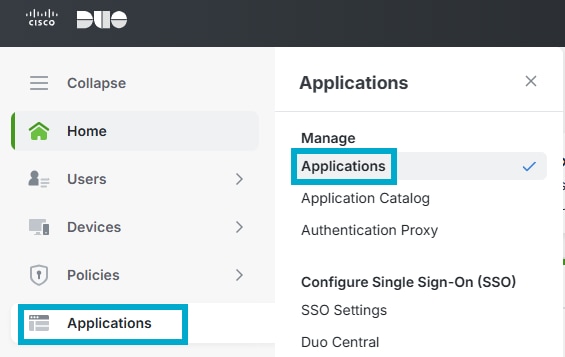 DUO Applications
 - Click Add application.
 DUO Add App
 - Look for Cisco Secure Access and click Add.
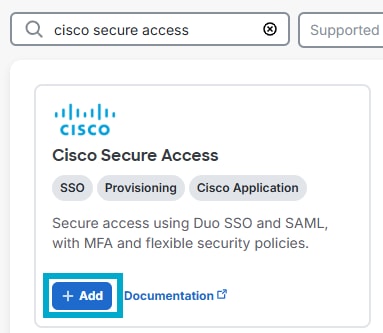 Add CSA App
 - Click Provisioning. Enter the Tenant URL and Secret Token saved from step #6 of the Secure Access Configuration, and click Connect to Application.
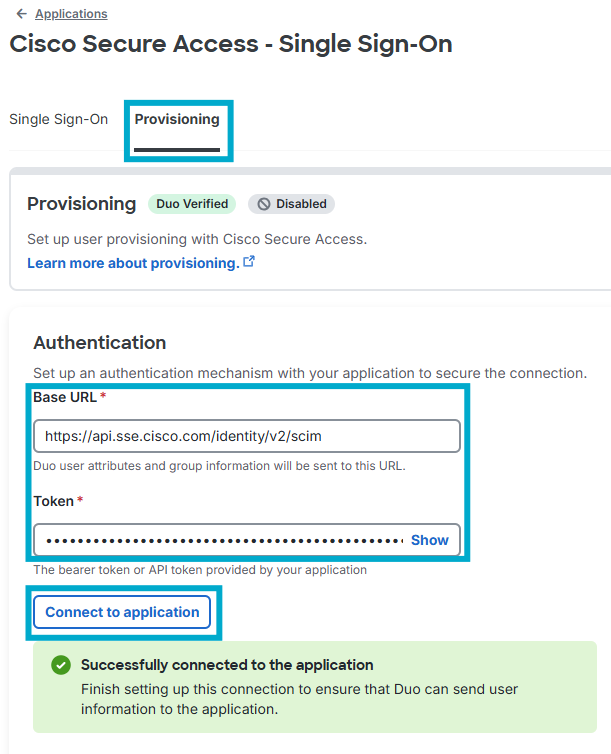 API Connect App
 - Under the same Provisioning tab, scroll down to Attribute mapping and ensure your attributes are as shown in this specific order.
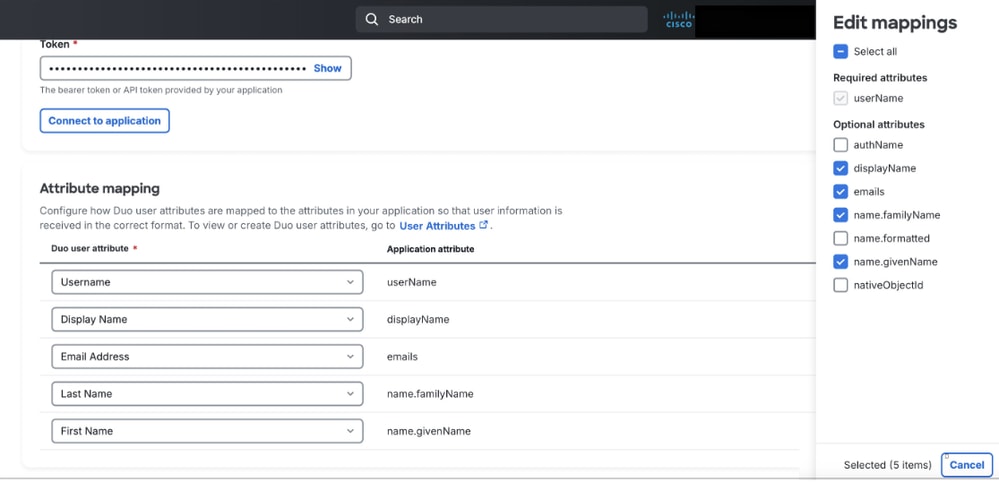 DUO Mapping
 - Under the same Provisioning tab, scroll down to Groups and assign the group(s) to sync to Secure Access.
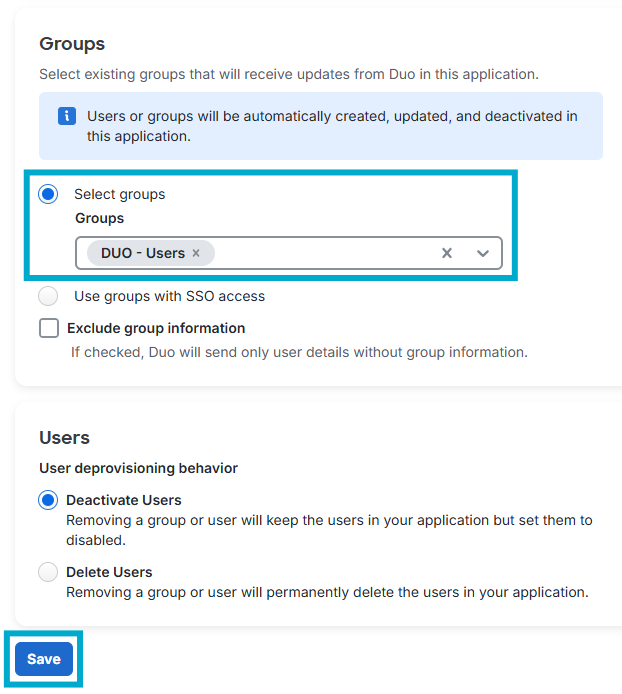 Provision Group
Note: If users do not get provisioned to Secure Access in the proper format, ensure you configure the Attribute Mapping as stated here.
Verify
Verity in Cisco Secure Access
- Navigate to Connect > Users, Groups and Endpoint Devices.
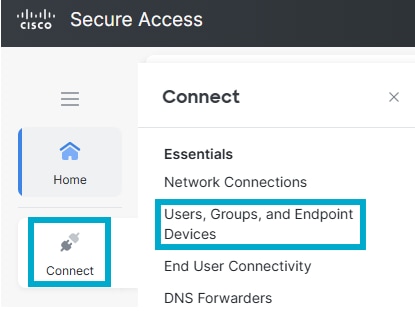 Users and Groups in CSA
 - Click Users.
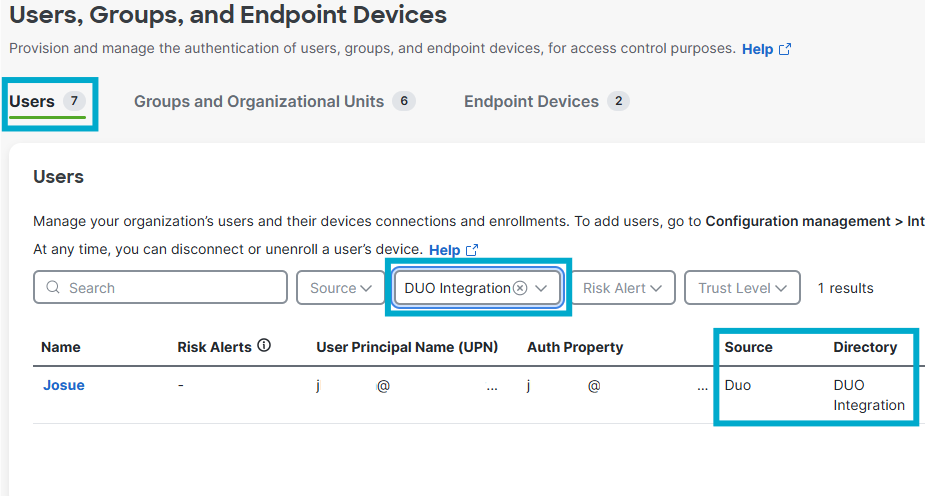 Verity Users in CSA
 - Click Groups and Organizational Units.
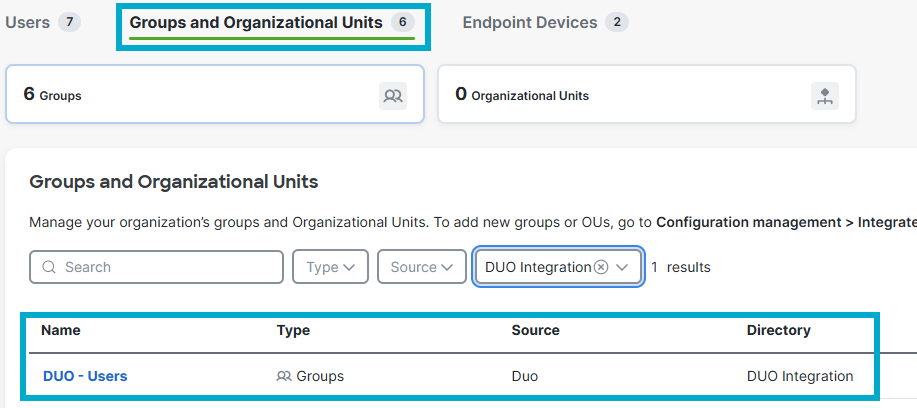 Verify Group in CSA
Verify in DUO
- Navigate to Reports > Activity Log.
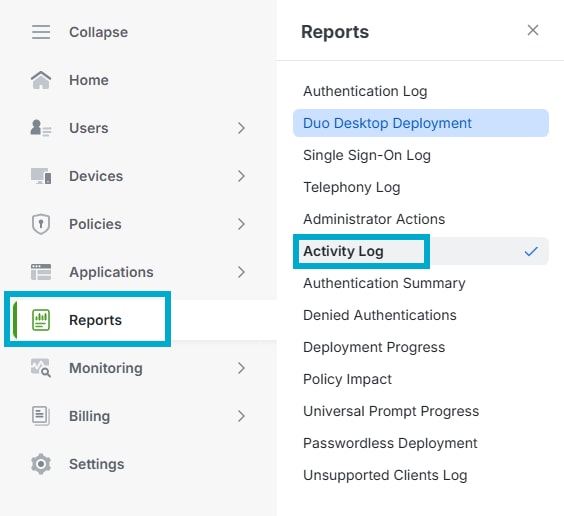 DUO Activity Log
- Filter based on the name of the Application.
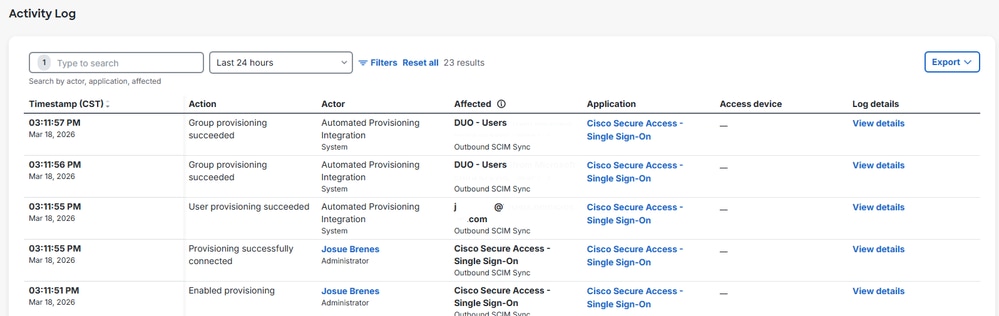 DUO Provisioning Logs
Related Information
Provision Users and Groups from Duo
Duo Single Sign-On for Cisco Secure Access
Revision History
| Revision | Publish Date | Comments |
|---|---|---|
1.0 |
11-May-2026
|
Initial Release |

 Feedback
Contact Cisco
- Open a Support Case

- (Requires a Cisco Service Contract)