Introduction
This document contains the remediation steps for Secure Access Dubai DC incident on March 2nd.
https://status.sse.cisco.com/incidents/7h28mb7mr5zl
Resource Connectors
Already deployed Resource Connectors will show as Disconnected from Secure Access dashboard:

Deployed Resource Connectors are bound to a single Secure Access Region, and this cannot be modified via configuration change.
In order to remediate the issue, affected customers need to follow the steps outlined below:
1. Deploy a new Resource Connector
2. Create Connector groups in new region(s) (Mumbai or Hyderabad)
2. Assign private resources to new Connector groups
Follow the Resource Connector deployment guide for detailed steps on deploying the Resource Connector:
Remote Access VPN Profiles
Remote Access VPN clients can fail to establish the connection with different errors.
Example error:
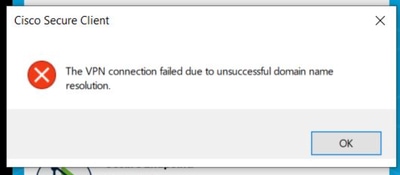
For Organizations that have Remote Access VPN Profile in Dubai DC only:
Please follow these steps:
• Select the nearest available data center (Mumbai or Hyderabad) as your migration target.
• Configure VPN IP pools and profiles to match your organization’s current session load, mirroring your existing ME-Central setup.
Follow the Remote Access VPN deployment guide for detailed steps on configuring new VPN profile:
Network Tunnel Groups
Please follow these steps to change Network Tunnel Group region:
• Go to the NTG options as described here:
• Edit your existing tunnel for the Middle East (UAE) region.
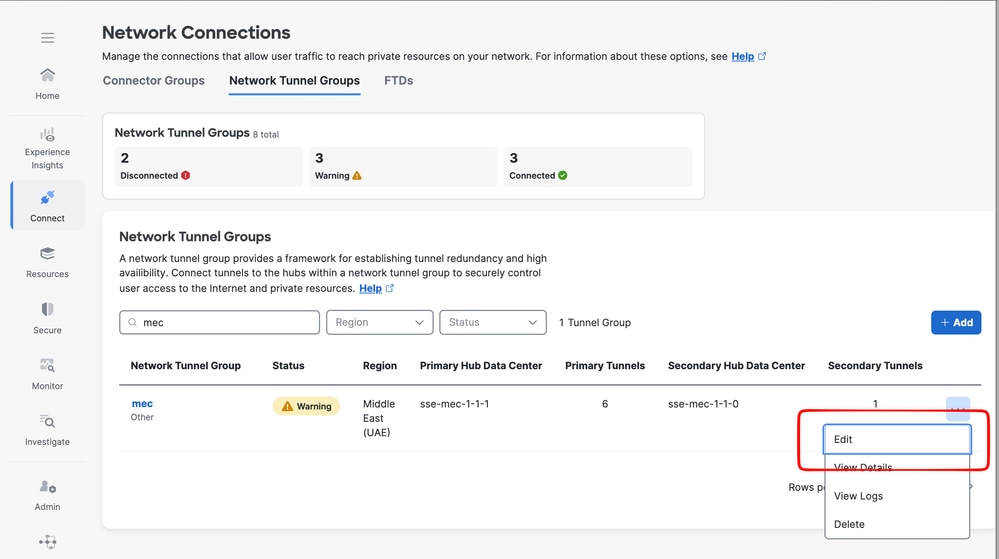
• Change the region from Middle East (UAE) to India (West).
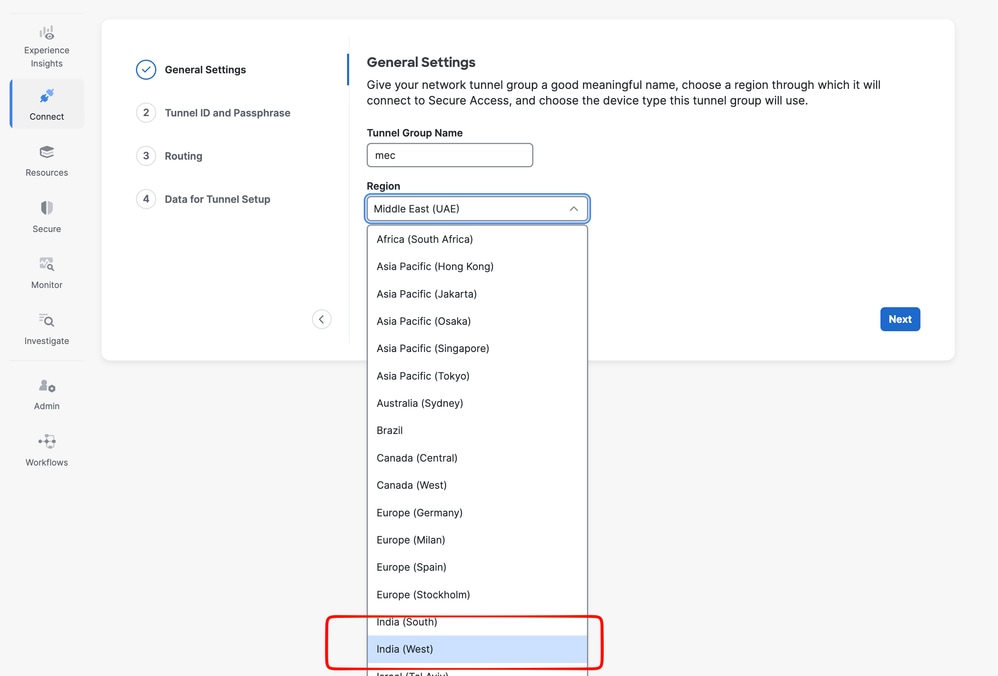
• Do not modify other settings; save the configuration.
• When prompted, type “UPDATE” and confirm.
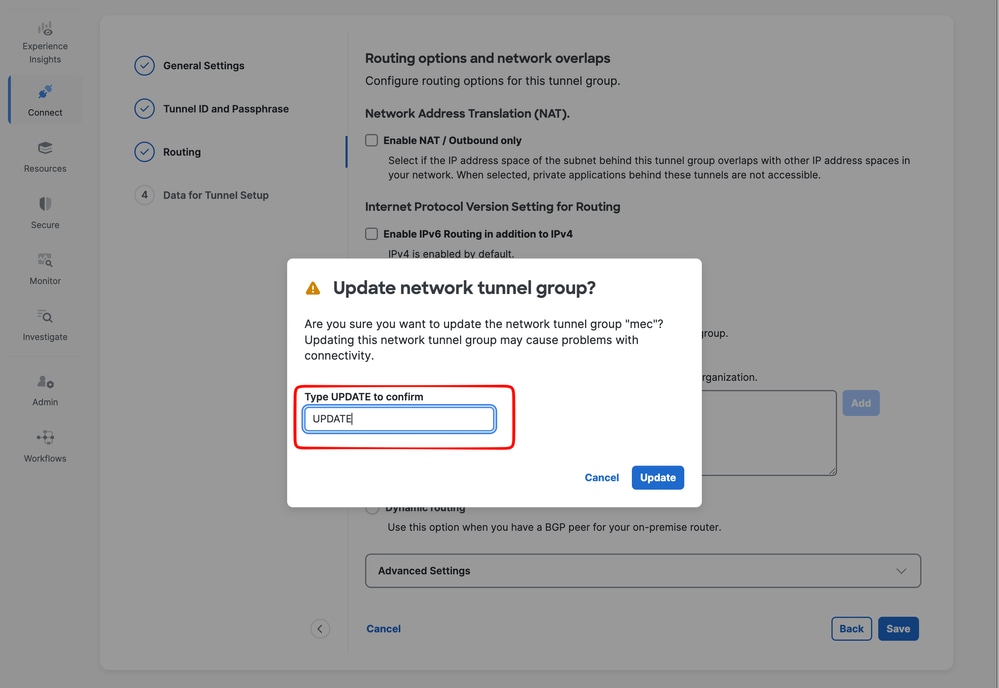
• Use the new India (West) IP addresses shown to update your IPSEC CPE device.
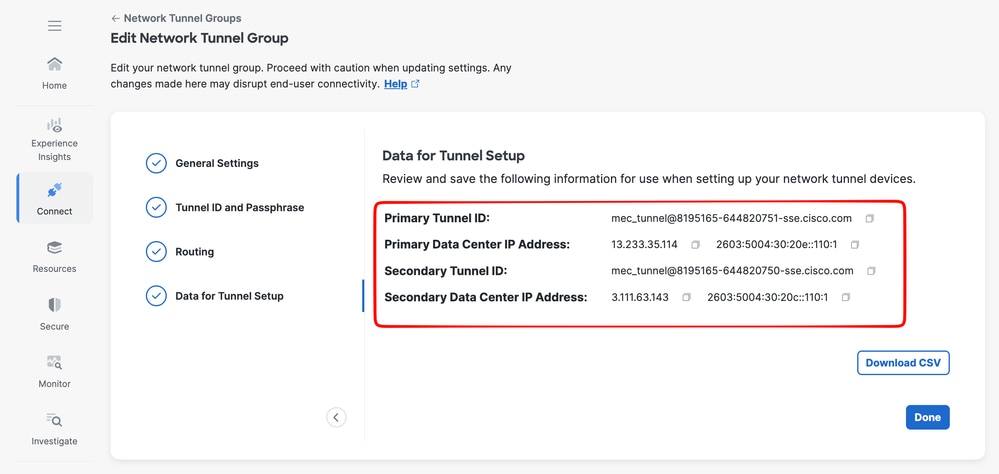
• If Multi-Region Backhaul or route-maps are used, update BGP community values according to the new settings from Cisco SSE.
Secure Web Gateway
Clients using Roaming Securilty Module will automatically connect to next closest and available Secure Access Datacenter.
No action required from customers at this moment.
Zero Trust Access Clients
Clients using Zero Trust Access module will automatically connect to next closest and available Secure Access Datacenter.
No action required from customers at this moment.
Related Information

 Feedback