Zero Trust Access Enrollment Failure Due to User Email Not Accepted in ZTA Module
Available Languages
Issue
Endpoints are unable to be enrolled into the Zero Trust Access (ZTA) module because the enrollment workflow does not accept the user email address, even though the user is confirmed to be in the correct group. This issue occurs during the implementation phase and blocks demonstration and deployment of Zero Trust Access to stakeholders.
Environment
- Technology: Solution Support (SSPT - contract required)
- Subtechnology: Secure Access - Zero Trust Access (ZTNA, Posture, Client-Based, Enrollment, Private Resource)
- Product Family: SECACCS
- Problem Code: Configuration Assistance
- ZTA Module enrollment workflow involving user group membership and email address validation
- First seen on N/A software version; other hardware and software versions could also be affected
Resolution
Verify that the Secure Access Dashboard > Connect > User/Groups > UPN Value was in user ID rather than email format.
While enrolling ZTA, enter the email address which CSA checks against the UPN value. If the UPN value is not in an email format, this produces an error.
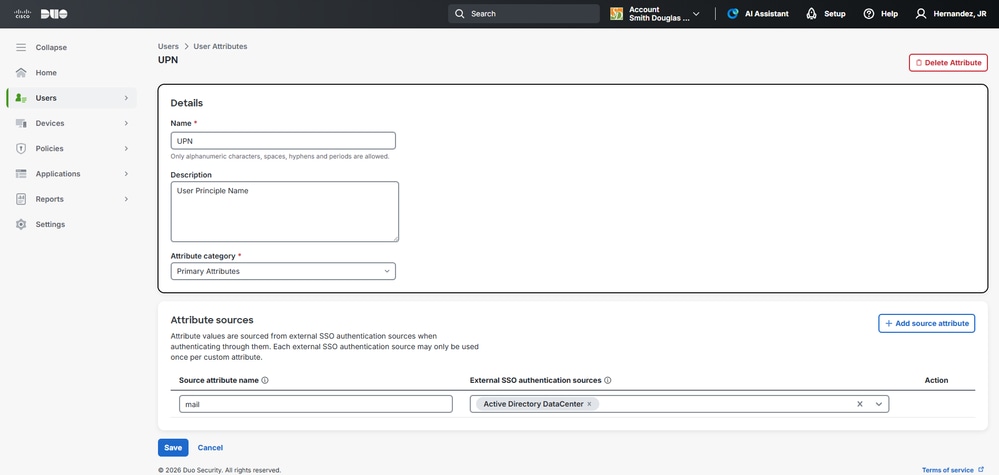
To fix this issue, perform 3 steps on DUO:
1. Under User > User attributes, defined a user attribute. Add a user Atttribute > UPN. Select the attribute name as SSO authentication source.
 inline_image_0.png
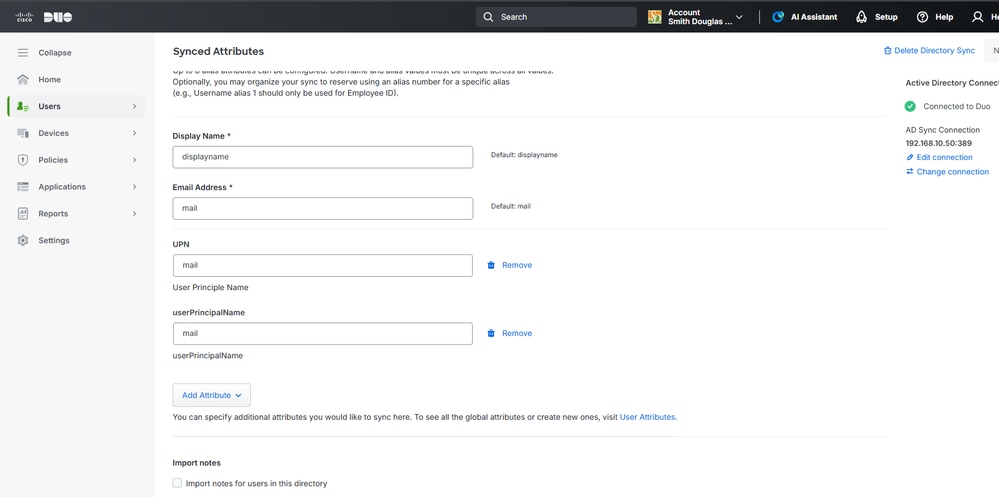
2 Map User attribute to - Directory Sync:
a. Navigate to Users > Directory Sync.
b. Select the Active Directory sync you wish to modify.
c. To configure Synced Attributes, scroll to the Attributes section.
 inline_image_1.png
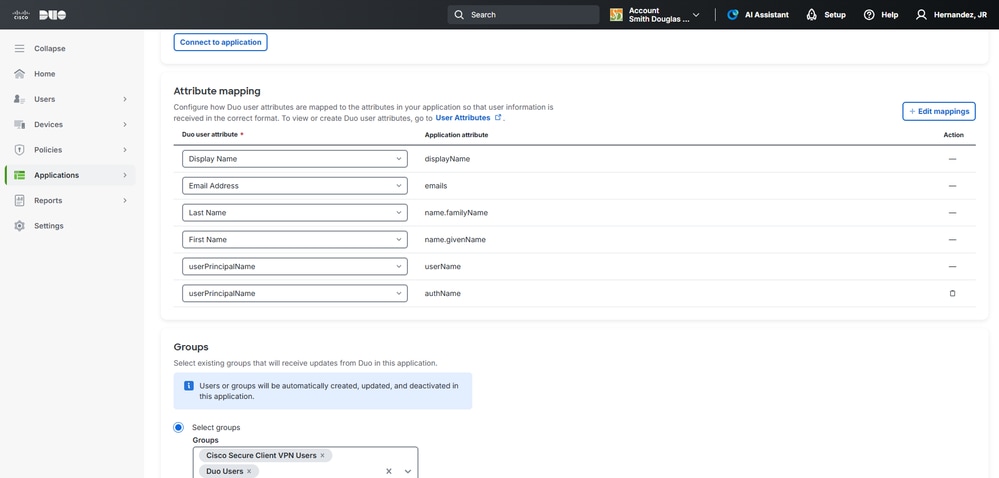
3. Under SSO Application being used for User Sync, map those attributes:
a. Navigate to Application - SSO Application.
b. Select the Application being used for user sync.
 inline_image_2.png
Cause
UPN value not being synced as a email from DUO.
Related Content
Revision History
| Revision | Publish Date | Comments |
|---|---|---|
1.0 |
14-Apr-2026
|
Initial Release |

 Feedback
Contact Cisco
- Open a Support Case

- (Requires a Cisco Service Contract)