Identity Services Engine - Emergency Distrust of eMudhra Root and Intermediate Certificate Authorities
Available Languages
Contents
Purpose
Below is the guidance on Identity Services Engine and ISE PIC (Passive Identity Connector) for the emergency distrust of eMudhra Root and Intermediate Certificate Authorities. Identity Service Engine configuration does not include the impacted eMudhra Root and Intermediate Certificate Authorities by default in the Trusted Store, but the ISE configuration should be reviewed to ensure they are not in use via post install configuration.
***DISCLAIMER***
This article is only meant to assist in reviewing the ISE configuration for presence of the impacted certificate authorities. Identity Services Engine as a whole is still being investigated and may require further configuration or software updates in the future. This article will be updated along with the Security Advisory located at https://sec.cloudapps.cisco.com/security/center/content/CiscoSecurityAdvisory/cisco-sa-emudhra-info-ScS22A1r.
System Certificates
Browse to Administration -> System -> Certificates -> System Certificates, select each certificate assigned to the nodes 1 by 1 and select view. [1]
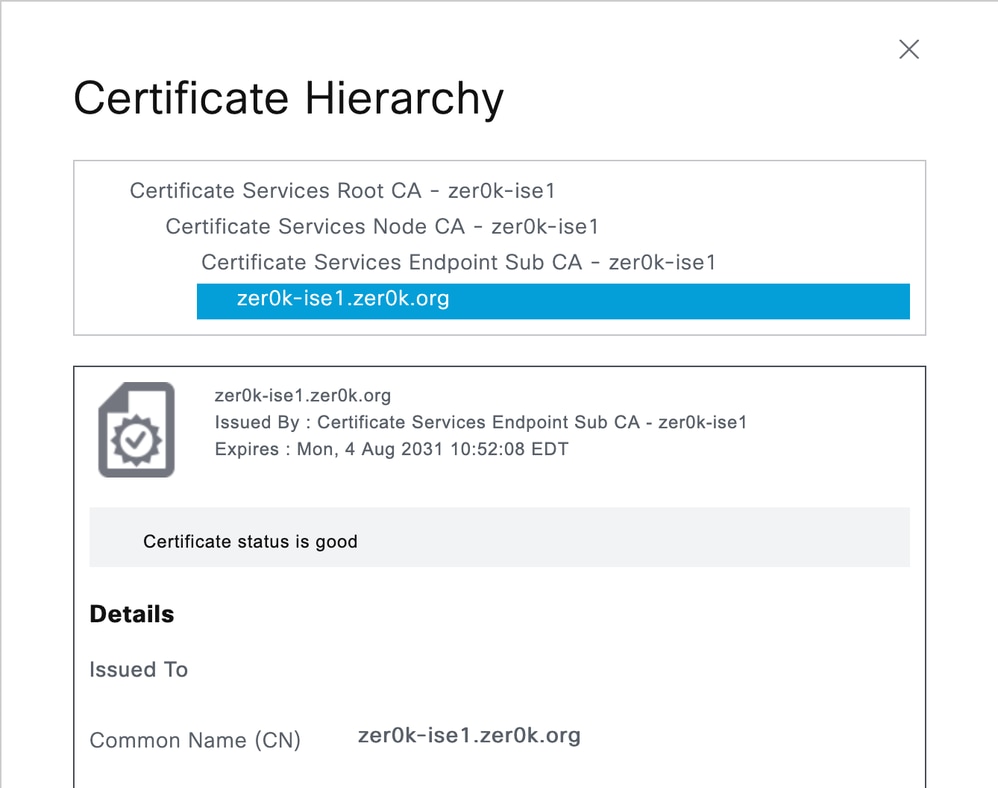
Ensure that the impacted CA or Issuing certificates are not in the Certificate Hierarchy. If they are in use, begin taking steps to migrate that service to a new certificate authority.
Trusted Certificates
Browse to Administration -> System -> Certificates -> Trusted Certificates and review the list of installed root and intermediate certificates. If you do find one or more of the impacted CAs in the Trusted list, note the "Trusted For" column and take the following action for each type [2]:
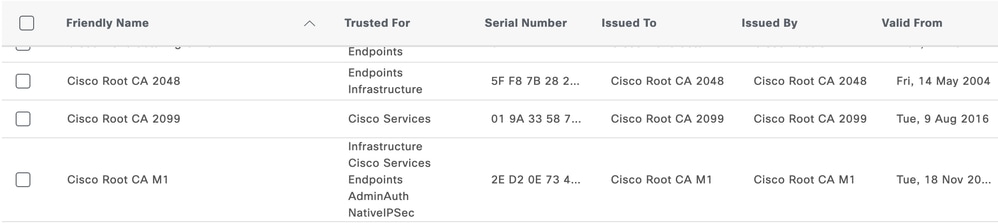
- Cisco Services - Cisco does not use eMudhra for any service, if this is the only entry the certificate can be deleted.
- Infrastructure - Verify that the Endpoints and/or AdminAuth role is not required, verify that no certificate from the CA or Issuers are being used under System Certificates
- Endpoints - Verify if endpoints are authenticating requiring the compromised chain, if unsure if endpoints are using the CA or Issuers, disable the "Trust for client authentication and Syslog" option and monitor live logs and reports for client authentication failures.
- AdminAuth - Issue new certificates to your administrators, as a quick option Admin Authentication can be moved back to password based login while new certificates are being issued.
- NativeIPSec - If using the Native IPSec feature, migrate the IPSec clients to a new CA
Other Services
The following service configurations should be reviewed to ensure deleting any impacted trusted certificates will not impact the function of the system. If they are in use be these services, the services should be reconfigured to use new certificates before the trusted certificates are deleted.
LDAP
Browse to Administration -> Identity Management -> External Identity Sources -> LDAP. Under each LDAP entry, click on the Connection tab, if Secure Authentication is enabled verify the chain for "LDAP Server Root CA" and "Issuer CA of ISE Certificates" settings. [3]

SYSLOG
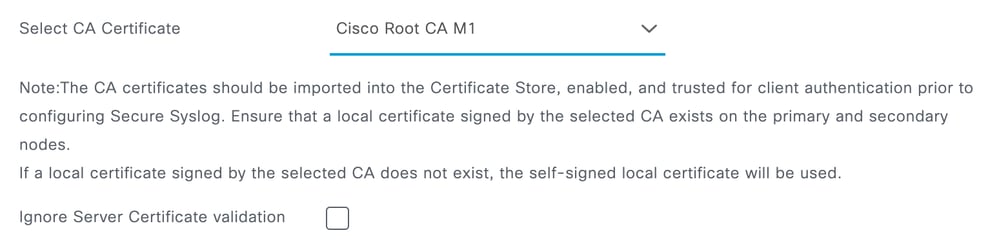
Browse to Administration -> System -> Logging -> Remote Logging Targets, view each configured Secure SYSLOG Server for the configured Trusted Root certificate, if one of the impacted CA certificates is in use, verify the chain on the SYSLOG server and re-issue and trust a new root if needed. [4]
RADIUS DTLS
It is possible to optionally set the "Issuer CA of ISE Certificates for CoA" under each each Network Device under Administration -> Network Resources -> Network Devices. This setting is only used to select the client certificate that ISE will use to issue a CoA to a network device configured for DTLS. The certificate will displayed on the System Certificates page in ISE for the node so this setting will only need to be verified for each configure network device if a certificate issue from one of the eMudhra certificates is issued to an ISE node.
[1] Certificate Management in ISE
[2] ISE Trusted Certificate Settings
[3] ISE Secure LDAP Configuration
[4] Configure Secure Syslog Remote Logging Target
Revision History
| Revision | Publish Date | Comments |
|---|---|---|
1.0 |
26-Oct-2026
|
Initial Release |

 Feedback
Contact Cisco
- Open a Support Case

- (Requires a Cisco Service Contract)