Upgrade Procedure through FMC for Firepower Devices
Available Languages
Introduction
This document describes the procedure to upgrade devices with Firepower Services, Adaptive Security Appliance (ASA), FTD and FMC.
Prerequisites
Requirements
Cisco recommends that you have knowledge of these products:
-
Firepower Management Center (FMC)
-
Firepower Threat Defense (FTD)
-
FirePOWER (SFR) service module running on ASA
It is also required to download the software for firepower devices from: Software Download for Firepower
Components Used
The information in this document is based on these products and software versions:
- Firepower Management Center
- FirePOWER service module running on ASA
The information in this document was created from the devices in a specific lab environment. All of the devices used in this document started with a cleared (default) configuration. If your network is live, ensure that you understand the potential impact of any command.
Procedure
Step 1. Navigate to System > updates and look for the version you want to upgrade to, as shown in the image.
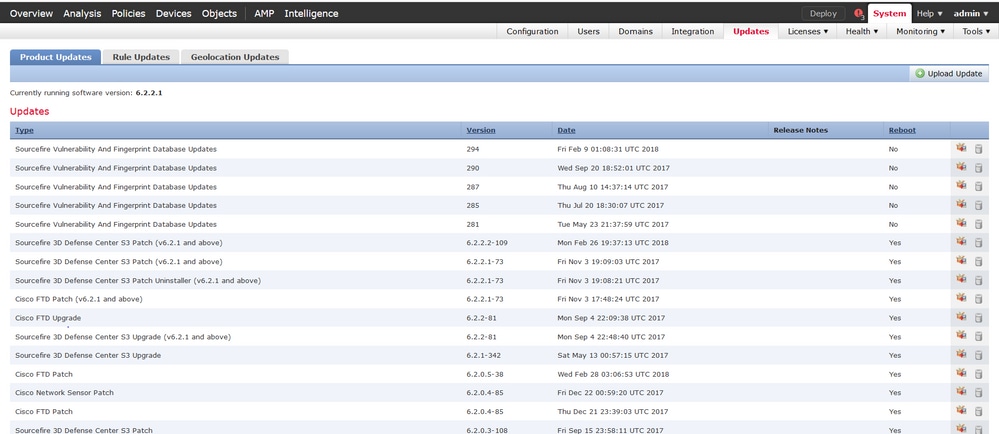
If the version that you want to upgrade to is not shown on the screen, continue with step 2.
If the version that you want to upgrade to is shown on the screen, continue with step 4.
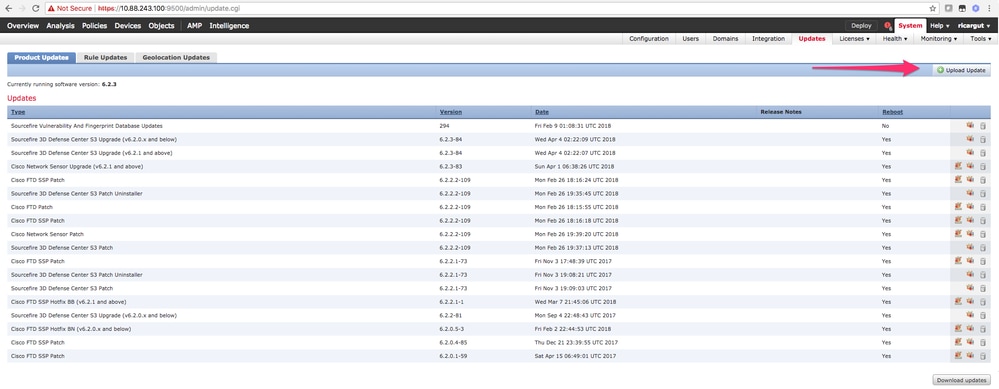
Step 2. Upload the upgrade files on the FMC. Navigate to system > updates and click Upload Update, as shown in the image.
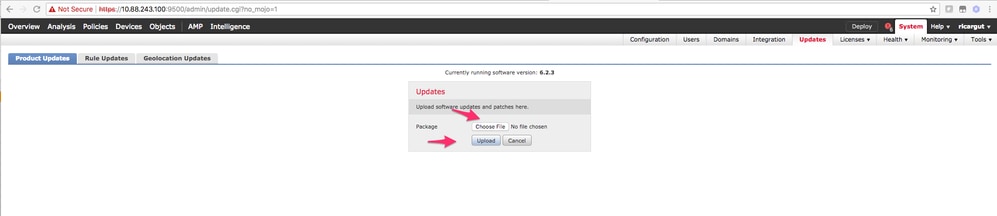
 Step 3. Choose the file that you want to upload, and then select Upload, as shown in the image.
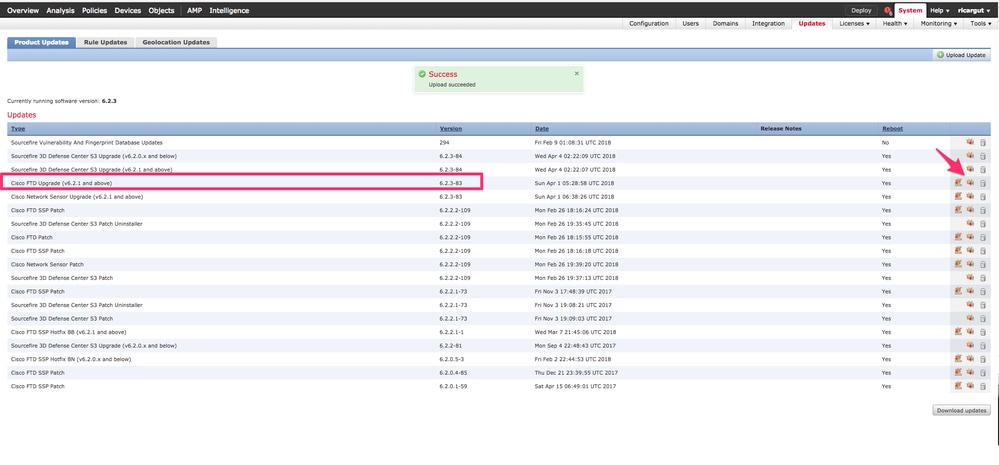
Step 4. Select the install icon, as shown in the image.
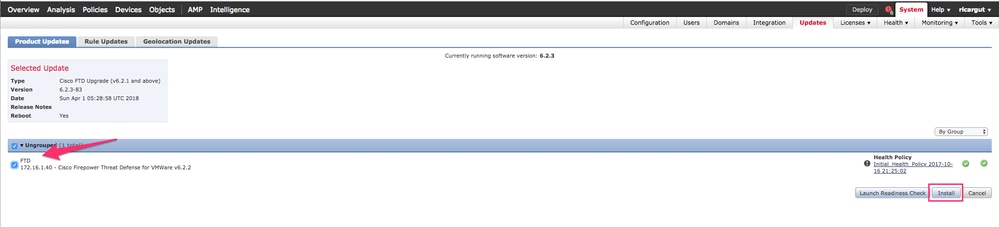
Step 5. Choose the device and select the Install button to start the upgrade, as shown in the image.
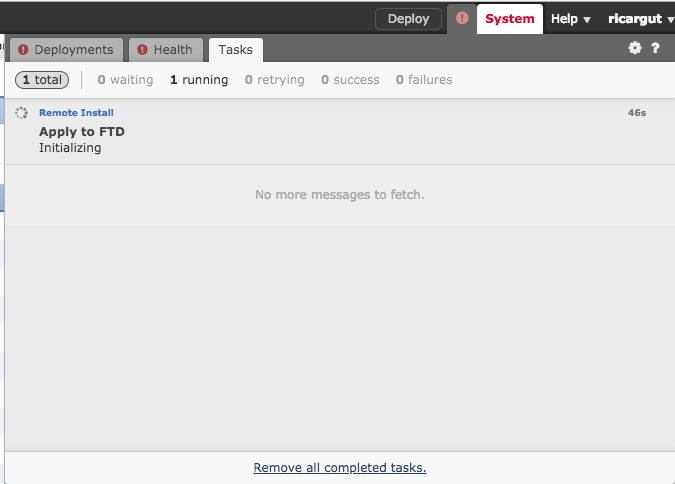
Step 6. Verify the upgrade process on Notification Icon > Tasks, as shown in the image.
Verify
Firepower Management Center Upgrade
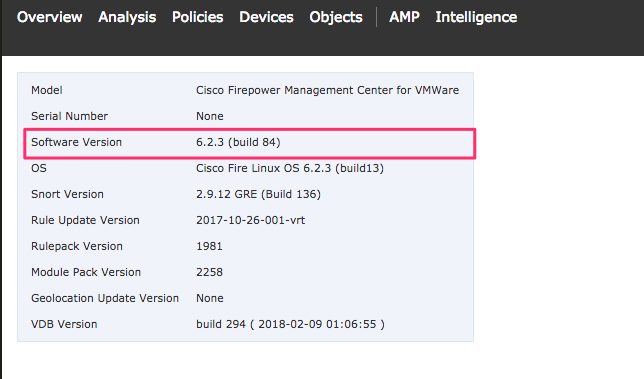
Navigate to Help > About to verify you have the desired version, as shown in the image.
Firepower Devices Upgrade
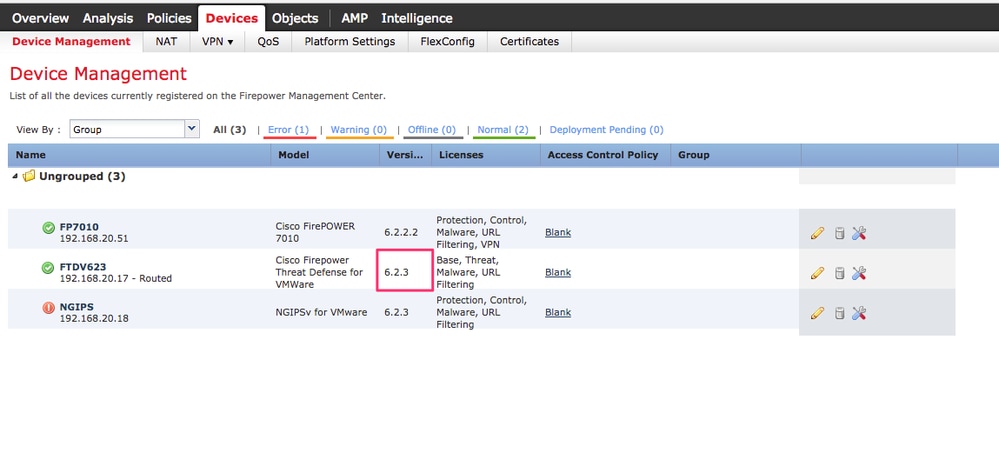
Navigate to Devices > Device Management and verify you have the desired version, as shown in the image.
Troubleshoot
If the upgrade procedure fails, generate the troubleshoot files and open a TAC case. Please refer to this guide in order to generate the troubleshoot files.
Revision History
| Revision | Publish Date | Comments |
|---|---|---|
5.0 |
03-Aug-2026
|
Recertification |
4.0 |
04-Aug-2025
|
Updated Link, Doc Type, and Formatting. |
3.0 |
25-Jul-2024
|
Mostly formatting and spacing, one spelling error. |
2.0 |
10-Feb-2023
|
Added Alt Text.
Upgraded Title, Introduction, Style Requirements, Gerunds, and Formatting. |
1.0 |
26-Apr-2018
|
Initial Release |

 Feedback
Contact Cisco
- Open a Support Case

- (Requires a Cisco Service Contract)