How to include SSL certificate expiry days in Splunk Synthetic Monitoring SSL test detector emails
Available Languages
Applicability
Splunk Synthetic MonitoringDescription
This article provides a solution for users of Splunk Synthetic Monitoring who are unable to display the synthetics.ssl.expire.days metric value in detector notification emails for SSL tests.
It explains why standard input variables like {{inputs.A.value}} render as blank and provides the correct variable, {{inputs.stream.value}}, to successfully surface the SSL certificate expiry days in customized email templates.
Investigation
The issue occurs because Synthetics detectors utilize a different input naming convention than custom detectors. While custom detectors typically use inputs named A or B, the signalflow-library used for Synthetics detectors names the input signal as stream.
Consequently, when a user attempts to use {{inputs.A.value}} to surface the synthetics.ssl.expire.days metric in a customized email template, the variable fails to resolve because it does not match the internal input name (stream).
Resolution
To display the current SSL expiry value, users need to use below specific input variable designated for Synthetics detectors:
Correct Variable: {{inputs.stream.value}}Adding this variable to your customized email notification will return the current value of the synthetics.ssl.expire.days metric directly in the email.

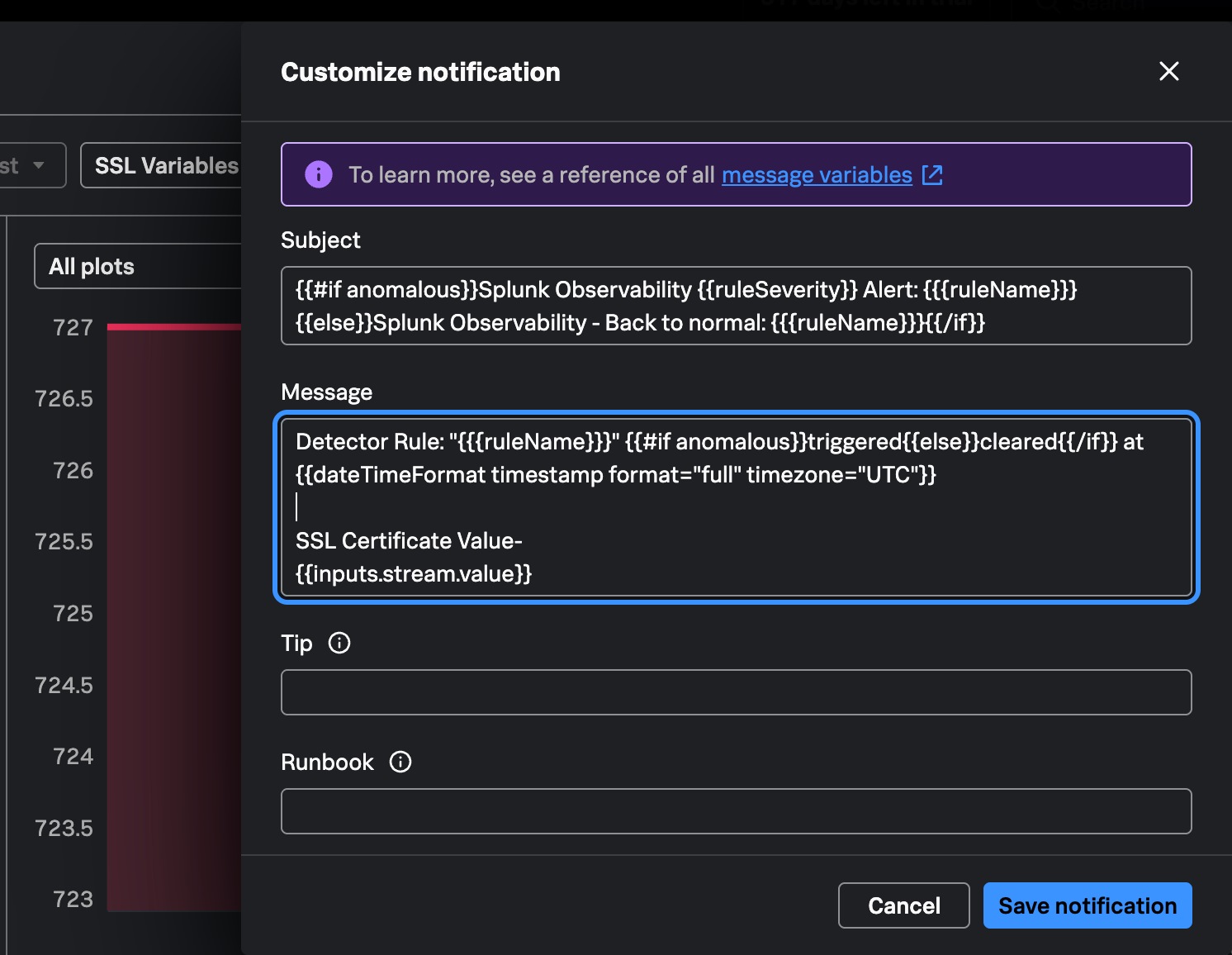
To add general test context users can use supported alertEnrichments fields in the Manage Notifications > Customize message section:
Test Name: {{alertEnrichments.[synthetics_testInfo.test_name]}}
Location: {{alertEnrichments.[synthetics_testInfo.location_name]}}
Test URL: {{alertEnrichments.[synthetics_testInfo.test_url]}}
Run Details: {{alertEnrichments.[synthetics_testInfo.test_run_url]}}
To learn about more variables, see a reference of all message variables
 Feedback
Contact Cisco
- Open a Support Case

- (Requires a Cisco Service Contract)