Understanding Discrepancies in Synthetic Test Run Results
Available Languages
Applicability
Splunk Synthetic MonitoringDescription
Users may notice discrepancies in synthetic test results on the o11y platform.
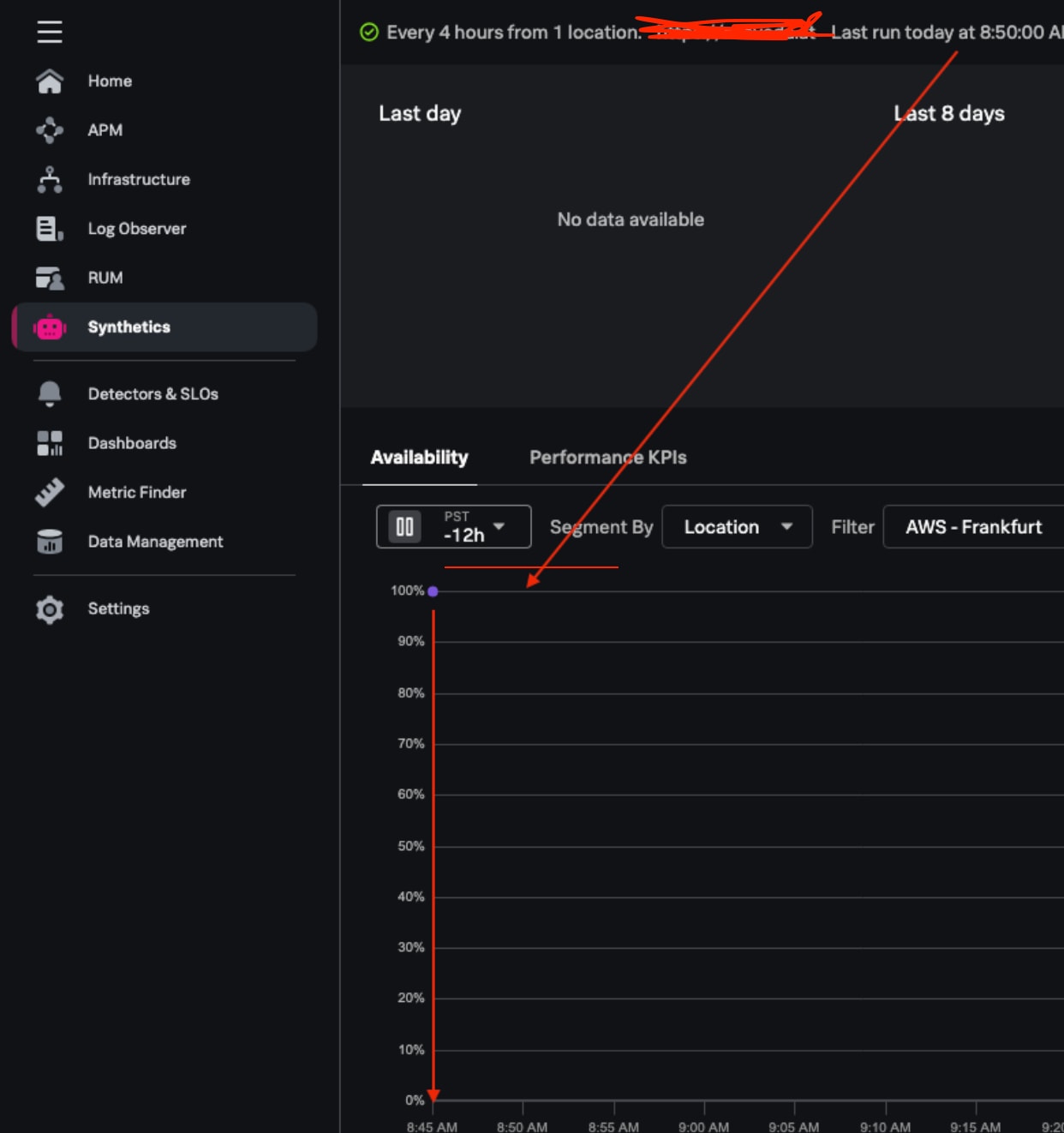
For example, the metadata indicates that the last test run was at 8:50:00 AM, but the Availability chart shows a test run at 8:45:00 AM instead. This article explains why these discrepancies occur and how to investigate and understand them.
Investigation
The discrepancy arises due to the way the Availability chart rounds up values based on the resolution. The chart's default view shows rounded values to optimize resource usage and loading time.
When a large portion of the chart is selected, timestamps are displayed with an accuracy of 15-minute windows. However, zooming in by clicking and dragging sideways on the chart allows for more precise timestamps, even to 30-second windows.
Resolution
To obtain the exact timestamp for a test run down to the second, click on the individual run in the chart. This will display the precise timestamp for that specific test.
Always zoom in on the chart to get more precise timestamps. The exact timestamp can only be obtained by clicking on the individual run. The approximation helps in managing resources and improving the chart's performance.
By following these steps, users can better understand and investigate discrepancies in synthetic test run results.
This behavior is by design, as the approximation is necessary to save resources and optimize the chart's efficiency and loading time.
Revision History
| Revision | Publish Date | Comments |
|---|---|---|
1.0 |
29-Sep-2026
|
Initial Release |
 Feedback