URL grouping in Splunk RUM - Resolving detector creation Problems
Available Languages
Applicability
Splunk Real User MonitoringDescription
Users have reported issues with creating detectors in Splunk RUM based on errors from a dashboard in Splunk Observability. Despite setting alerts on JS Errors, the detectors fail to trigger, even though JS Errors are visible on the Front-end page health page.
Investigation
Upon investigation it was noticed that the URL grouping was not set correctly. Splunk RUM automatically groups URLs together based on default rules that capture errors and metrics, such as page load and route change duration, JavaScript errors, back-end errors, and Web vitals.
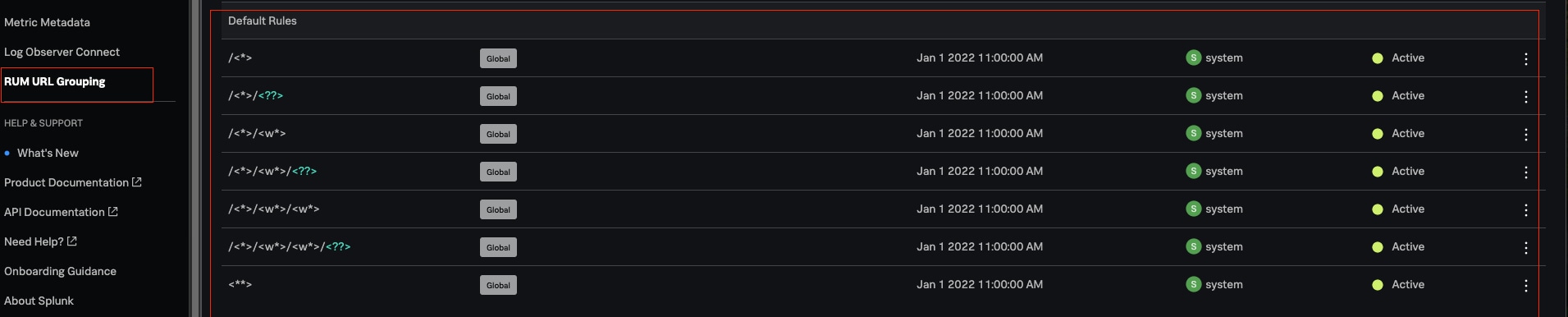
However, for more specific needs, users can write custom rules to group together URLs with common components based on their specifications.
Resolution
To resolve this issue, users need to create custom rules for both domain and path URL grouping in Splunk RUM. These rules help group together URLs with common components based on user specifications, allowing for a more streamlined organization of data in Splunk RUM.
Create rules to group together URLs with common components so that you can streamline the organization of your data in Splunk Observability Cloud. New Rules apply only to incoming data. New Rules don’t apply to data that was already ingested. After creating the rules, please verify if the URL grouping rules are correctly set up to match the app and environment combination. For more details, please refer to the Splunk RUM Rules Documentation.
Revision History
| Revision | Publish Date | Comments |
|---|---|---|
1.0 |
29-Sep-2026
|
Initial Release |
 Feedback