On-Call Status Missing from Profile
Available Languages
Applicability
Splunk On-CallDescription
In the Splunk On-Call web UI, the On-Call indicator below the profile name is not displayed when multiple rotations are configured across multiple steps in a team's escalation policy.
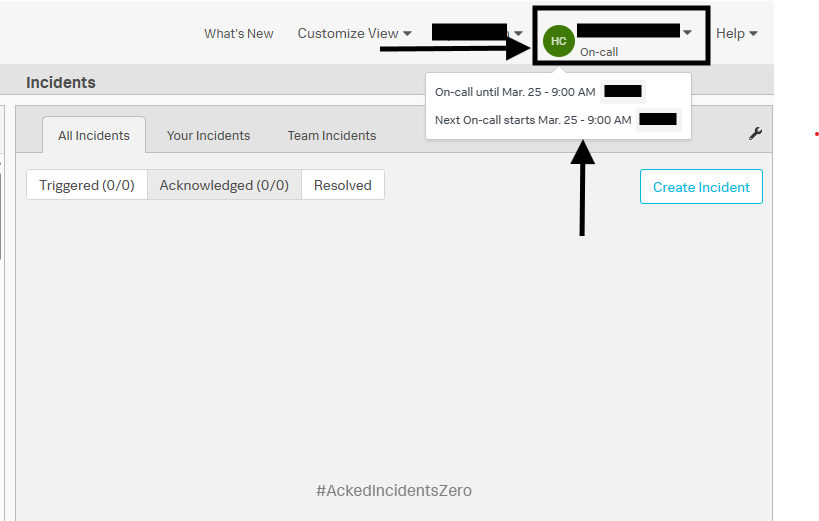
Only members included in the rotation configured in the first step of the escalation policy are shown as On-Call in the top-right corner.
Members included in rotations added to subsequent escalation steps appear with the status Not On-Call under the profile name.
This behaviour can be validated by navigating to the On-Call Schedule tab and reviewing the currently On-Call person. The rotation configured in the first escalation step determines which profile shows the On-Call status.
Investigation
Follow the Steps Below to Verify the On Call or Not On Call Status Displayed Under the Profile Name:
- Open the Splunk On-Call web UI and review the status displayed under the profile name in the top right corner.
- Navigate to the On Call Schedule tab and identify the currently On-Call person.
- Review the team's escalation policy and confirm whether the rotation is configured in the first step or a subsequent step, and verify whether the individual is include as part of the first step of the escalation policy.
- Hover over the status circle next to the profile name to verify the team association for the On-Call status. Refer to the below image:
Not on-call status is displayed when the individual is not part of the rotation configured in the first step of the escalation policy or is not included as a member of the first step of the escsalation policy.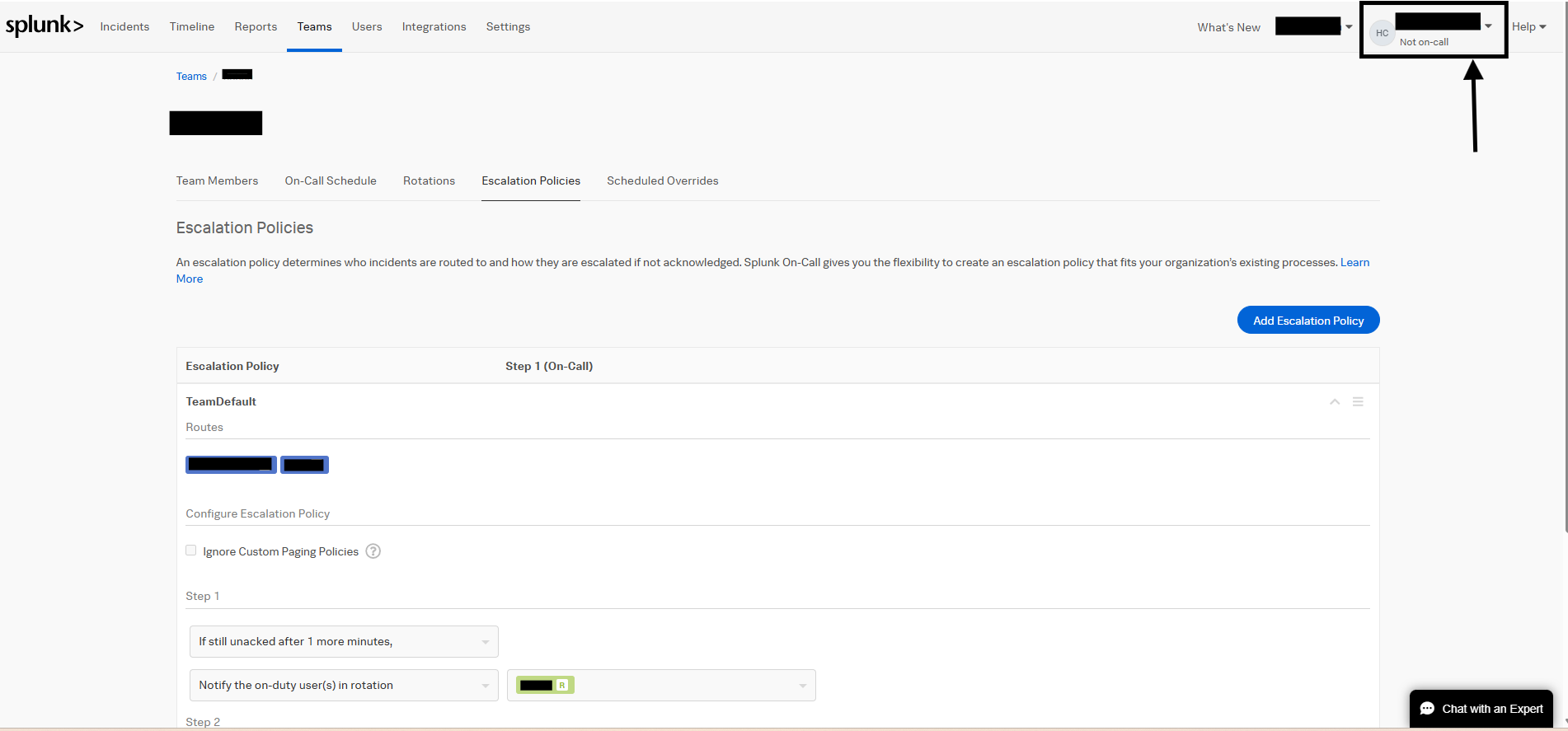
On-call status is displayed when the individual is part of the rotation configured in the first step of the escalation policy or is included as a member of the first step of the escalation policy.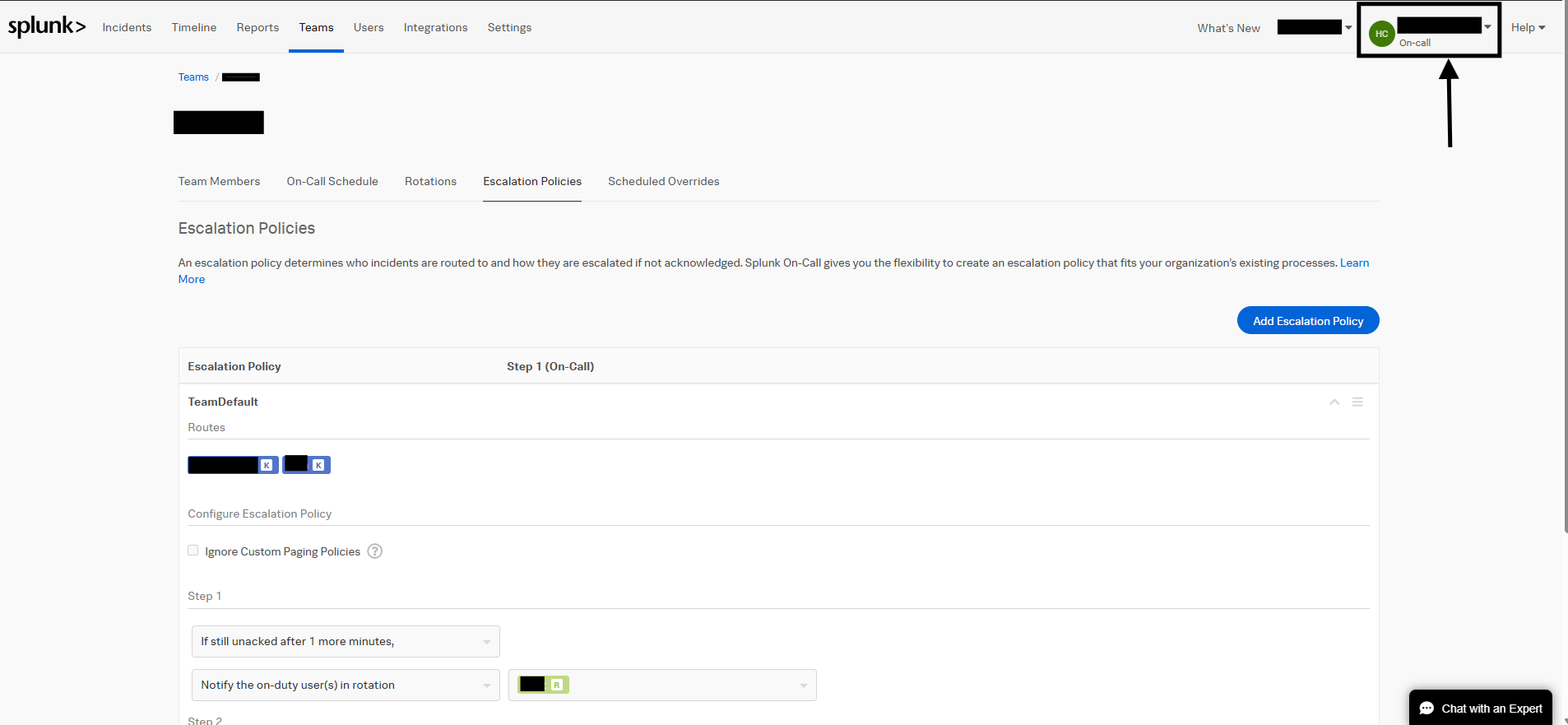
Resolution
To display the On-Call status under the profile name, the rotation must be configured in the first step of the escalation policy or the user should be added as a part of the first step of the escalation policy.
Use the On Call Schedule tab to confirm the currently On-Call rotation and associated profile status.
Revision History
| Revision | Publish Date | Comments |
|---|---|---|
1.0 |
01-Oct-2026
|
Initial Release |
 Feedback
