Troubleshooting the Enable Recovery feature between Splunk Cloud and Splunk On-Call
Available Languages
Applicability
Splunk On-CallDescription
The Enable Recovery option allows Splunk Cloud and Splunk On-Call to automatically resolve the incidents when the alert condition returns to normal, based on the configured polling interval and the threshold for inactive polls, eliminating the need for manual resolution.
Resolution
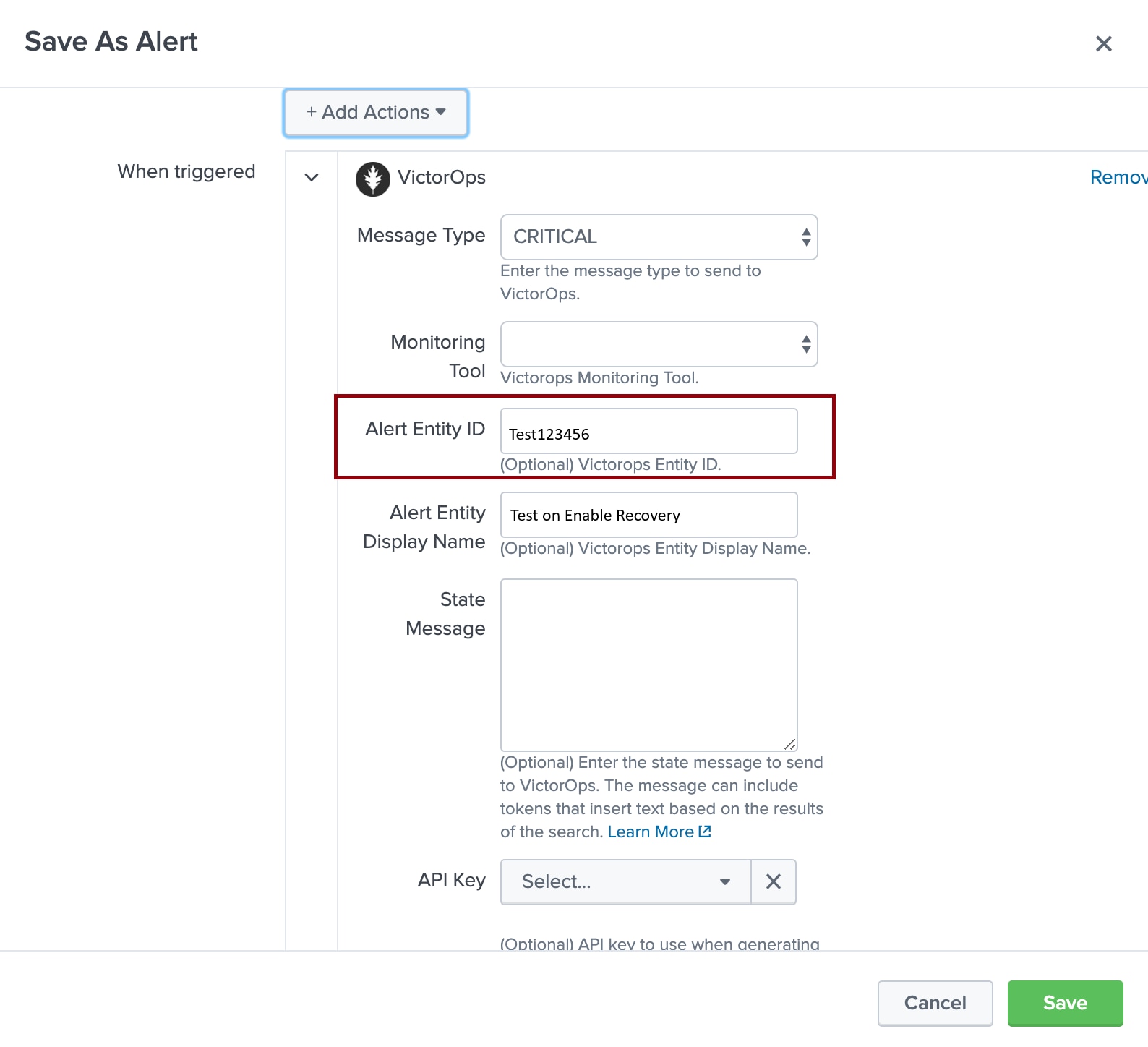
Add the entity_id in the Alert Configuration in Splunk Cloud whenever triggering the new incidents. The Enable Recovery option in the Splunk Cloud functions correctly only when the entity_id field is defined in the Alert configuration. The automated recovery process relies on this identifier to correlate the recovery event with the correct incident in Splunk On-Call.
Once the enity_id is included in the Alert configuration, incidents will automatically resolve when the alert condition returns to normal, based on the defined polling interval. The incident will resolve as the required number of inactive polls has been reached.
Revision History
| Revision | Publish Date | Comments |
|---|---|---|
1.0 |
01-Oct-2026
|
Initial Release |
 Feedback
