Splunk IT Service Intelligence (ITSI) Episodes (grouped alerts) are not generated after Splunk enterprise upgrade
Available Languages
Applicability
Splunk IT Service IntelligenceDescription
After upgrading the Splunk Enterprise version from 9.1.3 to 9.1.4 the ITSI rules engine (itsi_event_grouping) stopped grouping notable events into episodes.
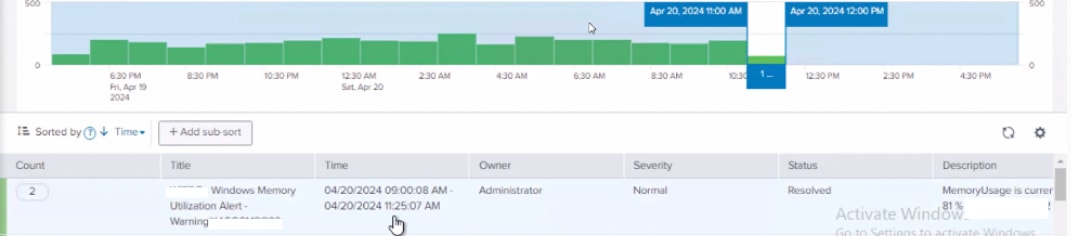
Investigation
1. Navigate to the event analytics monitoring dashboard.
2. Check the dashboard to verify whether the ITSI rules engine is running or not.
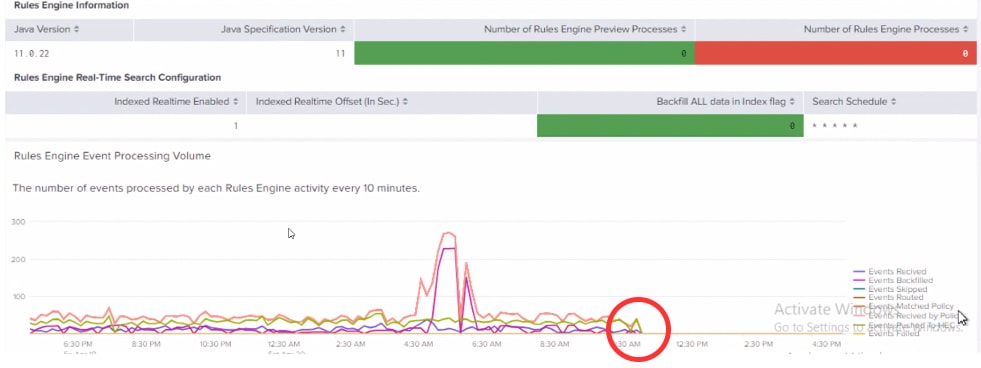
3. Check the dashboard for any error logs from the rules engine and use the below search,
index=_internal source=*rules_engine* log_level=ERROR
2024-04-20 12:40:11,236 ERROR [itsi_re(reId=2FLV,reMode=RealTime)] [main] TaskManager:357 - FunctionName=isClusterInRollingRestart, isNoahStack=false, Status=Failed, ErrorMessage="Indexing cluster is in rolling restart, upgrade, or at least one peer is down. The Rules Engine will not proceed with next steps until cluster status is healthy. Retrying indexing cluster status check after Rules Engine restart."
4. If the ITSI rules engine is not running, perform a rolling restart of the cluster.
Resolution
Rolling restart of the indexing cluster should be performed after every Splunk Enterprise version upgrade.
Restart the rules engine, by following the steps:
1. Navigate to the Search Reports and Alerts page from the Settings dropdown.
2. Search for "itsi_event_grouping" and disable the search.
3. Wait for a few minutes(2 to 3 ) and re-enable the search.
This action resolves any issues related to the cluster status affecting ITSI functionality. After stabilizing the indexing cluster and restarting the ITSI rules engine, the grouping of events resumed.
Related Links
Revision History
| Revision | Publish Date | Comments |
|---|---|---|
1.0 |
30-Sep-2026
|
Initial Release |
 Feedback