Cannot utilize the "Upgrade Readiness Dashboard".
Available Languages
Applicability
Splunk IT Service IntelligenceDescription
This issue occurs in the Upgrade Readiness Dashboard when the itsi_upgrade_readiness_prechecks collection is disabled. The error message presented is:
[HTTP 400] Bad Request; [{'type': 'ERROR', 'code': None, 'text': "Collection 'itsi_upgrade_readiness_prechecks' cannot be used as it is disabled."}]
The error prevents from accessing the dashboard and completing the upgrade readiness prechecks.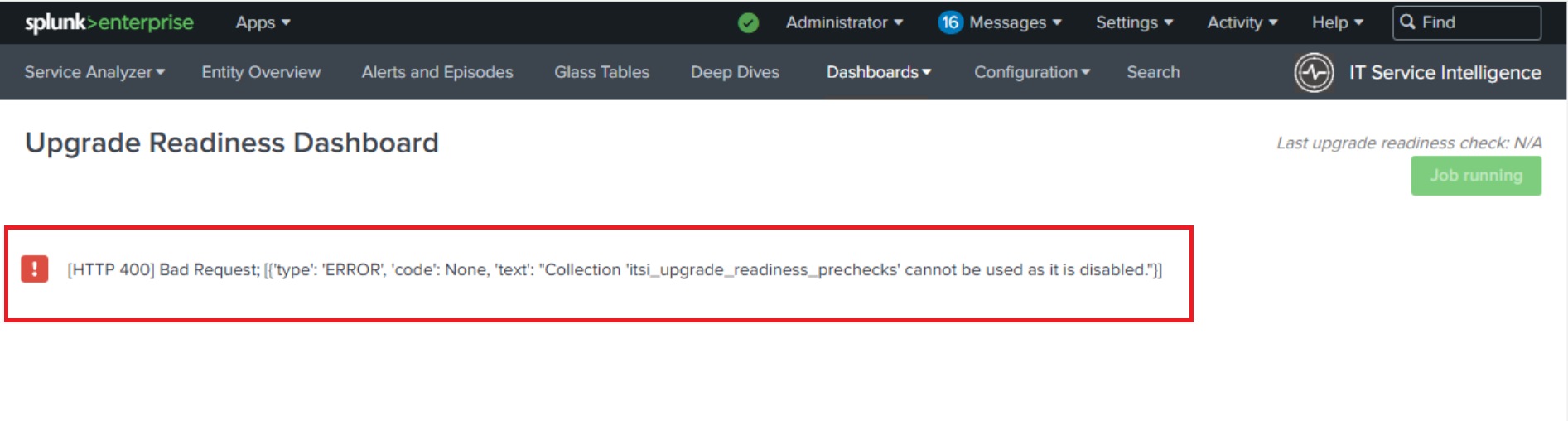
Investigation
1. The error message explicitly states that the itsi_upgrade_readiness_prechecks collection is disabled.
[HTTP 400] Bad Request; [{'type': 'ERROR', 'code': None, 'text': "Collection 'itsi_upgrade_readiness_prechecks' cannot be used as it is disabled."}]
To verify this:
-
Navigate to Settings → All Configurations.
-
Set the App filter to "All."
-
Search for
itsi_upgrade_readiness_prechecks. -
Confirm that the Status field displays "Disabled."

2. The issue occurs because the itsi_upgrade_readiness_prechecks collection is currently disabled.
Resolution
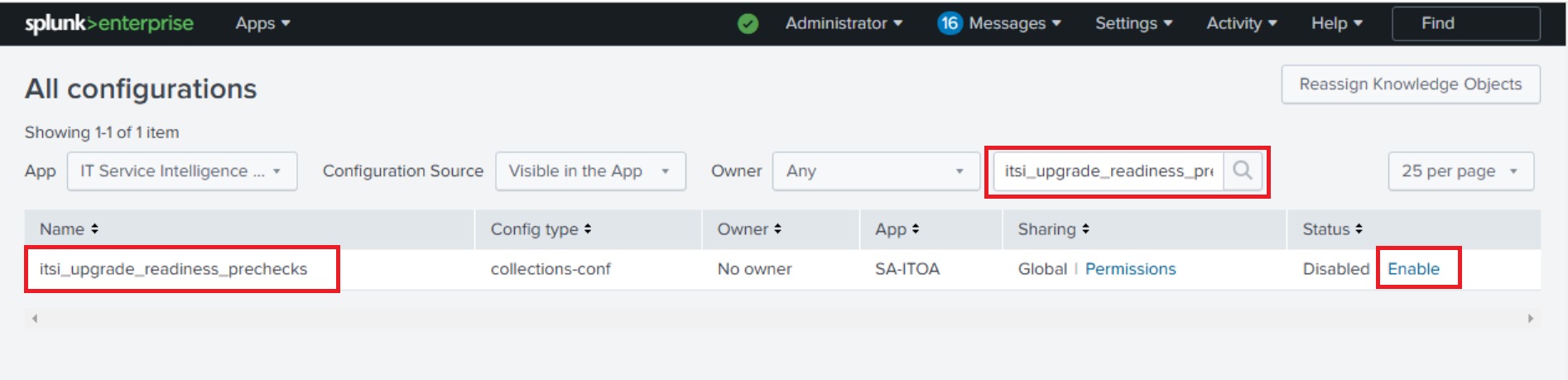
To resolve this issue, enable the itsi_upgrade_readiness_prechecks collection by performing the following steps:
-
Navigate to Settings → All Configurations.
-
Set the App filter to "All."
-
Search for
itsi_upgrade_readiness_prechecks. -
In the Status field, click on Enable.
-
Navigate to Dashboards → Upgrade Readiness and refresh the page.
-
Verify that the Upgrade Readiness Dashboard launches successfully without any error messages.
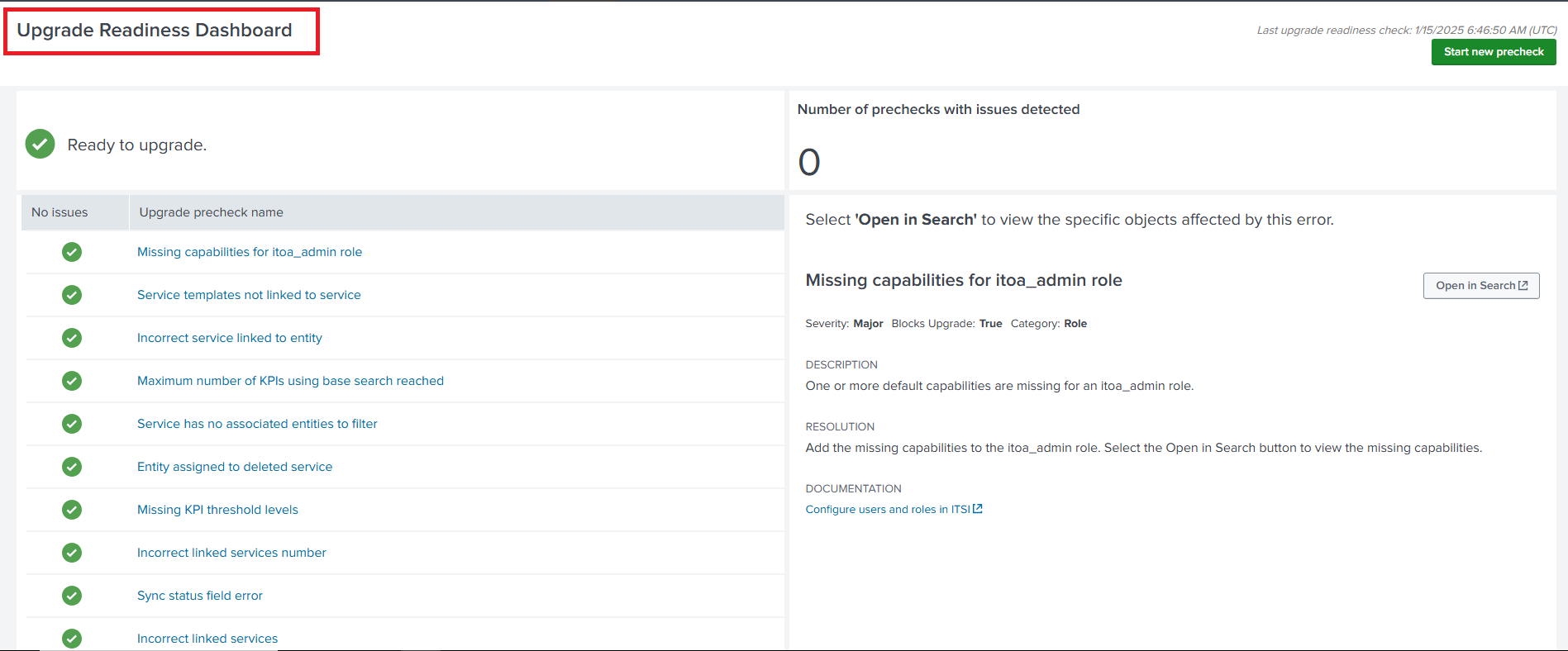
By following these steps, the dashboard functionality is restored.
Revision History
| Revision | Publish Date | Comments |
|---|---|---|
1.0 |
29-Sep-2026
|
Initial Release |
 Feedback