ITSI notable alerts are not being grouped into Episodes.
Available Languages
Applicability
Splunk IT Service IntelligenceDescription
The ITSI Rules Engine (itsi_event_grouping) is essential for grouping notable alerts into episodes. When this engine is not operational, alerts cannot be grouped effectively, leading to potential oversight in alert management and incident response.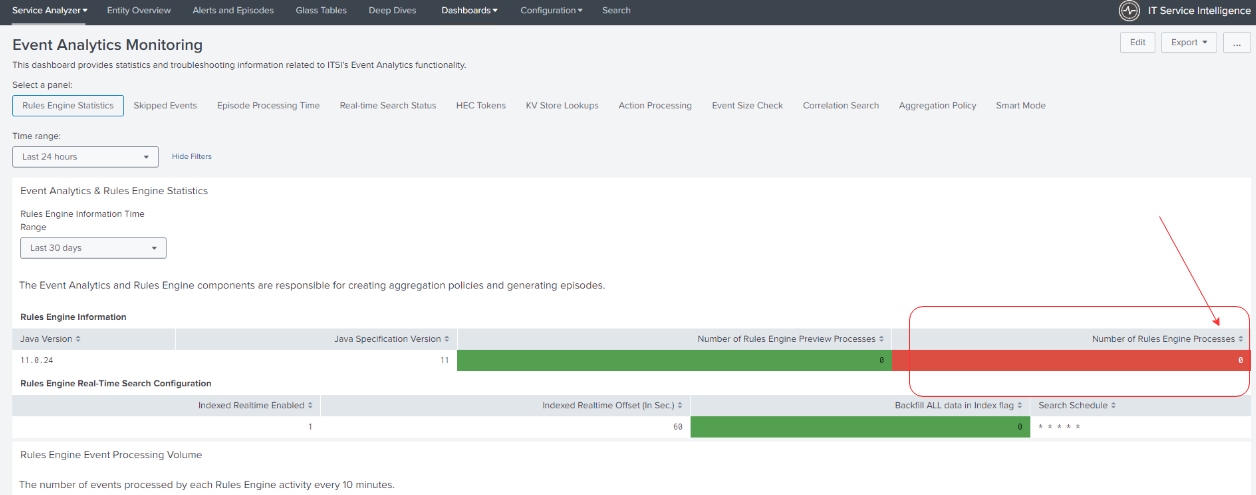
Investigation
Upon receiving the issue report, it was confirmed that the Rules Engine was not running.
In the Activity tab, no instances of the itsi_event_grouping search were found, indicating it was not running as expected.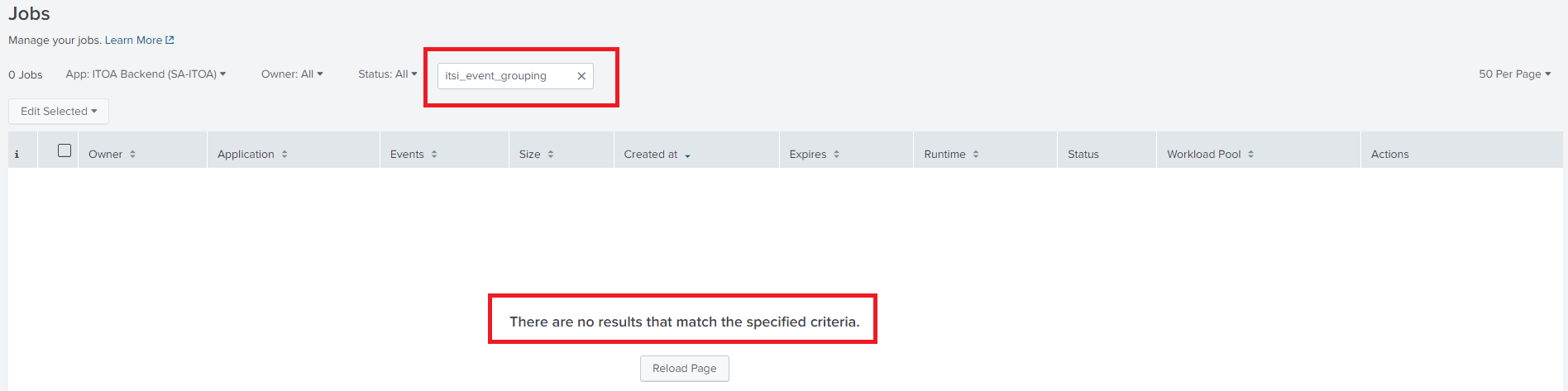
In the Searches, Reports, and Alerts tab, the "itsi_event_grouping" search was located, but attempts to execute the search but resulted with below error suggesting in a configuration issue related to time range settings.
“All Time Searches are not allowed. Please pick an appropriate time range”


Further review of the "Workload Management" tab revealed an admission rule, "stop_alltime_searches", which was preventing real-time searches, including the "itsi_event_grouping" search.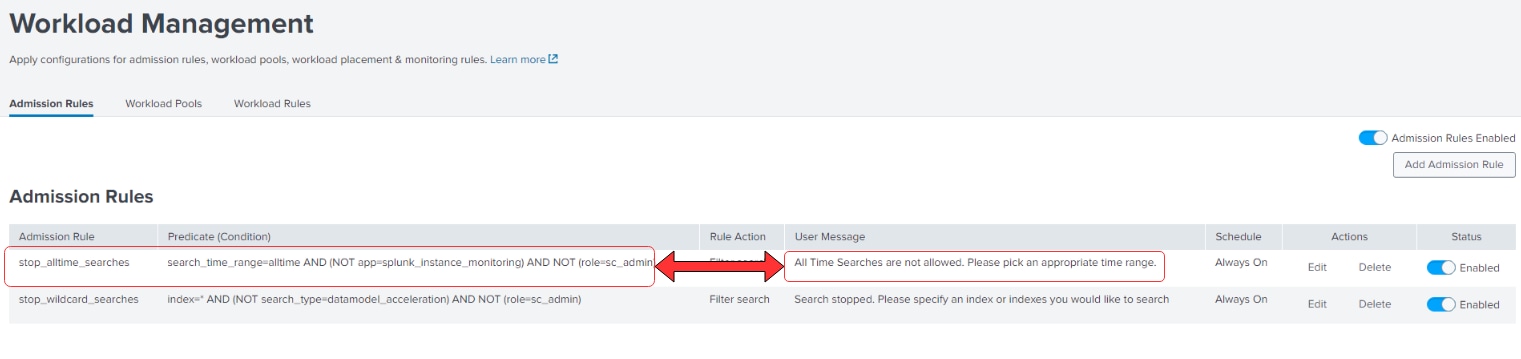
Resolution
The admission rule "stop_alltime_searches" in the Workload Management settings were modified to allow exceptions for the "itsi_event_grouping" search.
Once the necessary changes were implemented, the Rules Engine was restarted successfully.
Post-implementation, alerts began grouping into episodes as intended, restoring the expected functionality.
Related Links
Reference: Splunk Documentation
Revision History
| Revision | Publish Date | Comments |
|---|---|---|
1.0 |
29-Sep-2026
|
Initial Release |
 Feedback
Contact Cisco
- Open a Support Case

- (Requires a Cisco Service Contract)
Related Articles
- App ITSI - Some Notable Events Are not Grouped into Episodes because of Indexer Realtime Performance
- Episode present in itsi_grouped_alerts but does not exist in itsi_notable_group_system_lookup
- ITSI Notable events grouped mostly during backfill instead of realtime since Indexers maintenance
- Impacted Services and Episodes are not visible in alerts and episodes page.