ITSI Rules Engine fails to restart automatically after the indexers restart
Available Languages
Applicability
Splunk IT Service IntelligenceDescription
The Rules Engine was configured to manage indexer cluster rolling restarts and upgrades, but the itsi_event_group search could not restart automatically after the upgrades and indexer restarts.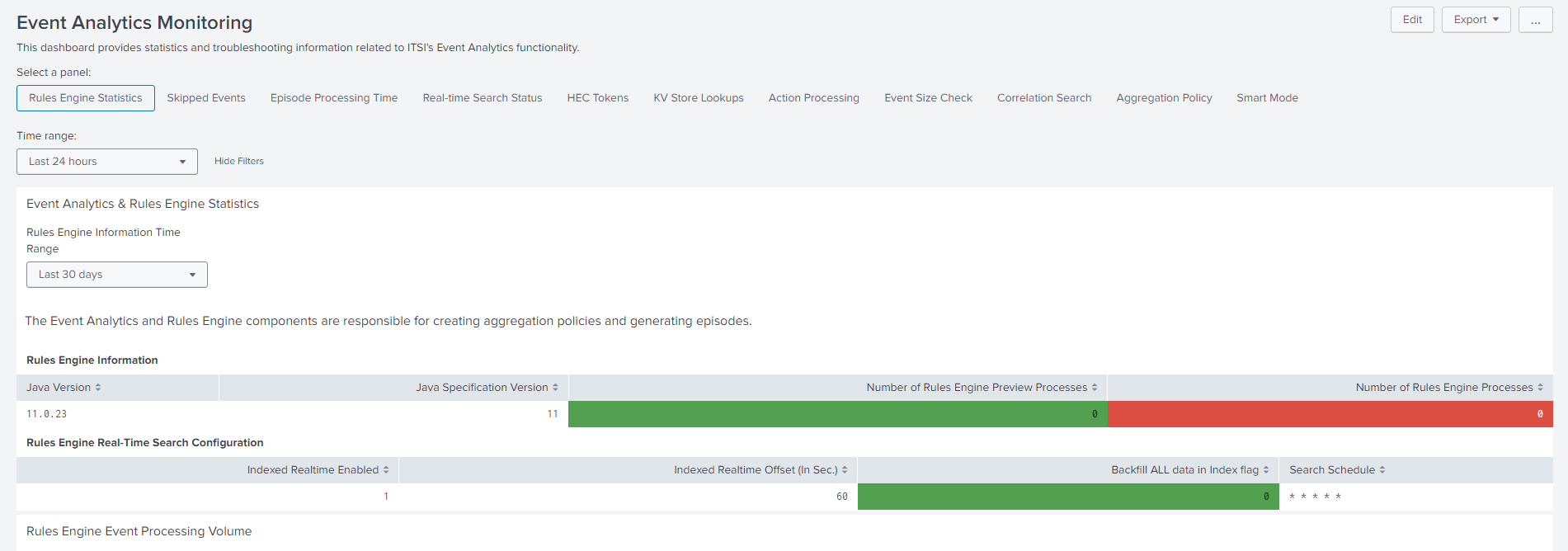
Investigation
It was observed that the credentials were missing, resulting in the call failing with the message:
Unable to get cluster config due to missing credentials
The ITSI search-head Rules Engine attempted to connect to the indexer cluster master to verify a rolling restart but could not do so due to the missing credentials.
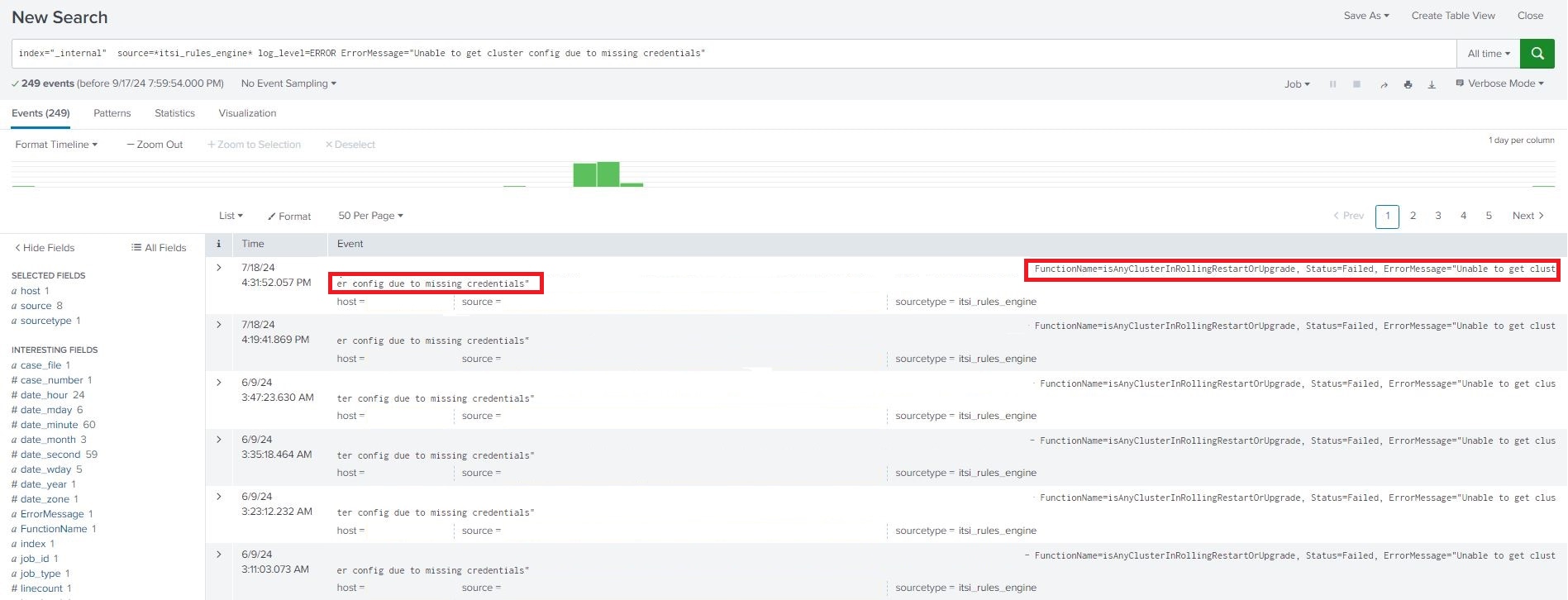
Upon reviewing the "itsi_rules_engine.properties" file located below,
"$SPLUNK_HOME/etc/apps/SA-ITOA/local/itsi_rules_engine.properties"
The current configuration reads:
# Max retries for rolling restart status check. Rules Engine will keep retrying indefinitely when value is set to '0'
max_cluster_rolling_restart_retry_count=5
it was found that the "max_cluster_rolling_restart_retry_count" set to 5. This configuration limits the Rules Engine to five retry attempts before stopping further checks.
Resolution
Modify the "itsi_rules_engine.properties" file located at the below directory,
"$SPLUNK_HOME/etc/apps/SA-ITOA/local/itsi_rules_engine.properties"
from
# Max retries for rolling restart status check. Rules Engine will keep retrying indefinitely when value is set to '0' max_cluster_rolling_restart_retry_count=5
to
# Max retries for rolling restart status check. Rules Engine will keep retrying indefinitely when value is set to '0'
max_cluster_rolling_restart_retry_count=0
Now the Rules Engine will keep retrying to restart until the indexer layer is stable.

Related Links
Rules Engine properties
Rules Engine Rolling Restart
Revision History
| Revision | Publish Date | Comments |
|---|---|---|
1.0 |
29-Sep-2026
|
Initial Release |
 Feedback