Kubernetes Cluster Receiver Metrics Lag - Getting debug logs from the OTel Collectors Kubernetes Receiver
Available Languages
Applicability
Splunk Infrastructure Monitoring Kubernetes Kubernetes Cluster ReceiverDescription
If your detector is misfiring because metric data is lagging or delayed, and the metrics data lagging happen to be metrics listed in the Kubernetes Cluster Receiver documentation. Then its best to inspect the OTel Collector Kubernetes Cluster Receiver logs. The Kubernetes Cluster Receiver may be failing to export data points on time and only able to do so after multiple retries which causes the delays
Investigation
1. Create a new chart and plot the metric and dimensions that are causing your detector to misfire or that you want to investigate
2. Click the gear icon on the right of the plot in the plot editor > Advanced options > Rollup > Rollup: Lag. You may need to adjust the time frame to a longer period and set the Chart resolution to Very high
3. You notice one or many Kubernetes Cluster Receiver metrics lagging. In this case as per the screenshot below, it is normally a few seconds, but then jumps to 13.3 minutes.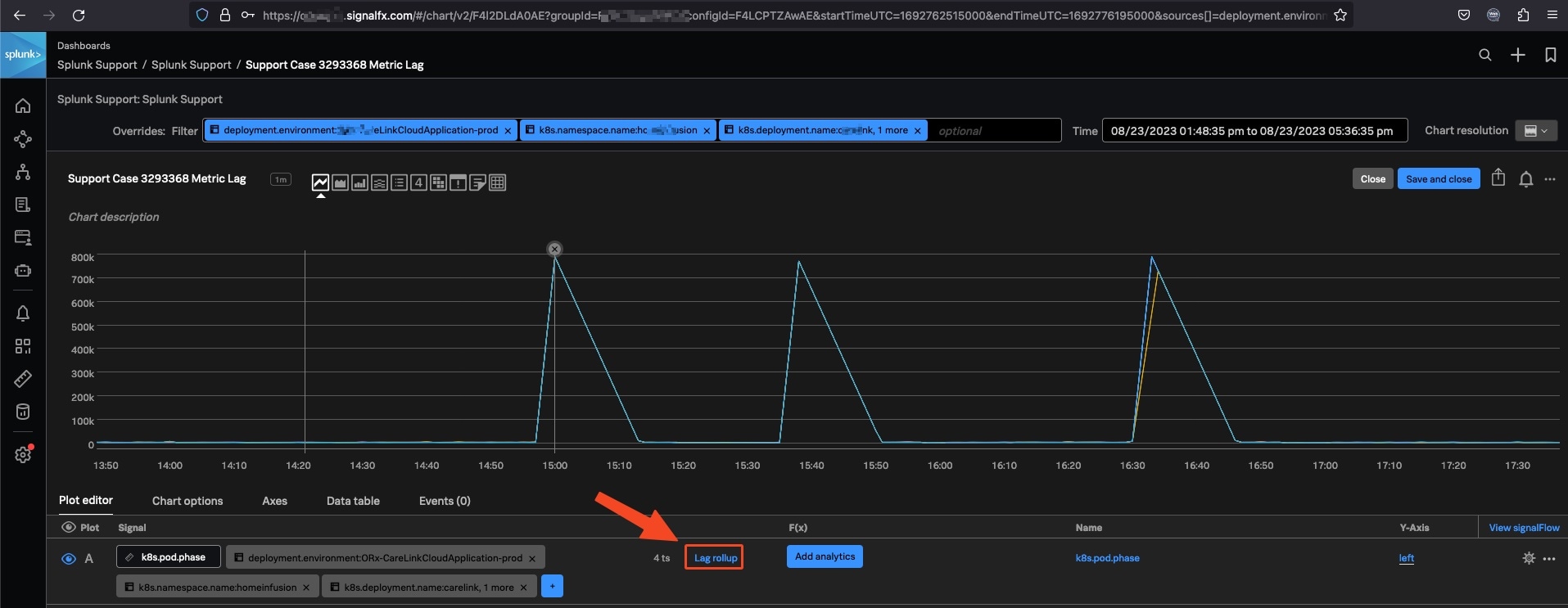
Resolution
1. Show the pods on your Kubernetes cluster with the command:$ kubectl get pods --all-namespaces
[ec2-user@ip-172-31-95-110 ~]$ kubectl get pods --all-namespaces
NAMESPACE     NAME                                                             READY   STATUS    RESTARTS   AGE
default       my-splunk-otel-collector-agent-njsq4                             1/1     Running   0          3m13s
default       my-splunk-otel-collector-k8s-cluster-receiver-5596d6d4fc-88kn8   1/1     Running   0          3m12s
kube-system   aws-node-4g44v                                                   1/1     Running   0          12m
kube-system   coredns-6486684487-lt6hk                                         1/1     Running   0          19m
kube-system   coredns-6486684487-pgmd7                                         1/1     Running   0          19m
kube-system   kube-proxy-58qks                                                 1/1     Running   0          12m
2. You can get the info logs of the cluster receiver shown above with the command:
[ec2-user@ip-172-31-95-110 ~]$ kubectl logs my-splunk-otel-collector-k8s-cluster-receiver-5596d6d4fc-88kn8 > my-splunk-otel-collector-k8s-cluster-receiver-5596d6d4fc-88kn8.log
3. The Splunk OTel Collector Cluster Receiver sample logs
[ec2-user@ip-172-31-95-110 ~]$ less my-splunk-otel-collector-k8s-cluster-receiver-5596d6d4fc-88kn8.log
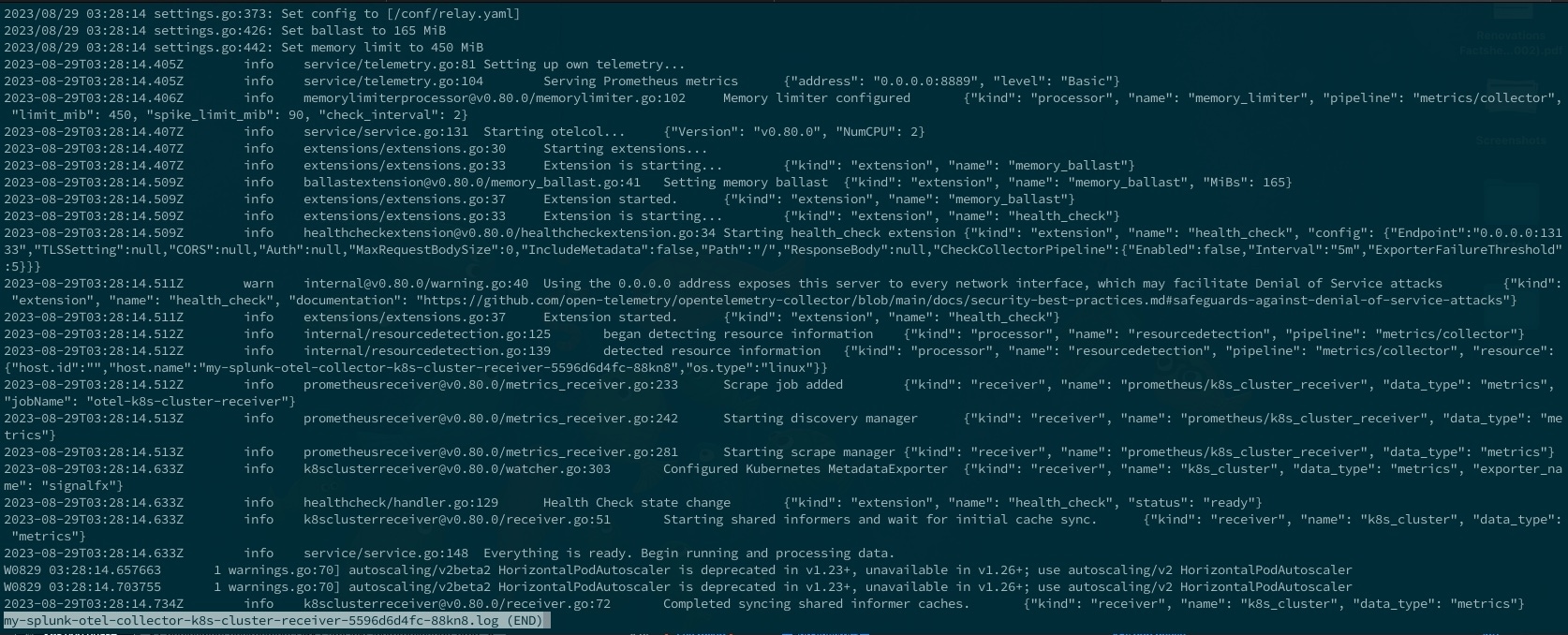
4. If you want the debug logs of the OTel Collector Kubernetes Cluster Receiver. You will need to show the cluster config map.
[ec2-user@ip-172-31-95-110 ~]$ kubectl get cm
NAME                                                 DATA   AGE
kube-root-ca.crt                                     1      20m
my-splunk-otel-collector-otel-agent                  1      4m34s
my-splunk-otel-collector-otel-k8s-cluster-receiver   1      4m34s
5. Edit the OTel Collector Kubernetes Cluster Receiver config map
[ec2-user@ip-172-31-95-110 ~]$ kubectl edit cm my-splunk-otel-collector-otel-k8s-cluster-receiver
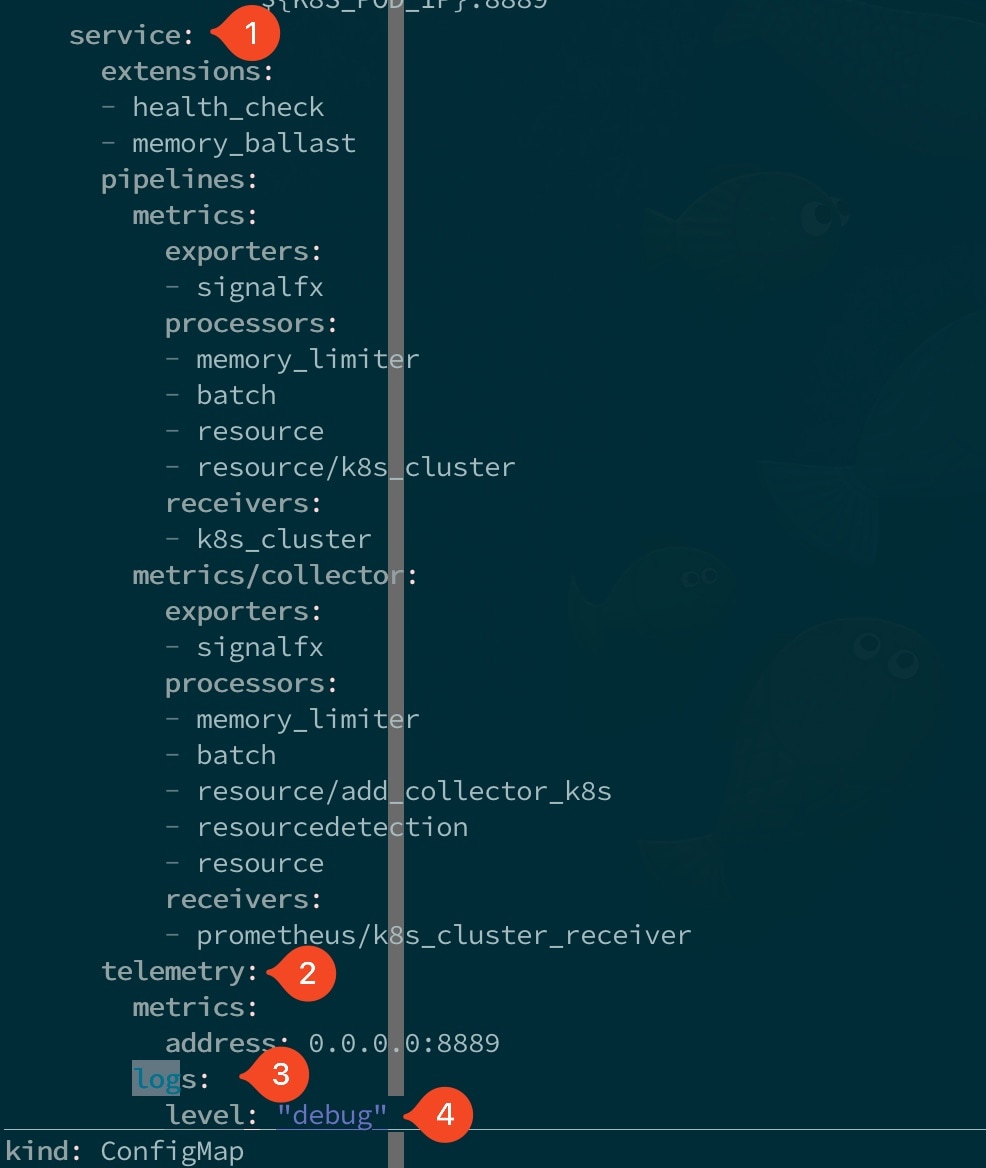
Add debug level logging:
service:
  telemetry:
    logs:
      level: "debug"
6. Restart the OTel Collector Kubernetes Cluster Receiver
a) Get the replicaset
[ec2-user@ip-172-31-95-110 ~]$ kubectl get replicaset
NAME                                                       DESIRED   CURRENT   READY   AGE
my-splunk-otel-collector-k8s-cluster-receiver-5596d6d4fc   1         1         1       12m
b) Delete the replicaset
[ec2-user@ip-172-31-95-110 ~]$ kubectl delete replicaset my-splunk-otel-collector-k8s-cluster-receiver-5596d6d4fc
replicaset.apps "my-splunk-otel-collector-k8s-cluster-receiver-5596d6d4fc" deleted
c) Get the new replicaset
[ec2-user@ip-172-31-95-110 ~]$ kubectl get replicaset
NAME                                                       DESIRED   CURRENT   READY   AGE
my-splunk-otel-collector-k8s-cluster-receiver-5596d6d4fc   1         1         1       5s
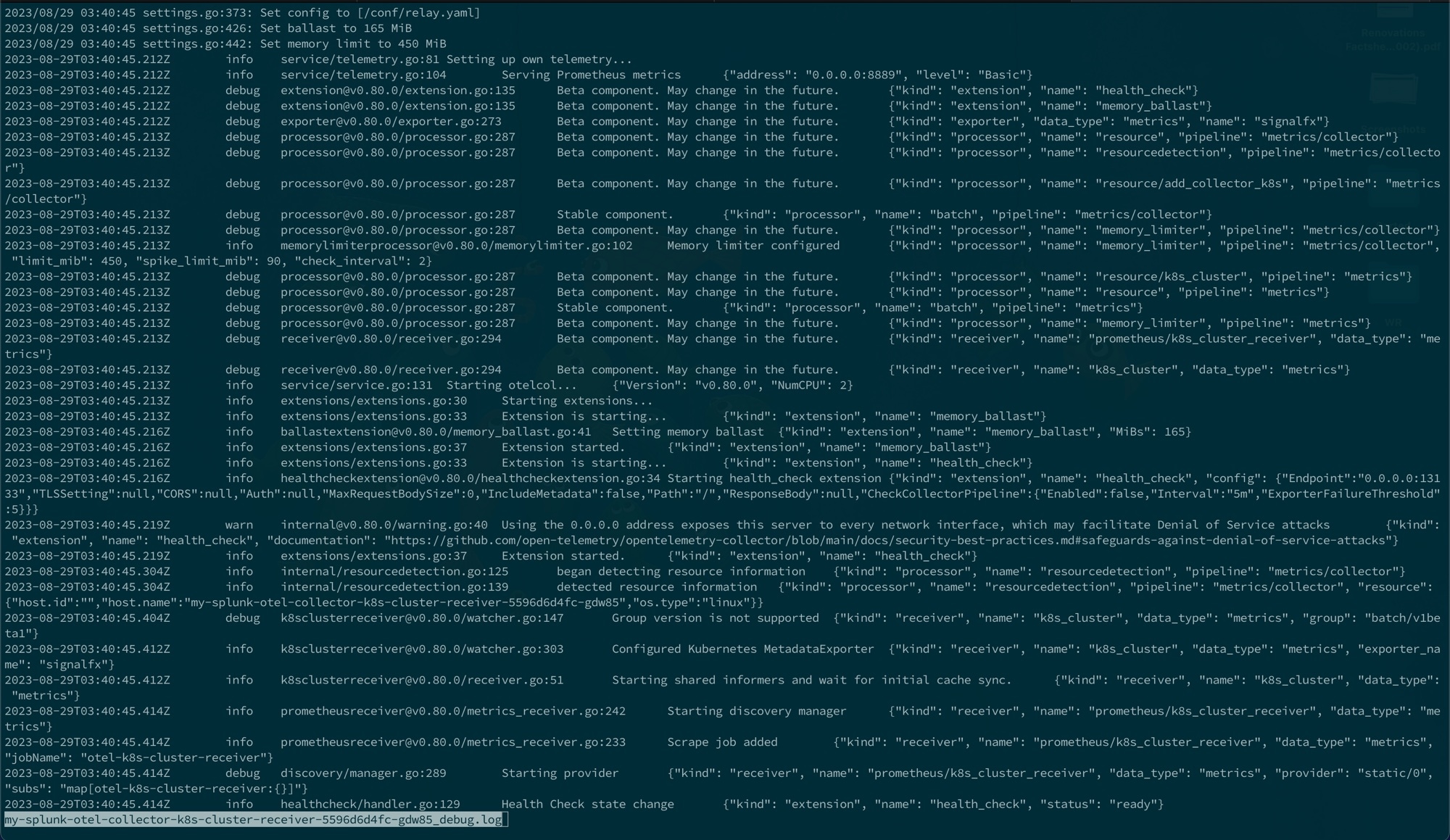
7. Collect the OTel Collector Kubernetes Cluster Receiver debug logs
a) Check the new OTel Collector Kubernetes Cluster Receiver name
[ec2-user@ip-172-31-95-110 ~]$ kubelet get po --all-namespaces
NAMESPACE     NAME                                                             READY   STATUS    RESTARTS   AGE
default       my-splunk-otel-collector-agent-njsq4                             1/1     Running   0          13m
default       my-splunk-otel-collector-k8s-cluster-receiver-5596d6d4fc-gdw85   1/1     Running   0          71s
kube-system   aws-node-4g44v                                                   1/1     Running   0          22m
kube-system   coredns-6486684487-lt6hk                                         1/1     Running   0          29m
kube-system   coredns-6486684487-pgmd7                                         1/1     Running   0          29m
kube-system   kube-proxy-58qks                                                 1/1     Running   0          22m
b) Capture the debug logs
[ec2-user@ip-172-31-95-110 ~]$ kubectl logs my-splunk-otel-collector-k8s-cluster-receiver-5596d6d4fc-gdw85 > my-splunk-otel-collector-k8s-cluster-receiver-5596d6d4fc-gdw85_debug.log
Related Links
Additional Resource:
The following video from community office hours expands the topic on Kubernetes and OTel
Revision History
| Revision | Publish Date | Comments |
|---|---|---|
1.0 |
29-Sep-2026
|
Initial Release |
 Feedback