Creating different rules with different signals under the same detector.
Available Languages
Applicability
Splunk Application Performance Monitoring Splunk Infrastructure Monitoring Splunk Synthetic MonitoringDescription
How can multiple rules be created under the same detector using different SignalFlow programs? It has been observed that when two rules are created on the same Plot A, modifying one rule causes the SignalFlow for the other rule to change as well.
Investigation
Please note that when creating two rules under the same detector, each rule must be configured to alert on a different plot or signal.
Resolution
Follow the steps below to create multiple rules within the same detector.
Example: Two rules, "WorkflowNamePlaceOrder" and "WorkflowNameAddToCart," are created under the same detector, "Test_Detector." The workflow.name value is different for each rule.
Create a detector and configure two rules.
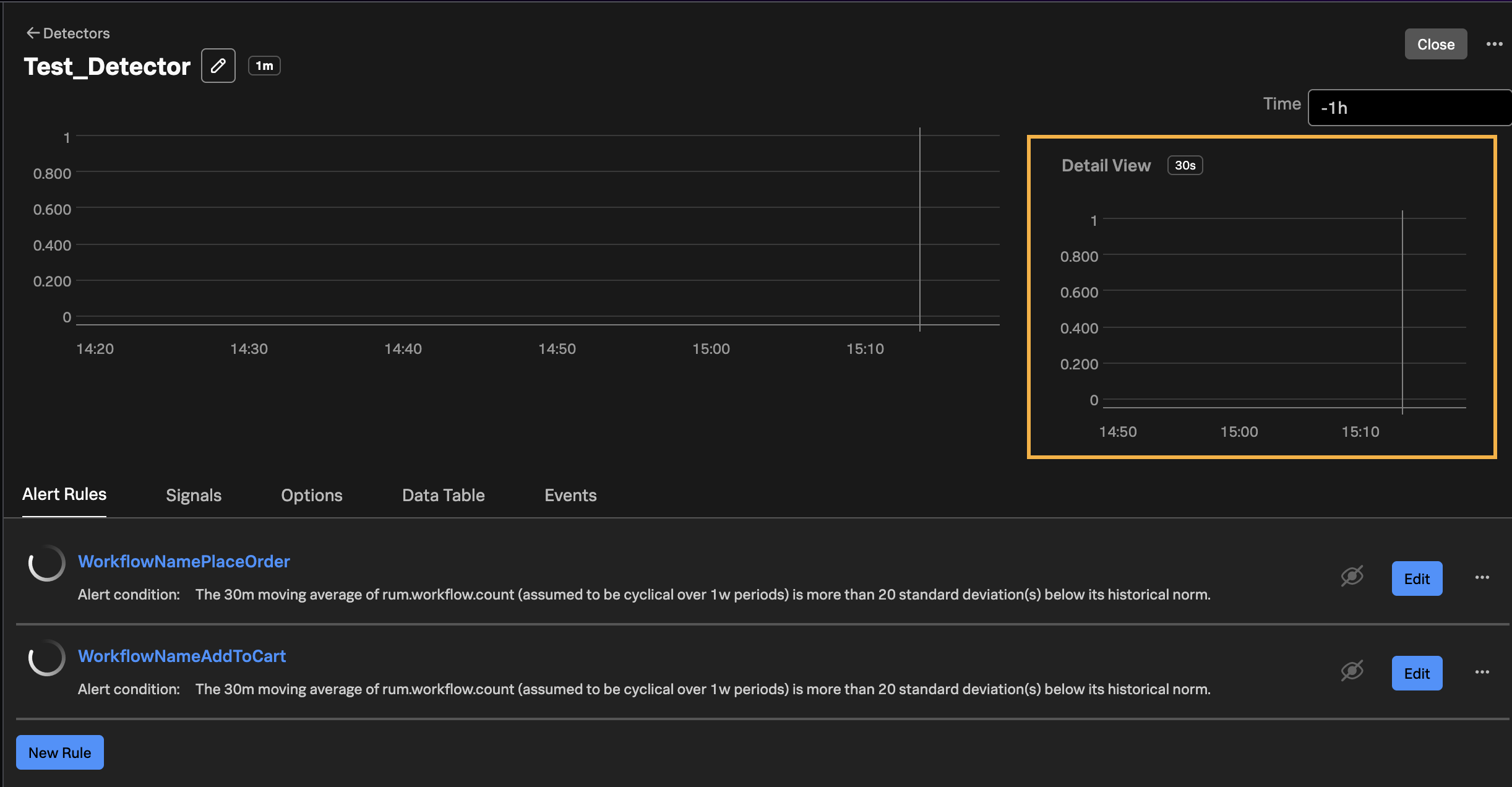
First rule :
WorkflowNamePlaceOrder
- Create the first signal
- Configure the rule to alert on Plot A
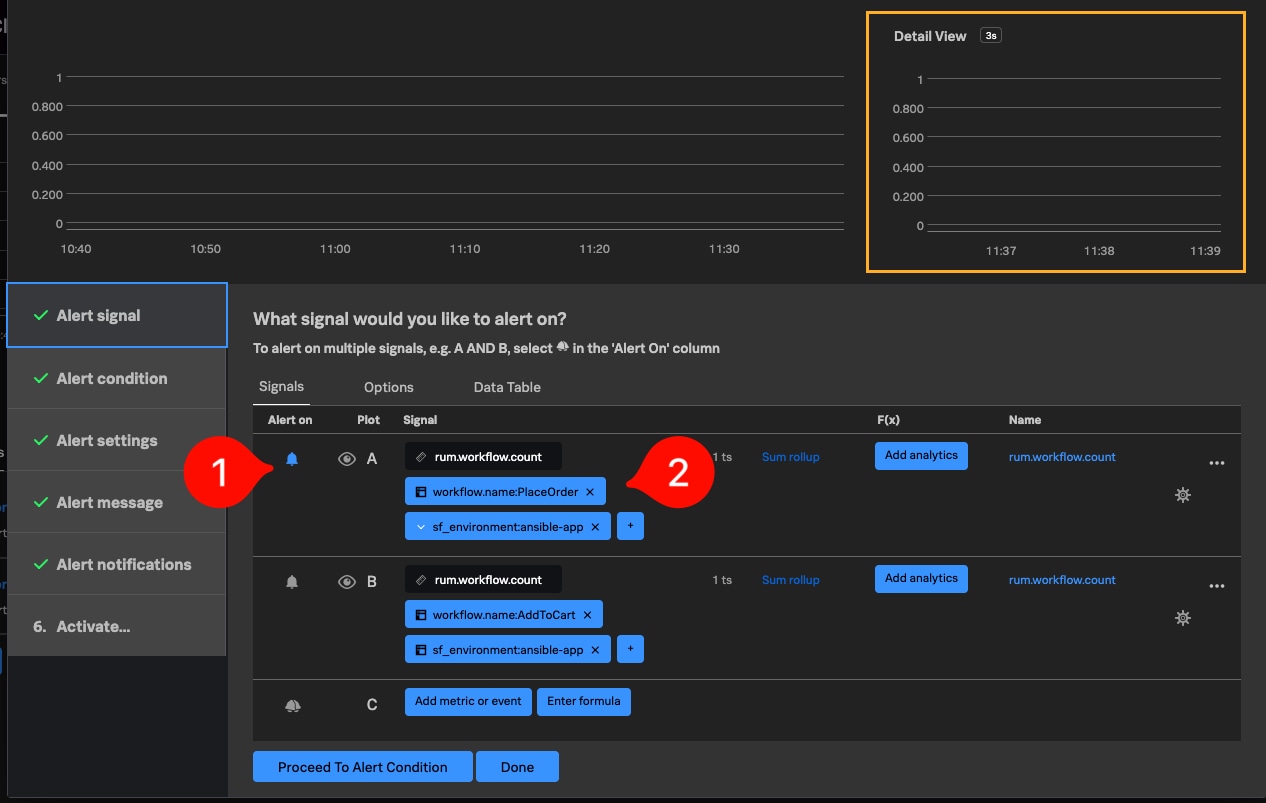
Second rule:
WorkflowNameAddToCart
- Create the second signal
- Configure the rule to alert on Plot B
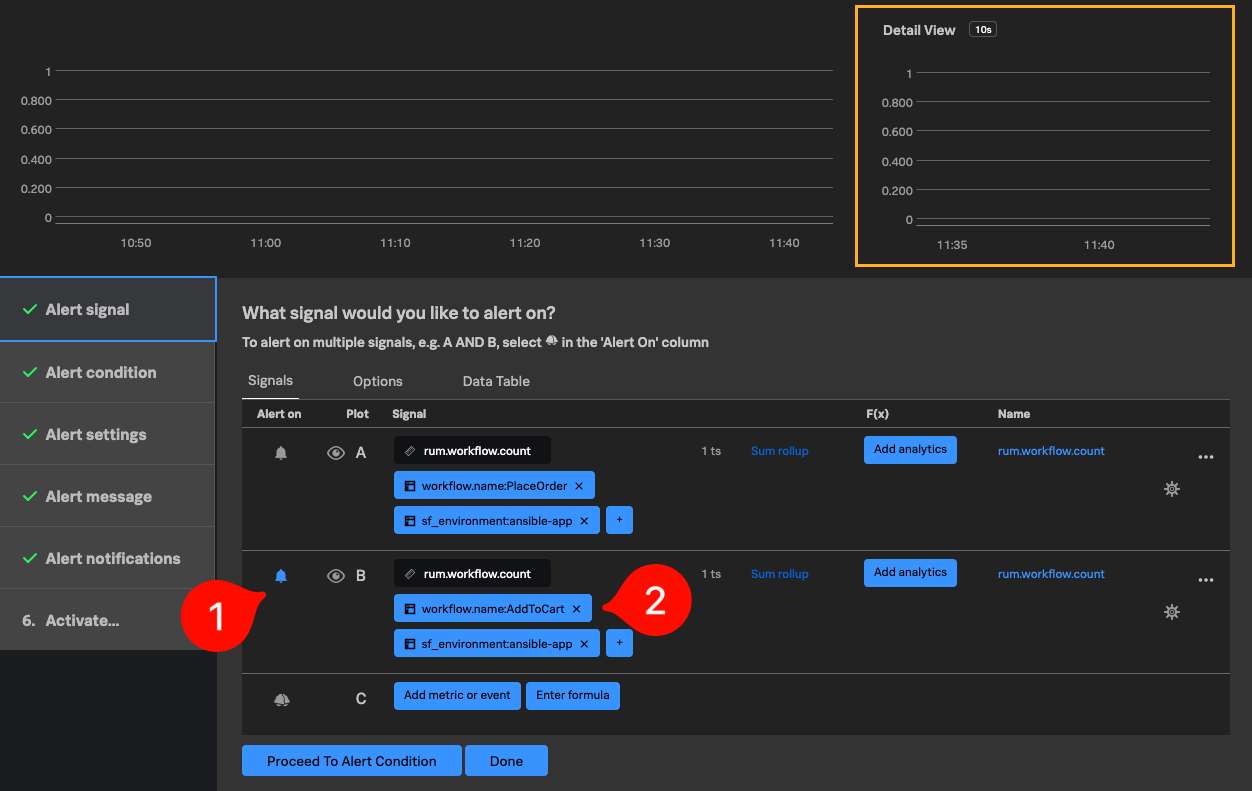
Ensure that each rule under the detector is configured to alert on a different plot. This allows multiple rules with different SignalFlow logic to be created within the same detector.
Related Links
Revision History
| Revision | Publish Date | Comments |
|---|---|---|
1.0 |
01-Oct-2026
|
Initial Release |
 Feedback