Connection Refused Errors while accessing the Edge Processor page
Available Languages
Applicability
Splunk EnterpriseDescription
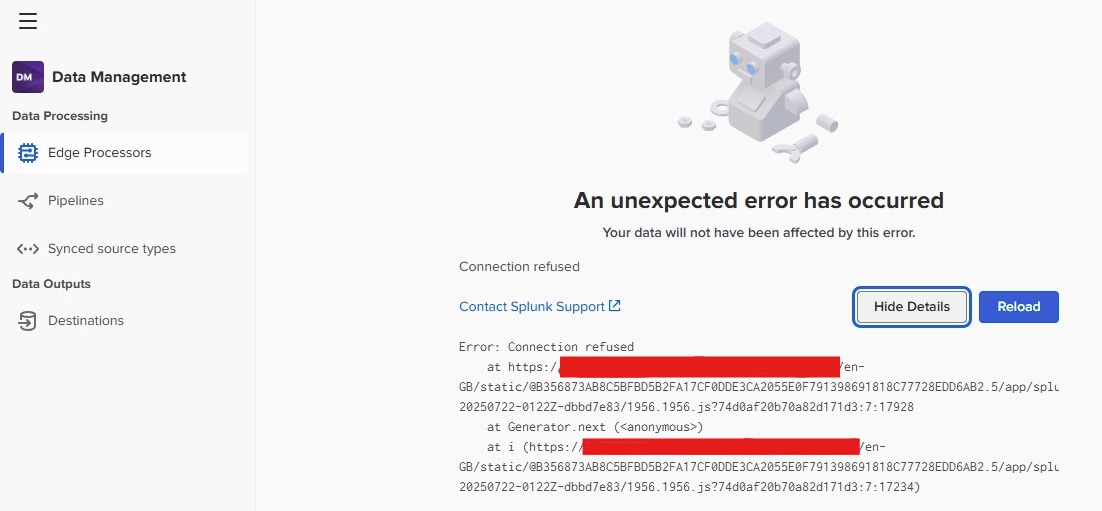
Unable to access the data management edge processor page and while accessing user can observe the error as shown in below screenshot:
"An unexpected error has been occurred and connection refused"
Investigation
- Review and validate the below the internal logs for the edge processor and check the ../splunk-edge/var/log/supervisor.log. The following connection refused errors were noticed:
{"level":"ERROR","time":"2025-11-24T10:59:56.049Z","location":"supervisor/run.go:491","message":"Package start failed, retry","service":"compsup","hostname":"abcdef.dc.xxx.se","packageName":"agent-manager","error":"allocate sockets error: error allocating sockets for sidecar agent-manager: IPC Broker client error: Post \"https://127.0.x.x:xxxx/v1/registration\": dial tcp 127.0.x.x:xxxx: connect: connection refused"}{"level":"ERROR","time":"2025-11-24T10:59:56.168Z","location":"supervisor/run.go:491","message":"Package start failed, retry","service":"compsup","hostname":"abcdef.dc.xxx.se","packageName":"postgres","error":"allocate sockets error: error allocating sockets for sidecar postgres: IPC Broker client error: Post \"https://127.0.x.x:xxxx/v1/registration\": dial tcp 127.0.x.x:xxxx: connect: connection refused"} - The following error was observed in the agent management for the regular interval sidecar in file /opt/splunk/var/log/splunk/sup-pkg-agent-manager-stdout.log:
{"level":"ERROR","time":"2025-11-24T10:56:43.698Z","location":"server/service.go:85","message":"AM service exits with error","service":"agent_manager","hostname":"abcdef.dc.xxx.se","error":"http: Server closed"} - Additionally, the following error was observed in the DO Sidecar under the files
$SPLUNK_HOME/var/log/splunk/sup-pkg-cmp-orchestrator.log:2025/11/24 12:04:22 POST "https://127.0.a.x:xxxxx/sidecars/cmp-orchestrator-36e1dfd7-9570-xxxx-abcd-60704391acd5/subprocesses/spl2-language-server/stop" received status code 202 panic: pq: password authentication failed for user "do.root" goroutine 44 [running]: cd.splunkdev.com/search-tech/search-service/internal/database.connectToDBAndVerify({0x1f90818, 0xc0007e55f0}, {0x1b81183, 0x4}, {0x0, 0x0})/builds/search-tech/search-service/internal/database/database_config.go:264 +0x64f - From the logs, can observe that DO makes requests to 127.0.0.1:8090 and expects TLS to be applied during the connection. However, it is receiving a non-TLS HTTP response.
Review the server.conf configurations file and confirm that the ssl is disabled as shown below:[httpServerListener:127.a.b.c:xxxx] ssl=false
Resolution
The connection is refused by Splunk due to the app's httpServerListener stanza for 127.0.0.1:8090, which disables HTTPS communication between the sidecars and Splunkd. As a result, DO incorrectly assumes that it will use HTTPS for the connection.
As a workaround, you can enable SSL by modifying the server.conf file as shown below:
[httpServerListener:127.a.b.c:xxxx]
ssl=true
Since the edge processor should also accept HTTP connections,
This is fixed 10.2.0 version
Revision History
| Revision | Publish Date | Comments |
|---|---|---|
1.0 |
01-Oct-2026
|
Initial Release |
 Feedback
Contact Cisco
- Open a Support Case

- (Requires a Cisco Service Contract)