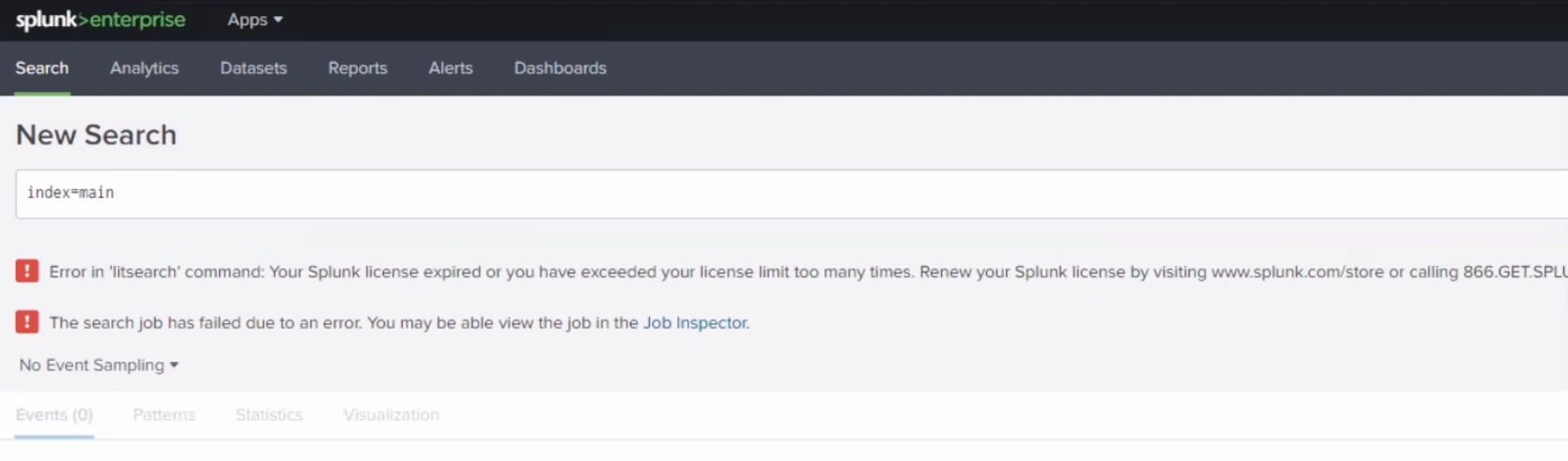
Error in 'litsearch' command: Your Splunk license expired or you have exceeded your license limit too many times.
Available Languages
Applicability
Splunk EnterpriseDescription
When run search for logs, it throw error as below.Note. don't see this error when run search for internal logs.
Error in 'litsearch' command: Your Splunk license expired or you have exceeded your license limit too many times. Renew your Splunk license by visiting www.splunk.com/store or calling 866.GET.SPLUNK.Example:
Investigation
There are some common root causes for this issue, Let's check them one by one
1. Network issue:
Check whether the host is able to reach License Manager (LM), verify this from the licensing page of this host web.
Check the "Last successful contact time"
Examples: 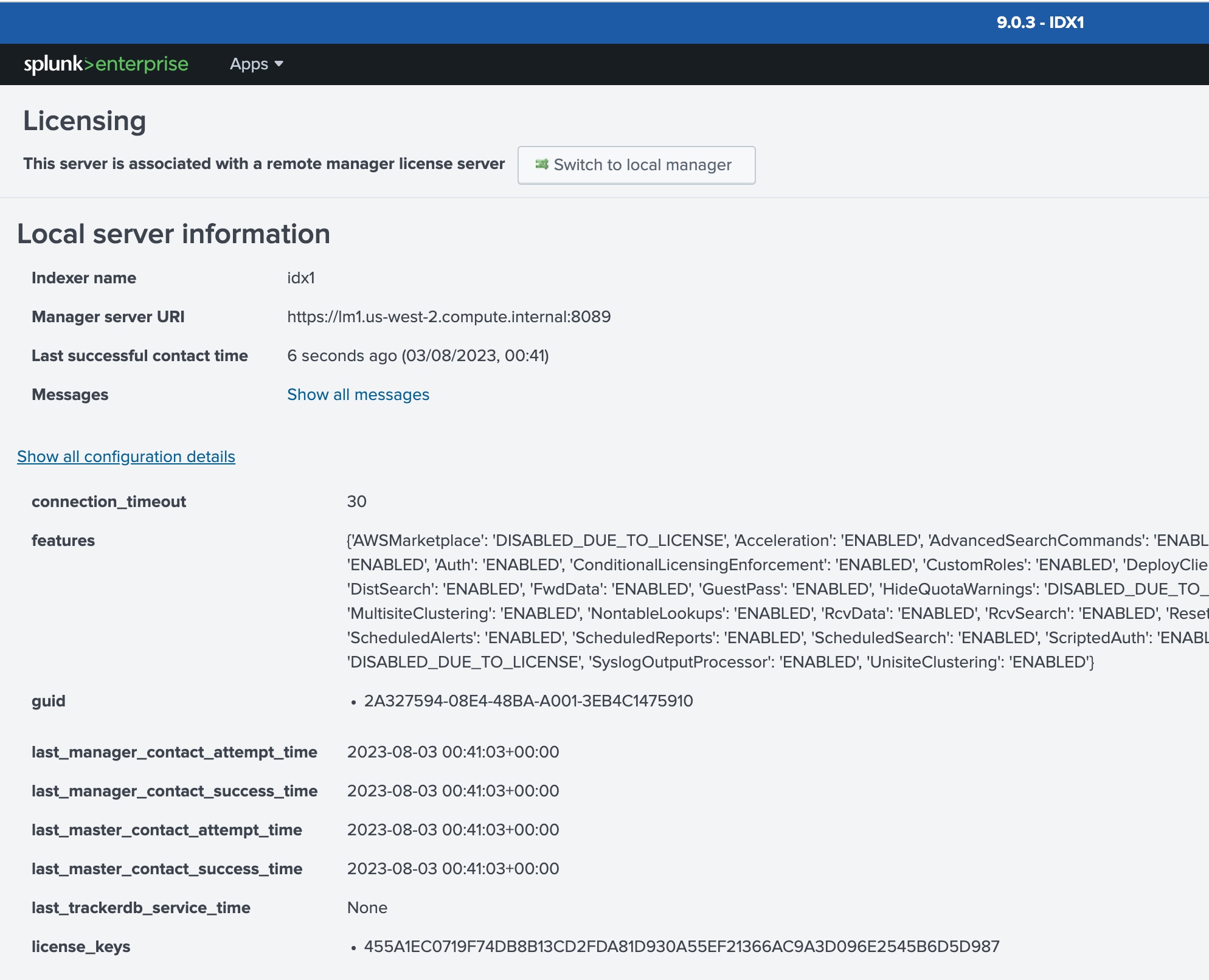
If the License Manager is being referenced with a DNS name instead of its IP in the manager_uri at server.conf, try changing it to the IP to see if there is something wrong with the DNS. This can be reviewed by running the following command:
./splunk btool server list --debug | grep local | grep license
2. License is expired
Check the LM
Examples: 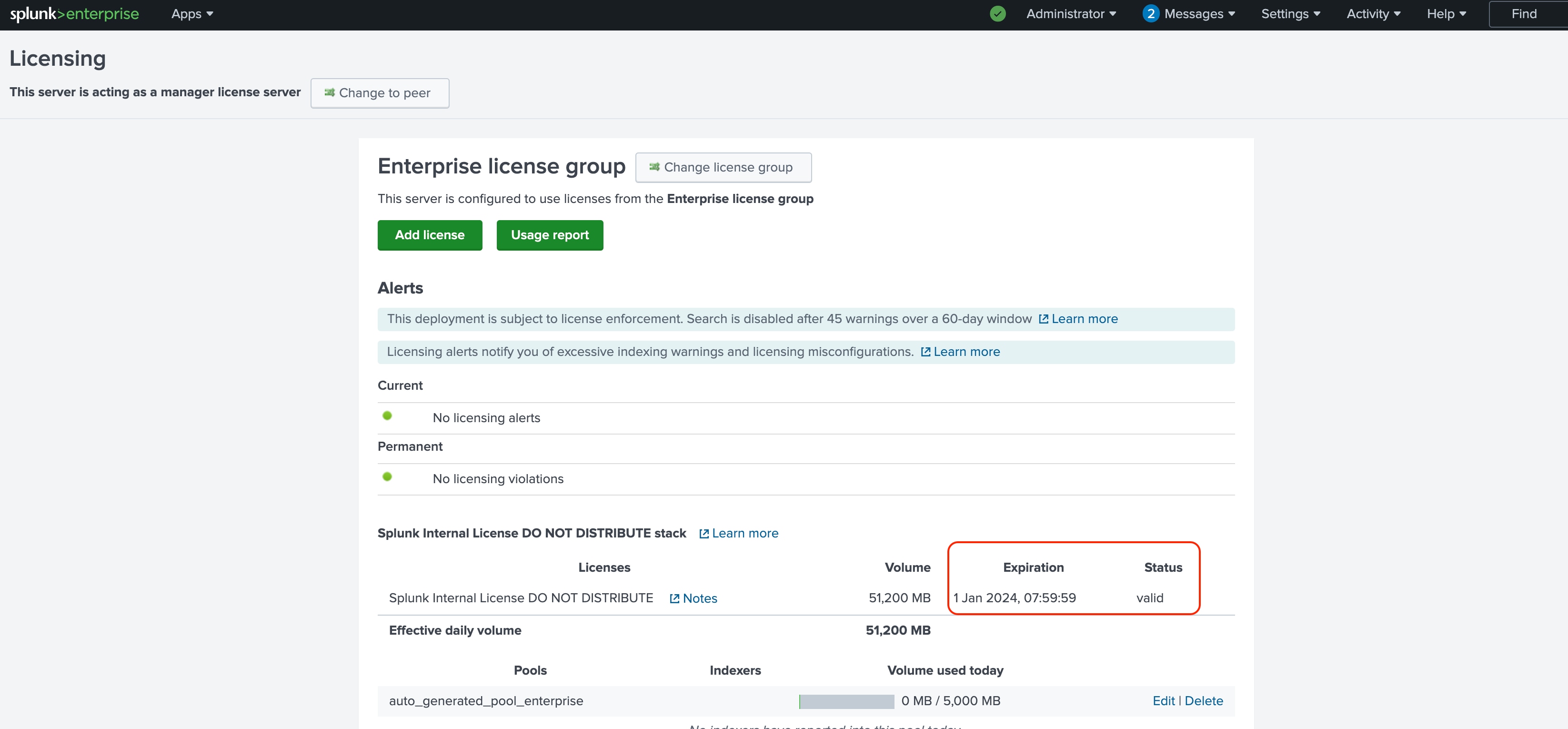
If the status states "Expired", contact Sales about getting a new license.
It's also possible that the status states "FROM_THE_FUTURE". This means that a license that's not yet valid has been applied. Check the Support Portal and download the license that's currently valid.
3. pass4SymmKey is mismatched
This can be found in the log "Signature mismatch between license slave=xxxxx and this License Master."
Verify that the pass4Symmkey_minLenght in server.conf is the same between the license peer and the license master.
Examples:
07-27-2023 14:47:09.987 +0800 WARN HTTPAuthManager [32329 MainThread] - pass4SymmKey length is too short. See pass4SymmKey_minLength under the general stanza in server.conf.07-27-2023 14:40:56.980 +0800 WARN LMTracker [26884 MainThread] - attempting to contact master=https://XXXXXXX:8089 from slave=04A44791-4660-4A5A-9E0B-XXXXXX failed. err==WARN: path=/masterlm/usage: Signature mismatch between license slave=XXXXXXXXX and this License Master. Please make sure that the pass4SymmKey setting in server.conf, under [general], is the same for the License Master and all its slaves from ip=172.31.72.XXX
4. License Violation
You have exceeded your license limit too many times
Check the "license_status"
[+] license_status=ENABLED
Examples:
07-27-2023 17:13:44.902 +0800 INFO Metrics - group=instance, name=instance, instance_roles="cluster_search_head, search_head, search_peer, kv_store, shc_captain", index_cluster_label=none, index_cluster_status=non-clustered, sh_cluster_label=E2EMON_PROD_SHCLUSTER, license_status=ENABLED, instance_guid=7227A247-9216-4365-B9B2-xxxxxxxxxxxxx, server_name=XXXXXXXXX
[+] license_status=DISABLED_DUE_TO_VIOLATION
Examples:
07-27-2023 16:52:52.582 +0800 INFO Metrics - group=instance, name=instance, instance_roles="indexer, kv_store", index_cluster_label=none, index_cluster_status=non-clustered, license_status=DISABLED_DUE_TO_VIOLATION, instance_guid=04A44791-4660-4A5A-9E0B-XXXXXXXX, server_name=XXXXXXXXX
[+] license_status=DISABLED_DUE_TO_GRACE_PERIOD
Examples:
09-24-2023 21:44:23.371 +0000 INFO Metrics - group=instance, name=instance, instance_roles="indexer, cluster_slave, cluster_peer, search_peer", index_cluster_label=xxxxx, index_cluster_status=Up, license_status=DISABLED_DUE_TO_GRACE_PERIOD, instance_guid=xxxx, server_name=splunk-xxxxxx
Related Links
How Splunk Enterprise licensing works
Revision History
| Revision | Publish Date | Comments |
|---|---|---|
1.0 |
30-Sep-2026
|
Initial Release |
 Feedback
Contact Cisco
- Open a Support Case

- (Requires a Cisco Service Contract)