How to generate self-signed certificate for SplunkWeb with browser trusted CA
Available Languages
Applicability
Splunk EnterpriseDescription
This KCS describes the step by steps process to create a self signed certificate.
Investigation
Step 1: Generate CA root certificate
1. Generate CA private key.
openssl genrsa -aes256 -out myCAPrivateKey.key 2048
2. Create a certificate sign request file called ca_req.conf (Need to use csr file to add X509v3 parameters)
[req]
distinguished_name = req_distinguished_name
policy             = policy_match
x509_extensions     = v3_ca# For the CA policy
[policy_match]
countryName_default     = HK
organizationName_default = HK
commonName              = splunk-apac[req_distinguished_name]
countryName_default             = HK
organizationalUnitName_default  = HK
commonName                      = splunk-apac
commonName_max                  = 64[v3_ca]
subjectKeyIdentifier = hash
authorityKeyIdentifier = keyid:always,issuer
basicConstraints = critical,CA:true
keyUsage = digitalSignature, keyCertSign, cRLSign
3. Generate csr file
openssl req -new -x509 -days 3650 -config ca_req.conf -key myCAPrivateKey.key -out myCACertificate.pem
4. Confirm X509v3 parameter is there
openssl x509 -text -noout -in myCACertificate.pem|grep X509v3 -A 10
Step 2: Generate self-signed certificate for SplunkWeb
1. Generate certificate private key
openssl genrsa -aes256 -out mySplunkWebPrivateKey.key 2048
2. Create a certificate sign request file called cert_req.conf (Need to use csr file to add X509v3 parameters)
(Need to change the IP address to the actual server IP)
[req]
distinguished_name = req_distinguished_name
req_extensions = v3_req
prompt = no
[req_distinguished_name]
C = US
ST = VA
L = SomeCity
O = MyCompany
OU = MyDivision
CN = splunkhk[v3_req]
keyUsage = keyEncipherment, digitalSignature, cRLSign
extendedKeyUsage = serverAuth
subjectAltName = @alt_names[alt_names]
IP.1 = xx.xx.xx.xx
3. Generate CSR file
openssl req -new -out mySplunkWebCert.csr -new -key mySplunkWebPrivateKey.key -config cert_req.conf
4. Generate a self-signed certificate with the previously generated root CA.
openssl x509 -req -in mySplunkWebCert.csr -CA myCACertificate.pem -CAkey myCAPrivateKey.key -CAcreateserial -out mySplunkWebCert.pem -days 1095 -extensions v3_req -extfile cert_req.conf
5. Confirm X509v3 parameter is there.
openssl x509 -text -noout -in mySplunkWebCert.pem |grep X509v3 -A 10
Resolution
Step 1: Configure web.conf to use the self-signed certificate.
[settings]
enableSplunkWebSSL = true
privKeyPath = /opt/splunk/etc/auth/mycerts/mySplunkWebPrivateKey.key
serverCert = /opt/splunk/etc/auth/mycerts/mySplunkWebCert.pem
sslPassword = <password of the private key>
Step 2: For mac OS (Import CA certificate)
- copy myCACertificate.pem to mac book
- import it to KeyChain. Open KeyChain and then File > Imports
- Select the imported certificate and select 'Trust' and select 'Always Trust'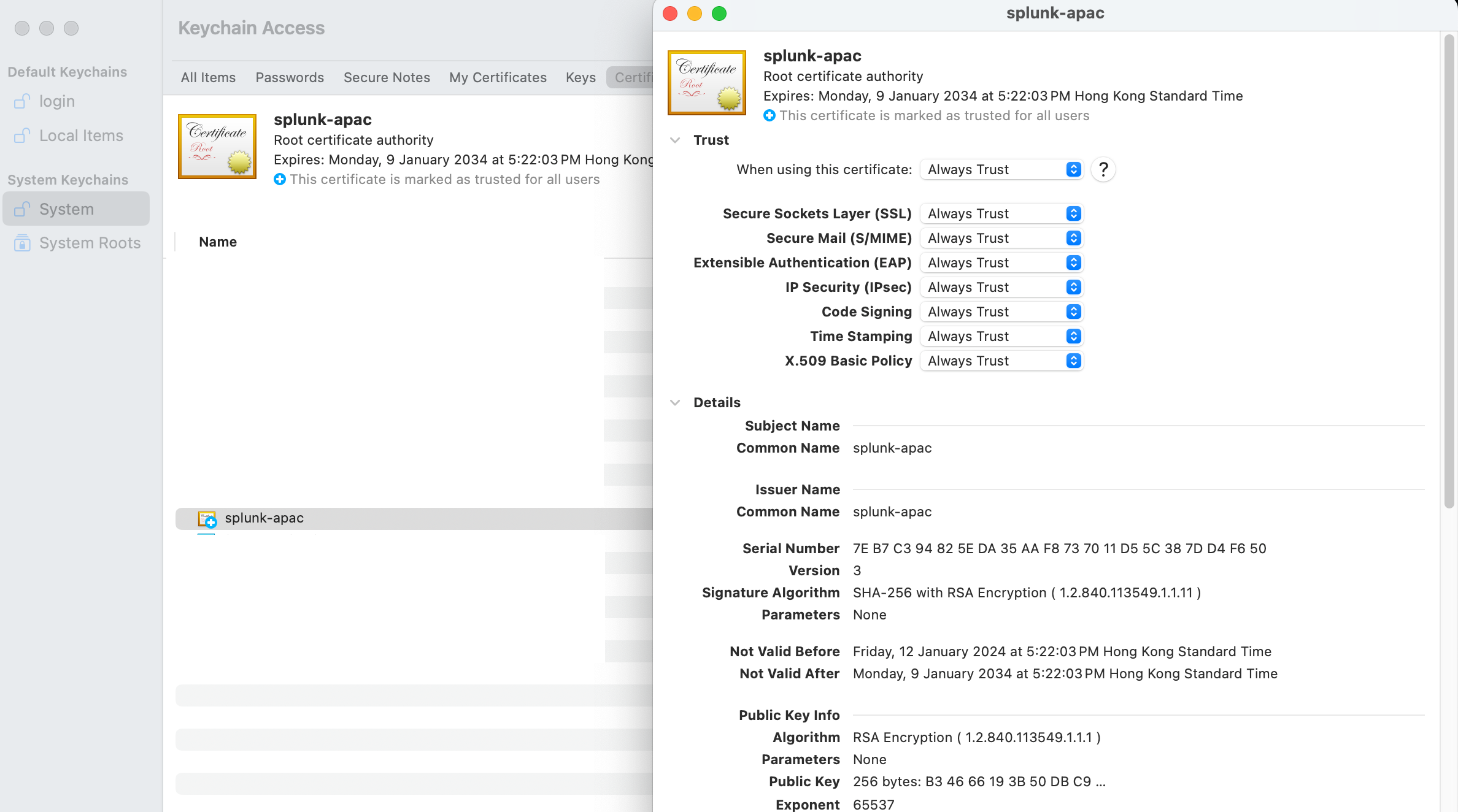
Step 3: For Windows OS (Import CA certificate)
Using Google Chrome in this example, start Google Chrome
Click Customize and control Google Chrome button in the upper right corner
Choose Settings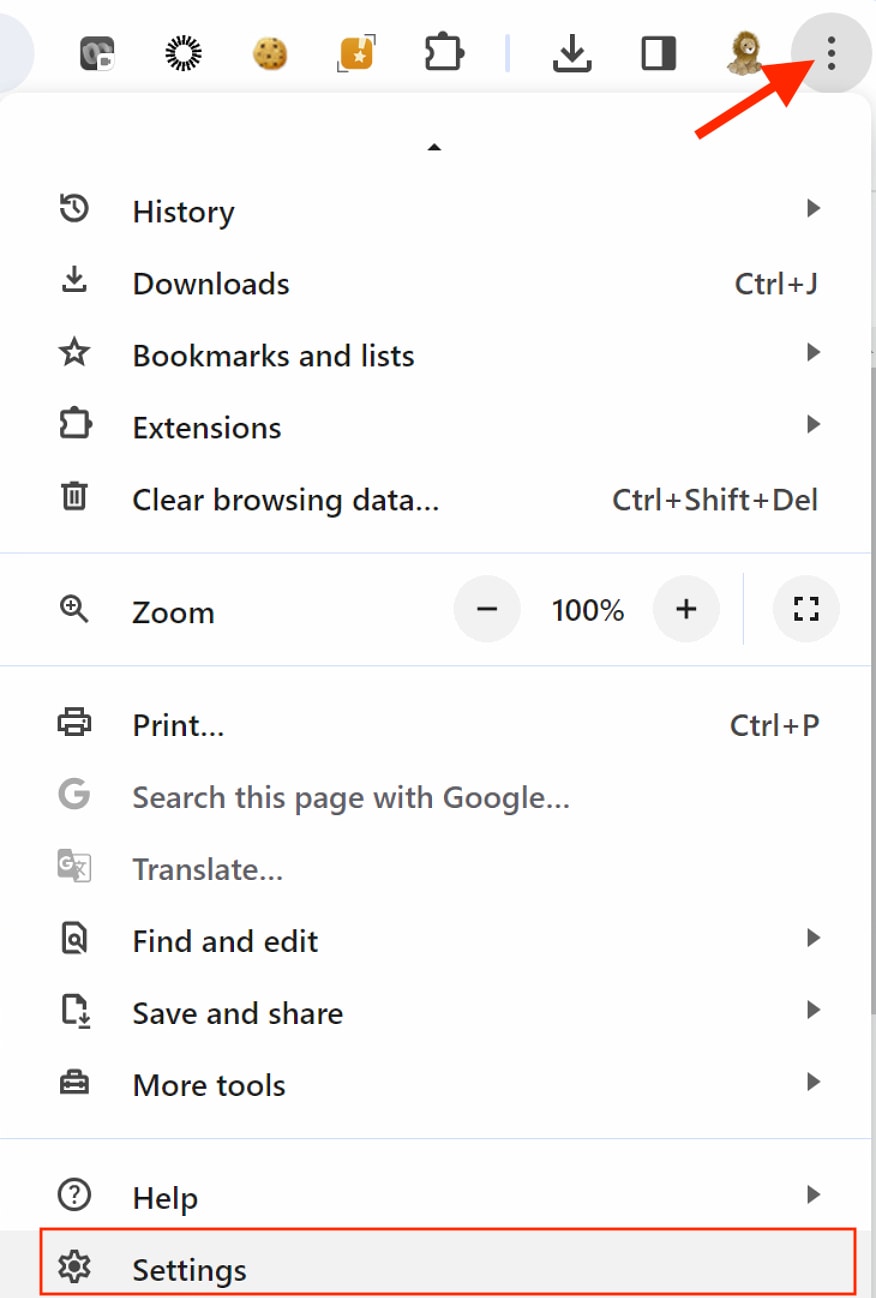
Under Privacy and security section, select security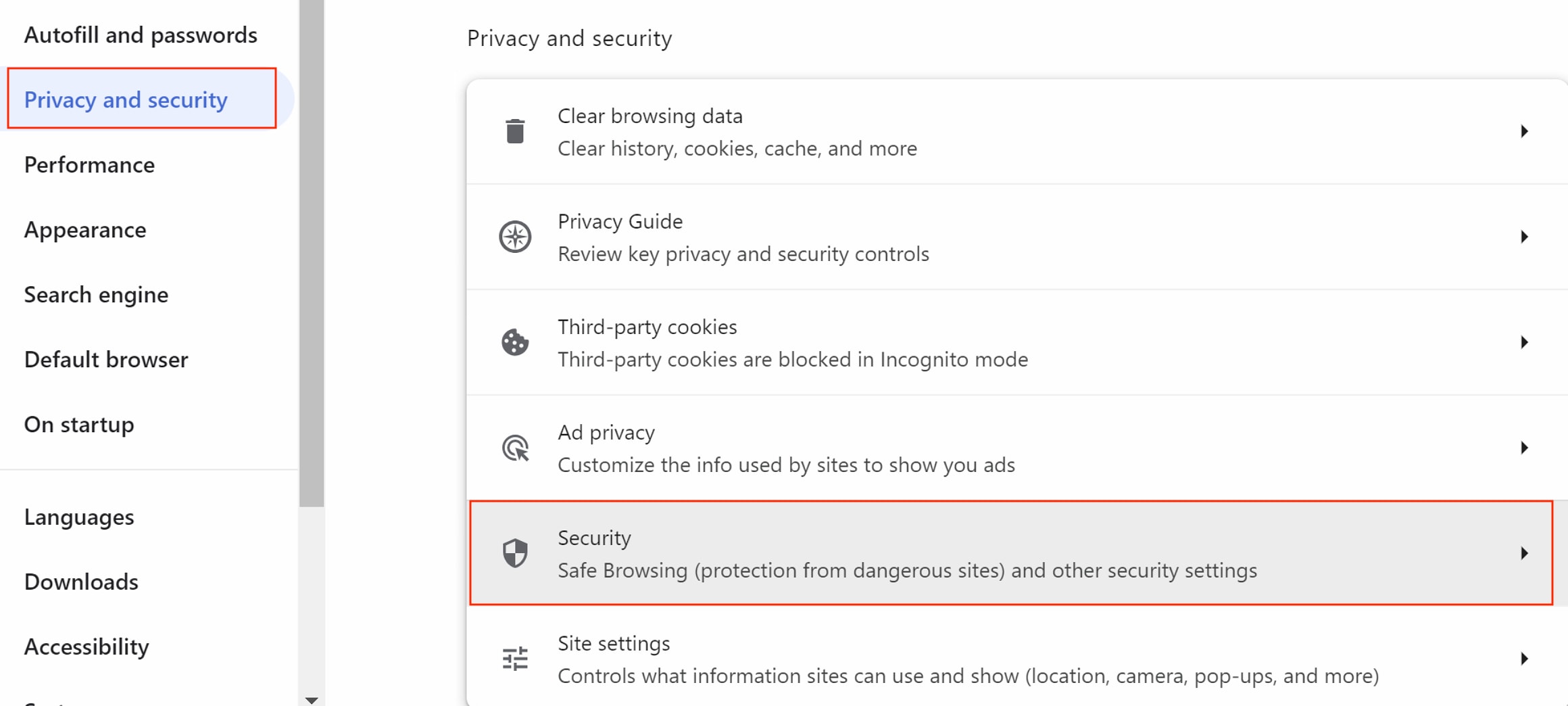
Then, select Manage Certificates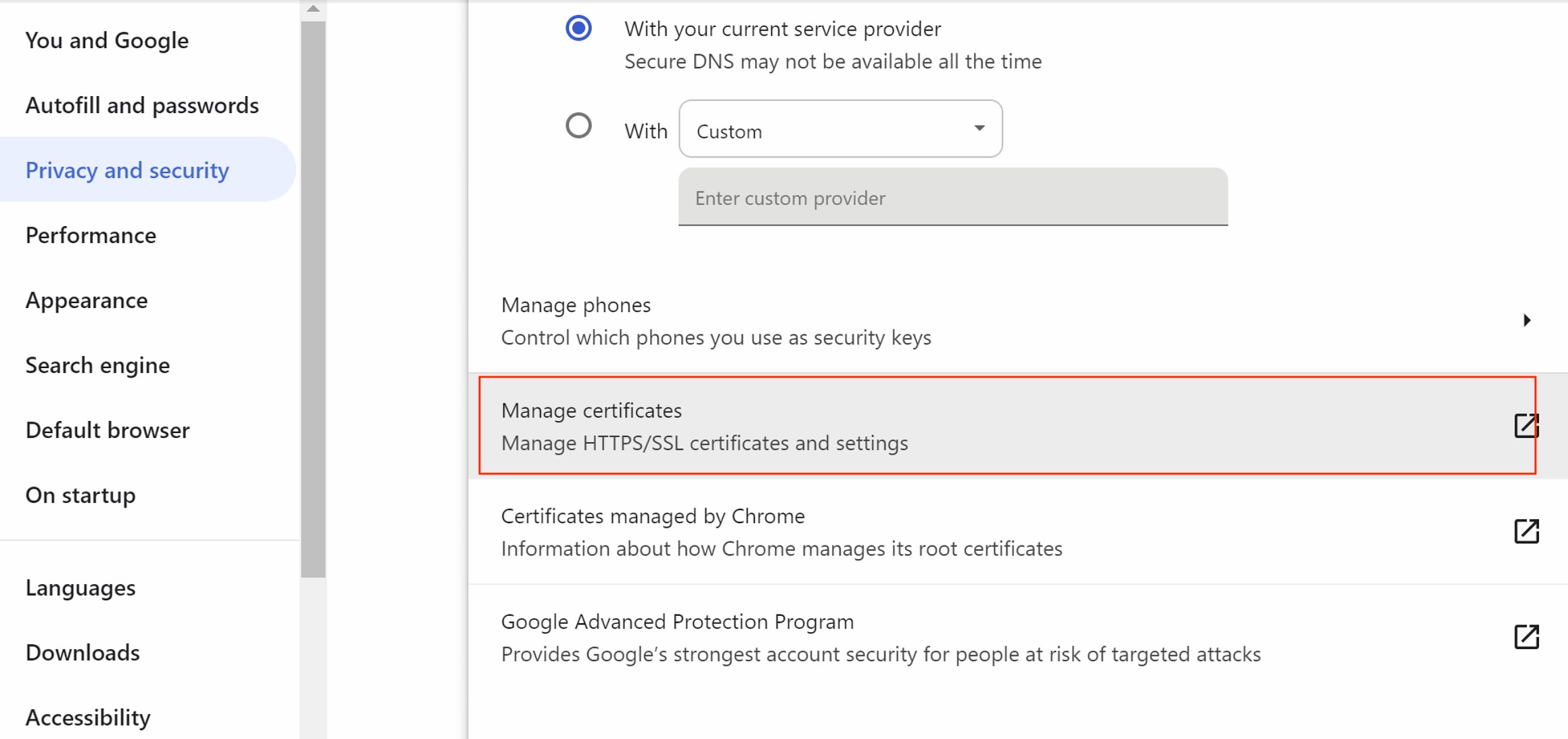
Choose Trusted Root Certification Authorities tab
Click Import and follow the instructions to import CA certificate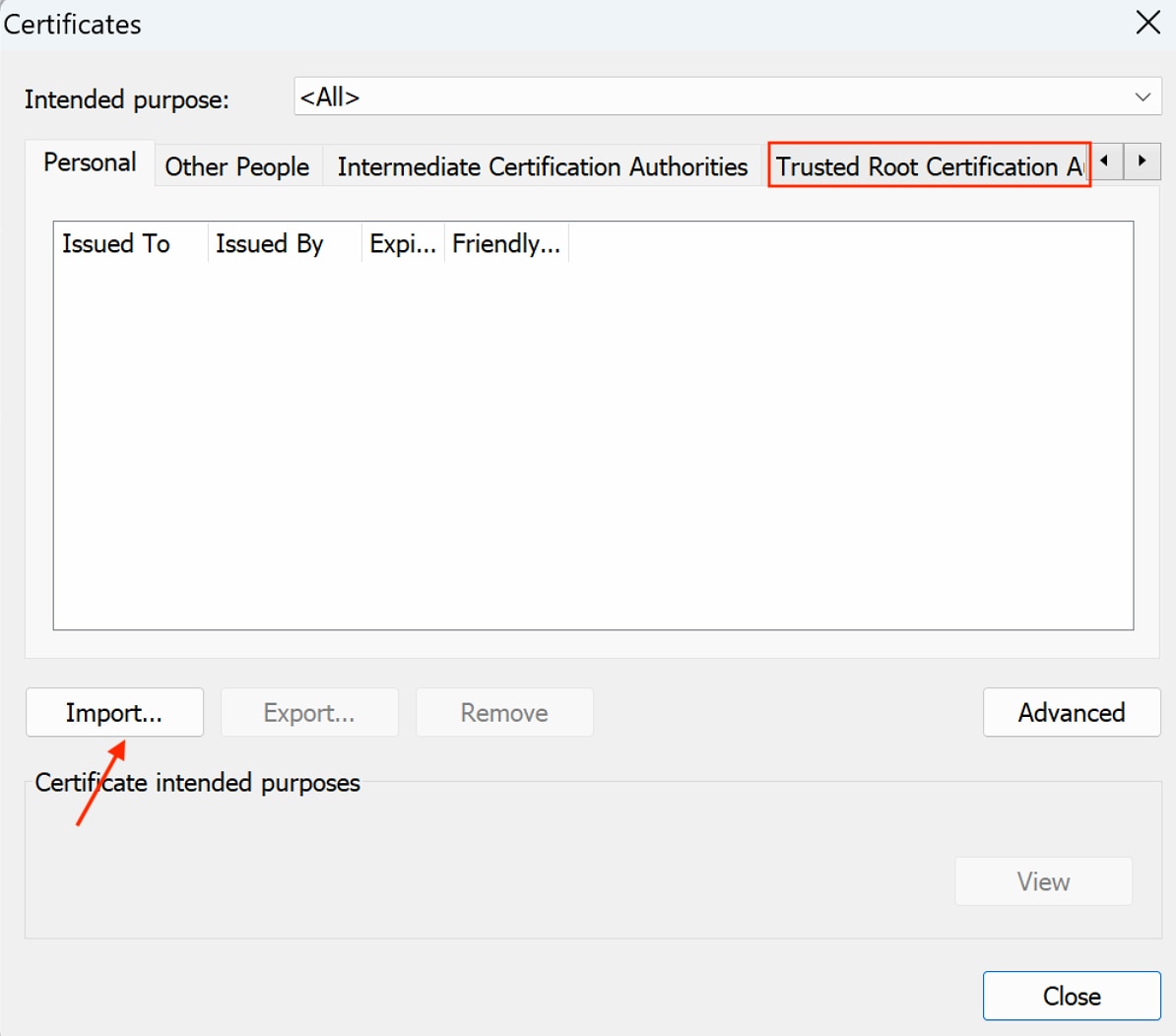
Finally, confirm the certificate is there.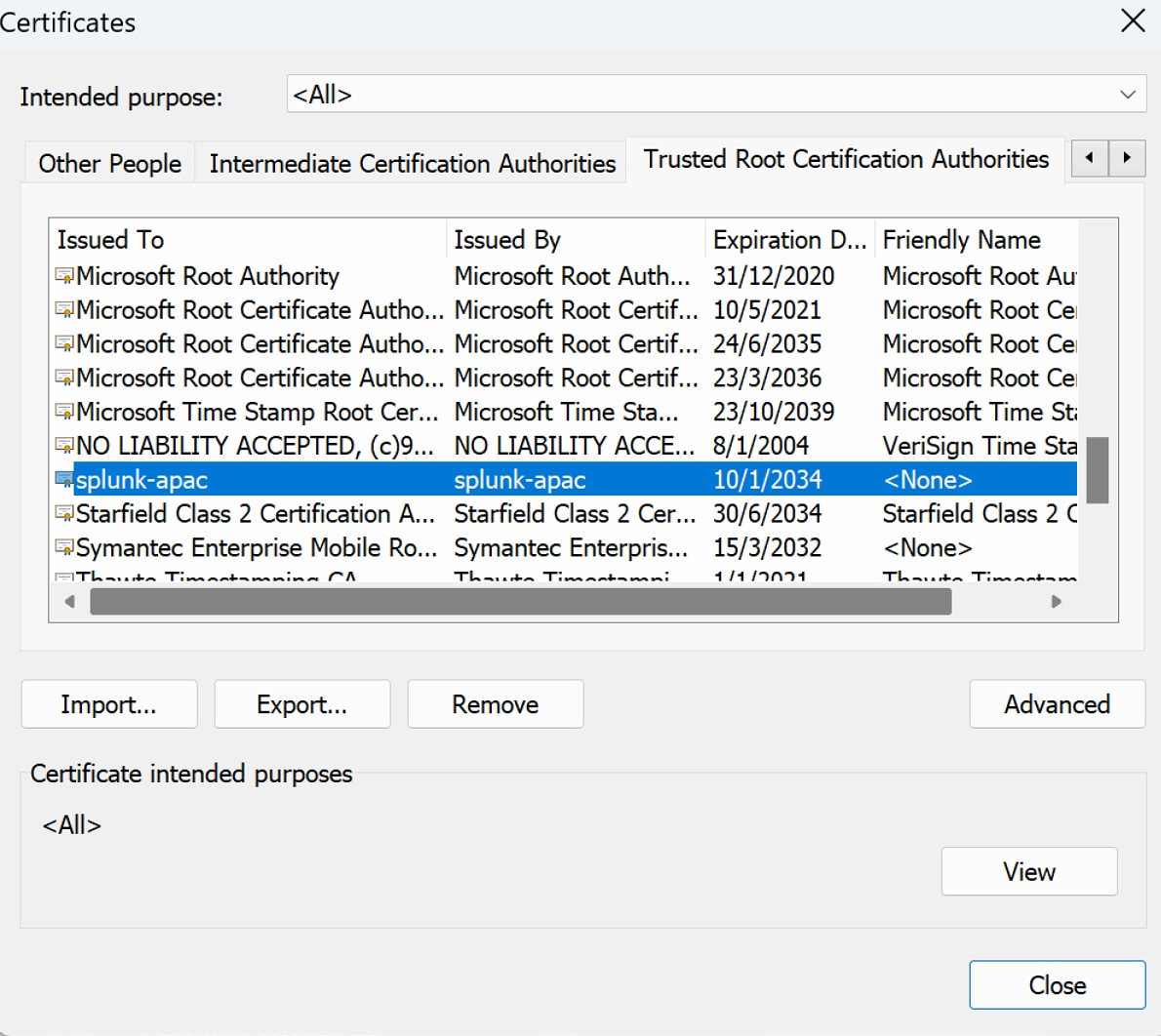
Revision History
| Revision | Publish Date | Comments |
|---|---|---|
1.0 |
29-Sep-2026
|
Initial Release |
 Feedback
Contact Cisco
- Open a Support Case

- (Requires a Cisco Service Contract)