Unable to pass row.field value to "Link to search" successfully in Dashboard Studio Video
Available Languages
Applicability
Splunk Enterprise 9.x.x versionsDescription
Having a working Classic Dashboard with a table like below, it is possible to use the Interaction capability to drill down into a Link to Search based on the "host" field in the table by going to add interaction to "Link to search" --> add xxx=$row.xxx$
(host=$row.host$. ) So that by clicking the name of each host in the table passes that value to an SPL search.
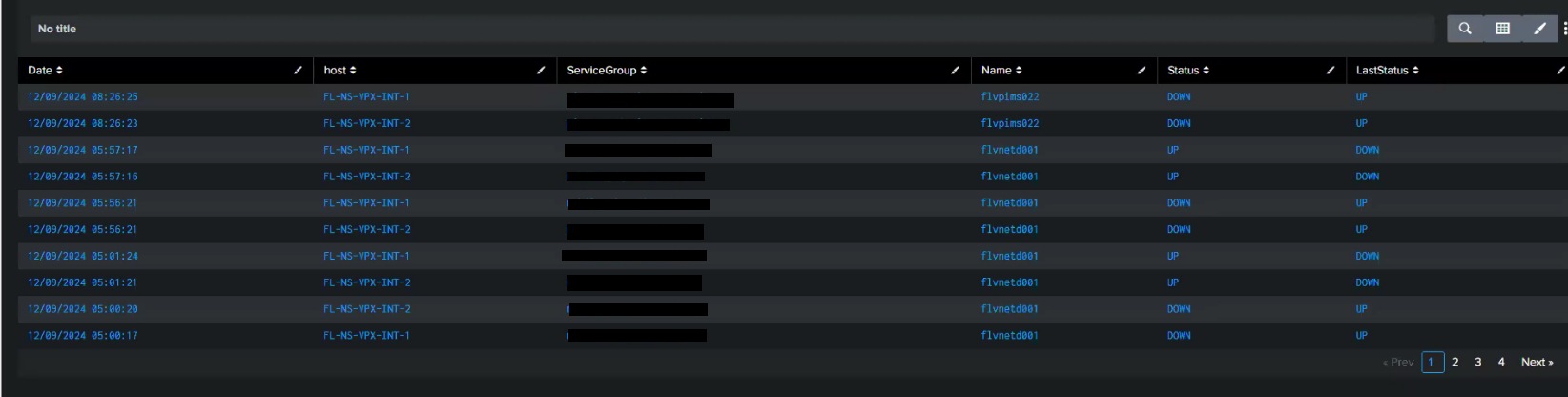
However this doesn't work exactly the same for Dashboard Studio without doing modifications, but when clicking one of the host in the same table in dashboard studio this doesn't pull the name of the host and pass it but pass this host=$row.host$.
Investigation
After discarding other possibilities related to configuration or system resources that it must be due to the same functionality requires other steps and syntax in Dashboard Studio. More specifically, after doing research it was identified in the Dashboard studio documentation that it is necessary to use this token row.<fieldname>.value
In this case it is necessary to select Set Tokens instead of Link to search
The followings steps are required for setting up tokens: (this is available in the documentation shared below)
-
Navigate to the Interactions section of the Configuration panel.
-
Click +Add Interaction
-
In the On Click dropdown, select Set Tokens
-
Click +Set Another Token
-
In the Set Token dropdown select either Use predefined token or Enter static value.
-
A predefined token captures information to display dynamically
-
A static value is a string
-
-
In the Create a name field, type a name for your token. Token names are used to reference the token elsewhere in the dashboard with the
$token_name$syntax -
In the Choose an event field, select either name, value, or row.<fieldname>.value
-
name is the field name of the value/location clicked
-
value is the value of the location clicked
-
row.<fieldname>.value is the value in the specified series corresponding to the location clicked
-
Resolution
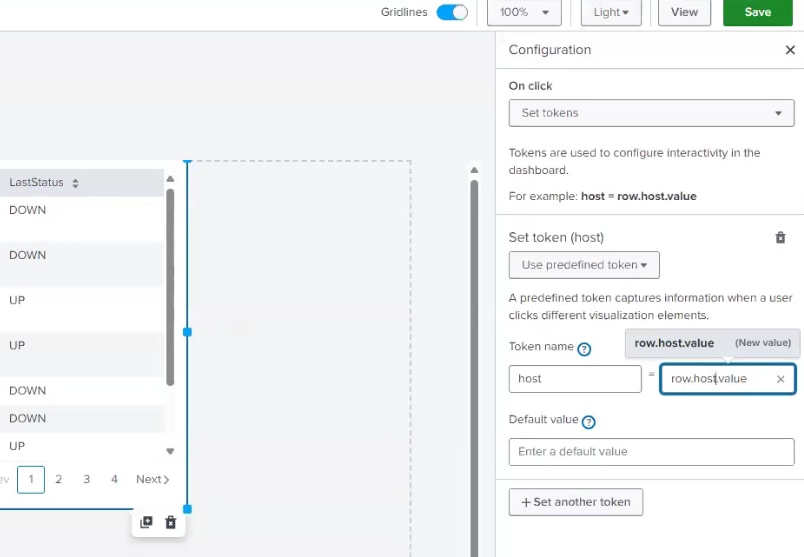
So using the token name host and token value row.host.value (matching this syntax row.<fieldname>.value)
and using the value of host=$host$ in the SPL instead of host=$row.host$ would make it work successfully
in Dashboard Studio passing the actual value of the host to the search after clicking on the value from
the table
Related Links
Setting tokens on a visualization click
Revision History
| Revision | Publish Date | Comments |
|---|---|---|
1.0 |
29-Sep-2026
|
Initial Release |
 Feedback
Contact Cisco
- Open a Support Case

- (Requires a Cisco Service Contract)