Accessing Splunk Web UI: [Settings > Data Inputs] (/manager/launcher/datainputstats) results in a 503 or delay accessing/ displaying list in Web UI.
Available Languages
Applicability
Splunk EnterpriseDescription
When accessing the Splunk Web UI: [Settings > Data Inputs] (/manager/launcher/datainputstats) - this results in a 503 or delay accessing/displaying list in Web UI.
This only affected the [Settings > Data Inputs] (/manager/launcher/datainputstats) and no other section of the Web UI.
Investigation
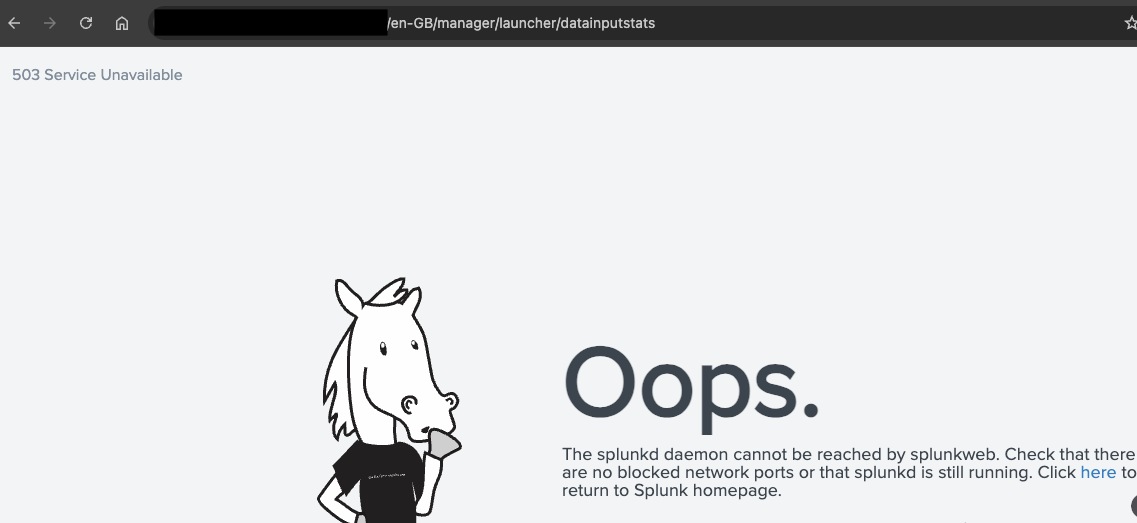
1) It was found that when accessing only the Data Inputs page via the below link, the Web UI would hang and eventually timeout.
a) Web UI: [Settings> Data Inputs]
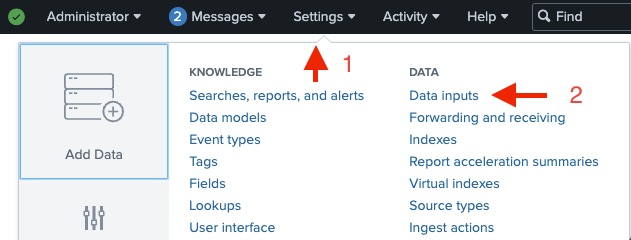
b) This resulted in a 503 Service Unavailable timeout for the http://X.X.X.X:8000/en-GB/manager/launcher/datainputstats URL:
2) This was partially resolved by increasing the web.conf splunkdConnectionTimeout timeout to 300 :
splunkdConnectionTimeout = 300splunkdConnectionTimeout = <integer>
* The amount of time, in seconds, to wait before timing out when communicating with
splunkd.
* Must be at least 30.
* Values smaller than 30 will be ignored, resulting in the use of the
default value
* Default: 30
3) The Web UI would display a blank page until after approximately 3 minutes it would display the Data Inputs menu page. The timeout was set to 300 seconds (5mins) indicating this was a real wait time rather than indefinite timeout.
4) Looking at the web_service.log for splunkd - there was reference to various data inputs paths timing out.
index=_internal sourcetype=*web_services.log* ERRORa) The below log line path references a Data Inputs sub-section [data/inputs/tcp/remote_raw]
b) This path [data/inputs/tcp/remote_raw] within the Data Inputs page is known as "Forwarder Data Inputs > TCP".
Error connecting to /servicesNS/admin/search/deployment/server/setup/data/inputs/tcp/remote_raw: The read operation timed out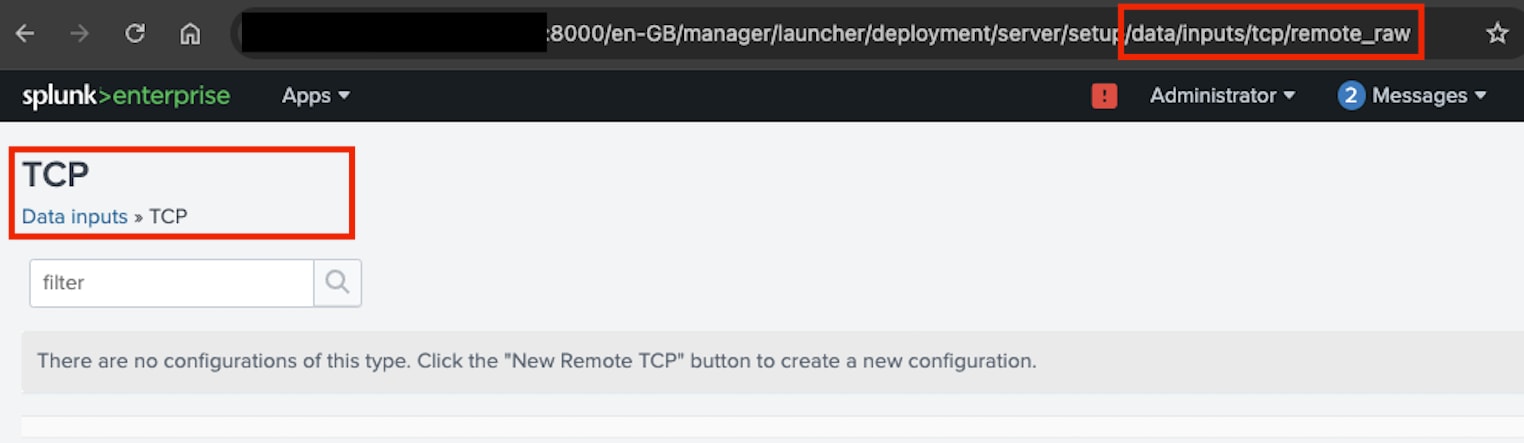
5) Going directly to the URL for the "Data Inputs" sub-sections once the page had loaded was instant. However, going back to the Data Inputs menu page produced the delay again, indicating it was not an initial caching issue and was sometime checking in real time.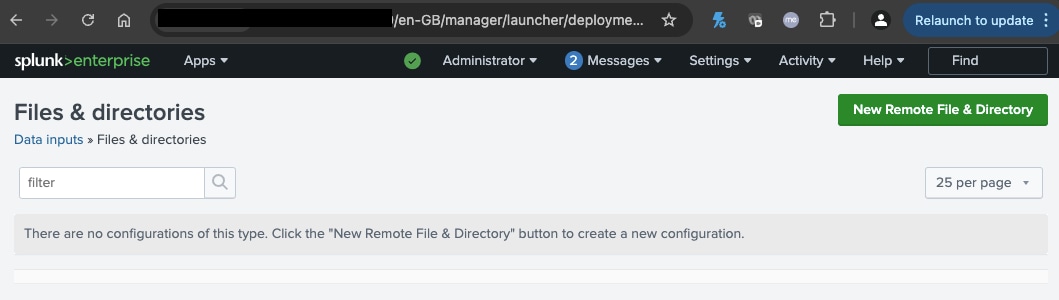
For example - Data Inputs Sub-Sections direct URL path:
Files & Directories
Monitor files or directories on forwarders.
http://X.X.X.X:8000/en-GB/manager/launcher/deployment/server/setup/data/inputs/remote_monitor
TCP
Listen on a TCP port for incoming data, e.g. syslog.
http://X.X.X.X:8000/en-GB/manager/launcher/data/inputs/tcp/raw
6) In "Forwarder Inputs" section of the Data Inputs page, there were a high number of configured inputs (> 4000) for one of the data inputs sub-sections: "Files & Directories"
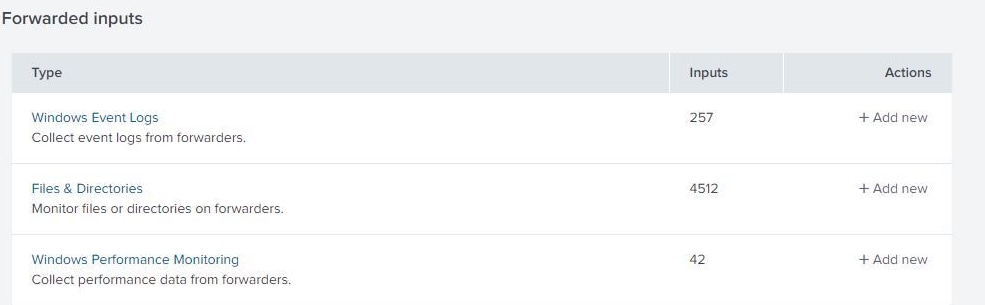
7) During lab testing it was found that when manually reducing the 4000 down to 3000 and then 2000 and 1000, the delay in loading the Data Inputs page was reduced at each reduction.
8) Discussions with the developers indicated that this was expected behaviour due to the design of the Web GUI and from API calls the Data Inputs page made which was why there is a delay. Sub-sections with large numbers of configurations are not affected by this delay as they are called in small numbers and limited by number to display on page.
Resolution
1) Discussions with the developers proceeded and this will be redesigned in a later version, however there is no timeframe for this as this is an operational redesign rather than a code fix.
2) However, the workarounds to reduce the Web UI delay are:
a) reduce the number of inputs configured
or
b) manually go to the URL path of each sub-section directly to avoid the delay i.e.
Files & Directories
Monitor files or directories on forwarders.
http://X.X.X.X:8000/en-GB/manager/launcher/deployment/server/setup/data/inputs/remote_monitor
TCP
Listen on a TCP port for incoming data, e.g. syslog.
http://X.X.X.X:8000/en-GB/manager/launcher/data/inputs/tcp/raw
Related Links
Revision History
| Revision | Publish Date | Comments |
|---|---|---|
1.0 |
29-Sep-2026
|
Initial Release |
 Feedback
Contact Cisco
- Open a Support Case

- (Requires a Cisco Service Contract)