Splunk Universal Forwarder not sending logs due to Service Logon Configuration
Available Languages
Applicability
Splunk Enterprise Universal Forwarder (Windows)Description
The Splunk Universal Forwarder on a Windows machine was running, however, it was not sending logs to the Heavy Forwarder.
Network connectivity tests were successful, but error 1069 in the service logon configuration was identified. 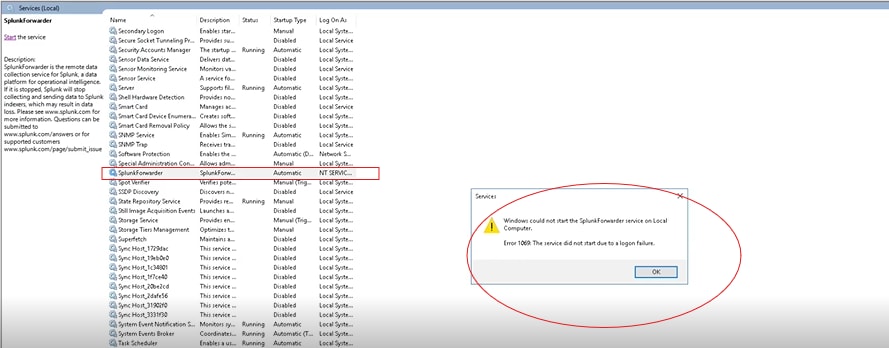
Investigation
Upon investigation, it was found that the Splunk Universal Forwarder service was running via services.msc, but logs were not being forwarded.
Verified network connectivity tests using telnet and openssl and confirmed that the connection between the UF and HF is successful.
telnet <HF_IP> 9997
openssl s_client -connect <HF_IP>:9997
Upon further inspection, error **1069** was found in the Windows services. 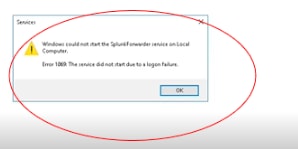
The error *1069* specifically indicates that the service failed to start due to a logon failure. This can occur if the account is being used to run the service that doesn’t have the required permissions.
Note: Each service in Windows needs appropriate permissions to access the system and perform its tasks. If the logon account for a service lacks the necessary permissions, the service can run into issues, such as being unable to access certain files or network resources.
Resolution
To mitigate the issue, follow the below steps :
i. In the Logon tab of the service properties, select the Local System Account and tick on the option Allow service to interact with desktop, this allows the UF service to be configured to use the Local System Account.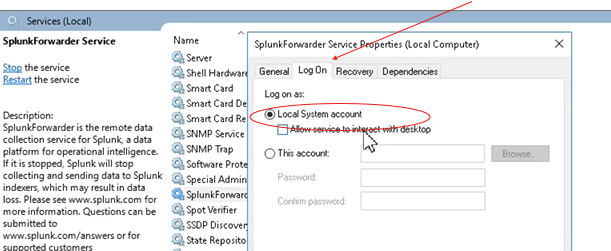
ii. By selecting the Local System Account option, services has sufficient permissions to read the necessary log files and communicate with the Heavy Forwarder.
Note : The Local System Account has broad privileges, including the ability to read local logs and communicate over the network.
iii. Restart the Windows server to ensure the logon configuration was applied correctly.
iv. After the restart, logs began reporting successfully from the UF to the HF. UF could perform its functions without further permission issues.
v. Verified the successful forwarding of logs by checking the Deployment Server (DS) and confirming the logs were ingested as expected.
Revision History
| Revision | Publish Date | Comments |
|---|---|---|
1.0 |
29-Sep-2026
|
Initial Release |
 Feedback
Contact Cisco
- Open a Support Case

- (Requires a Cisco Service Contract)