Splunk Apps(which uses Python 3.7) Fail with Error "script running failed (exited with code 1)" After the Splunk 9.3.0 or 9.4.0 Upgrade
Available Languages
Applicability
Splunk EnterpriseDescription
After upgrading to Splunk 9.3.0 or 9.4.0 (which uses Python 3.9 by default), some Splunk add-on apps that are compatible with Python 3.7 may not be working.
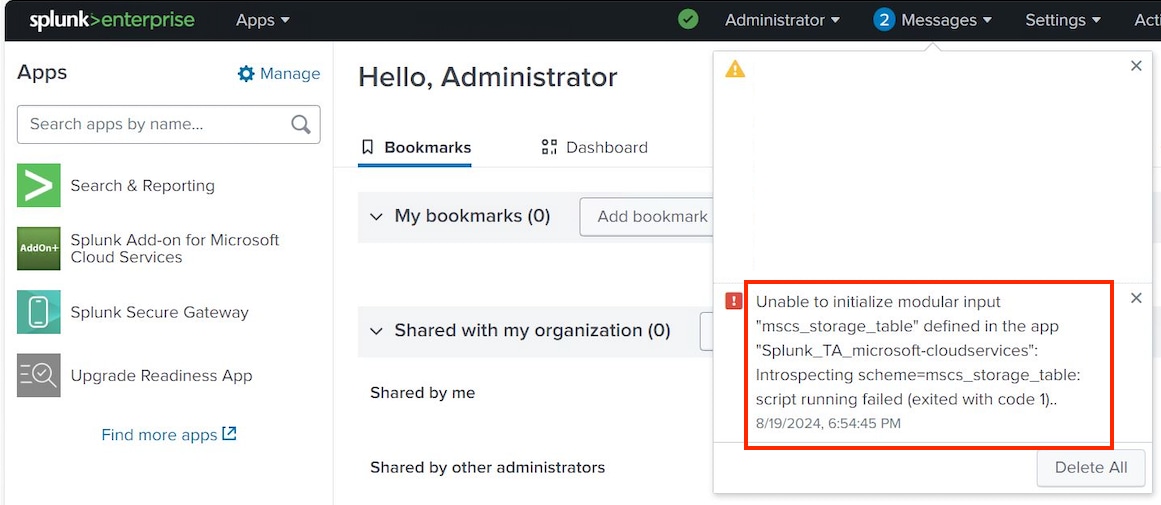
A Bulletin message similar to below will be seen in the Web UI:
Unable to initialize modular input "<input_name defined in the app "<app_name>": Introspecting scheme=<input_name>: script running failed (exited with code 1)..For example, let’s consider the Splunk add-on for Microsoft Cloud Services; you might encounter a similar error like the following
Investigation
► Why?
What's New from version 9.3? -> Splunk Enterprise Python 3.9 upgrade
In this release 9.3.0, the default Python interpreter is set to Python version 3.9. The Python.Version settings has been updated so that the parameter is set to value of force_python3, this forces all Python extension points to use Python 3.9 including overriding any application specified settings.
This is designed to be secure-by-default. If the value is set to python3.9, the default interpreter is set to Python 3.9 but applications can choose to use a different value. Python 3.7 continues to be available in the build for private apps.
Resolution
■ Option #1
Update all apps to latest version which is compatible with Python 3.9
■ Option #2
Set Python 3.7 in Splunk
In Splunk Enterprise, if you need to continue using Python 3.7 for specific applications or scripts, you can configure this by modifying the Python.Version setting in your server.conf files.
Steps to Set Python 3.7:
1. Global Configuration (server.conf):
* If you want to set Python 3.7 as the default interpreter for the entire Splunk instance, you can do this in the server.conf file.
* Edit the server.conf file located at $SPLUNK_HOME/etc/system/local/server.conf.
Add or modify the following setting:
[general]
python.version = python3.7
python.version = python3|python3.7|python3.9|force_python3|unspecified
* For Python scripts only, sets the default Python version to use.
* Can be overridden by other 'python.version' values elsewhere, with the
following exception:
* If you set to "python3" or "python3.7", the system uses Python 3.7.
* If you set to "python3.9", the system uses Python 3.9.
* If you set to "force_python3", the system always uses Python 3.9, and ignores
values for 'python.version' that you set elsewhere.
* If you set to "unspecified", the system calls the python interpreter 'python'
to run scripts. Used on universal forwarders when calling an external instance
of python. This setting value is not supported.
* Default: force_python3Ref:
Revision History
| Revision | Publish Date | Comments |
|---|---|---|
1.0 |
29-Sep-2026
|
Initial Release |
 Feedback
Contact Cisco
- Open a Support Case

- (Requires a Cisco Service Contract)