"Failed to connect with JMX Server" while trying to configure the inputs in Splunk Add-on for Java Management Extensions
Available Languages
Applicability
Splunk Enterprise Splunk Add-on for Java Management Extensions (All versions)Description
While trying to configure a data input in Splunk addon for Java Management Extensions, users might observe the following error messages on the UI resulting unable to configure the data inputs.
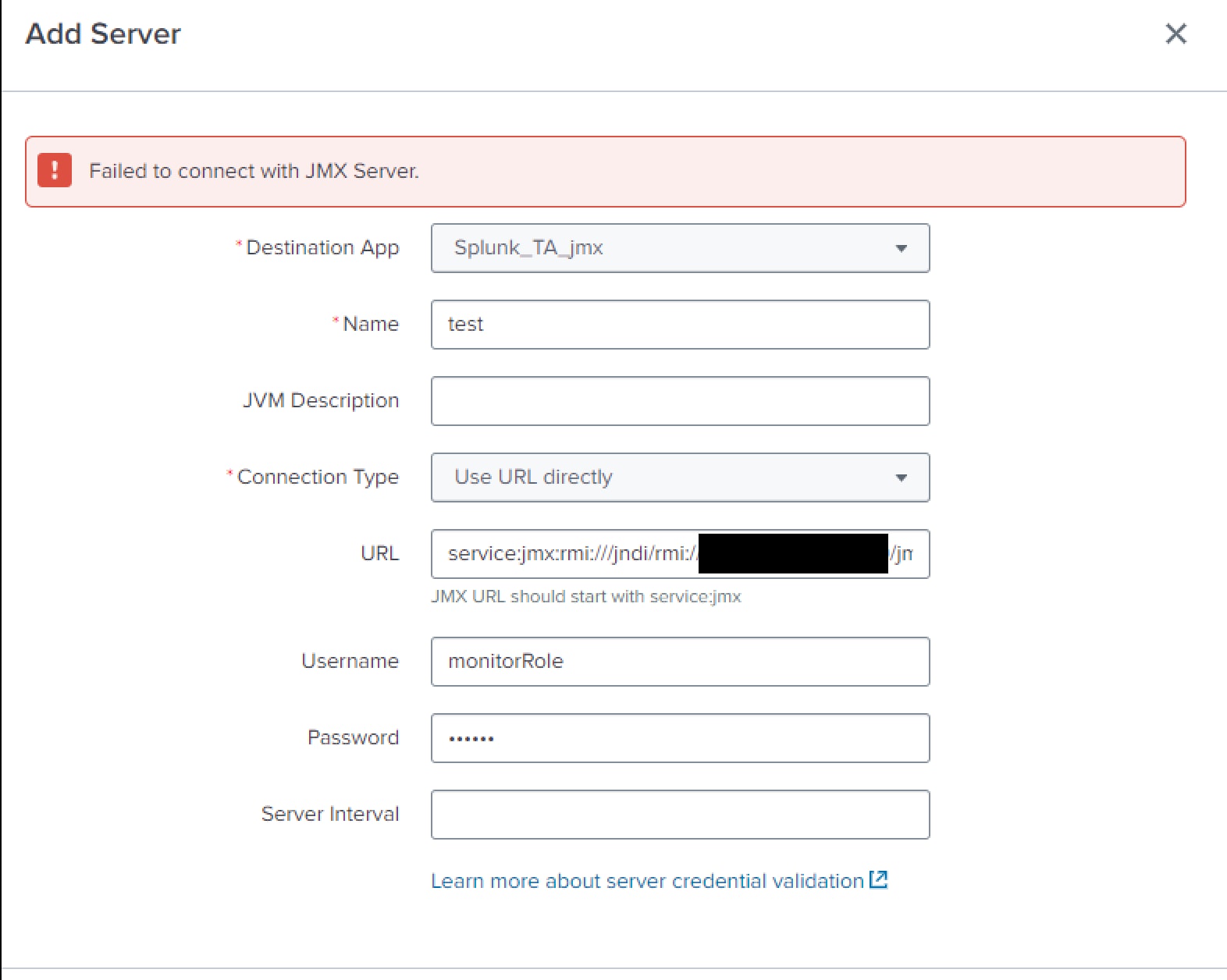
Investigation
Users might observe similar error logs in Splunkd.log as mentioned below:
ERROR AdminManagerExternal [39299 TcpChannelThread] - Stack trace from python handler:\nTraceback (most recent call last):\n File "/opt/splunk/lib/python3.7/site-packages/splunk/admin.py", line 114, in init_persistent\n hand.execute(info)\n File "/opt/splunk/lib/python3.7/site-packages/splunk/admin.py", line 638, in execute\n if self.requestedAction == ACTION_CREATE: self.handleCreate(confInfo)\n File "/opt/splunk/etc/apps/Splunk_TA_jmx/bin/splunk_ta_jmx_rh_server.py", line 257, in handleCreate\n self.handle_request(conf_info, False)\n File "/opt/splunk/etc/apps/Splunk_TA_jmx/bin/splunk_ta_jmx_rh_server.py", line 208, in handle_request\n self.getSessionKey(),\n File "/opt/splunk/etc/apps/Splunk_TA_jmx/bin/splunk_ta_jmx_utility.py", line 264, in perform_validation\n entity,\n File "/opt/splunk/etc/apps/Splunk_TA_jmx/lib/splunktaucclib/rest_handler/endpoint/__init__.py", line 85, in validate\n self._loop_fields("validate", name, data, existing=existing)\n File "/opt/splunk/etc/apps/Splunk_TA_jmx/lib/splunktaucclib/rest_handler/endpoint/__init__.py", line 82, in _loop_fields\n return [getattr(f, meth)(data, *args, **kwargs) for f in model.fields]\n File "/opt/splunk/etc/apps/Splunk_TA_jmx/lib/splunktaucclib/rest_handler/endpoint/__init__.py", line 82, in <listcomp>\n return [getattr(f, meth)(data, *args, **kwargs) for f in model.fields]\n File "/opt/splunk/etc/apps/Splunk_TA_jmx/lib/splunktaucclib/rest_handler/endpoint/field.py", line 58, in validate\n raise RestError(400, self.validator.msg)\nsplunktaucclib.rest_handler.error.RestError: REST Error [400]: Bad Request -- Failed to connect with JMX Server.\nUpon inspecting Splunk addon for Java Management Extensions Specific logs (TA logs), users might see an error related to JAVA as mentioned below:
ERROR pid=30474 tid=MainThread file=splunk_ta_jmx_rh_server_field_validation.py:validate_server_configuration:298 | Failed to connect with JMX Server. Reason: Traceback (most recent call last):
File "/opt/splunk/etc/apps/Splunk_TA_jmx/bin/splunk_ta_jmx_rh_server_field_validation.py", line 289, in validate_server_configuration
server_validation_args, stdin=PIPE
File "/opt/splunk/lib/python3.7/subprocess.py", line 800, in __init__
restore_signals, start_new_session)
File "/opt/splunk/lib/python3.7/subprocess.py", line 1567, in _execute_child
raise child_exception_type(errno_num, err_msg, err_filename)
FileNotFoundError: [Errno 2] No such file or directory: 'java': 'java'
The above logs states that the addon is unable to locate the java executable, which is required to connect to the JMX server. This typically happens when the java executable is not in the system's PATH or when the addon is not able to find it.
Resolution
To resolve this issue, users must perform the validation as mentioned below:
- Users need to ensure that the java executable is accessible from the environment where the Splunk addon for Java Management Extensions is running/installed.
- Users must ensure that Java is installed on the system where Splunk is running. Users can check this by typing
java -versionin the terminal. If Java is not installed, users must install it. - If the JAVA is installed then please make sure that the directory containing the java executable is included in the PATH environment variable. Users can achieve this by adding the Java bin directory to the PATH variable. For example, if Java is installed in
/usr/bin/java, then users must add/usr/binto the PATH. - If Java is installed and the PATH is correctly set, but Splunk still cannot find java, users may need to specify the Java executable path in the Splunk configuration. By setting JAVA_HOME in the splunk-launch.conf file, users can explicitly tell Splunk where to find the Java executable.
Revision History
| Revision | Publish Date | Comments |
|---|---|---|
1.0 |
29-Sep-2026
|
Initial Release |
 Feedback
Contact Cisco
- Open a Support Case

- (Requires a Cisco Service Contract)