The Add-on Builder v4.2.0 UI becomes unresponsive when the Global Banner is implemented in Splunk Forwarder.
Available Languages
Applicability
Splunk Add-on Builder Splunk EnterpriseDescription
To enable the global banner on the Splunk Enterprise Forwarder host, please follow the steps below:
-
Configuration File Creation:
- Add the following configuration file:
./etc/system/local/global-banner.conf
- Add the following configuration file:
-
Configuration Content:
- Include the following settings in the file:
[BANNER_MESSAGE_SINGLETON]
global_banner.background_color = orange
global_banner.message = This is a Global test banner
global_banner.visible = 1
- Below is the Global banner enabled Splunk UI.
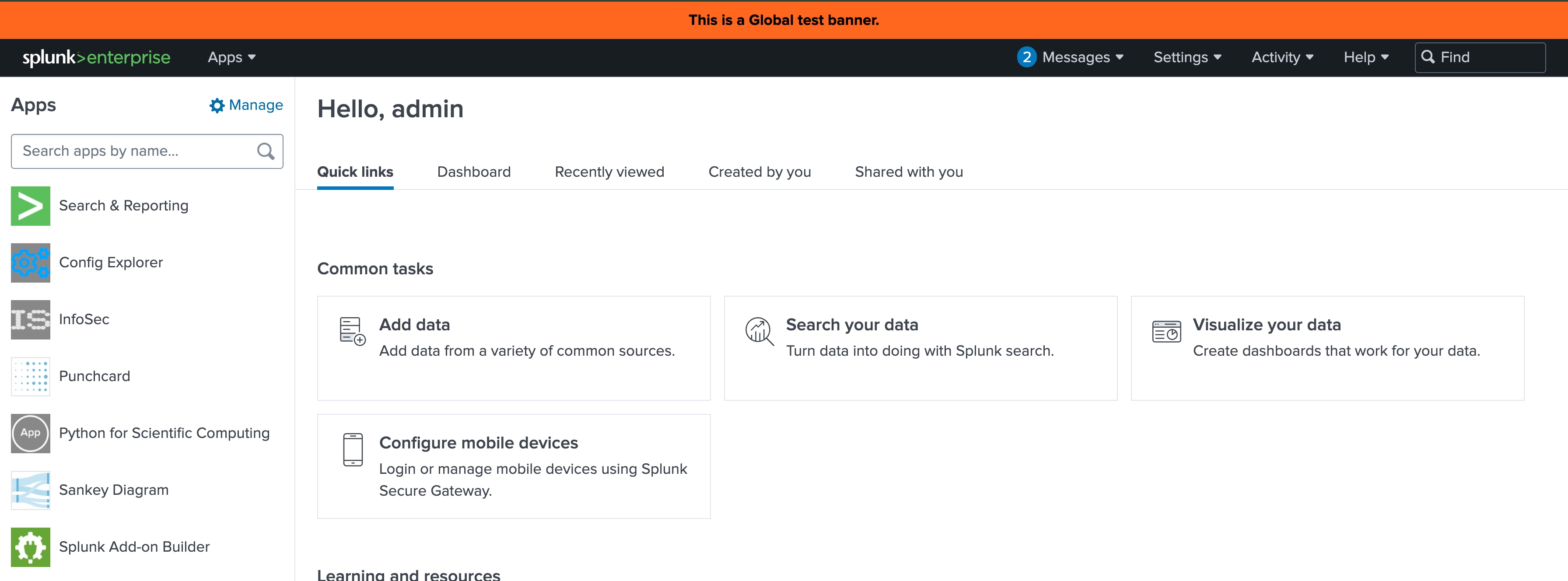
Note: When the Global Banner is enabled, the UI of the Add-on Builder may not display correctly. This behaviour has been confirmed locally. Please refer to the attached screenshots in the investigation section for details on the issue observed with Add-on Builder version 4.2.0.
Investigation
When the Global Banner is disabled, the Add-on Builder v4.2.0 UI functions as expected.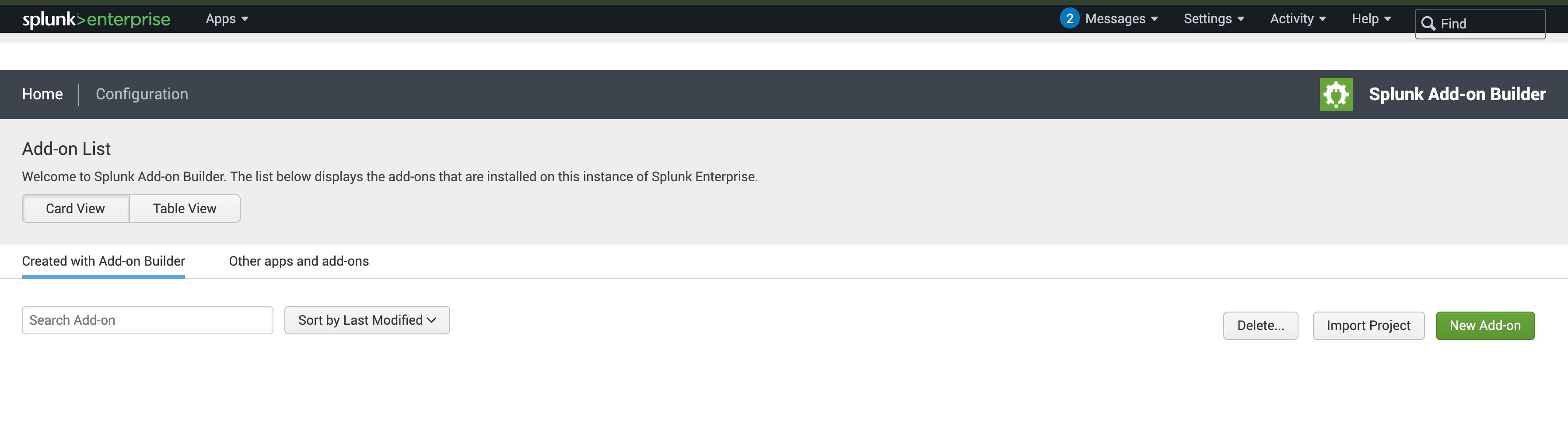
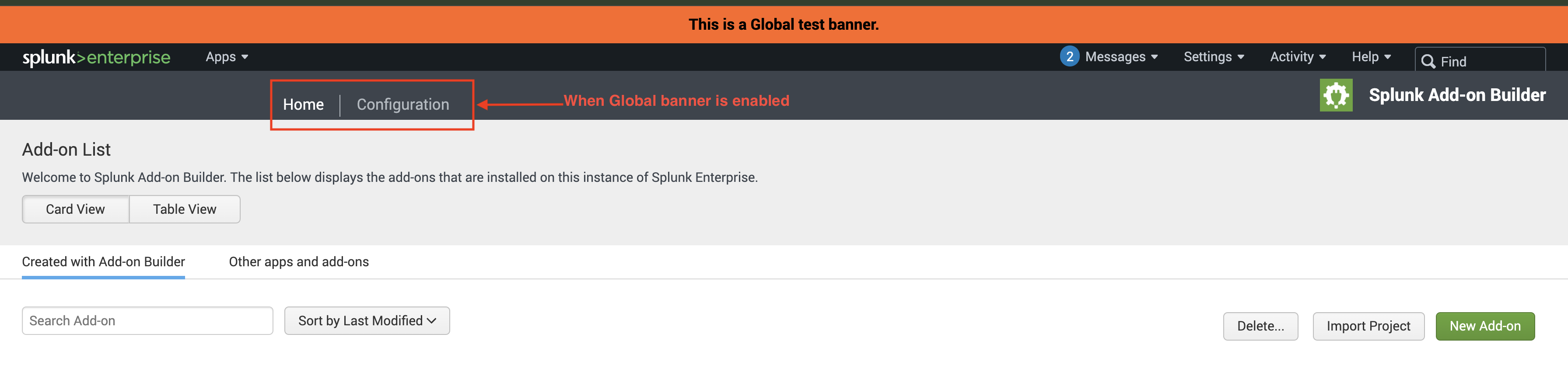
- In contrast, when the Global Banner is enabled in Splunk Enterprise Forwarder, the Add-on Builder app fails to display the UI correctly, and some features are misaligned, as shown in the screenshot below.
- Similarly, with Add-on Builder version 3.0.1, enabling the Global Banner is visible from any Splunk GUI webpage, such as when accessing Manage Apps, as illustrated in the screenshot below.
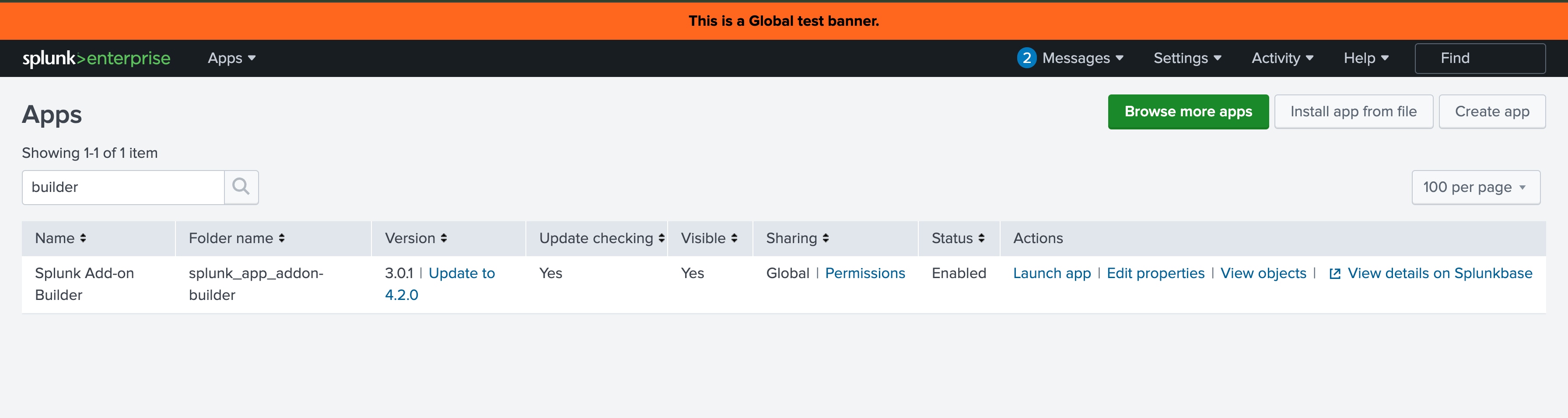
- However, with Add-on Builder version 3.0.1, enabling a Global Banner does not have any effect. In this version, the Global Banner is not displayed at all, which is expected since it does not impact the functionality of the Add-on Builder.
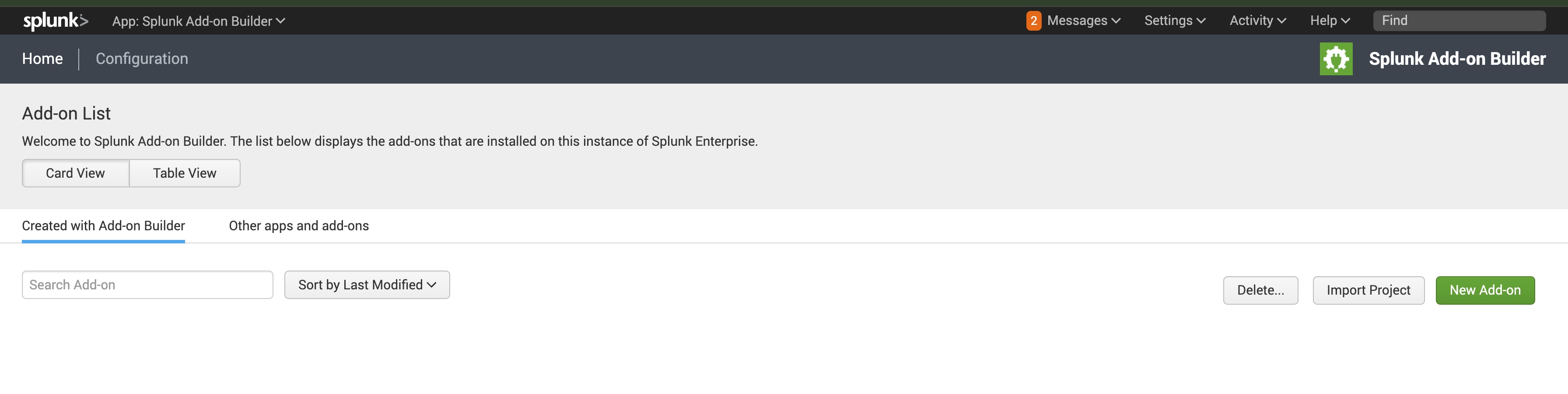
Therefore, it appears there may be a code issue in Add-on Builder version 4.2.0 that affects UI functionality when the Global Banner is enabled.
Resolution
Temporary Workaround for Testing with Global Banner Enabled:
To test on a local instance with the Global Banner enabled, the user can use the following workaround:
-
Access the Backend:
- Navigate to the directory:
$SPLUNK_HOME/etc/apps/splunk_app_addon-builder/appserver/static/css/
- Navigate to the directory:
-
Modify CSS Files:
- Open the files
tab_home_page-enterprise.cssandtab_main_flow_page-enterprise.css. - Search for the selector
.splunk-header. - Replace
min-height: 20px;withmax-height: 100px;in both files. - File:
tab_home_page-enterprise.cssandtab_main_flow_page-enterprise.css.- Code snippet (default) in version 4.2.0:

- Code snippet after the changes applied in the current workaround

- Open the files
-
Update and Reload:
- Access the Splunk UI and visit the following URL:
http[or https]://<ip_on_which_splunk_is_running>:<splunk_web_port>/en-US/_bump - Click the “Bump version” button.
- Perform a hard reload of the Splunk web page with the Add-on Builder opened.
- Access the Splunk UI and visit the following URL:
Note: A permanent resolution to this issue will require a code fix. Please monitor the new releases of the Add-on Builder on Splunkbase for updates.
Related Links
Bug JIRA: ADDON-72211
Doc JIRA: ADDON-72254
Revision History
| Revision | Publish Date | Comments |
|---|---|---|
1.0 |
29-Sep-2026
|
Initial Release |
 Feedback
Contact Cisco
- Open a Support Case

- (Requires a Cisco Service Contract)