Choropleth Visualization using SVG not working in dashboard studio
Available Languages
Applicability
Splunk Enterprise Dashboard StudioDescription
Missing or incomplete SVG files can cause unexpected behavior in Choropleth. In an attempt to use the SVG's ID to color a specific section of the map, no changes were actually displayed. Testing with a self-created SVG file works as expected, though. Other unexpected behaviors may be present depending on what is trying to be accomplished.
Investigation
- The same issue was replicated and multiple SVG downloaded from internet were used in the dashboard studio with the same search but still the the area was not colored. .
- Check the path ID of the area that has to be colored using text editor /notepad from the SVG downloaded from internet and it look as below :
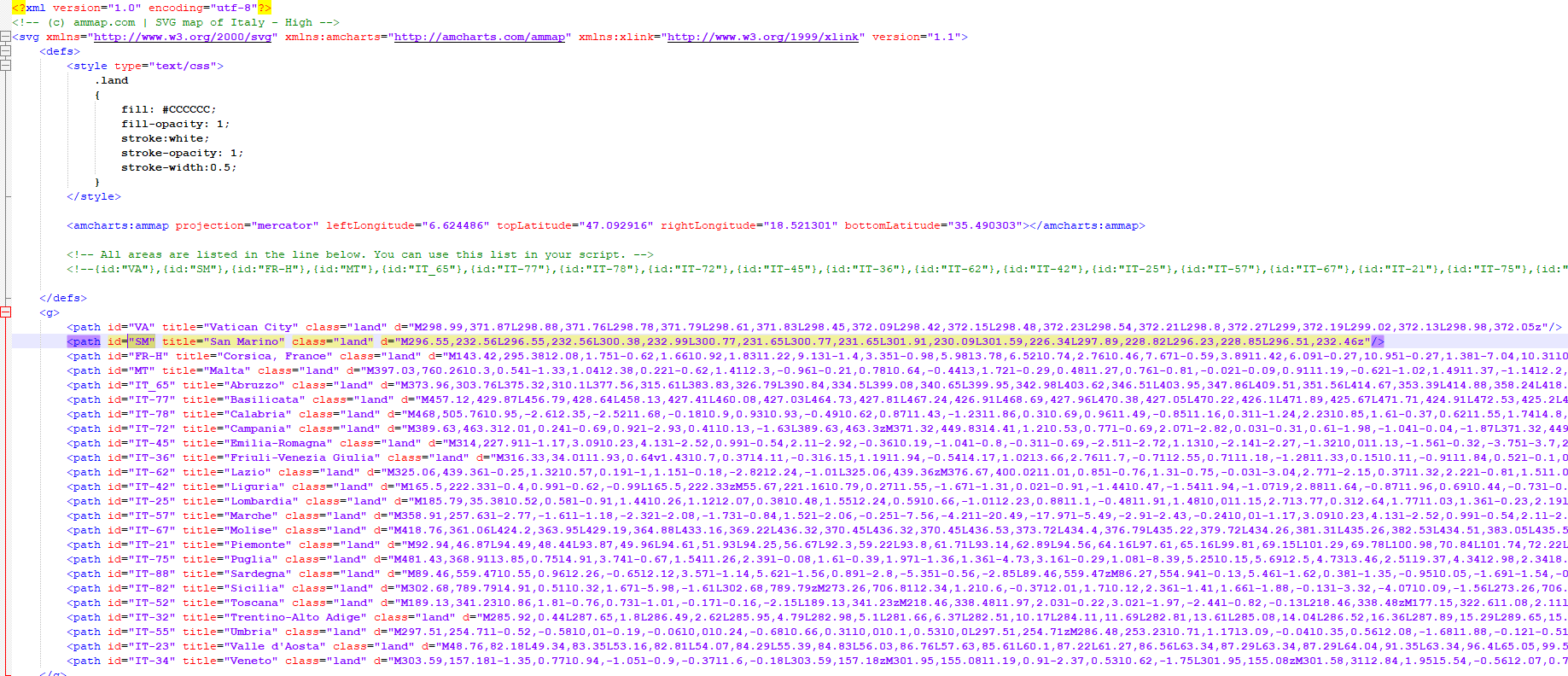
- The fill reference was missing from each path in the SVG.
Resolution
The SVG must contain an ID and a fill reference. Please see the image below: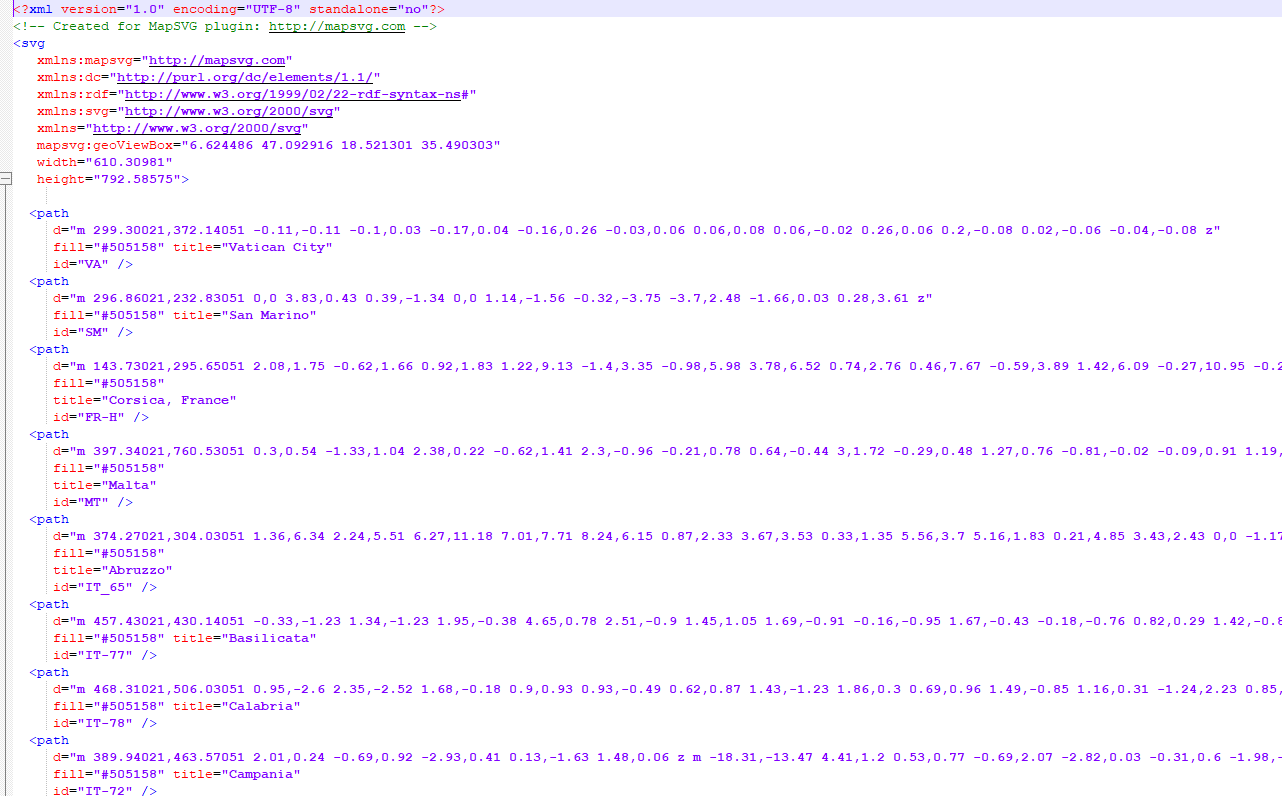
- The path id is what links the svg to the query.
- The fill reference will be the default when no data is available and overridden with the DS Color and style reference when there is data.
Note: When moving the dashboard to a new instance, it is mandatory to upload the graphic again.
- Create a new dashboard.
- Replace it’s JSON source.
- Then replace the SVG file referenced in the Choropleth SVG on the dashboard
Related Links
Painting with Data: Choropleth SVG
Revision History
| Revision | Publish Date | Comments |
|---|---|---|
1.0 |
29-Sep-2026
|
Initial Release |
 Feedback
Contact Cisco
- Open a Support Case

- (Requires a Cisco Service Contract)