DMC fails to display information about indexers and forwarders
Available Languages
Applicability
Splunk Enterprise.Description
After upgrading to 8.2.7.1 , the monitoring console is not showing any info from the indexers, and it also fails to monitor all the Splunk forwarder instances. Issue started in Version 8.2.7 and 8.2.9.Investigation
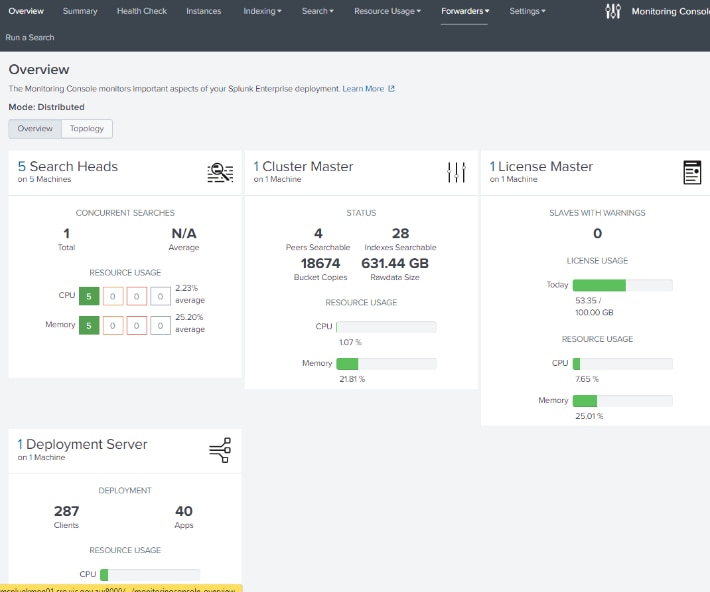
1. The issue started after upgrading from 8.0.5 to 8.2.7.1.2. This is a screenshot of the monitoring console, the main overview is not showing any info about the 4 indexers.
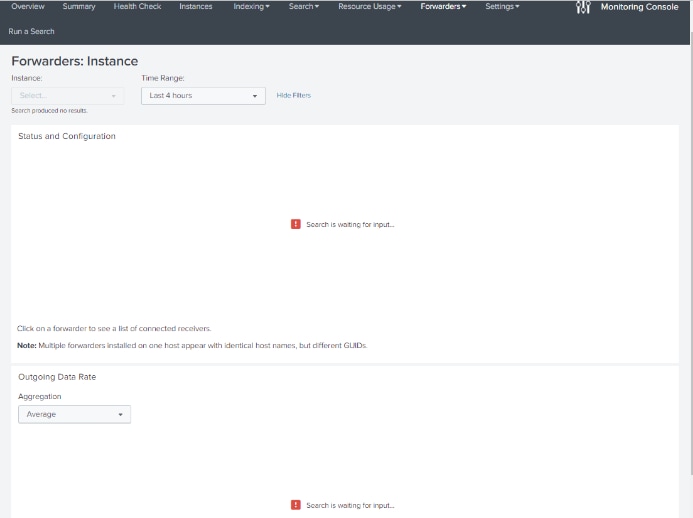
3. Monitoring console fails to monitor all the Splunk forwarder instances.
Resolution
Add the cluster manager as a search peer and configure the monitoring console instance as a search-head in that cluster.Add the search peers to the Splunk Enterprise instance which hosts your MC.
Steps:
1. Go to Splunk > Settings > Distributed search » Search peers and add/authenticate your indexers which are missing.
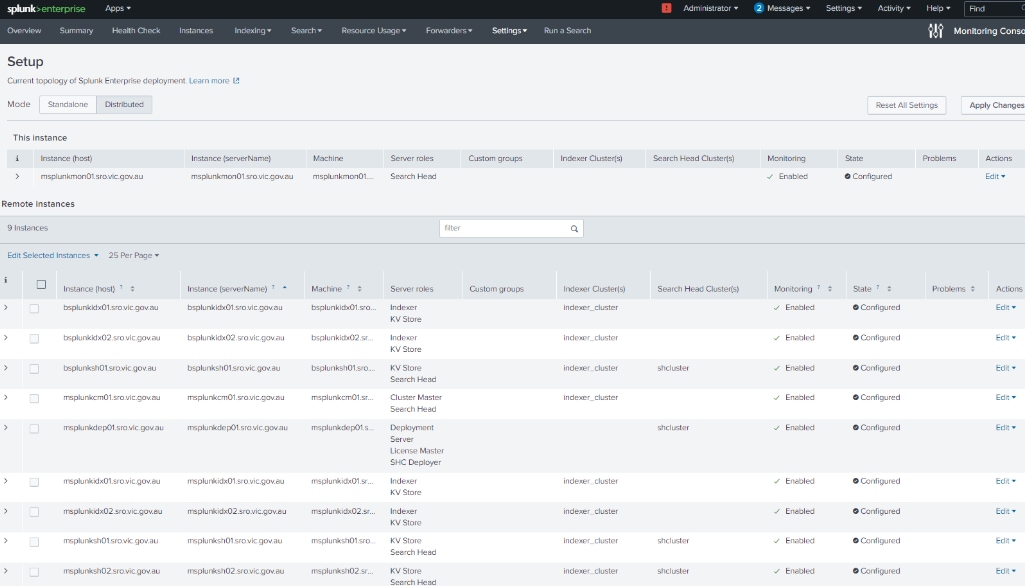
2. In MC, go to Settings > Distributed > Apply Changes (Ensure all the indexers are in the list below and the roles are correct).
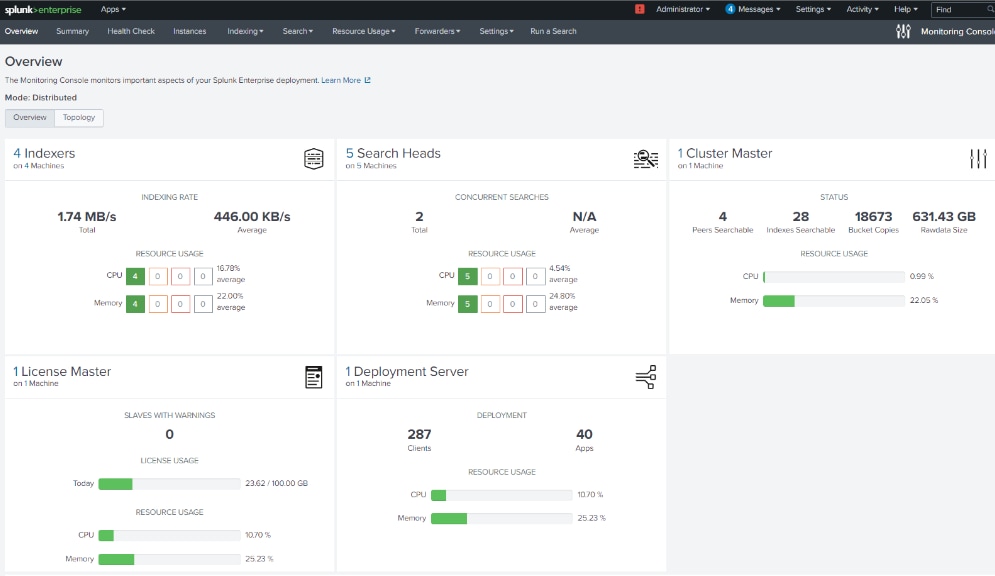
Once you perform the changes you'll see the forwarders and indexers in the Monitoring Console's (MC) summary page. (See screenshots below).
Related Links
DMC overviewRevision History
| Revision | Publish Date | Comments |
|---|---|---|
1.0 |
29-Sep-2026
|
Initial Release |
 Feedback
Contact Cisco
- Open a Support Case

- (Requires a Cisco Service Contract)