Splunk Secure Gateway is causing constant configuration changes for Search Head Cluster (SHC) - Classic bundle replication in Search Head Cluster has failed
Available Languages
Applicability
Splunk EnterpriseDescription
Splunk Secure Gateway causes the configuration manager issues with replicating config bundles back to the Cluster Master.
Investigation
Once the Splunk Secure Gateway app (SSG) is configured. It can be observed that now the conf.log file is pouring with these ssg_enable_moduler_input changes that causing the configuration manager issues replicating config bundles back to the Cluster Master.
The continued logging can be observed through the below SPL.
index=_internal source="/opt/splunk/var/log/splunk/conf.log"
The results will look like below sample logs:
{"datetime":"11-09-2022 14:23:04.100 +0000","log_level":"INFO","component":"ConfOp","data":{"task":"acceptPush","from_repo":"https://splunk-xxxx-search-head-1.splunk-xxxxxxx-search-head.cluster.local:xxxx","to_repo":"https://splunk-xxxxxx-search-head-0.xxxxxxxxx-headless.xxxx.cluster.local:xxxx","to_repo_change_count":74812,"asset_uri":["nobody","splunk_secure_gateway","inputs","ssg_enable_modular_input://default"],"status":"applied","op_id":"1807xxxx4c9d57db94xx7723526exxxx1d9d77","applied_at":1668003784,"asset_id":"bb22xxxxxb4cb9e2e45a2fdd5xxxff","optype":2,"optype_desc":"WRITE_STANZA","payload":{"value":"","alias":"ssg_enable_modular_input://default","metadata":{"permissions":{}},"children":{"disabled":{"value":"1","alias":"disabled","metadata":{"permissions":{}}}}},"payload_extra":""}}{"datetime":"11-09-2022 14:23:04.101 +0000","log_level":"INFO","component":"ConfOp","data":{"task":"acceptPush","from_repo":"https://splunk-xxxx-search-head-1.splunk-xxxxxxx-search-head.cluster.local:xxxx","to_repo":"https://splunk-xxxxxx-search-head-0.xxxxxxxxx-headless.xxxx.cluster.local:xxxx","to_repo_change_count":74813,"asset_uri":["nobody","splunk_secure_gateway","inputs","ssg_enable_modular_input://default"],"status":"applied","op_id":"4d7bxxxxc60ec77e93a93cb204xxxxxa5d","applied_at":1668003784,"asset_id":"bbxxxxx558ed9b4cxxxa2fdd58xxxxff","optype":2,"optype_desc":"WRITE_STANZA","payload":{"value":"","alias":"ssg_enable_modular_input://default","metadata":{"permissions":{}},"children":{"disabled":{"value":"0","alias":"disabled","metadata":{"permissions":{}}}}},"payload_extra":""}}
To check if the SSG is the only culprit, disabled the SSG. Once the SSG was successfully disabled the conf.log churns went away and all SHC members were synced and shared a common config baseline.
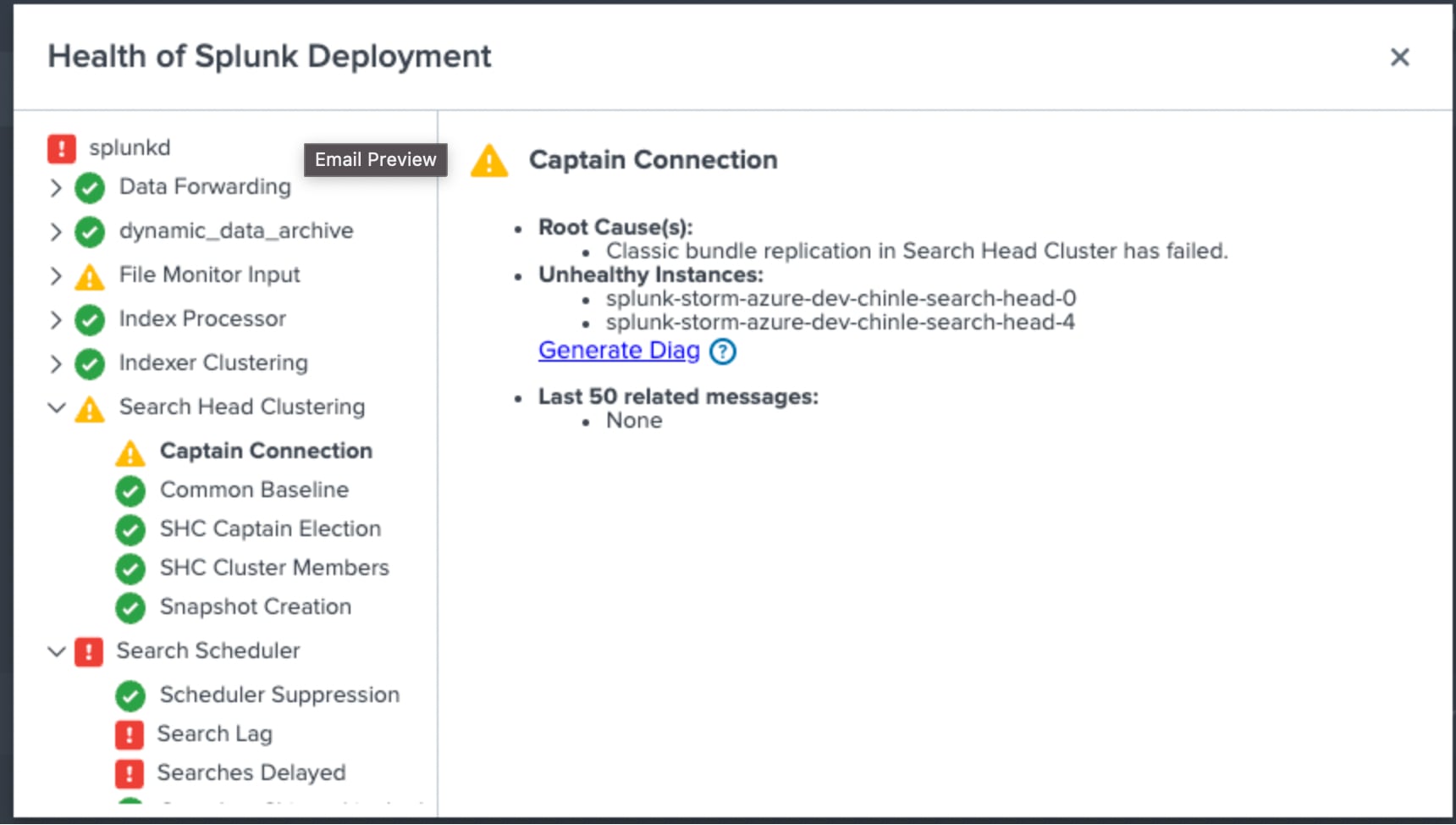
As soon SSG was re-enabled the conf.log churn starts again. Once this churn starts the SHC replication fails and the SHC cannot establish a common baseline because there are conf changes going on. Each SH member cannot replicate their baseline back to the SHC captain and the following will be seen.
.
Resolution
This is issue has been fixed in Splunk Enterprise 8.2.2203 and 9.0.2205
Upgrading to Splunk 9.0.2 or higher will also resolve the issue.Revision History
| Revision | Publish Date | Comments |
|---|---|---|
1.0 |
29-Sep-2026
|
Initial Release |
 Feedback
Contact Cisco
- Open a Support Case

- (Requires a Cisco Service Contract)