Some job results for scheduled alerts not showing up in the GUI
Available Languages
Applicability
Splunk EnterpriseDescription
As can be seen from the Splunk GUI Searches> Reports> Alerts view, "Next schedule time" is planned for the next run, and it is updated every 15 minutes.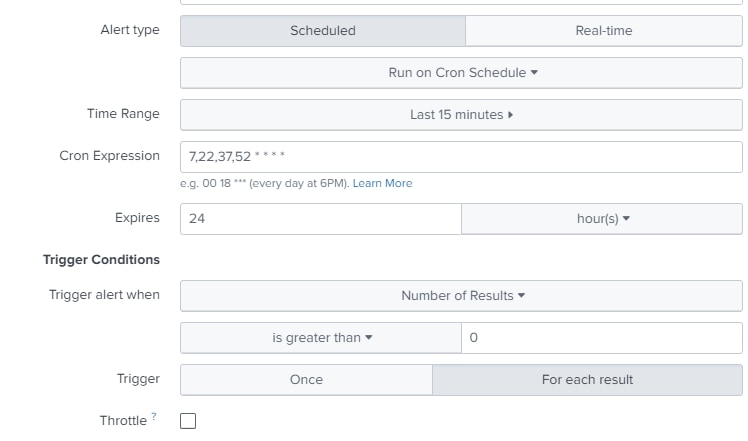
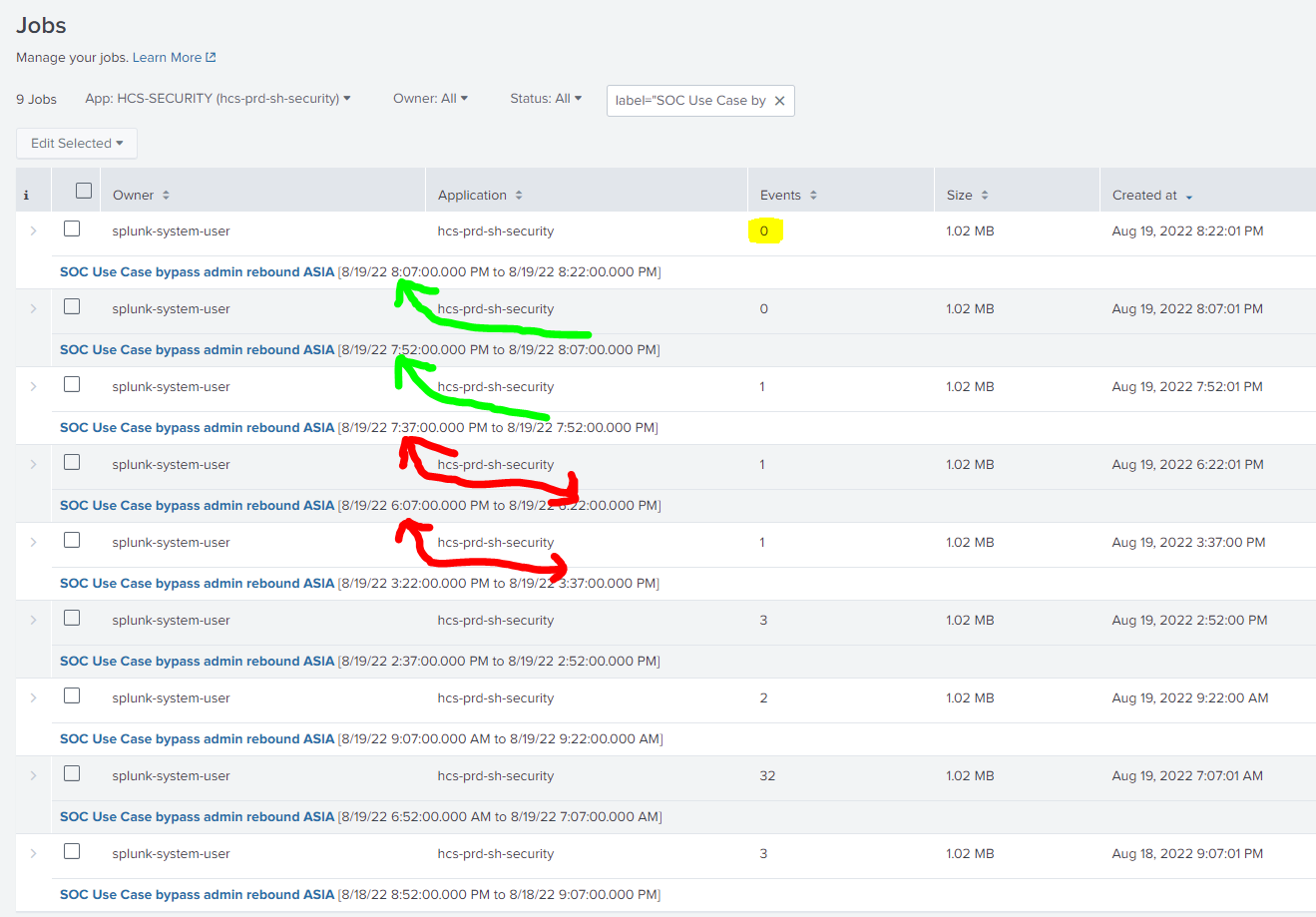
In the Job status don't see all the job results.
Investigation
Verified in $SPLUNK_HOME/var/log/splunk/scheduler.log see the logs for every 15 minutes. These results are not visible in the GUI.
The artifacts where the email alert fired will have an extended ttl, the ones that are "missing" have the default time to live (ttl) of 2p , where 2p means 2x period of the search, 30 minutes in this case.
Review all the older ones in the screenshot have results below
Resolution
Check the ttl value in $SPLUNK_HOME/var/log/splunk/alerts.conf file
ttl = <integer>[p]
* The minimum time to live, in seconds, of the search artifacts,
  if this action is triggered.
* If 'p' follows '<integer>', then '<integer>' is the number of scheduled periods.
* If no actions are triggered, the ttl for the artifacts are determined
  by the 'dispatch.ttl' setting in the savedsearches.conf file.
* Default: 10p
* Default (for email, rss)                    : 86400 (24 hours)
* Default (for script)                        :   600 (10 minutes)
* Default (for summary_index, populate_lookup):   120 (2 minutes)
The ttl for the missing artefacts have the default ttl of 2p. Increased the value dispatch.ttl in the $SPLUNK_HOME/etc/system/local/savedsearches.conf
Example:
[mysavedsearchname]
dispatch.ttl = some value
Review all the jobs, whether the search status generated an alert or not.
All jobs are well launched and review the status.
Related Links
Alert ActionsRevision History
| Revision | Publish Date | Comments |
|---|---|---|
1.0 |
29-Sep-2026
|
Initial Release |
 Feedback
Contact Cisco
- Open a Support Case

- (Requires a Cisco Service Contract)