LDAP Login failed, could not find a valid user="test" on any configured servers
Available Languages
Applicability
Splunk EnterpriseDescription
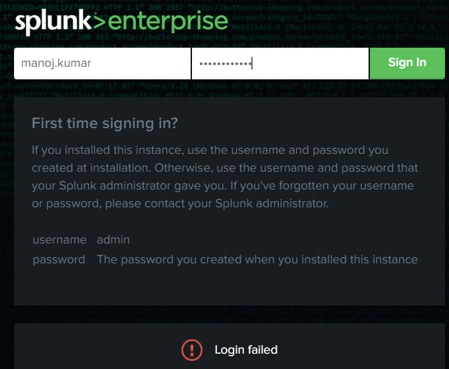
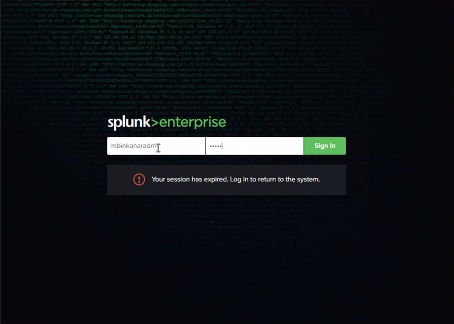
If LDAP Authentication does not work Splunk UI and having following logs and screen shot:
ERROR UserManagerPro [19394 TcpChannelThread] - LDAP Login failed, could not find a valid user="test" on any configured servers
ERROR UiAuth [19394 TcpChannelThread] - user=test action=login status=failure reason=user-initiated useragent="Mozilla/5.0 (Windows NT 10.0; Win64; x64) AppleWebKit/537.36 (KHTML, like Gecko) Chrome/x.x.x.x Safari/537.36" clientip=xxx.xxx.x.xxx
WARN  AuthorizationManager [30291 TcpChannelThread] - Unknown role 'metric_ad_admin'
Investigation
1: If It's a new configuration then check all the properties and parameters are correct and users are mapped properly, check Configure LDAP With Splunk Web documentation
2: Prod and Staging systems and it is working in one server then compare the $SPLUNK_HOME/etc/system/local/authentication.conf file.
3: If only few ldap users are facing the login issue, please compare the properties and group permissions (if in same ad groups) between working one and non working users.
4. If step 2nd and 3rd do not help then please check ability to login to AD server using ldap users
- If No then please check with ldap or Ad admin to fix this.
- If it's is working in AD and not working in Splunk UI then continue with the next steps:
5: Login to AD server where ldap is configured and check the properties of the ldap user if the bindDN, groupBaseDN, userBaseDN are correct and exact same which are mentioned in Splunk UI.
6: Please check the connection between Splunk (cmd line) and Ldap server using below commands:
ldapsearch -x –h <ldap_host> –p <ldap_port> –D "bind_dn" -w "bind_passwd" -b "user_basedn" "userNameAttribute=*"ldapsearch -x –h <ldap_host> –p <ldap_port> –D "bind_dn" -w "bind_passwd" –b "group_basedn" "groupNameAttribute=*"
Above commands can be run in debug mode as well like below:
ldapsearch -d -1 -x –h <ldap_host> –p <ldap_port> –D "bind_dn" -w "bind_passwd" -b "user_basedn" "userNameAttribute=*"
Resolution
If all the above steps do not help to resolve then try the following steps:
1: Create a new test ldap user, keep this user into ldap existing group and assign all the ldap roles, then try to login Splunk UI.
2: If step 1st does not help then create new ldap group and create a new user under this group and login to Splunk UI.
Related Links
LDAP-configuration-showing-users-but-not-allowing-login
Error-binding-to-LDAP-reason-quot-Can-t-contact-LDAP-server-quot
Revision History
| Revision | Publish Date | Comments |
|---|---|---|
1.0 |
29-Sep-2026
|
Initial Release |
 Feedback
Contact Cisco
- Open a Support Case

- (Requires a Cisco Service Contract)