After Splunk UF upgradation, Splunk service stopped and multiple permission errors are reflecting while starting or checking the status.
Available Languages
Applicability
Splunk EnterpriseDescription
When Splunk UF was upgraded, the account ownership for /opt/splunkforwarder/ was changed from root to another user - dmadmin. Then Splunk service stopped and multiple permission errors are reflecting.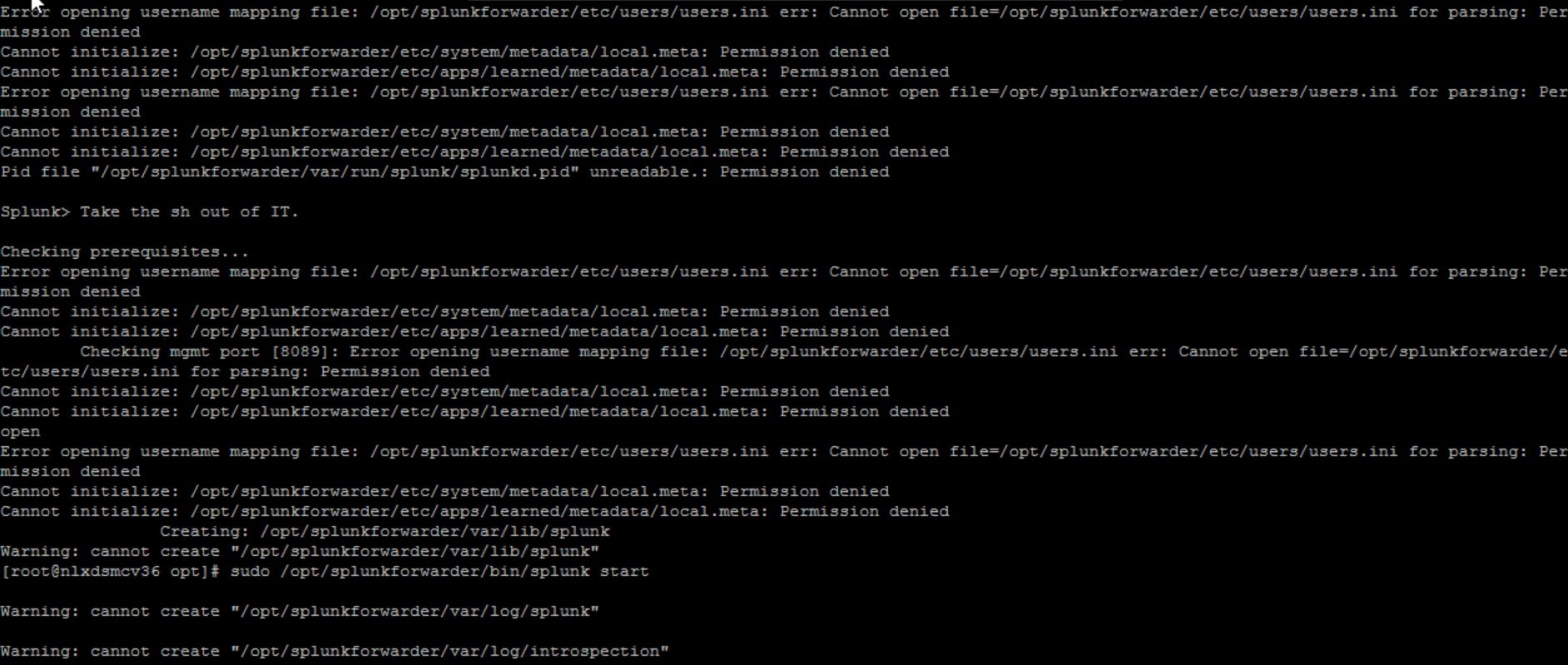
Then the ownership was changed back from dmadmin to root, but the issue still persisted.
Investigation
If Splunk Enterprise is running on Linux as a non-root user, and use an RPM to upgrade, the RPM writes the $SPLUNK_HOME/var/log/introspection directory as root. This can cause errors when the instance is attempted to start.
To prevent this, change the ownership to user with chown $SPLUNK_HOME/var/log/introspection directory Splunk Enterprise runs after upgrading and before restarting Splunk Enterprise.
But here, .tgz package was used instead of RPM.
- While trying to restart Splunk numerous 'Permission denied' error was reflecting even being a root user.
- Checked the permission of the audit log and it belongs to the root.
- Checked the permissions of the log directory, sub directories and files
- all belonged to root
- Tried to restart the audit.log but it was not possible due to insufficient privileges.
Resolution
- Opened $SPLUNK_HOME/etc/splunk-launch.conf with a text editor and saw that the SPLUNK_OS_USER=dmadmin (user) and not root.
SPLUNK_OS_USER=dmadmin
- After changing the Splunk_OS_USER back to root an restarted splunk and that solved the issue.
SPLUNK_OS_USER=root
- Successfully restarted Splunk and auditd.log.
- Also after the changes in the splunk-launch.conf back to root, verified that the logs have again started to ingest as expected and the issue is successfully resolved.
Note : In order to change from root to other user in the future scenarios, using facl permission to the respective user/respective dir will avoid such issues.
Setfacl allows for much greater control over who has access to a specific file or folder.
Related Links
What-is-the-best-way-to-make-var-log-audit
How-to-handle-Splunking-Linux-logs-through-the-Splunk-nix-TA
Revision History
| Revision | Publish Date | Comments |
|---|---|---|
1.0 |
29-Sep-2026
|
Initial Release |
 Feedback
Contact Cisco
- Open a Support Case

- (Requires a Cisco Service Contract)