Splunk Add-on for Microsoft Office 365 V4.2.0 log forwarding stopped for o365 messagetrace logs
Available Languages
Applicability
Splunk Apps & Add-ons : Splunk Add-on for Microsoft Office 365 V4.2.0 and Higher Splunk Cloud Splunk enterpriseDescription
Splunk Add-on for Microsoft Office 365 V4.2.0 and higher versions have introduced new inputs which can fetch the O365 message trace log. Even after configuring the mod inputs successfully, the data ingestion for message log traces do not start in Splunk.
This newly introduced feature requires a set of permissions and roles to be provided at the Azure end, without which the input won't work and the message trace logs won't be ingested.
Investigation
While investigating the internal logs using the below query found the errors:index=_internal sourcetype="splunk:ta:o365:logs" "*message_trace*"
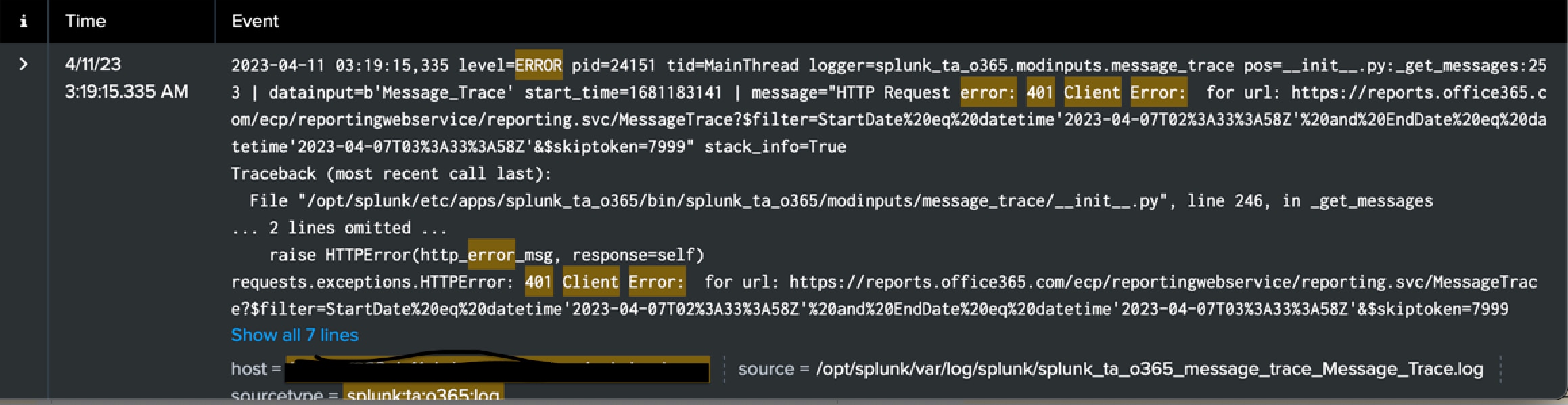
2023-04-11 03:09:18,781 level=ERROR pid=11379 tid=MainThread logger=splunk_ta_o365.modinputs.message_trace pos=__init__.py:_get_messages:253 | datainput=b'Message_Trace' start_time=1681182542 | message="HTTP Request error: 401 Client Error: for url: https://reports.office365.com/ecp/reportingwebservice/reporting.svc/MessageTrace?$filter=StartDate%20eq%20datetime'2023-04-07T02%3A33%3A58Z'%20and%20EndDate%20eq%20datetime'2023-04-07T03%3A33%3A58Z'&$skiptoken=9999" stack_info=True
This error means that the Splunk does not have access to the Reports API on Microsoft Azure side to be able to access the message trace logs.
Resolution
To resolve the issue, the Splunk Add-on for Microsoft Office 365 requires the below permission:ReportingWebService.Read.All
Verify this permission is selected, saved, and then granted within the Office 365 Management Activity API configuration on Azure Active Directory.
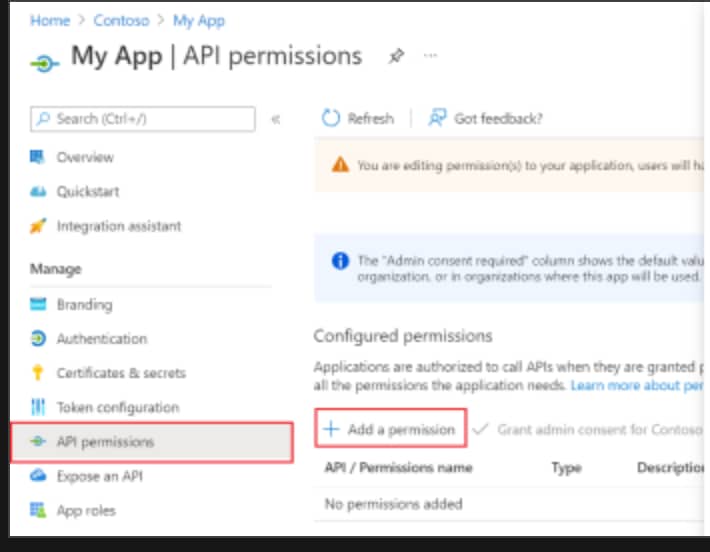
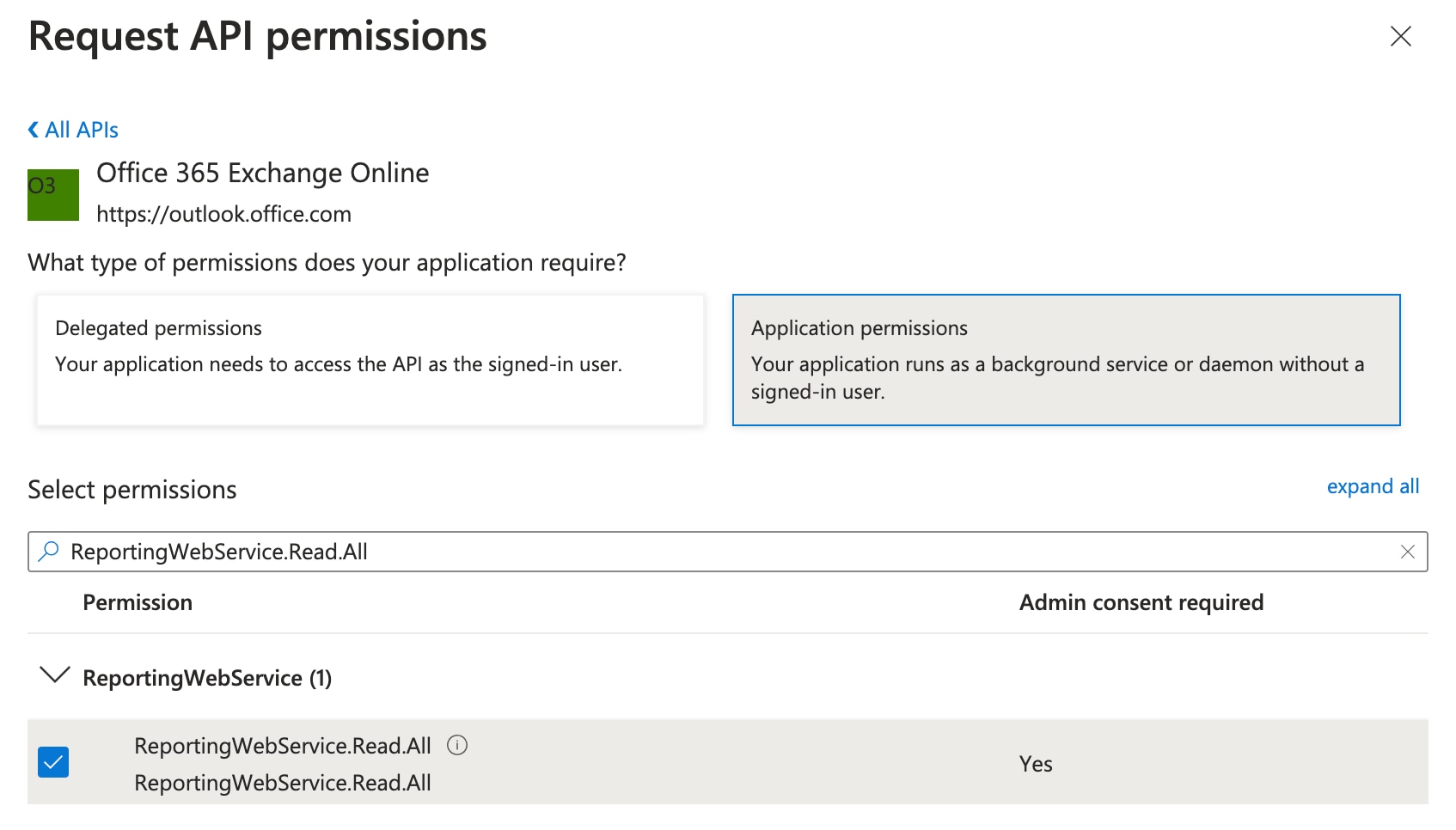
- Navigate to Application permissions in the API Permissions > Add a permission
- Select APIs my organisation uses
- Select Office 365 exchange online by searching in the search box
- Select Application Permission, and search for ReportingWebService
- Add the ReportingWebService.Read.All permission
Exchange Administrator
Global Administrator
Global Reader role
Related Links
Message trace configuration document for Splunk Add-on Microsoft office 365
Troubleshooting document for 401 error for Message trace logs.
Where to set permission and what permission to set at the azure end.
Microsoft reference link to set API permission.
Microsoft reference link to set IAM roles.
Revision History
| Revision | Publish Date | Comments |
|---|---|---|
1.0 |
30-Sep-2026
|
Initial Release |
 Feedback
Contact Cisco
- Open a Support Case

- (Requires a Cisco Service Contract)