Enabling static IPs for SHC using NLB and ALB
Available Languages
Applicability
Splunk CloudDescription
The load balancing service that Splunk provides, balances incoming traffic across multiple targets, such as their SHC instances but the downside is that the the IP addresses of the load balancer could change very often as they are dynamic in nature.
While this behavior is by design, users with direct layer-4 network connections established from the firewall to Splunk break every time the LB’s IP changes - leading to network disruptions and significant data loss/ business value in the process.
The scope of the effort is limited to getting dedicated IP’s for the Search Head Clusters.
Available for all SHC-supported regions in AWS Standard and GovCloud.
Investigation
There are phases for the transition to static IP’s:
Migration phase (non-impacting)
Additional migration load balancer is provisioned
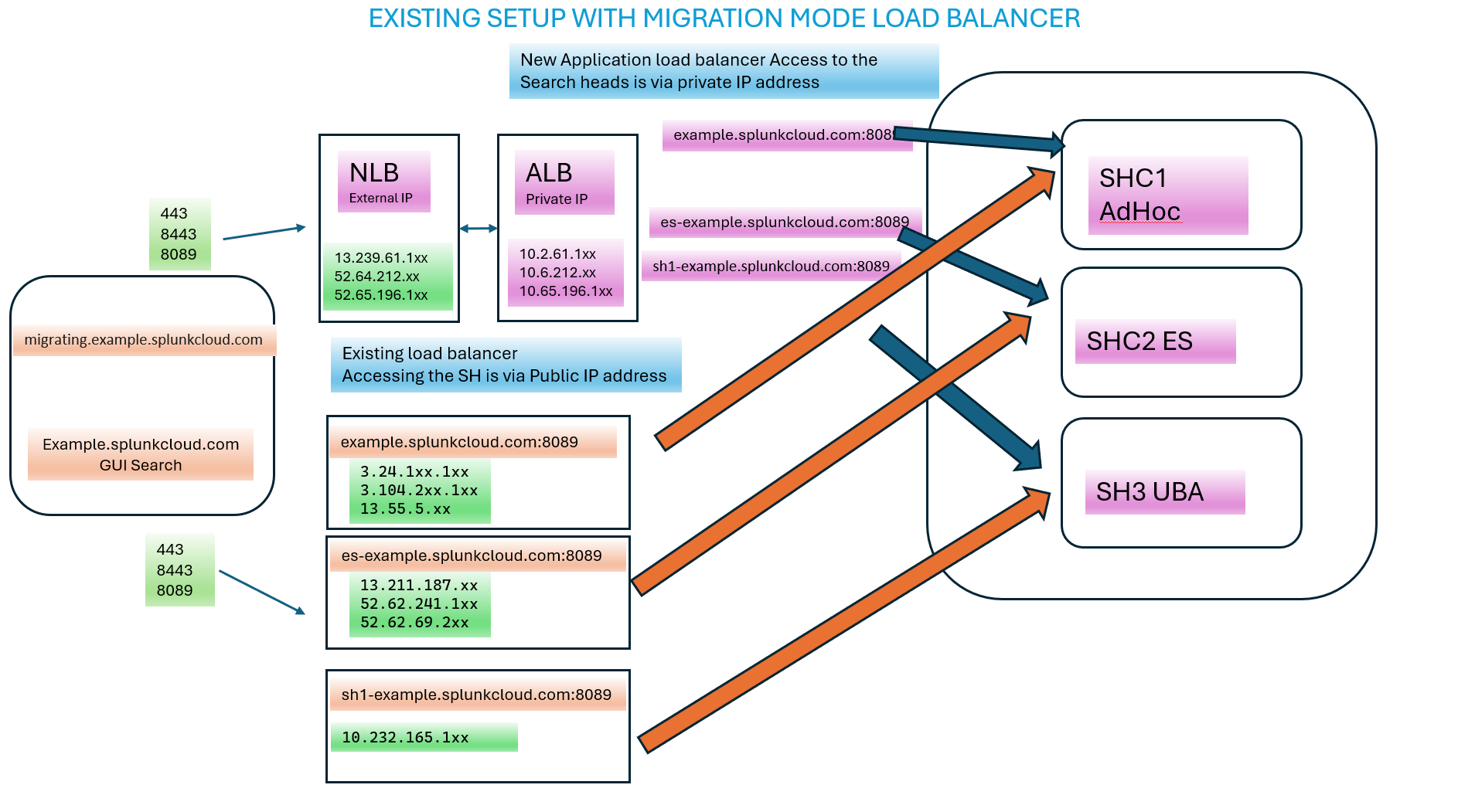
Final Switch-over (potentially Impacting) impact is only for current searches as the IP addresses are failed over in the DNS tables current estimates around 5 minutes for DNS caching to refresh.
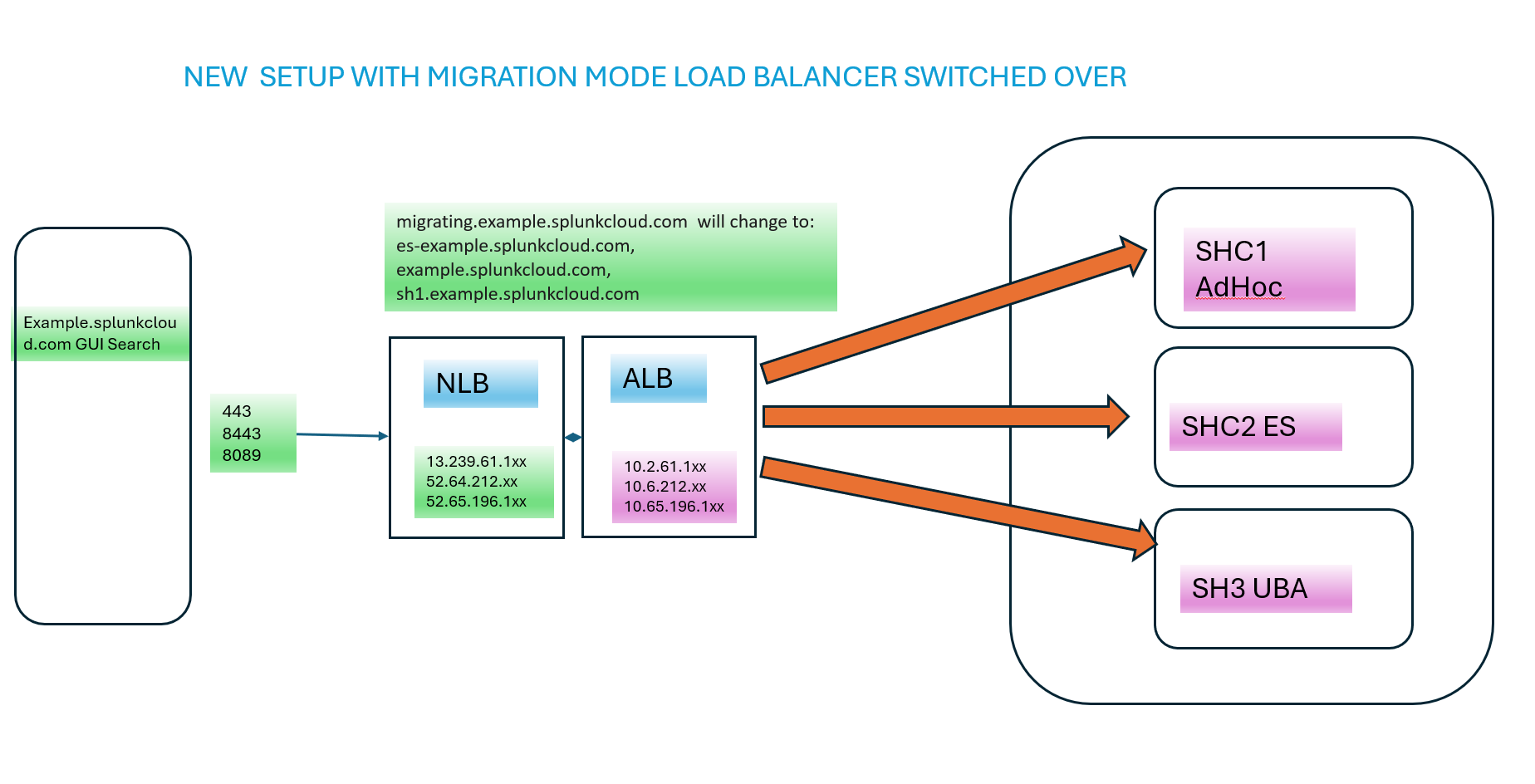
Resolution
Migration phase:
At this time the existing architecture remains in place and continues to serve current traffic, while the new load balancers are being provisioned. The Splunk Internal team will then share the new static IPs to be used and the following steps need to be taken from the client side talking to the SHC:
- Network administrators need to update the firewall rules to allow the new NLB public IPs.
- Then, diverse network tools/commands can be used to test against the new NLB IPs that are provisioned alongside the existing SH endpoints.
Note: Since the NLB DNS record resides in AWS’ domain, certificate warnings are expected and can safely be ignored at this time.
Final Switch-over:
Once the above steps have been completed, the migration flag can be removed. At this time the original architecture will be removed, and all SHC DNS records will point to the new NLB endpoint.
- At this stage, the old ELB public IPs can be removed from the firewall, thus completing the transition to the new dedicated IP set.
Troubleshooting:
Should the IP addresses of the load balancer keep changing very often after SHC Migration, then Please submit a case to Splunk Cloud Support to investigate further. It means the final step of enabling feature static IPs for SHC NLB has not yet been switched-over.
Revision History
| Revision | Publish Date | Comments |
|---|---|---|
1.0 |
29-Sep-2026
|
Initial Release |
 Feedback
Contact Cisco
- Open a Support Case

- (Requires a Cisco Service Contract)