Splunk ODBC Connection Failure: Error response received from the server: [ERROR]: Login failed
Available Languages
Applicability
Splunk CloudDescription
During the Splunk ODBC connection process for Microsoft Power BI, the ODBC Driver window will request the username and password for the Splunk Instance and user then must click on Connect, afterwards Microsoft will connect to the Splunk platform:
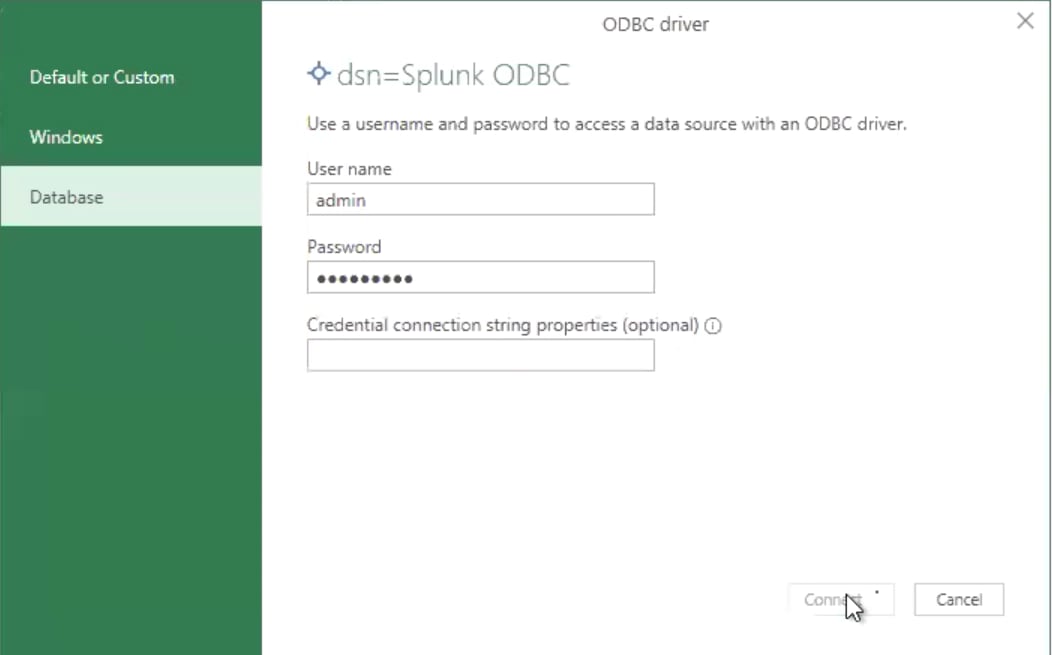
During this process, the following error is returned and setup is unable to complete:
DataSource.Error: ODBC: ERROR [HY000] [Splunk][SplunkODBC] (70) Error response received from the server: [ERROR]: Login failed
Details:
DataSourceKind=Odbc
DataSourcePath=dsn=Splunk ODBC
OdbcErrors=[Table]
Investigation
The following SPL search was used to verify the user used to establish the ODBC connection, it can be seen Splunk received the connection call.
Search:
index=_internal sourcetype=splunkd_access *splunk-odbc*Result:
1xx.1xx.1xx.1xx - - [30/Jan/2025:15:19:56.578 +0000] "POST /servicesNS/username@email.com/search/telemetry-metric HTTP/1.1" 500 130 "-" "splunk-odbc/3.1.1" - - - 8ms
When looked at the audit logs, it can be seen the login attempt has failed.
Search:
index=_audit sourcetype=audittrail "action=login attempt" username@email.comResult:
01-30-2025 15:19:56.574 +0000 INFO AuditLogger - Audit:[timestamp=01-30-2025 15:19:56.578, user=username@email.com, action=login attempt, info=failed, src=1xx.1xx.1xx.1xx method=SAML]It can be seen the user used to attempt login is a SAML user, which is not currently supported for ODBC connection:
method=SAMLResolution
ODBC drivers communicates using the REST API talking to the management port, for this reason, SAML or SSO login is not supported and the user credentials must come from a local Splunk user.
Splunk Idea is currently in place to enable SAML support:
Make Splunk ODBC work with SAML authentication
Related Links
Configure the Splunk ODBC driver with Microsoft Power BI
Revision History
| Revision | Publish Date | Comments |
|---|---|---|
1.0 |
29-Sep-2026
|
Initial Release |
 Feedback
Contact Cisco
- Open a Support Case

- (Requires a Cisco Service Contract)