Cannot view capabilities of certain SAML/Splunk users via GUI which fails with error - user fetch failed. Failed to fetch user results.
Available Languages
Applicability
Splunk CloudDescription
Users cannot view the capabilities assigned to certain SAML or Splunk authenticated users. The page fails with an error, even for users with sc-admin or admin roles.
When navigating to Settings > users > Edit > View capabilities > user <username> fetch failed. Failed to fetch user results.
Investigation
This message can be encountered by any user with any role despite their access level being unable to view the capabilities for the above-listed users.
As a part of troubleshooting, you can check out the following things; (using a sc_admin role inherited user account) if you check a user's assigned capability on the GUI users page, the page tries to load but fails.
Generating a HAR file and viewing the HTTP codes - You might see 404 for the URL -
GET https://xxxxxxxx.splunkcloud.com/en-US/splunkd/__raw/services/authorization/roles/user_ad_user
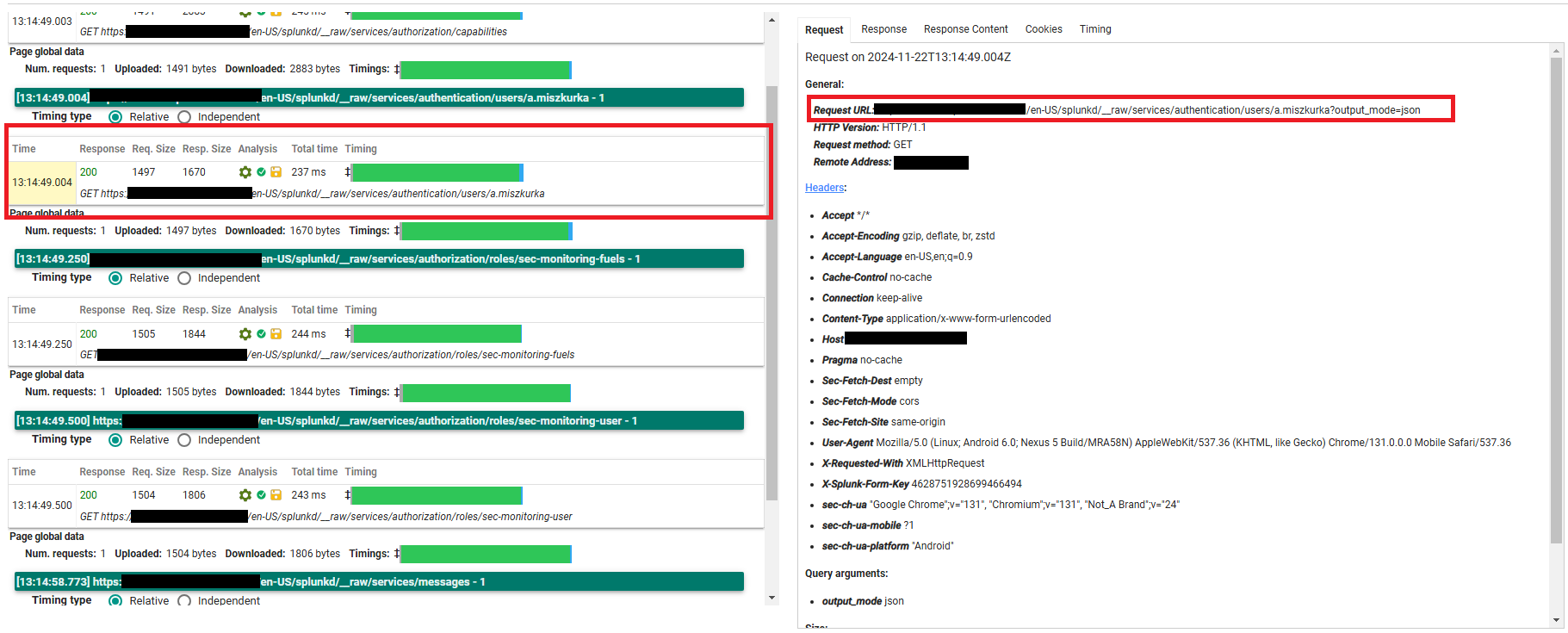
Next - Check for the capabilities of the other users and observe if the page loads as expected and sure it does. This explains the issue is not widespread for all users, but is limited to a specific set of users.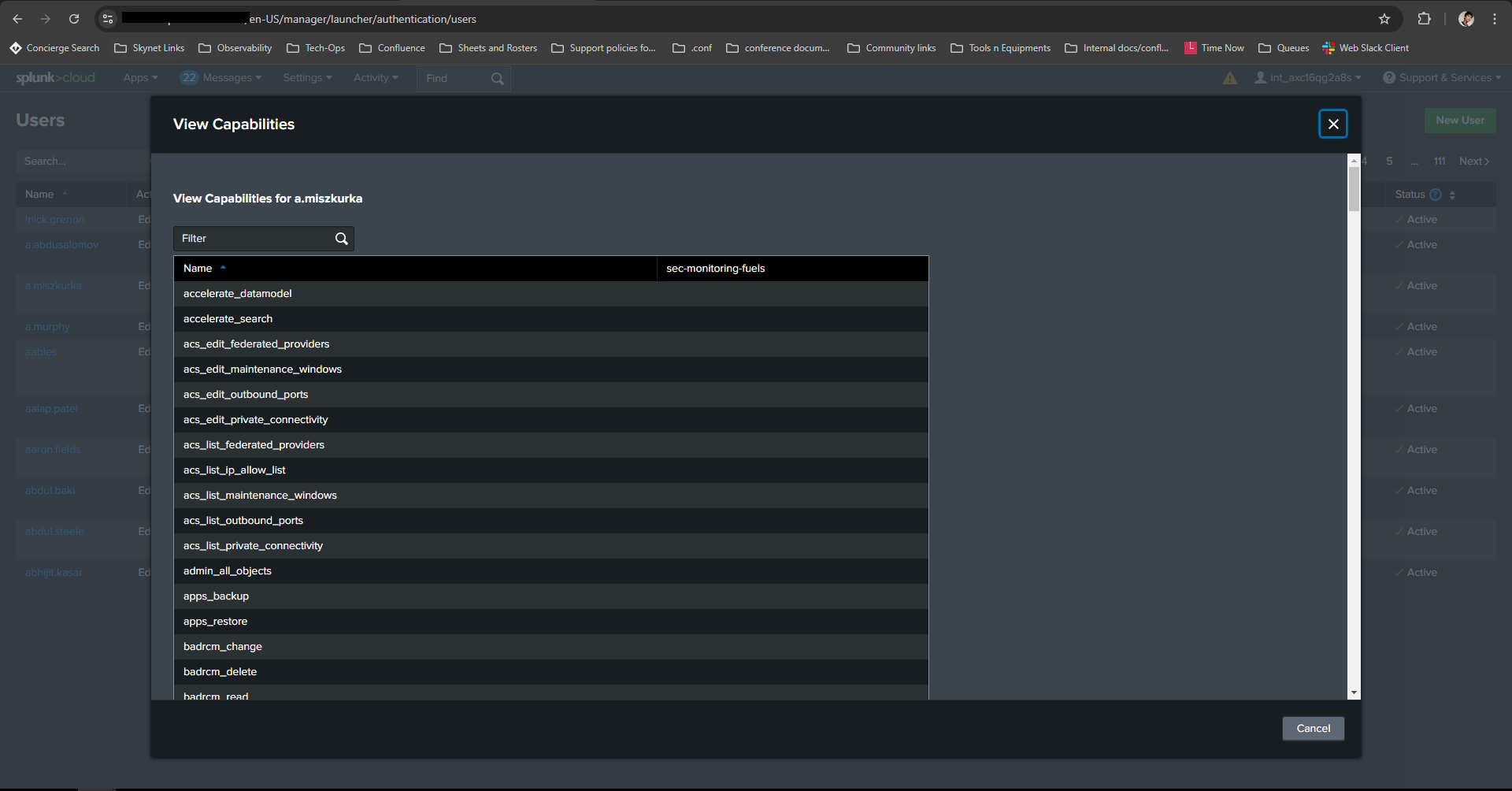
You can temporarily utilize the REST API command through the SH to check for capabilities assigned to the impacted users. 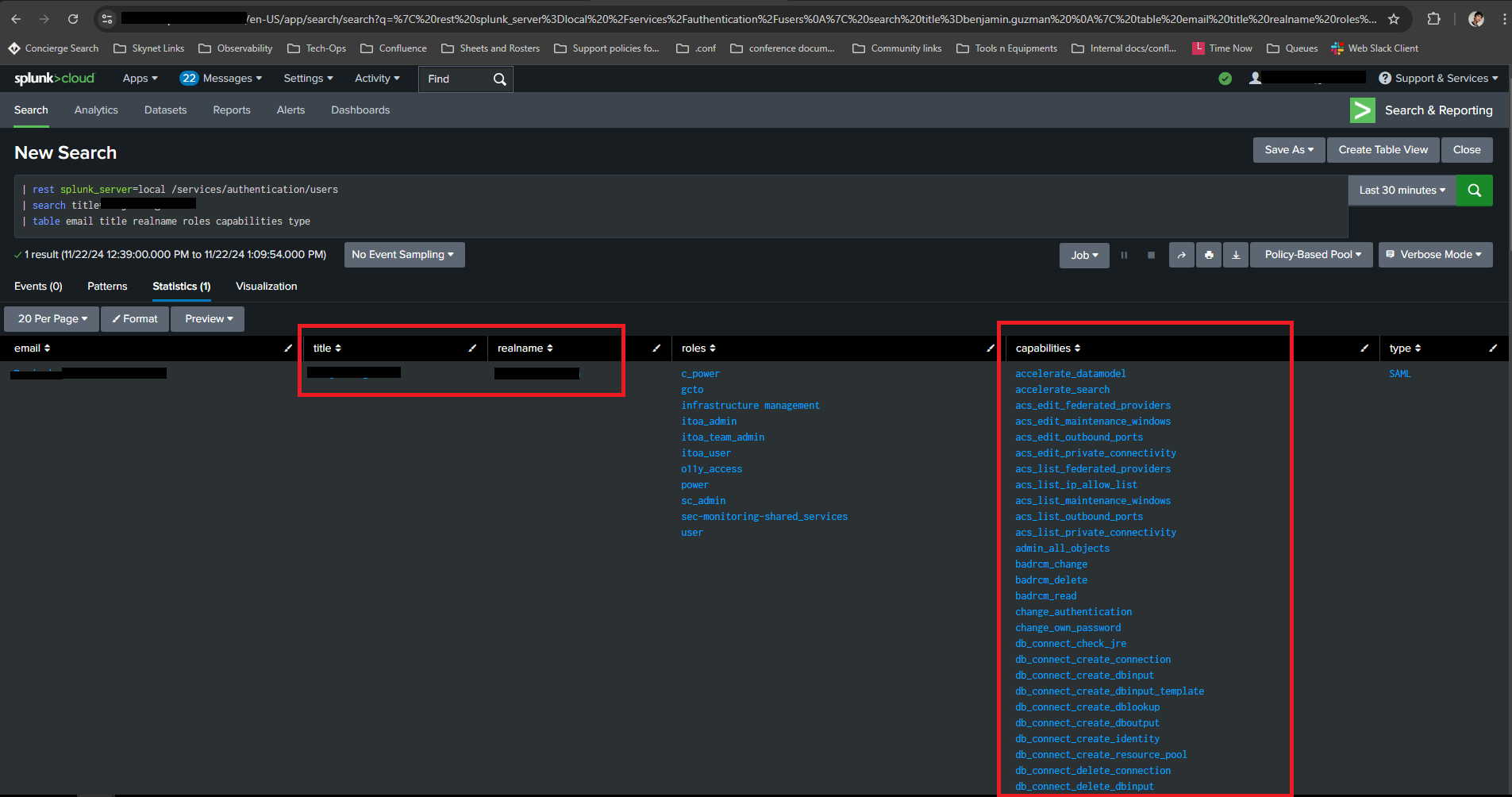
This query can result in the requested information which isn’t visible on the GUI.
REST-API Search -
| rest splunk_server=local /services/authentication/users
| search title=<username>
| table email title realname roles capabilities type
This leads us to believe the GUI page with the GET request fails for some reason.
Resolution
It was later identified that the impacted users had roles and capabilities [itoa_admin, itoa_team_admin, and role- itoa_user] inherited from an ITSI app which in turn inherits from the user_ad_user role that is unknown to Splunk.
Since users weren’t utilizing the ITSI app due to license limitations, removing the roles coming from the ITSI app for the affected users and performing an authentication reload fixed the issue.
Revision History
| Revision | Publish Date | Comments |
|---|---|---|
1.0 |
29-Sep-2026
|
Initial Release |
 Feedback
Contact Cisco
- Open a Support Case

- (Requires a Cisco Service Contract)