Not able to access browse more apps option and it was throwing an SSL error. "Error connecting: error:14090086:SSL routines:ssl3_get_server_certificate:certificate verify failed -please check the output of the `openssl verify` command for the certificate"
Available Languages
Applicability
Splunk cloud Splunk EnterpriseDescription
The user has upgraded the Splunk version from 9.1.2 to 9.3.1. After that when clicking on browse more apps from the webUI, observed the below error:
Error connecting: error:14090086:SSL routines:ssl3_get_server_certificate:certificate verify failed - please check the output of the `openssl verify` command for the certificates involved; note that if certificate verification is enabled (requireClientCert or sslVerifyServerCert set to "true"), the CA certificate and the server certificate should not have the same Common Name.. Your Splunk instance is specifying custom CAs to trust using sslRootCAPath configuration in server.conf's [sslConfig] stanza. Make sure the CAs in the appsCA.pem (located under $SPLUNK_HOME/etc/auth/appsCA.pem) are included in the CAs specified by sslRootCAPath. To do this, append appsCA.pem to the file specified by the sslRootCAPath parameter. 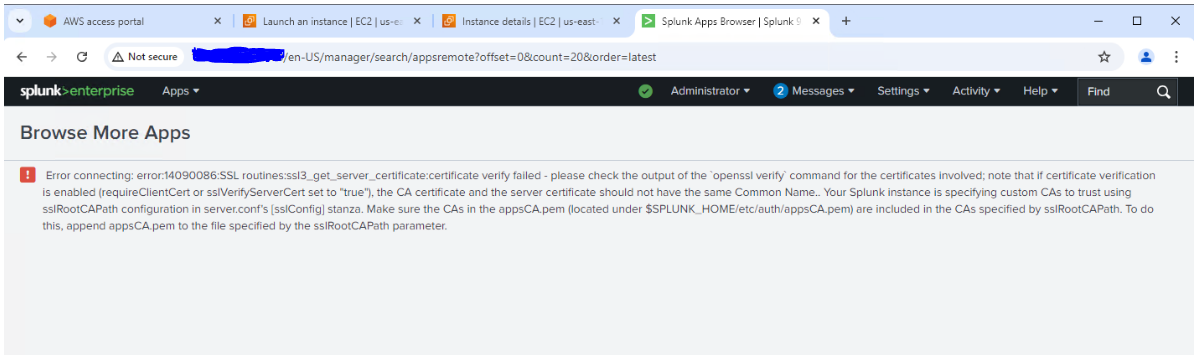
Investigation
- Try clearing the cache & cookies from the chrome.
- Check proxy is enabled, if enabled try disabling the proxy and it could be reason for the user cannot be able to access the splunkbase.
- Generate a Har file and reproduce the issue, then check if there is any error codes persist like below:
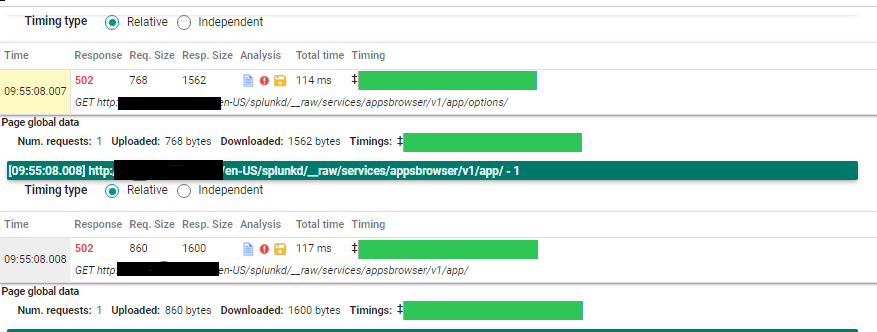
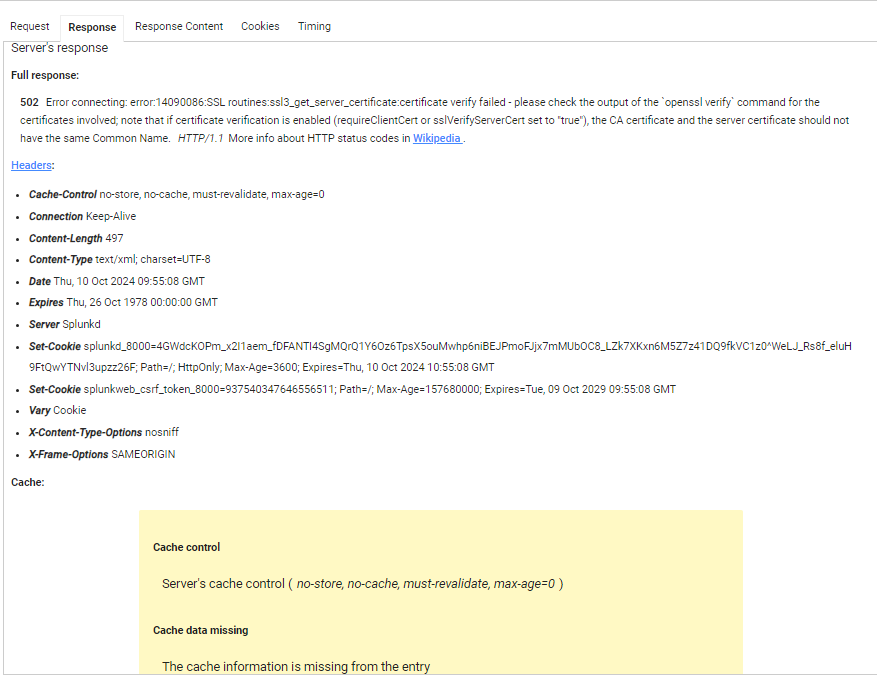
- To determine whether user can access Splunkbase directly using the certificates by running the following command:
/opt/splunk/bin/splunk cmd openssl s_client -connect apps.splunk.com:443 -CAfile /opt/splunk/etc/auth/appsCA.pem -servername apps.splunk.com - Examined the sslVerifyServerCert setting in server.conf using the btool command:
./splunk btool server list --debug | grep -i sslVerifyServerCert - Later set sslVerifyServerCert to false and restarted the server. Now the user is able to access the Splunkbase.
Found that the issue was related to sslcert.
Resolution
- Need to create a certificate by adding the appsCA.pem followed by the custom cacert.pem.
cp yourCustomCA.pem yourCustomCA.pem.backupcat $SPLUNK_HOME/etc/auth/appsCA.pem >> yourCustomCA.pemCheck the sslVerifyServerCert for [applicationManagement] is set to false or true in server.conf.
Note:- Before making any changes take a backup of the certificates (cacert.pem & appsCA.pem ). - Then append(add) the $SPLUNK_HOME/etc/auth/appsCA.pem to the sslRootCAPath in server.conf.
- The correct order should be appsCA.pem followed by the custom cacert.pem, which together form the certificate for sslRootCAPath.
- Add the path to sslRootCAPath and restart the server.
- Make sure that the created file(certs) has the necessary permissions. If not, give the necessary permissions and perform a restart.
Related Links
App Browser app cert (64 slide)
ssl3_get_server_certificate:certificate verify failed
Revision History
| Revision | Publish Date | Comments |
|---|---|---|
1.0 |
29-Sep-2026
|
Initial Release |
 Feedback
Contact Cisco
- Open a Support Case

- (Requires a Cisco Service Contract)